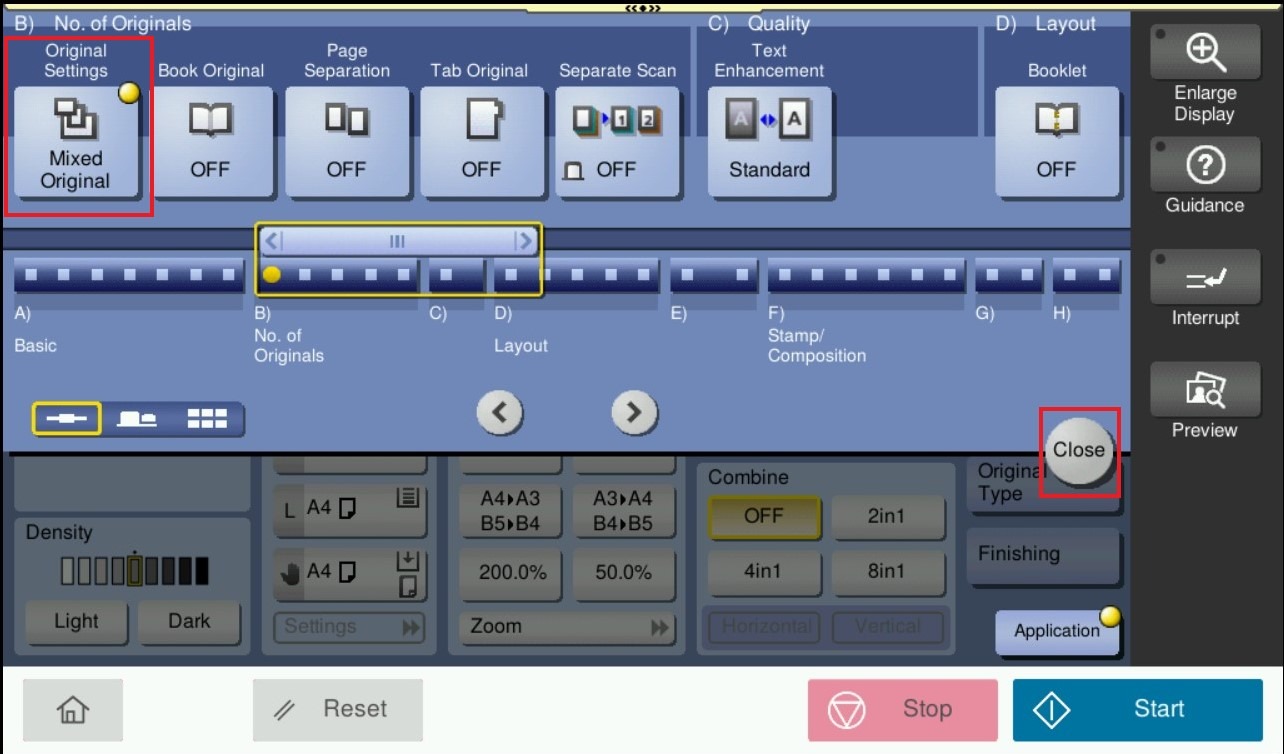
Suggestion on how to copy originals of varying sized in a batch using mixed original function on photostat machine.
For an original document with pages of different sizes, by using document feeder, it is possible to copying original document in different sizes. Kindly follow below step on how to enable and use the mixed originals on photostat machine.
For the Older Machine series / Non I-Series Machine
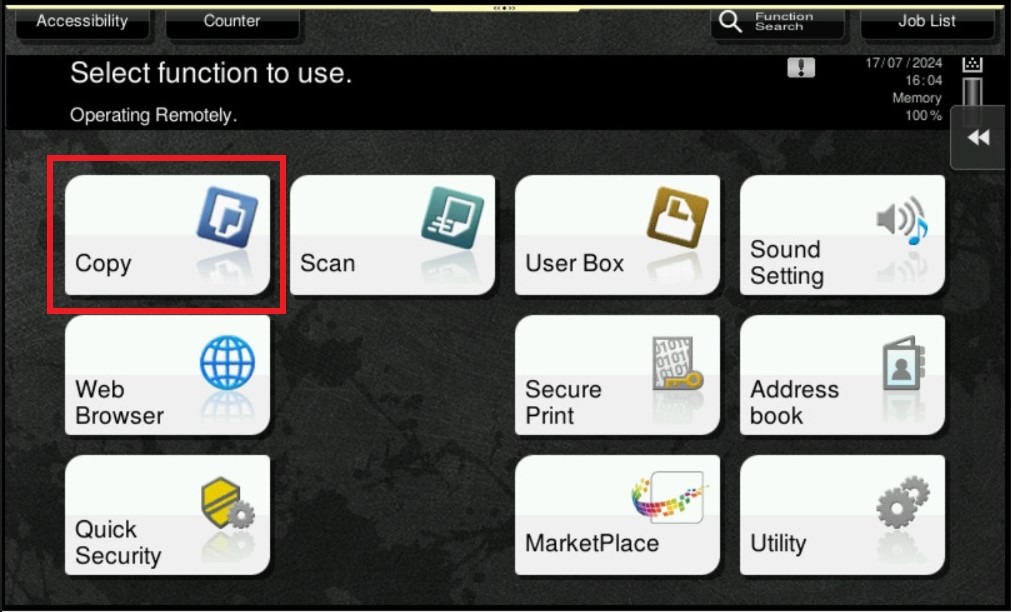
STEP 1 – On the Main Menu Screen, select [Copy].
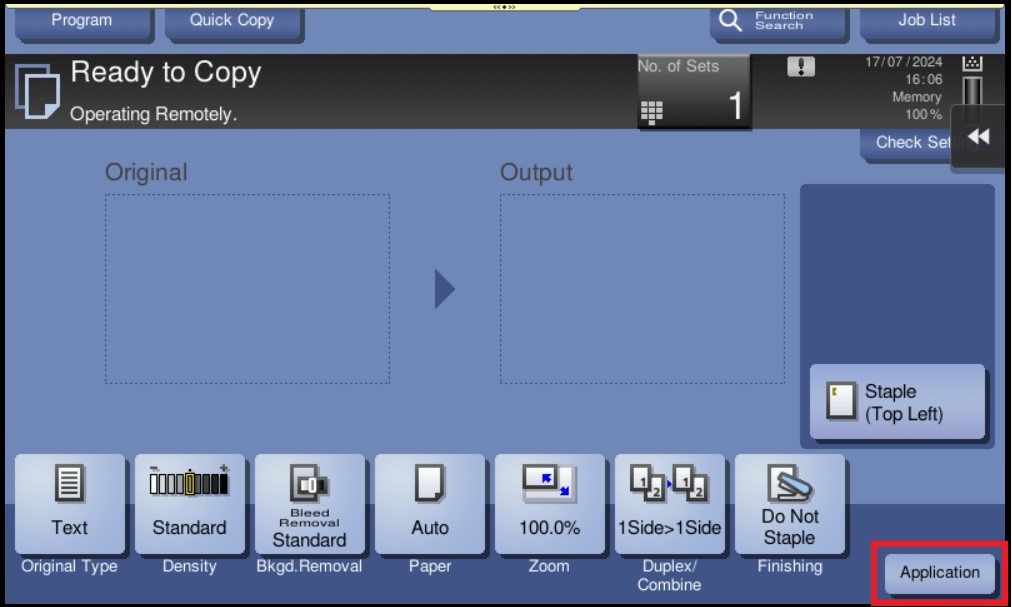
STEP 2 – Select [Application] – [Original Settings] under No. of Originals Tab.
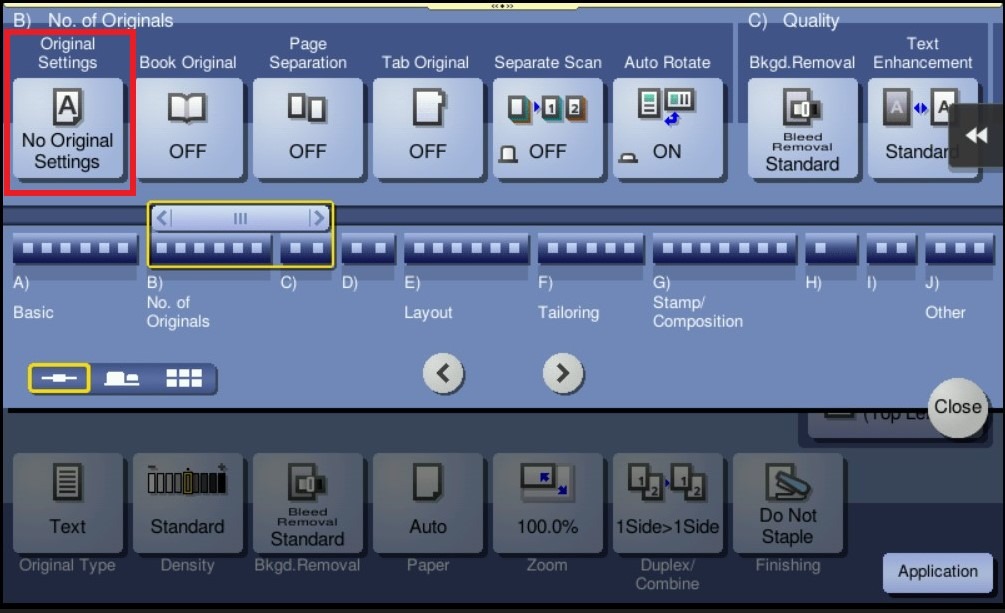
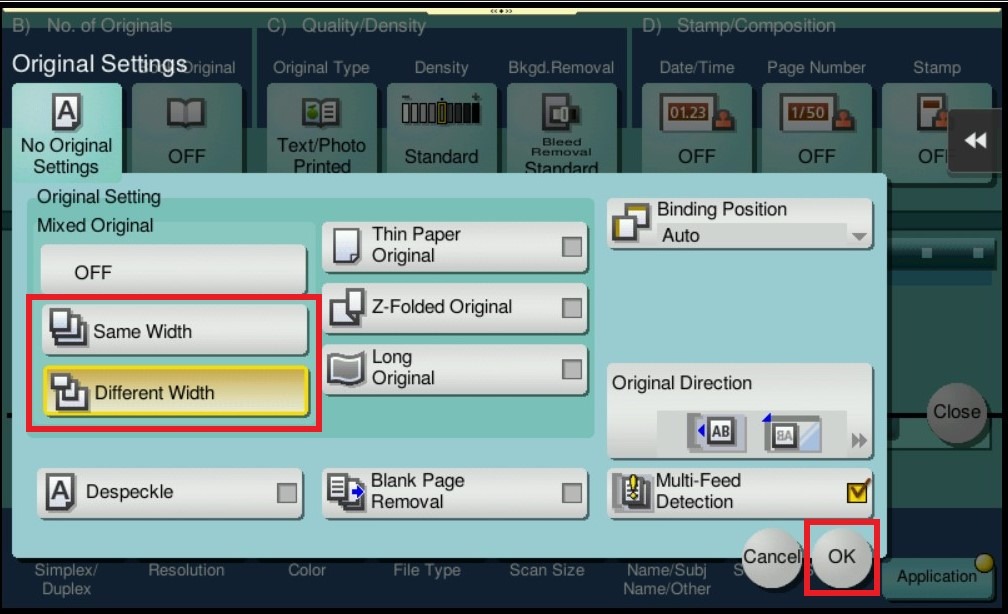
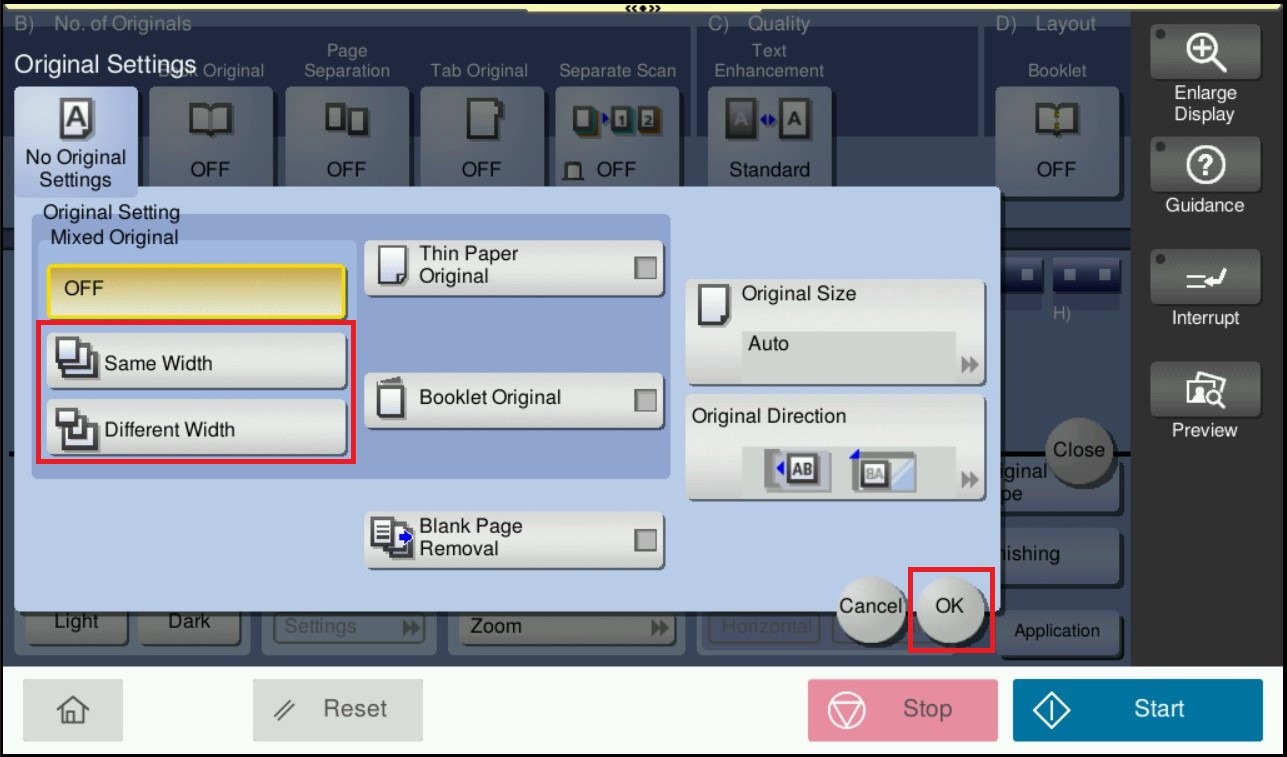
STEP 3 – If the widths of the originals are the same, select [Same Width]. If the widths of the originals are different, select [Different Width]. Click [OK] to save the settings.
**Load all the original pages into the ADF so that the top edges of the pages are placed toward the back or the left side of the machine.
**Output of the paper need to be loaded in tray either portrait or landscape orientation. For example, if the A4 copied is on portrait orientation, the available tray need to put in A4 paper as portrait orientation. Else if A4 copied is on landscape orientation, the available tray need to put in A4 paper as landscape orientation. This is apply to other size as well.
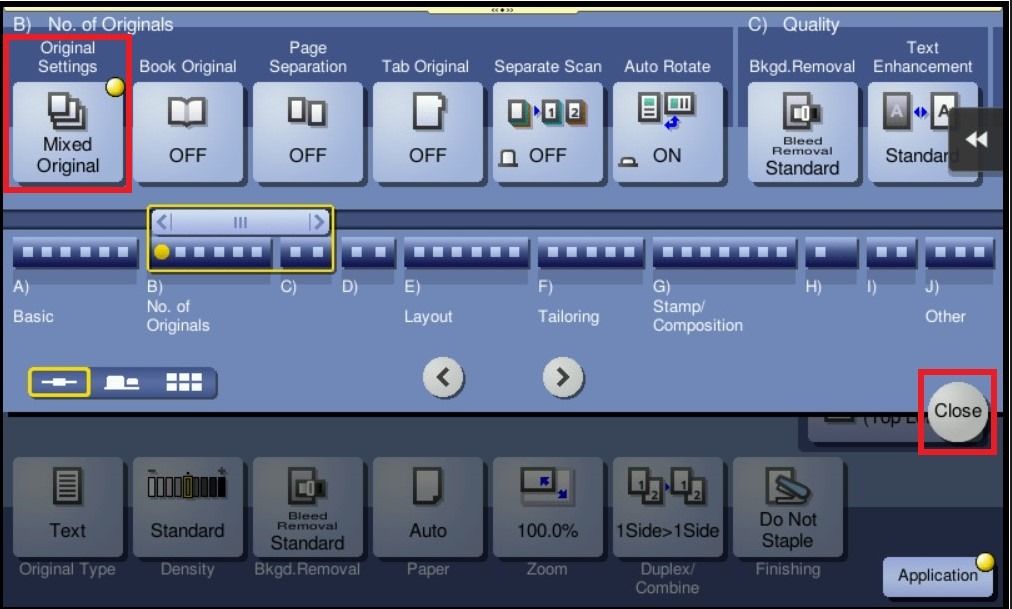
STEP 4 – After Adjust, click on [Close] to close the setting and start copying original document in different sizes.
For the Newer Machine series / I-Series Machine
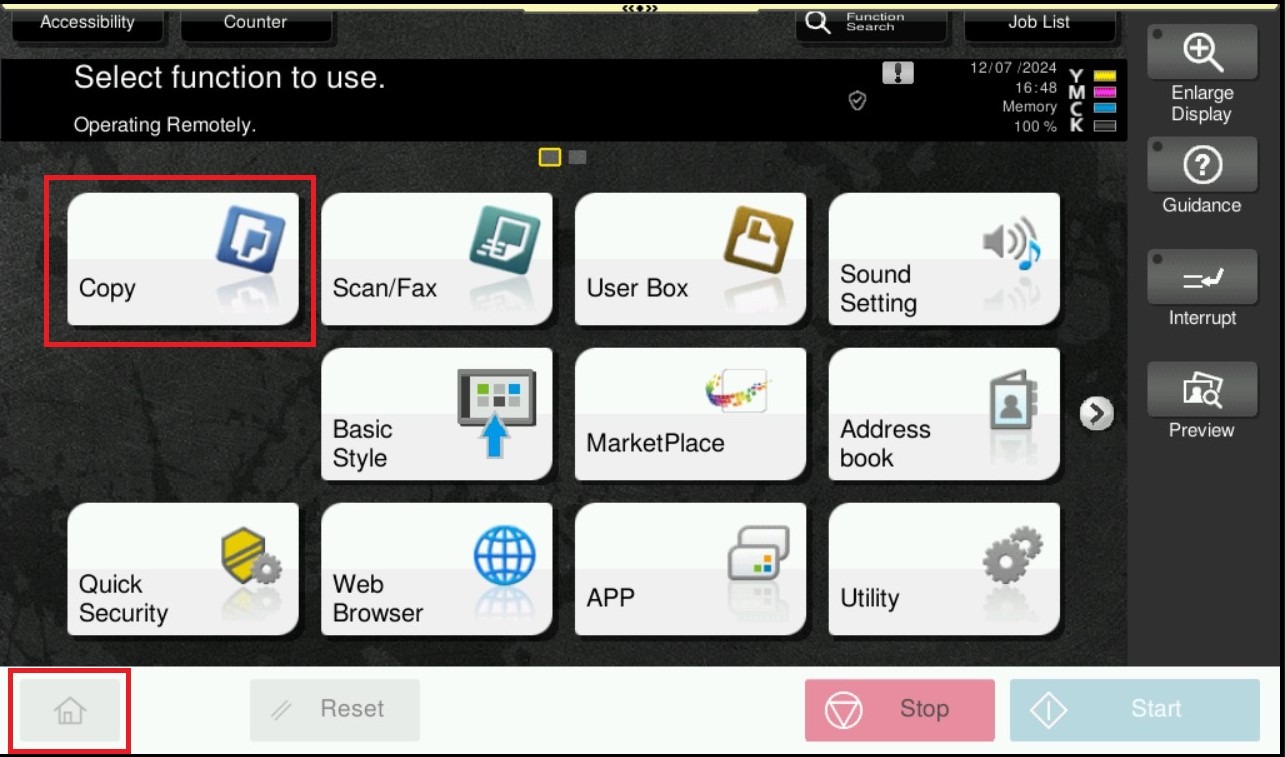
STEP 1 – On the Main Menu Screen, select [Home] – [Copy].
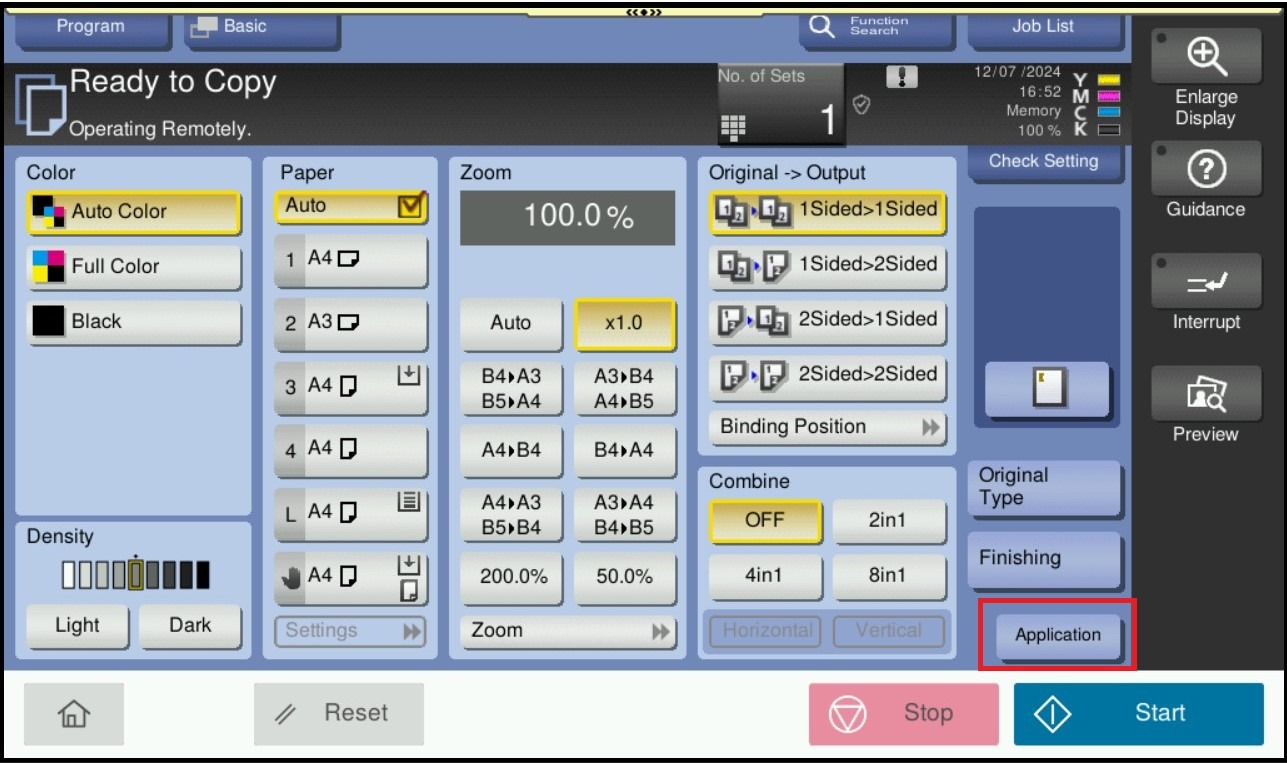
STEP 2 – Select [Application] – [Original Settings] under No. of Originals Tab .
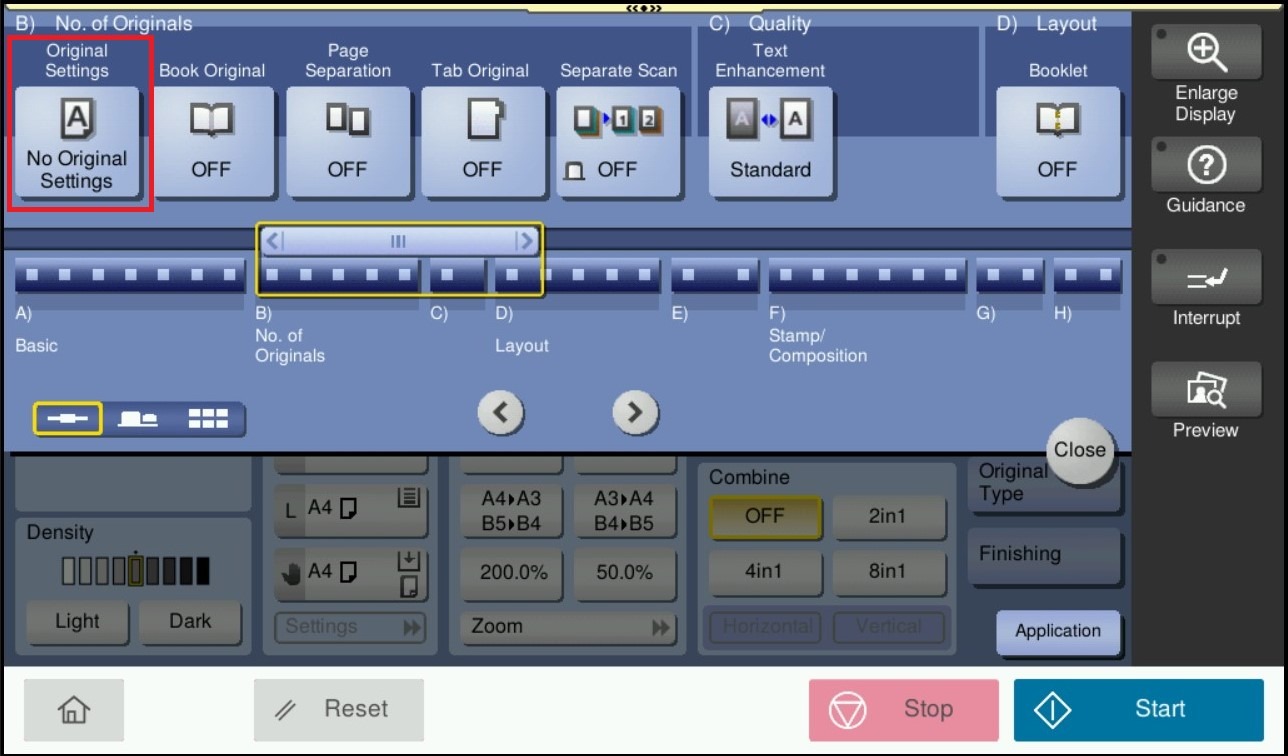
STEP 3 – If the widths of the originals are the same, select [Same Width]. If the widths of the originals are different, select [Different Width]. click [OK] to save the settings.
**Load all the original pages into the ADF so that the top edges of the pages are placed toward the back or the left side of the machine.
**Output of the paper need to be loaded in tray either portrait or landscape orientation. For example, if the A4 copied is on portrait orientation, the available tray need to put in A4 paper as portrait orientation. Else if A4 copied is on landscape orientation, the available tray need to put in A4 paper as landscape orientation. This is apply to other size as well.
STEP 4 – After Adjust, click on [Close] to close the setting and start copying original document in different sizes.