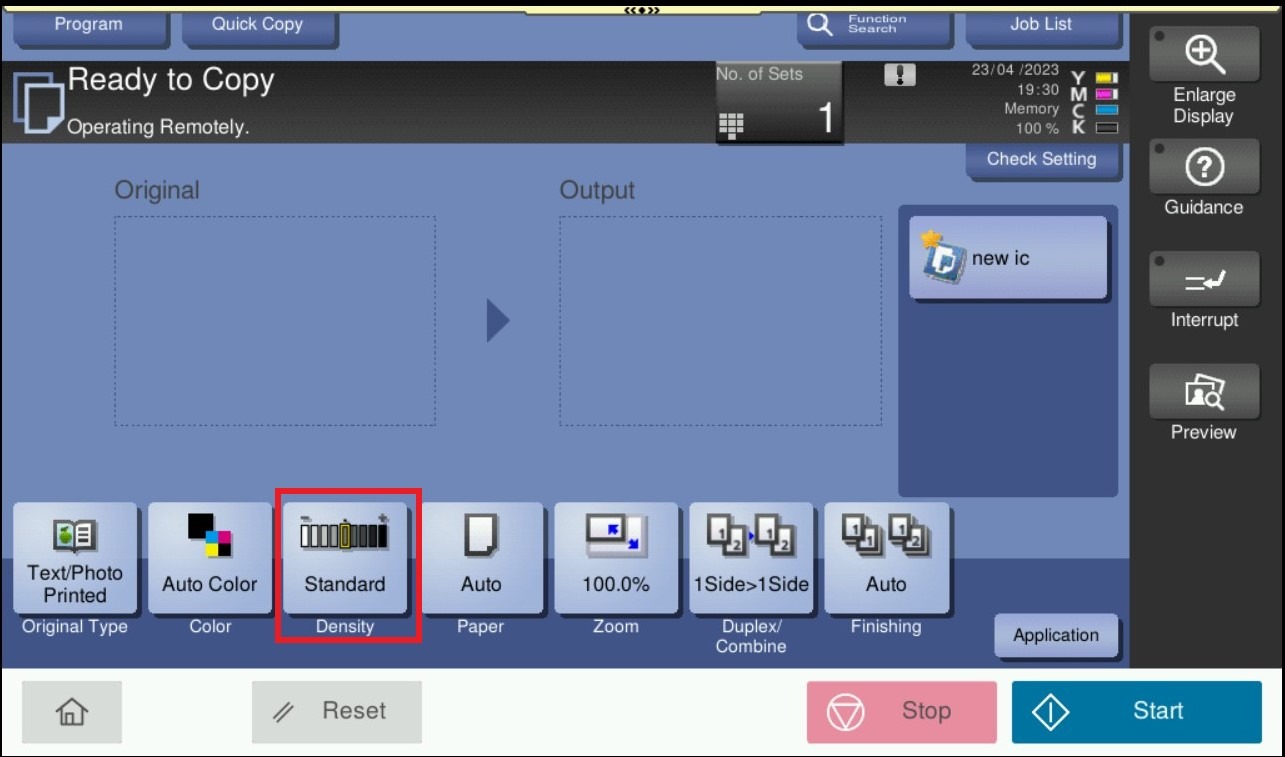
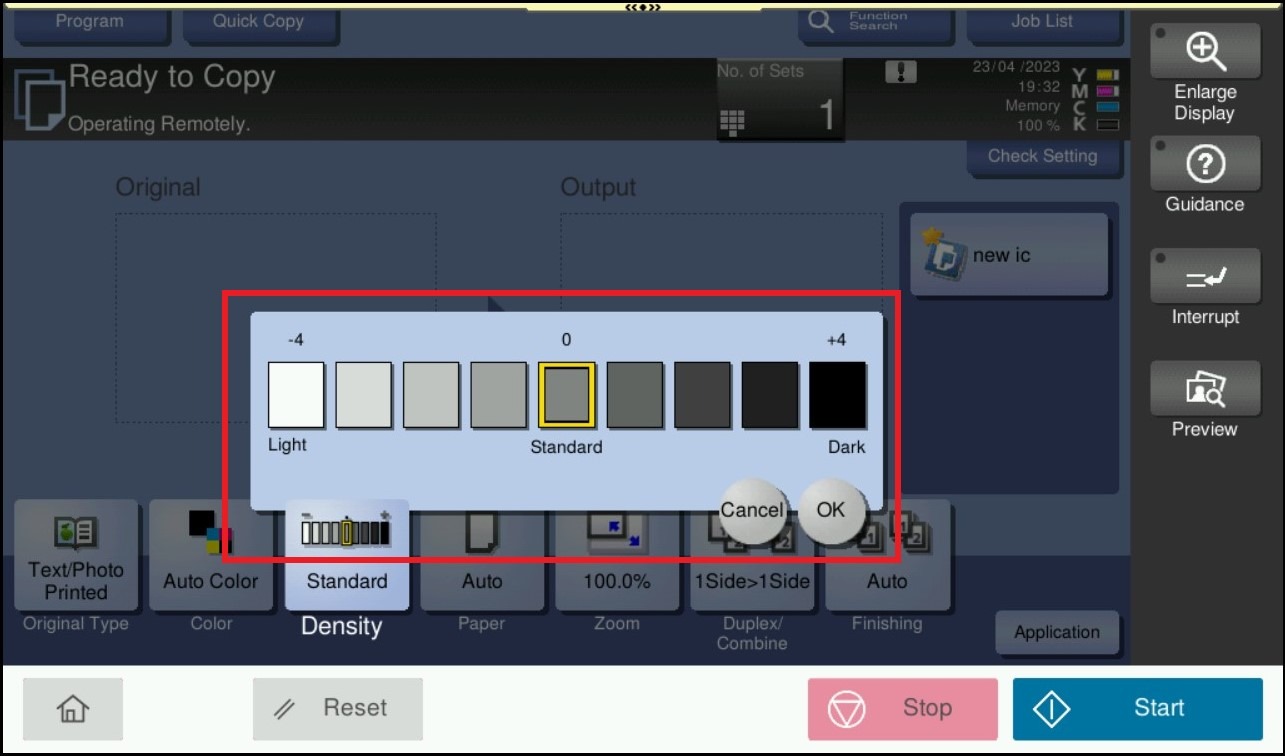
Guide on how to adjust density setting for copy on machine
For the Older Machine series / Non I-Series Machine
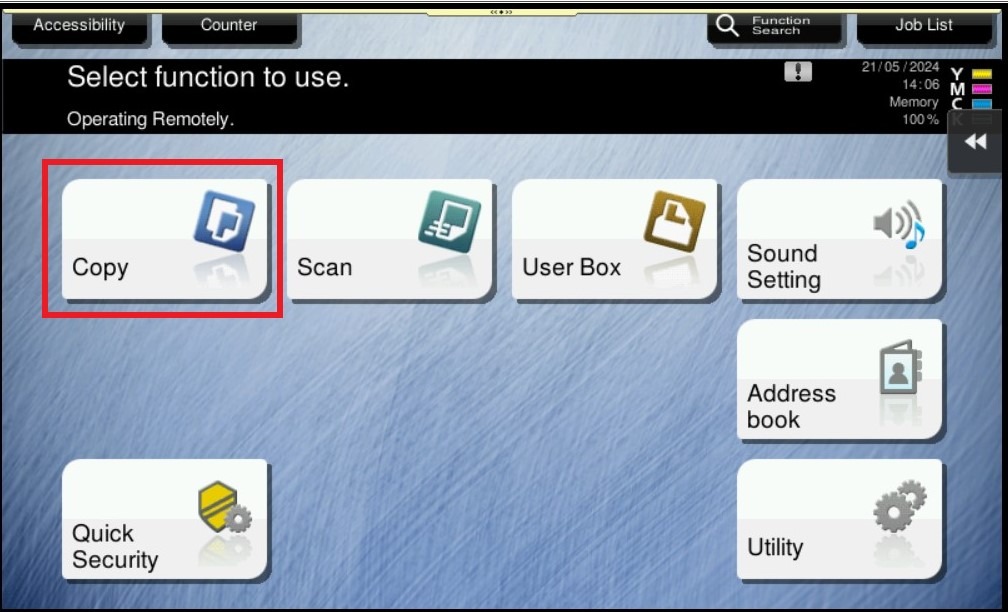
STEP 1 – On the Main Menu Screen, select [Copy] icon.
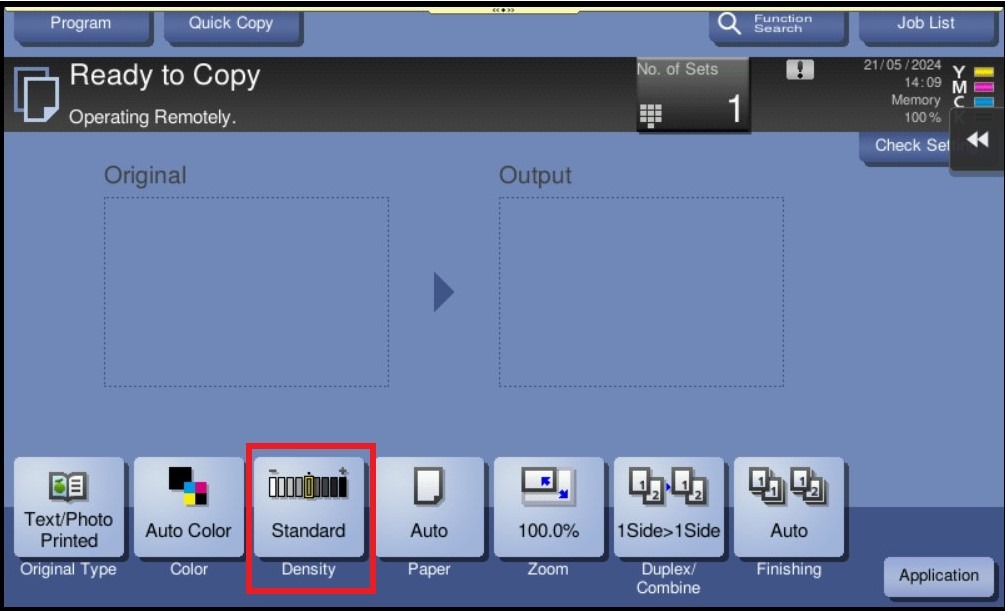
STEP 2 – Select the [Density], Then Adjust the density according to the original.
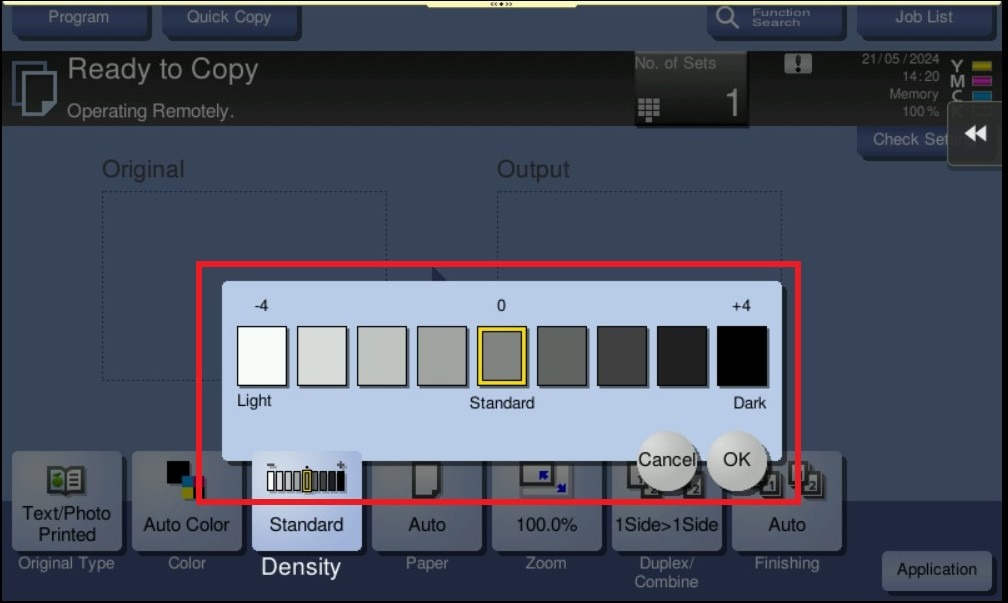
For the Newer Machine series / I-Series Machine
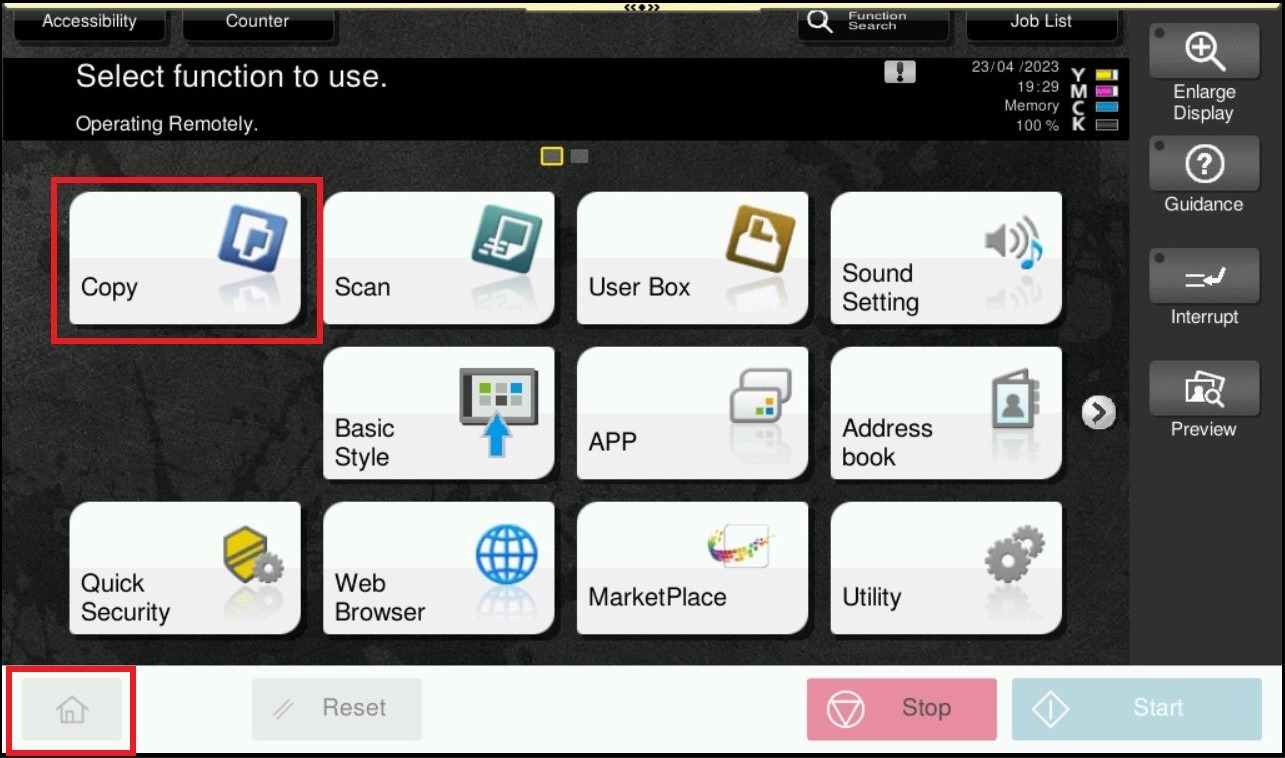
STEP 1 – On the Main Menu Screen, select [Home] – [Copy].
STEP 2 – Select the [Density], Then adjust the density according to the original.