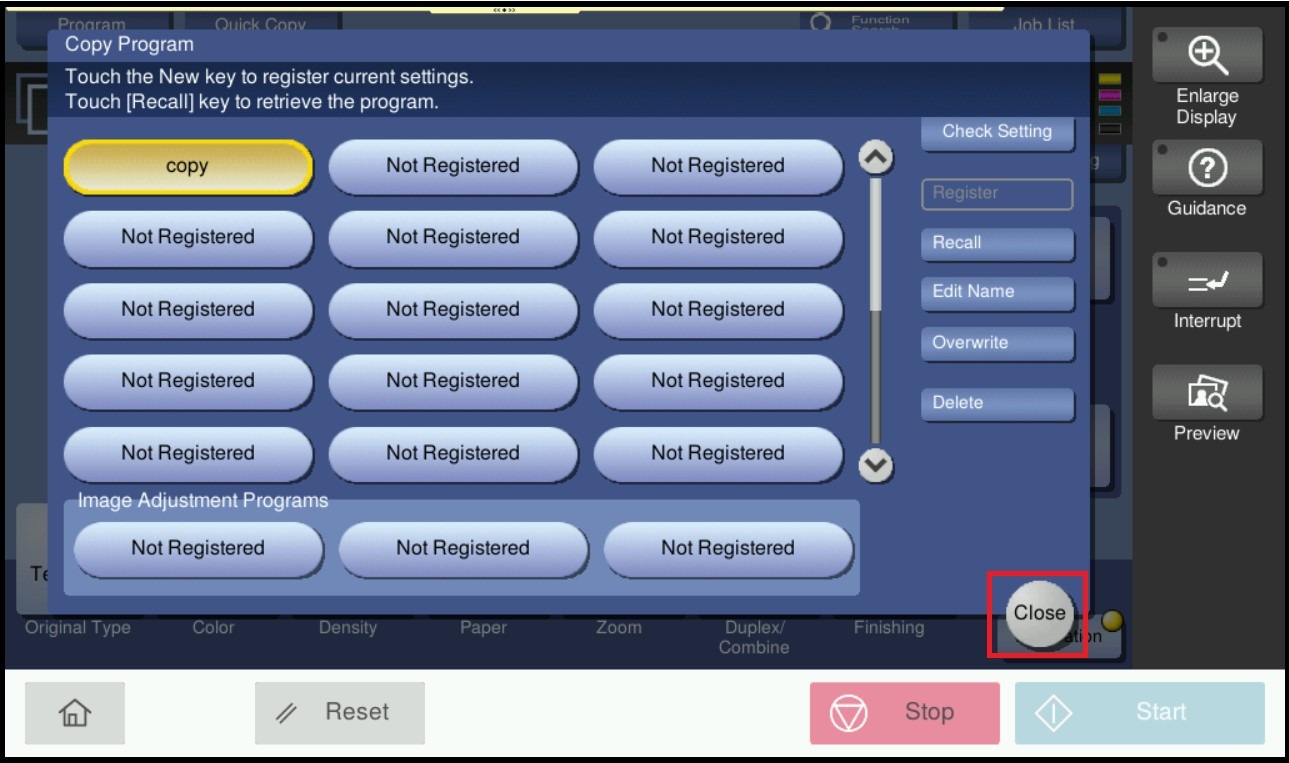
Guide on how to register a program for Copy Settings.
For the Older Machine series / Non I-Series Machine
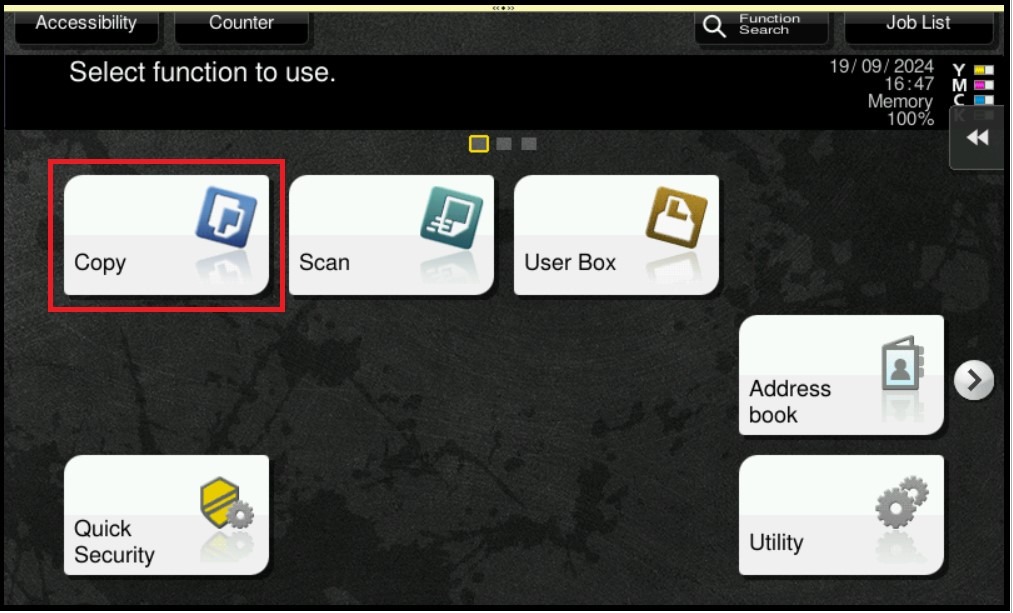
STEP 1 – On the Main Menu, select [Copy].
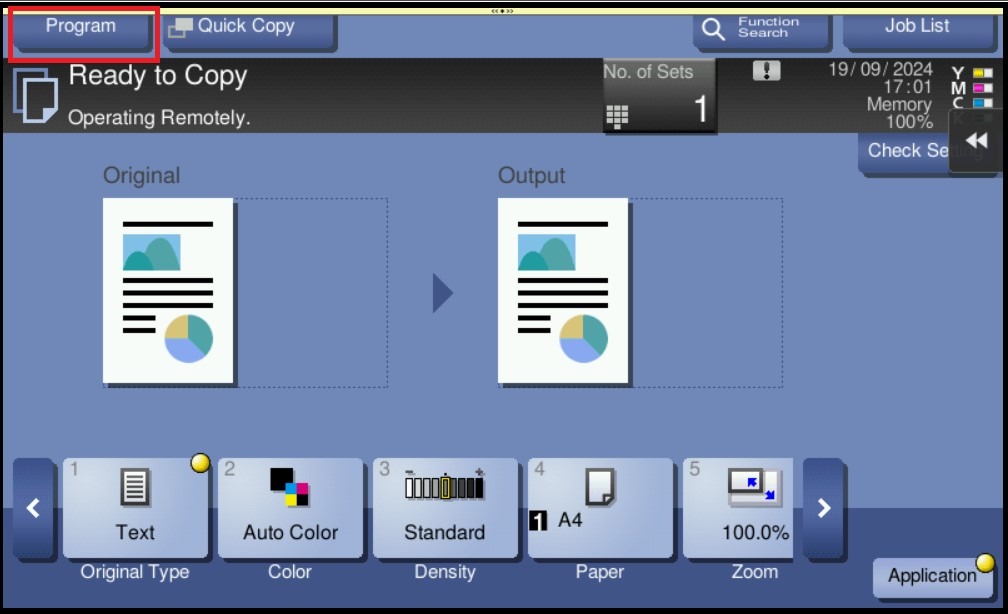
STEP 2 – Update the needed settings and select [Program].
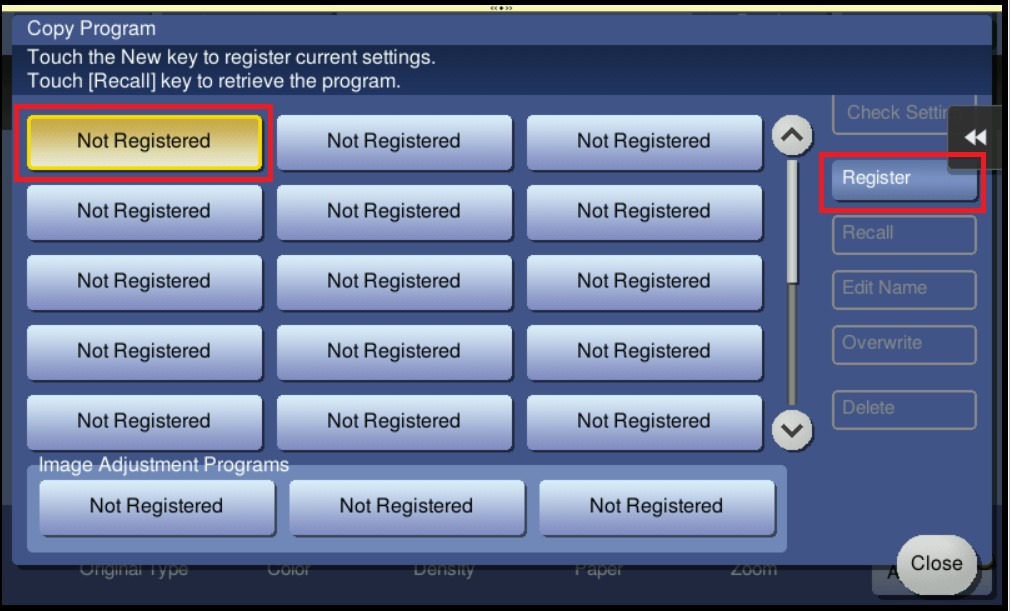
STEP 3 – Select one of the [Not Registered] key, then click [Register].
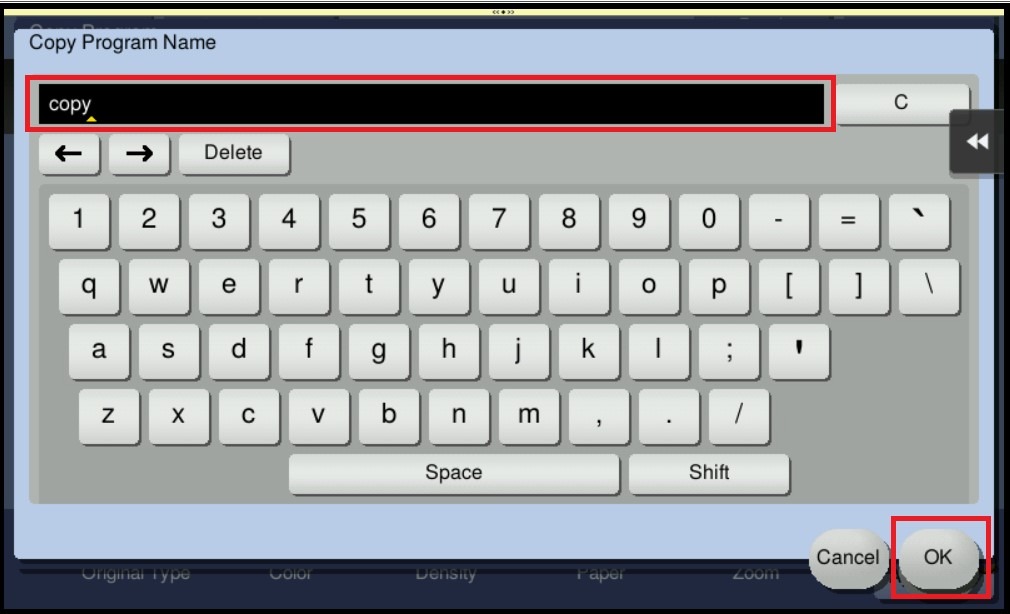
STEP 4 – Key in a name then click [OK] to save the setting.
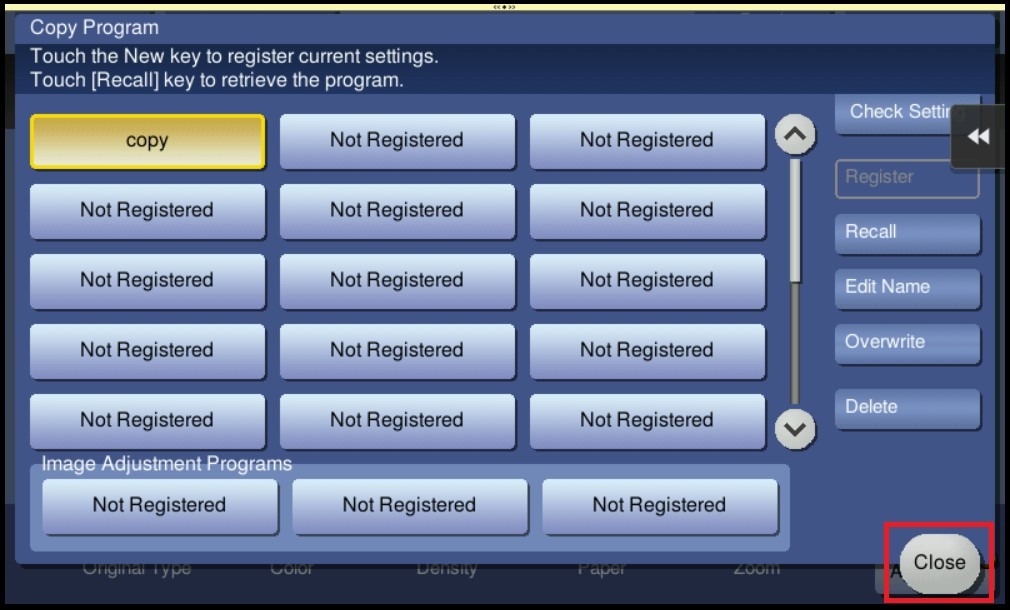
STEP 5 – The registered program will be appear in the Program List, select [Close] to exit from program list.
For the Newer Machine series / I-Series Machine
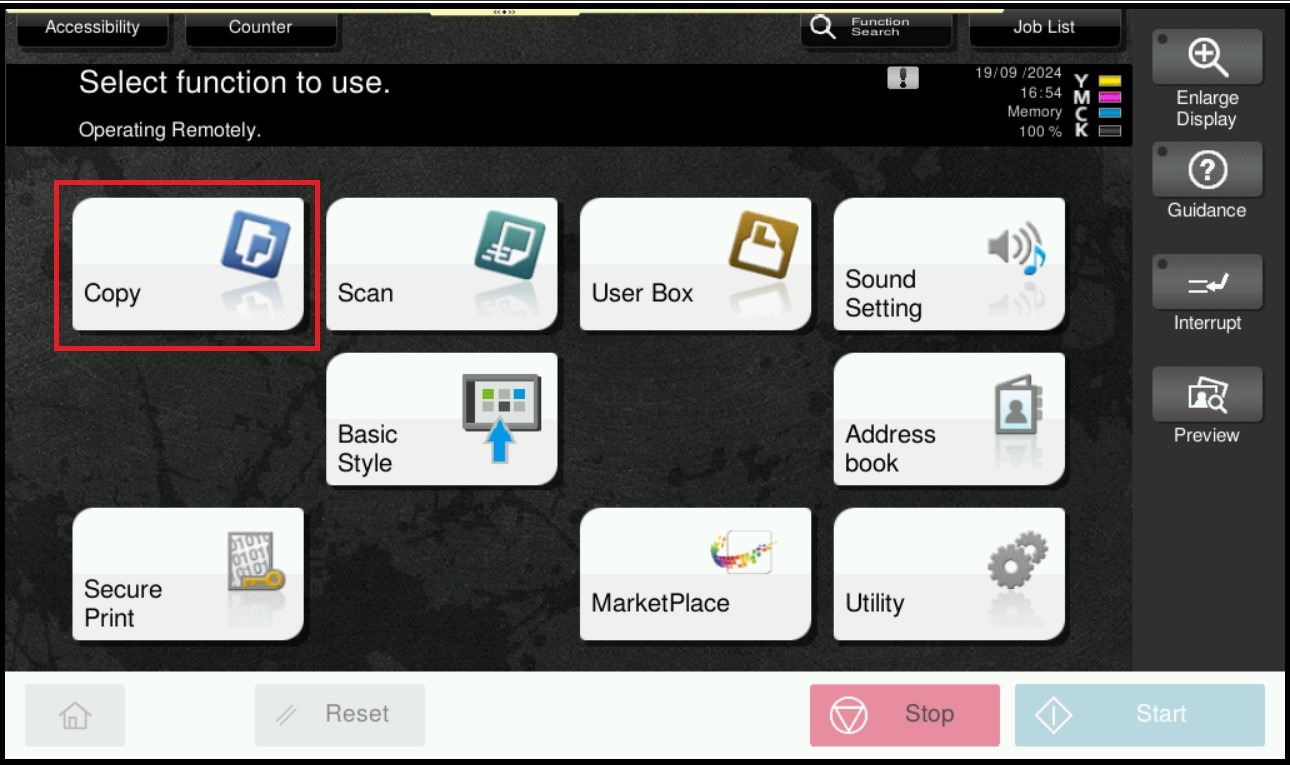
STEP 1 – On the Main Menu, select [Copy].
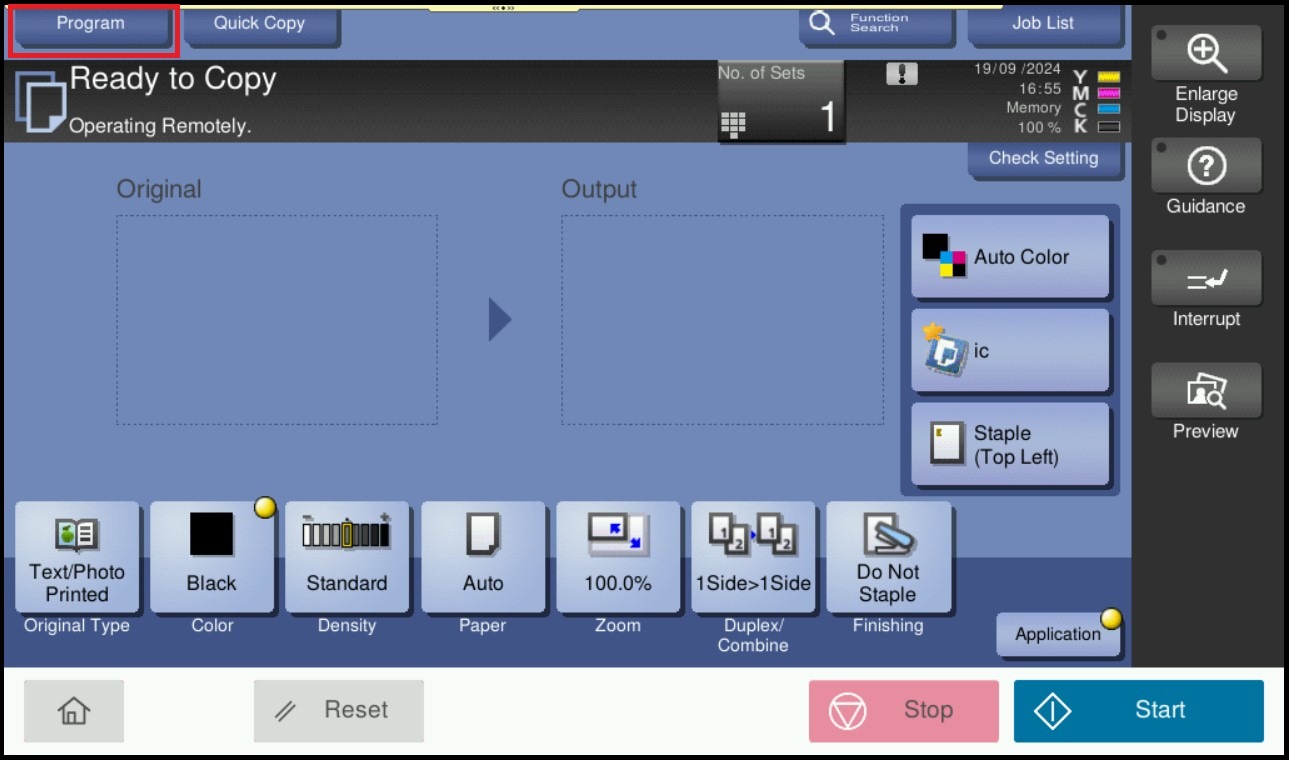
STEP 2 – Update the needed settings and select [Program].
STEP 3 – Select one of the [Not Registered] key, then click [Register].
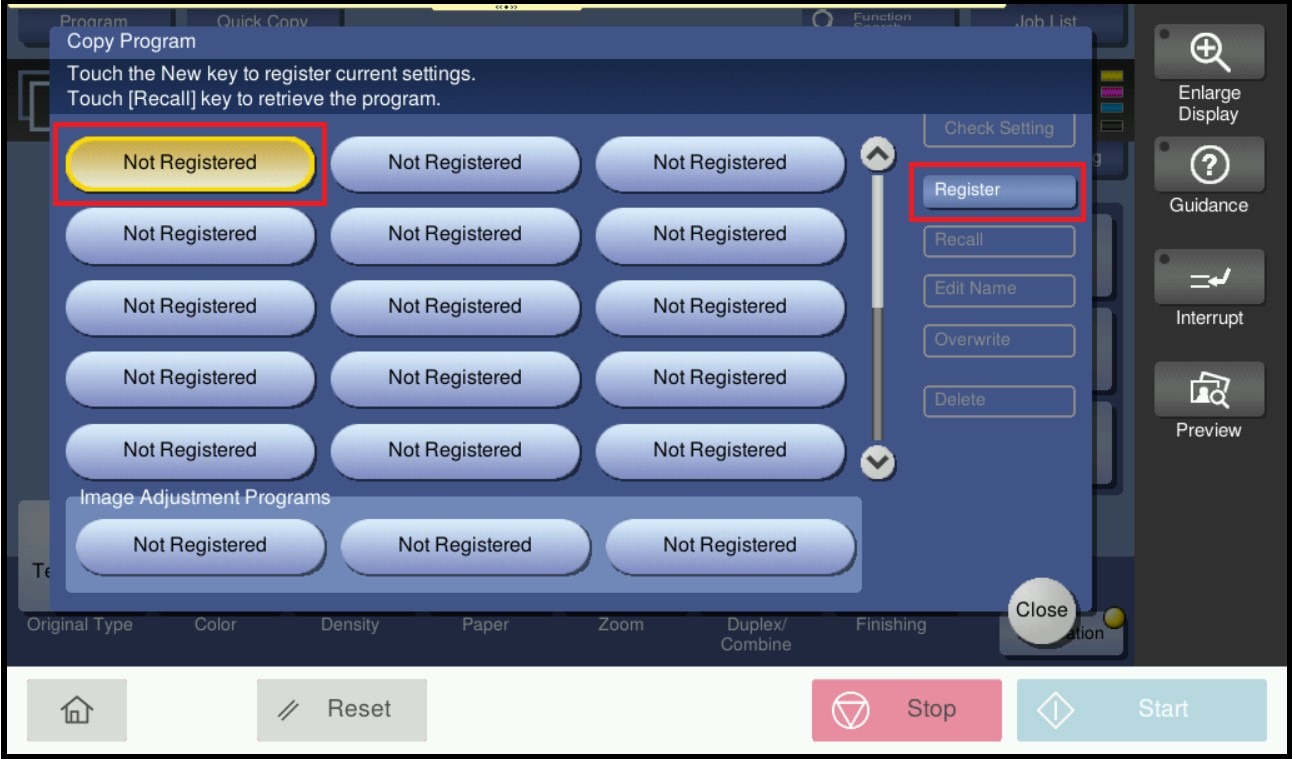
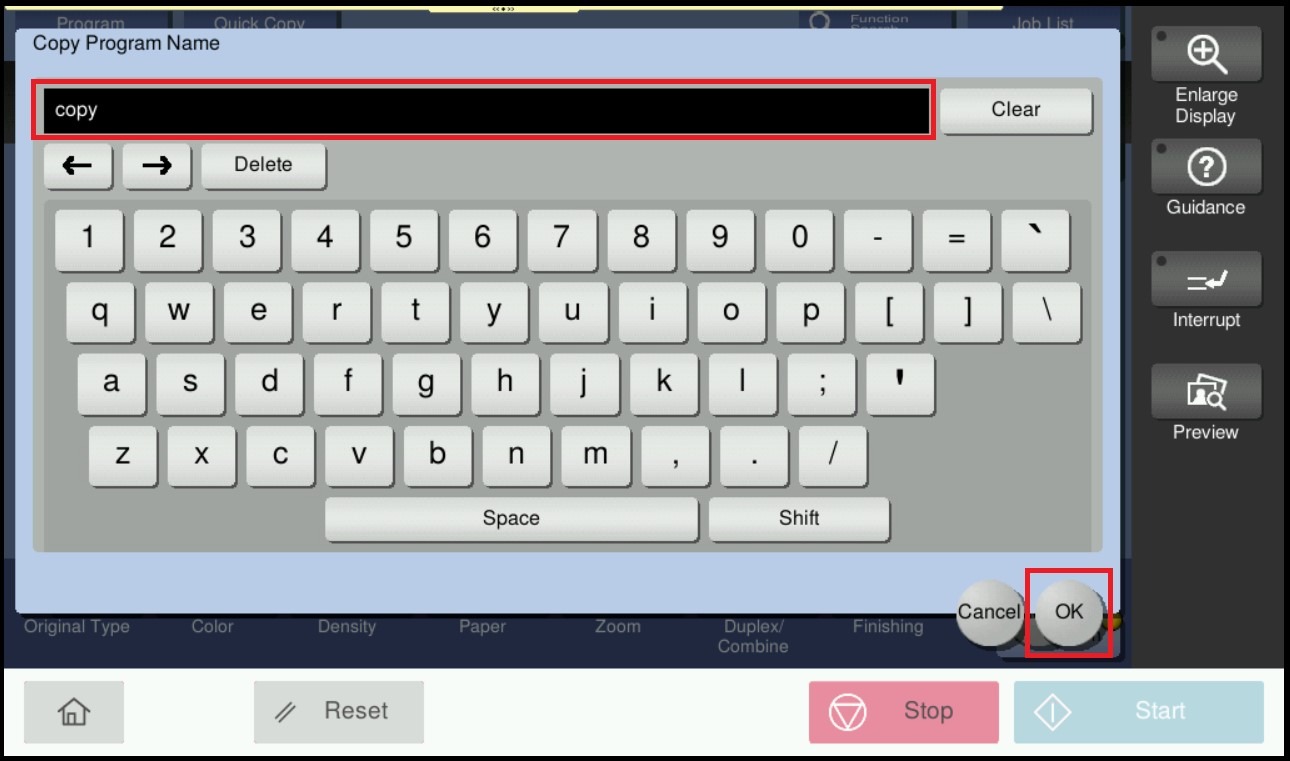
STEP 4 – Key in a name then click [OK] to save the setting.
STEP 5 – The registered program will be appear in the Program List, select [Close] to exit from program list.