

Guide on how to get the IP Address from the Konica Minolta machine.
For The Older Machine Series / Non I-Series Machine
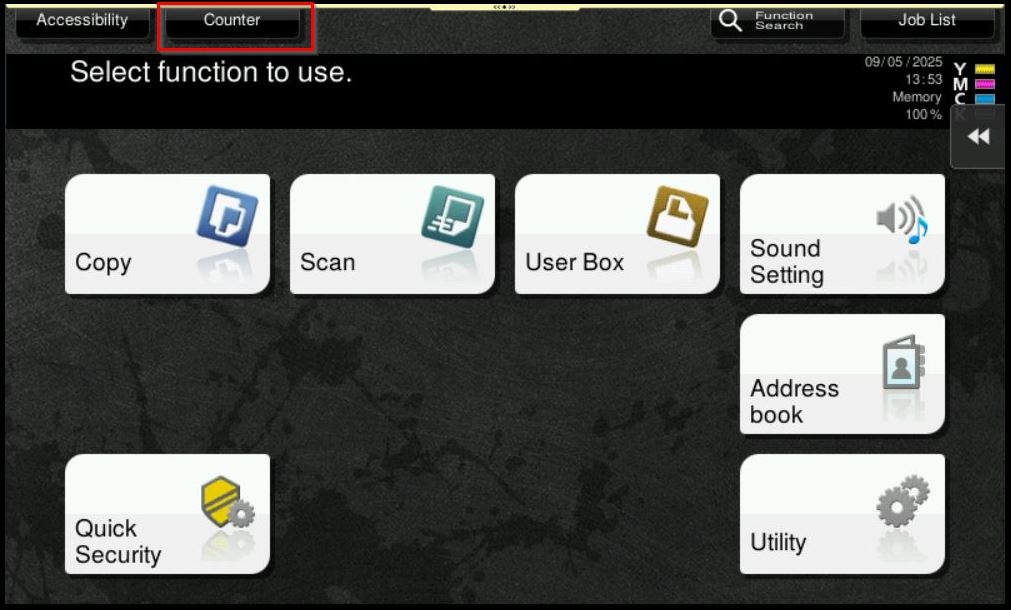
STEP 1 – On the Konica Minolta machine control panel, click on the [Menu] button then select [Counter].
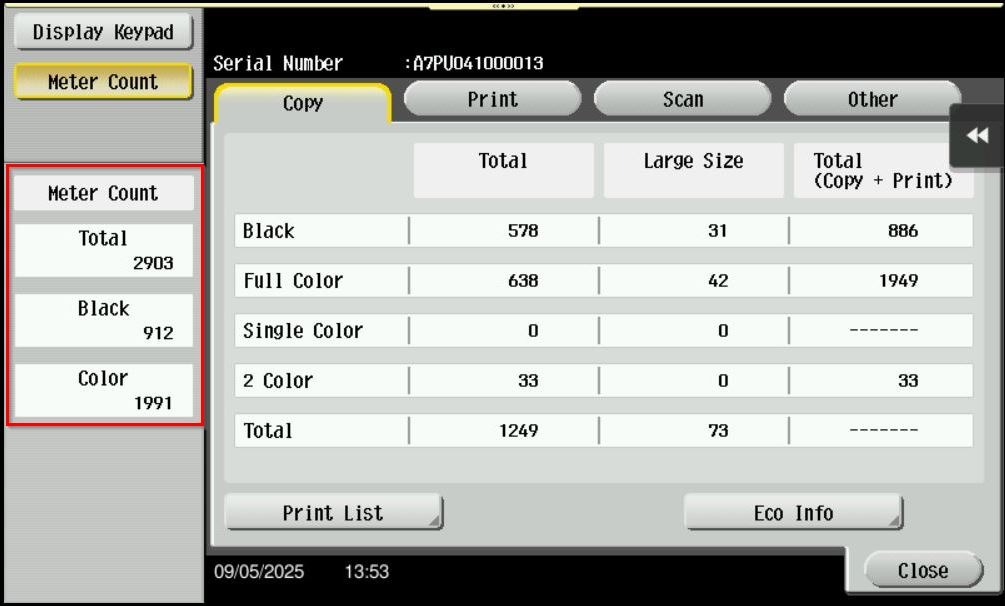
STEP 2 – The [Meter Count] will be displayed on the left hand side. Use the [Print List] option to print out the meter count list from machine if needed.
For The Newer Machine Series / I-Series Machine
STEP 1 – On the Konica Minolta machine control panel, click on the [Home] button then select [Counter].
STEP 2 – The [Meter Count] will be displayed on the left hand side. Use the [Print List] option to print out the meter count list from machine if needed.
**Below is a list of machine models along with instructions on how to access or read their meter readings.
| Machine Model | Step |
|---|---|
| BH 195 / BH 206 / BH 215 / BH 226 | Utility – Confirm Mode – Total Page – Total Count (meter reading on the screen). |
| BH 224e / BH 258 / BH 284e / BH 287 / BH 308e / BH 364e / BH 367 / BH 368e / BH 454e / BH 458 / BH 458e / BH 554e / BH 558 / BH 558e / BH 654 / BH 654e / BH 658e / BH 754 / BH 754e / BH 758 / BH 958 | Menu Button – Counter ( on top screen – touch screen) – Meter Count (Most left hand side of touch screen). |
| BH 4050 / BH 4750 | Menu Button – Counter ( on top screen – touch screen) – Total. |
| C3110 | Press Arrow UP/DOWN – Report/Status – Counter – Total. |
| BH C360i / BH C300i / BH C250i / BH C650i / BH C550i / BH C450i / BH C3320i | Menu Button – Counter (on top screen – touch screen) – Meter Count(Most left hand side of touch screen) (under classic style) Utility – Counter (on top screen – touch screen) – Meter Count (Most left hand side of touch screen) (under basic style). |
| BH C554e / BH C454e/ BH C364e / BH C284e / BH C224e / BH C287 / BH C227 / BH C658 / BH C558 / BH C458 / BH C368 / BH C308 / BH C258 / BH C759 / BH C659 | Menu Button – Counter ( on top screen – touch screen) – Meter Count(Most left hand side of touch screen). |
| C3350 / C3850 | Menu Button – Counter ( on top screen – touch screen) – Item shown on 1st tab Total. |
| C3100P | Press Menu Select – Counter – Total Col & Black display. |
| BH 3300 / BH 3320 / BH 4000 P / BH 4700P | Press Arrow up/down – Settings – Reports – Device Statistics – Look under Media Printed Sheets Count option on paper that printed. |