Guide On How To Add The Printer In Pagescope Box Operator For Scanning
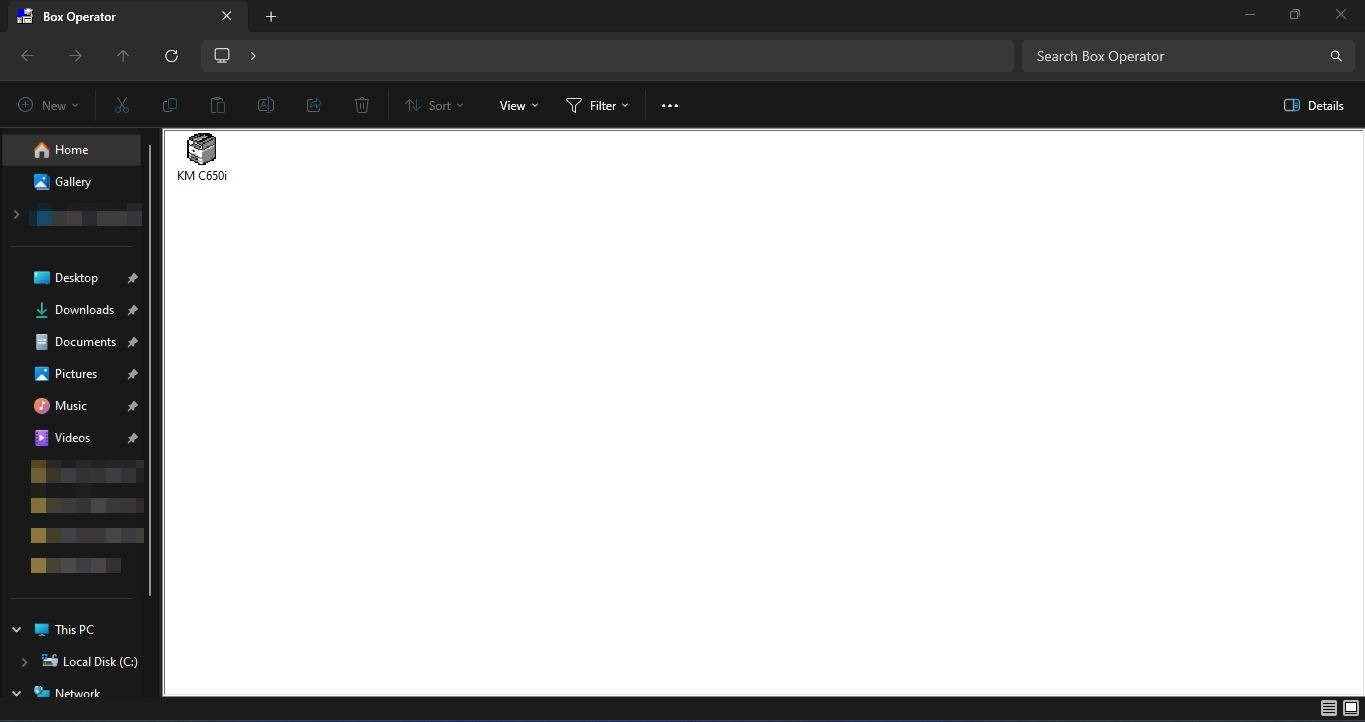
STEP 1 – Open the [Box Operator].
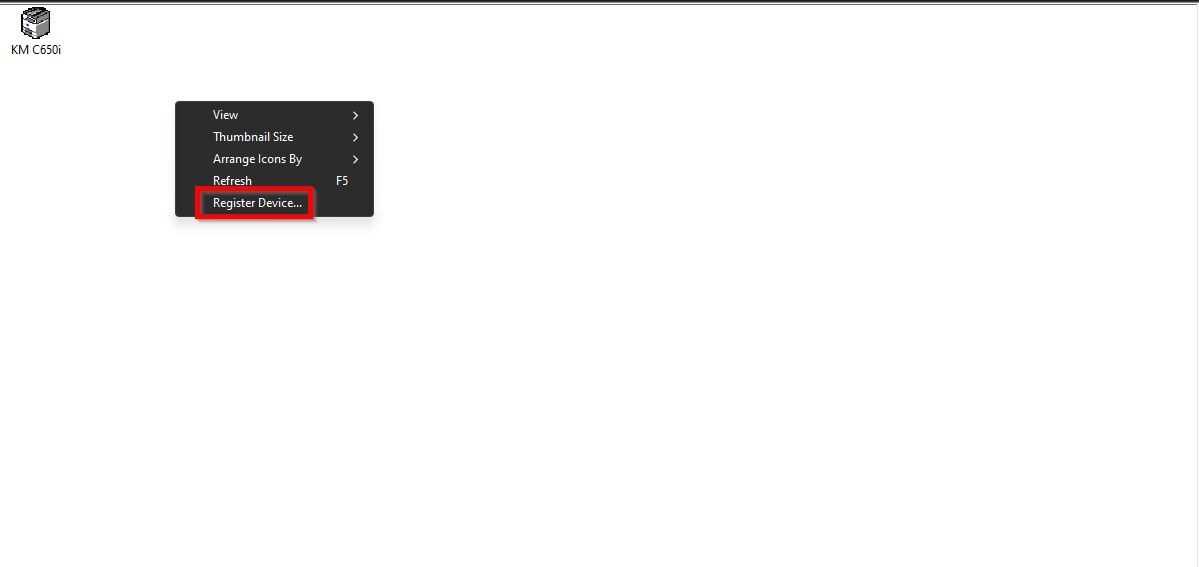
STEP 2 – Right click on the empty place and select [Register Device].
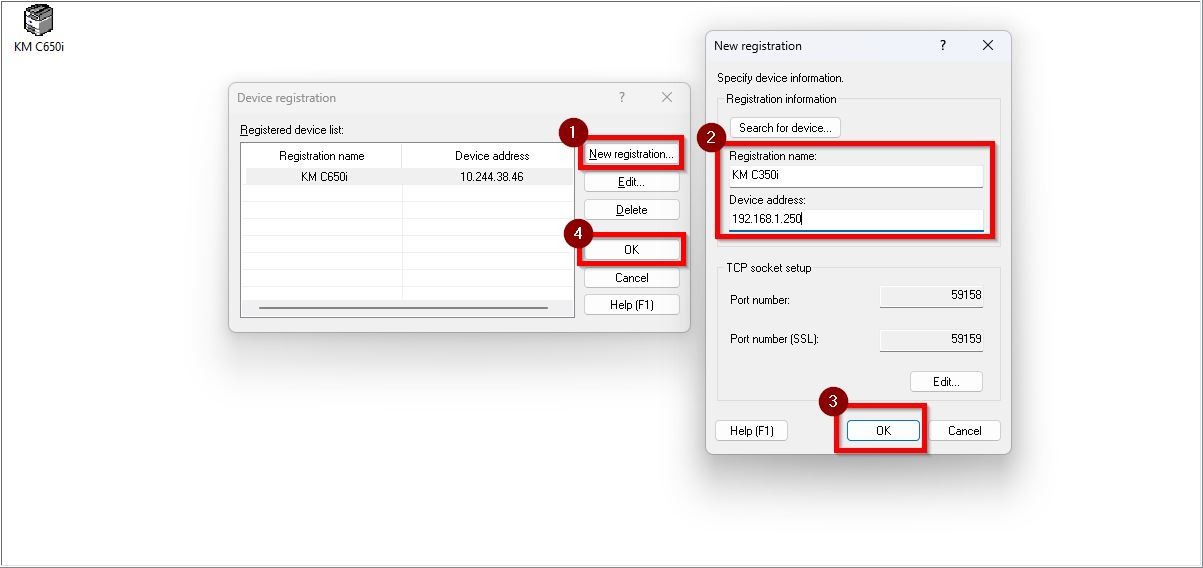
STEP 3 – Click on [New Registration], key in the name of the printer under [Registration Name], ip address of the printer under [Device Address]. After that click on [OK] and [OK] to save the settings.
**Kindly click on this link on how to get the printer ip address.
STEP 4 – Right click on the printer that registered and click on [Open].

STEP 5 – Right click on the user that registered and select [Open]. After that you will be able to access the scan documents using box operator.
**Kindly click on this link on how to register user for user box.