

Guide On How To Enable FTP Utility Application Auto Startup For Scanning
STEP 1 – Right Click on the [Taskbar] and select the [Task Manager].
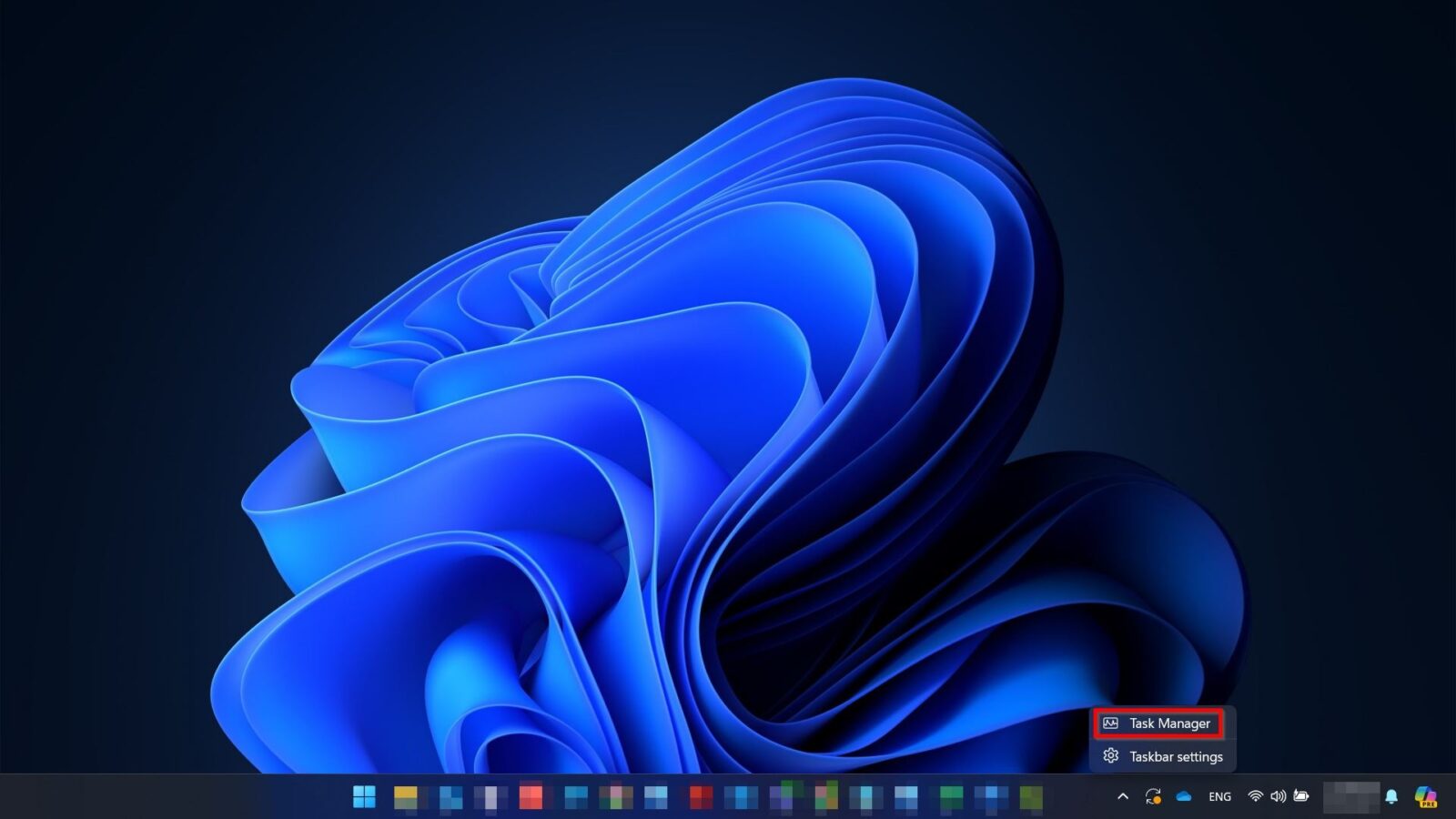
**For Windows 11
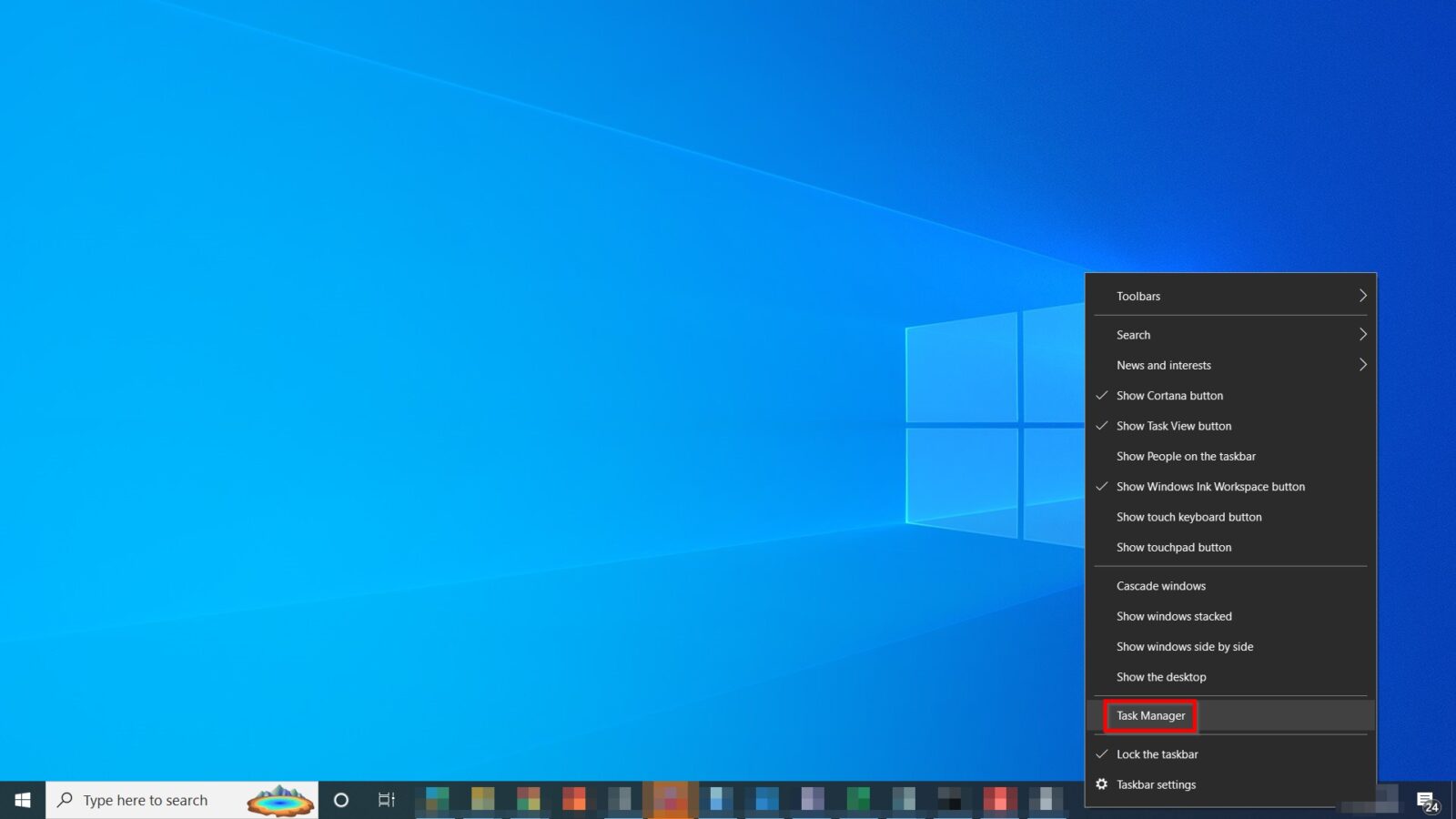
**For Windows 10
STEP 2 – Select the [Startup Apps/Startup].
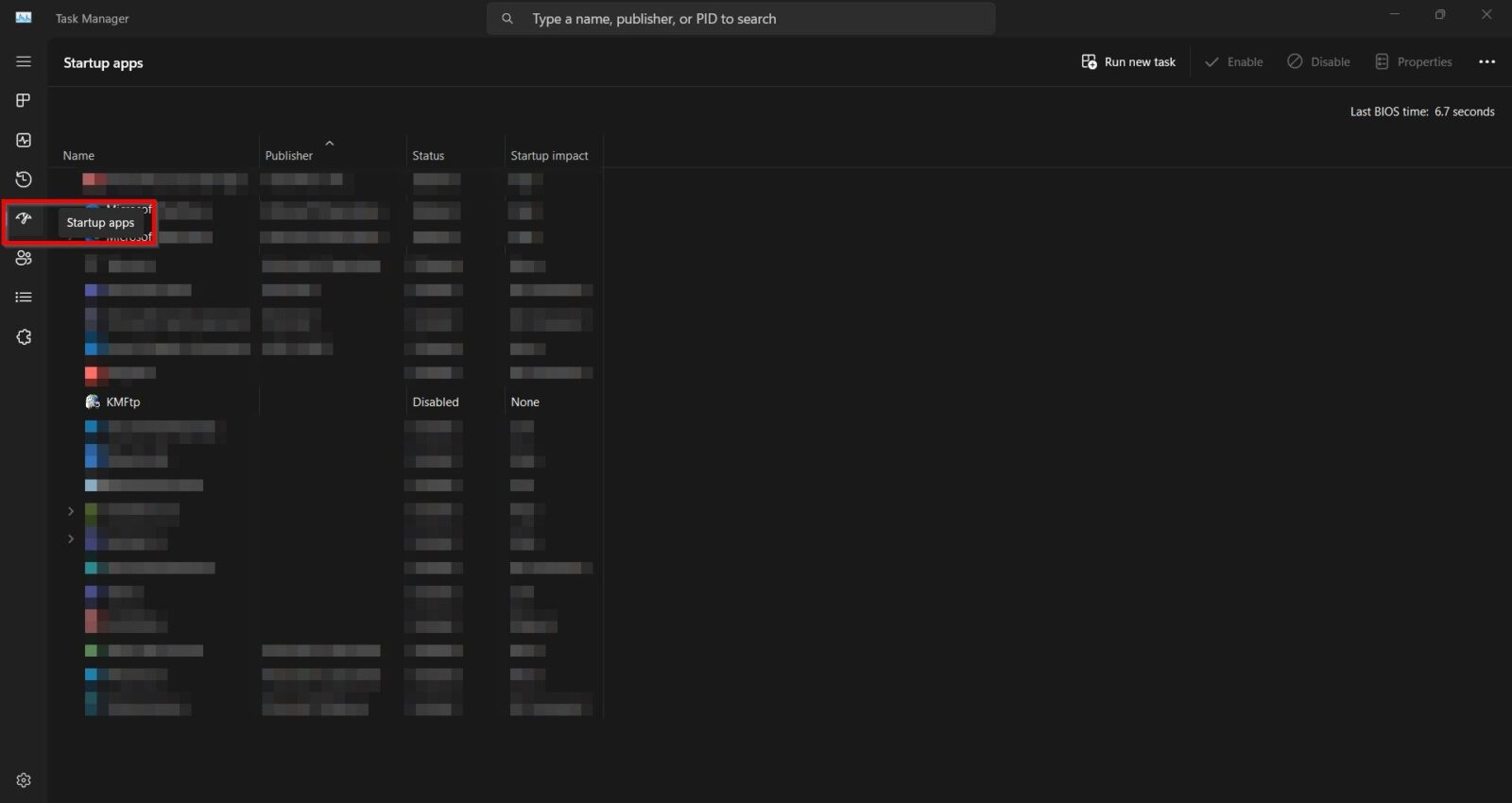
**For Windows 11
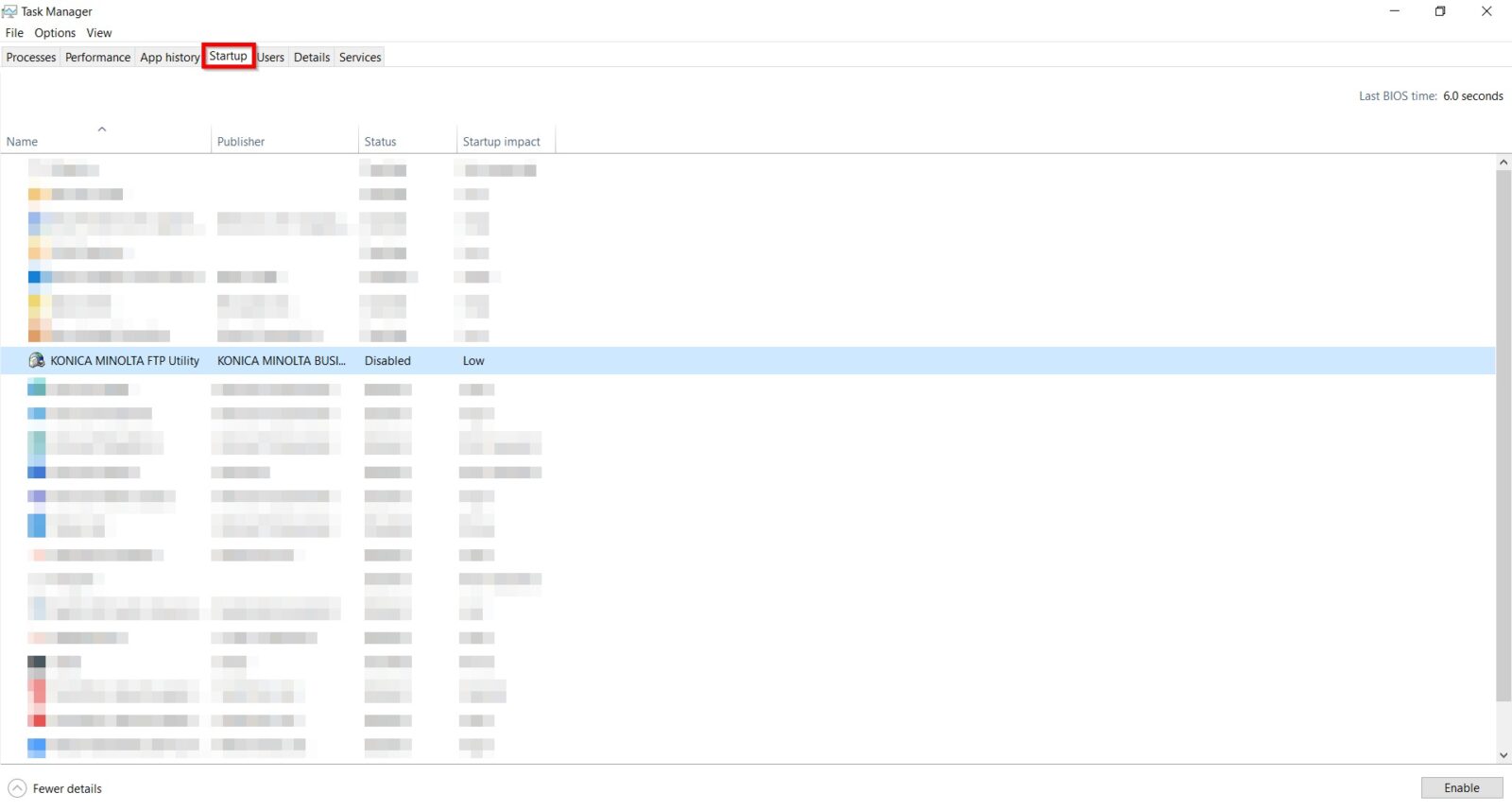
**For Windows 10
STEP 3 – Right click on the [KMFtp] and select [Enable]. After done, it will automatically startup every time the pc is power on.
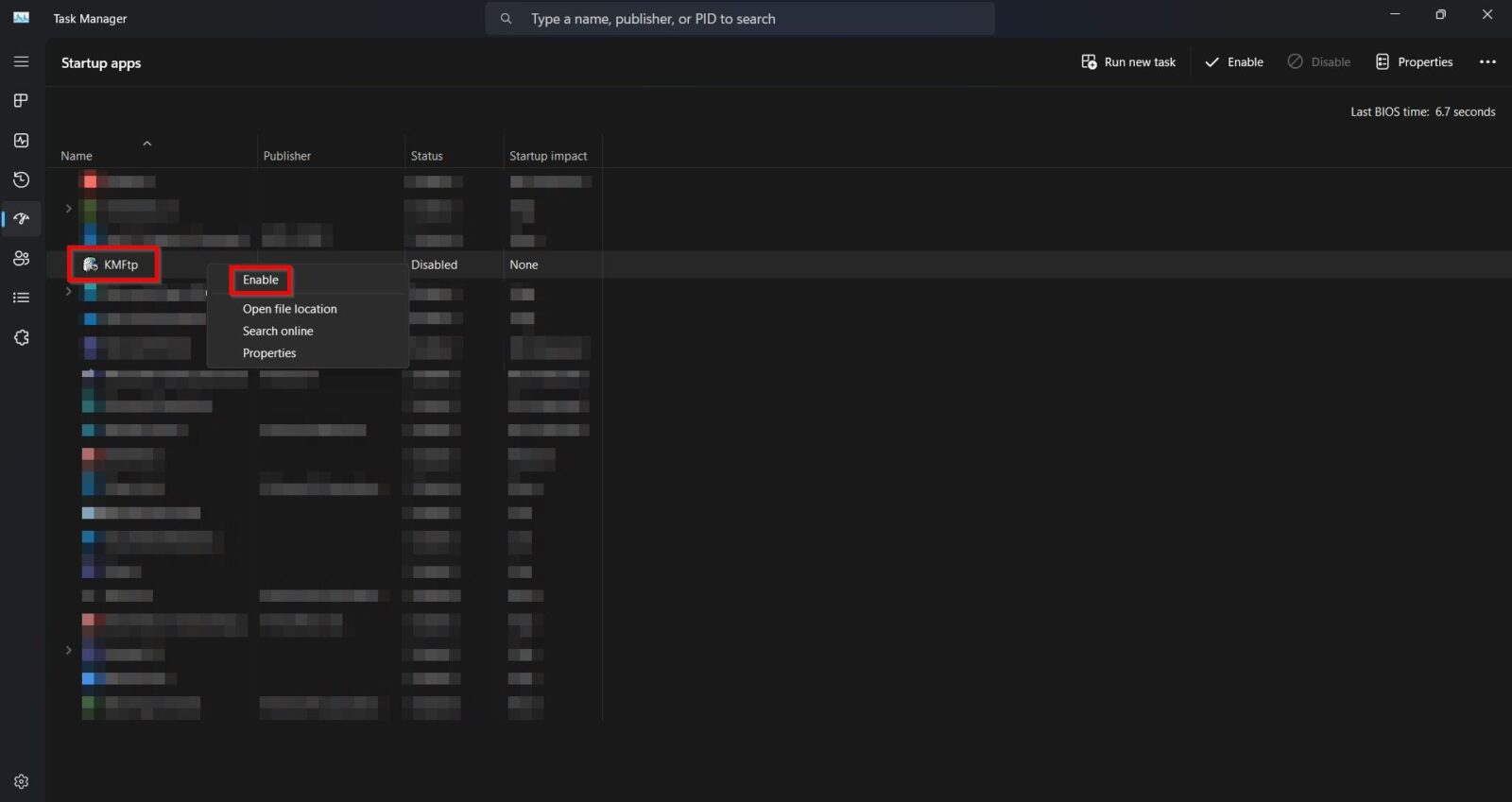
**For Windows 11
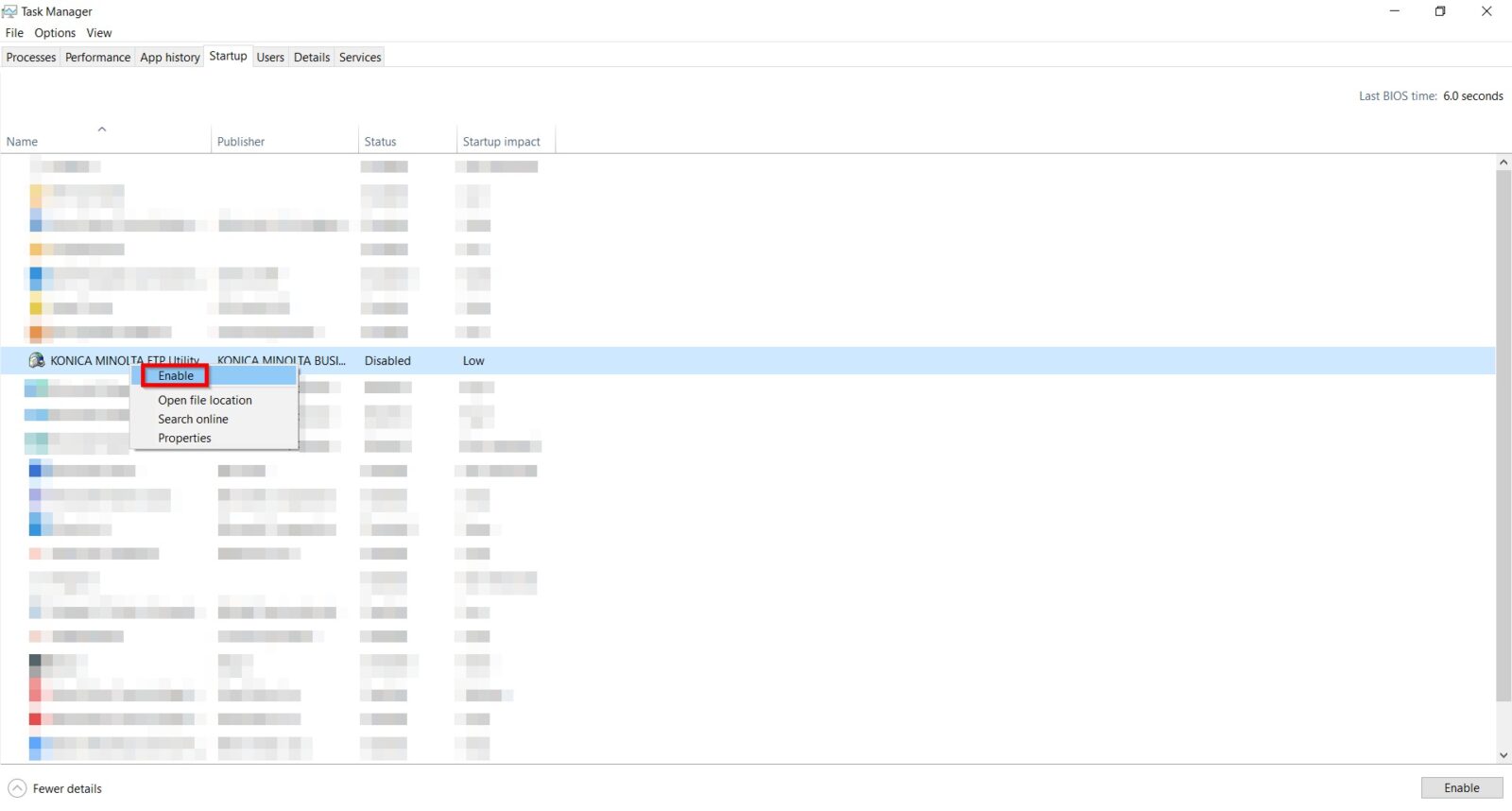
**For Windows 10