Guide On How To Allow SMB In Kaspersky Antivirus For Scanning
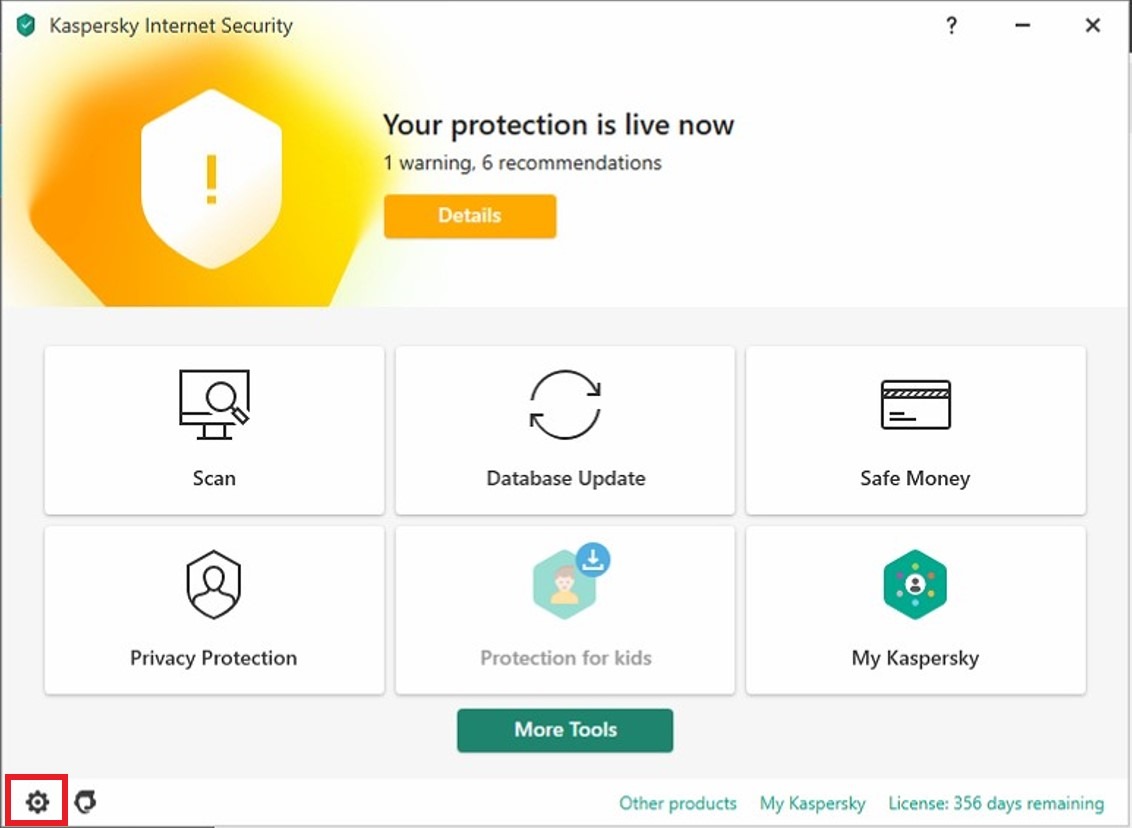
STEP 1 – Open the [Kaspersky Internet Security], find the [Setting] icon.
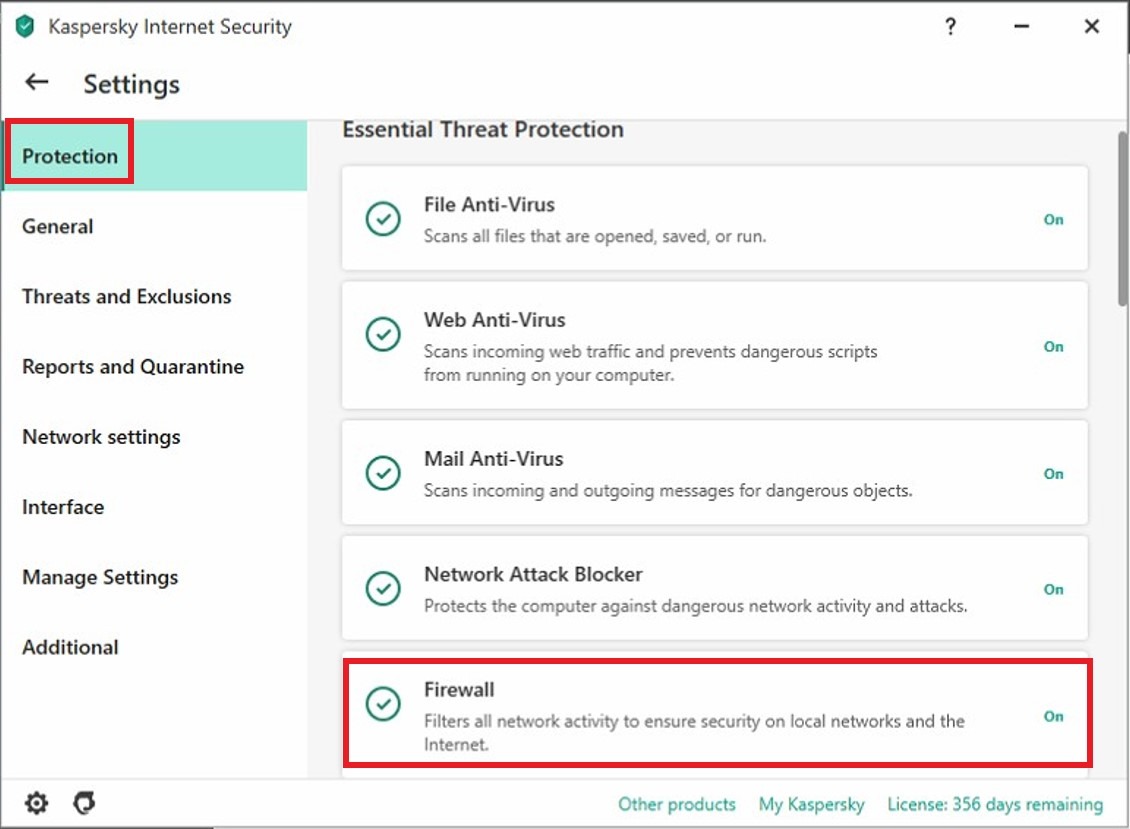
STEP 2 – Click on [Protection] and find for the [Firewall].
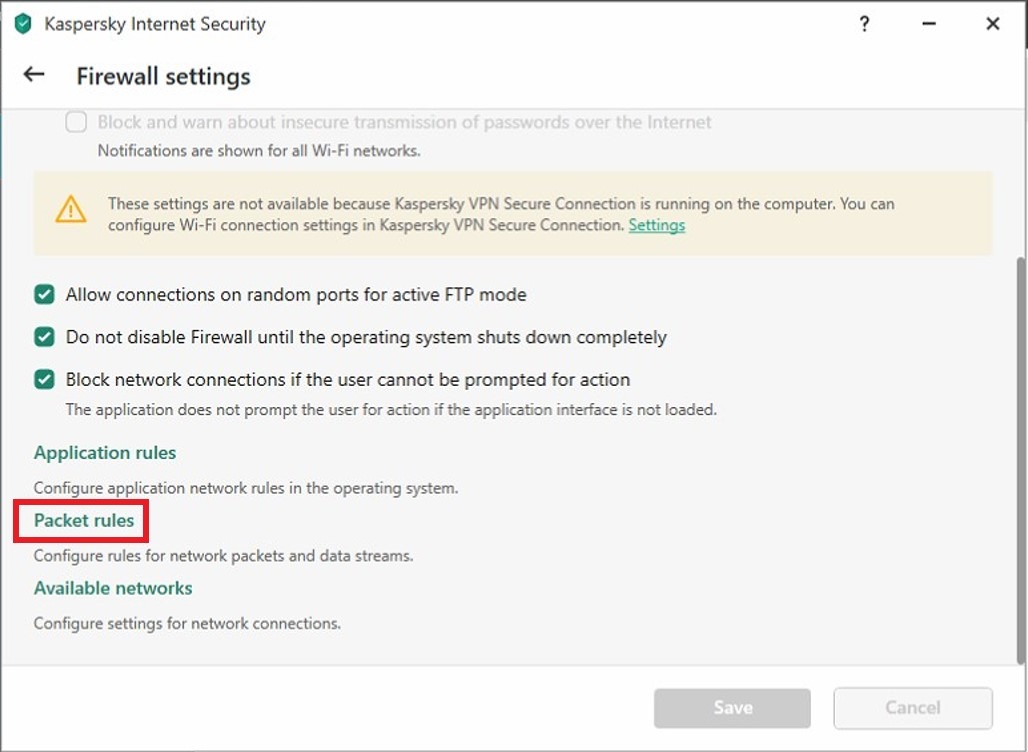
STEP 3 – Scroll down to bottom and click on the [Packet Rules].
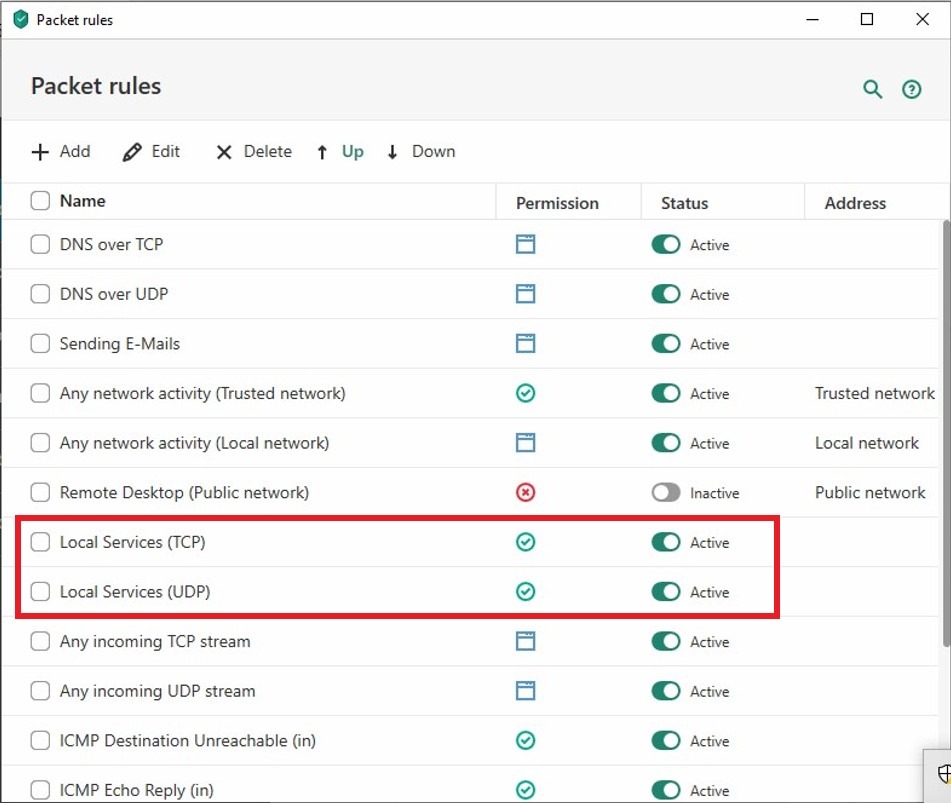
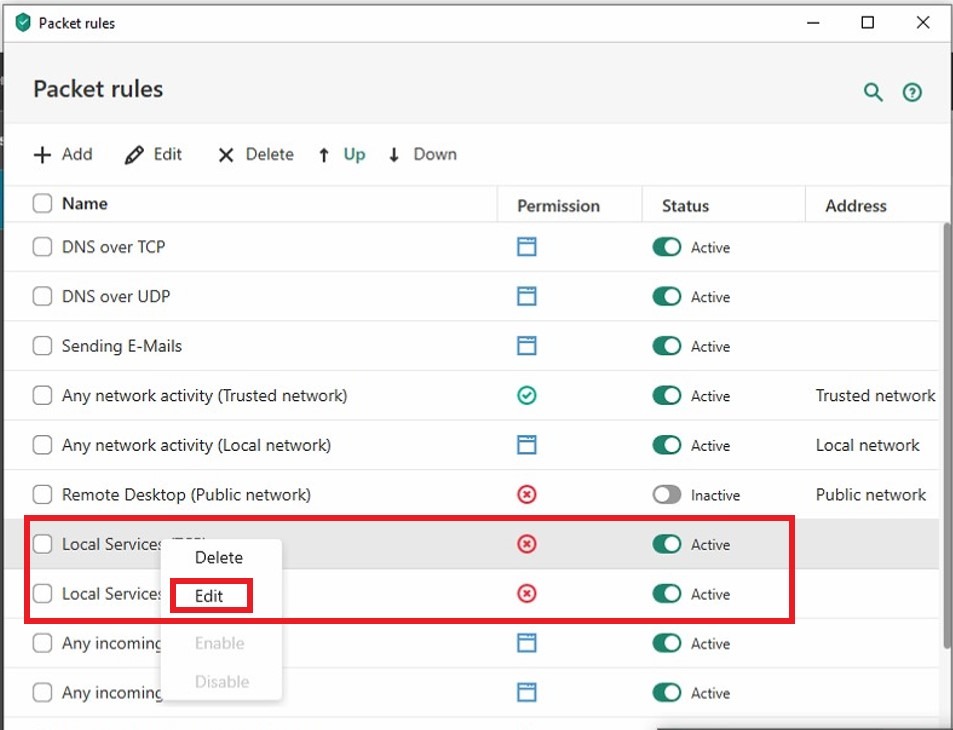
STEP 4 – Right click on the [Local Services (TCP)] and [Local Services (UDP)] and click on [Edit].
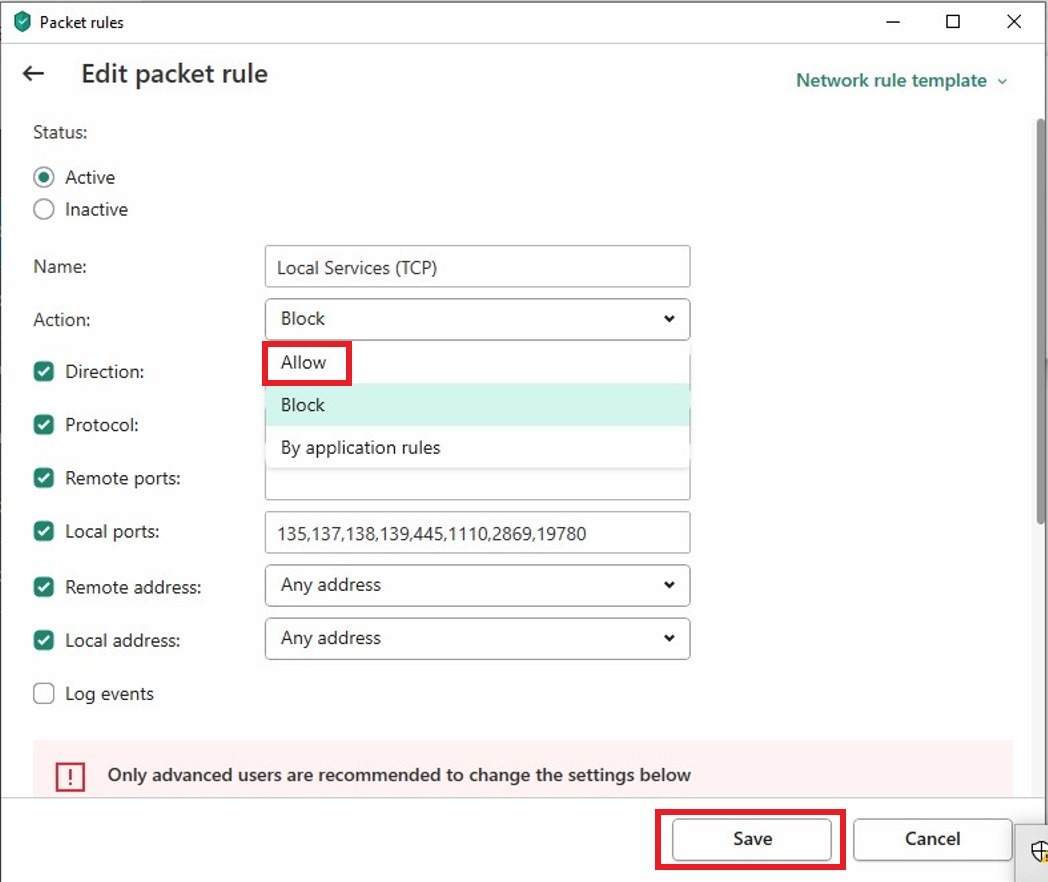
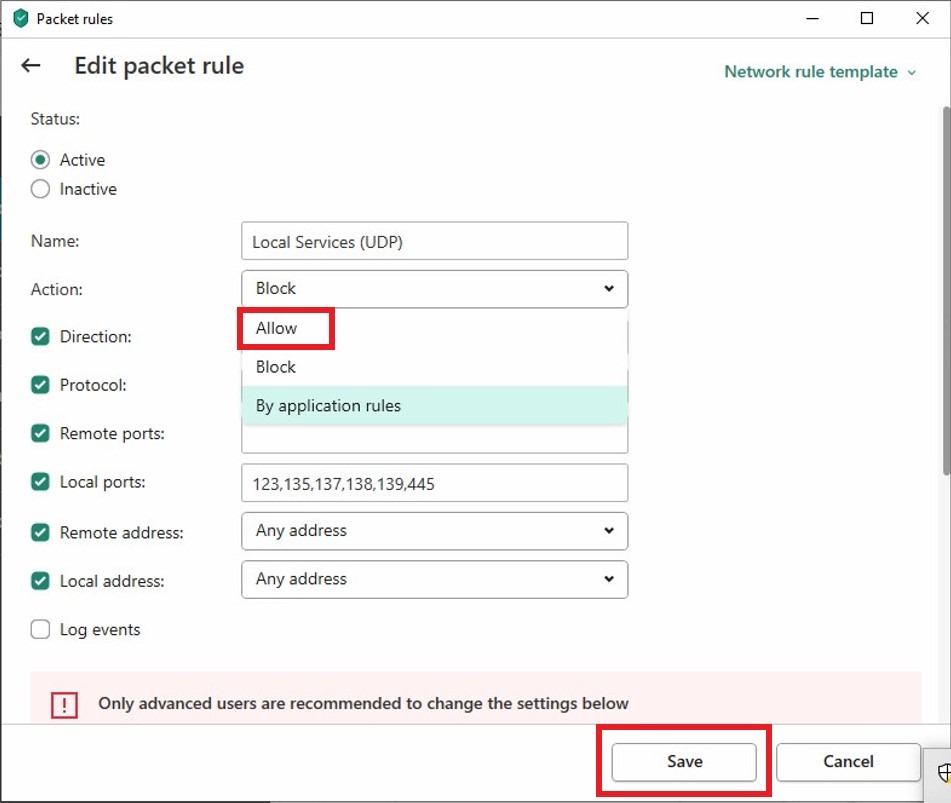
STEP 5 – Under the [Action] option, select [Allow] and click [Save].
After save, it will show the [Green Tick Icon] which will allow for the SMB scanning.