Guide on how to activate Nuance Power PDF Advanced after install
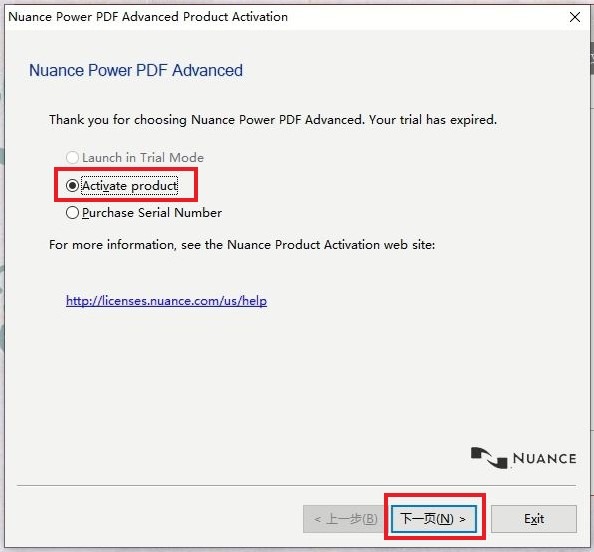
STEP 1 – Run the Nuance Power PDF Advanced after install, select [Activate product] > [N] to proceed next step.
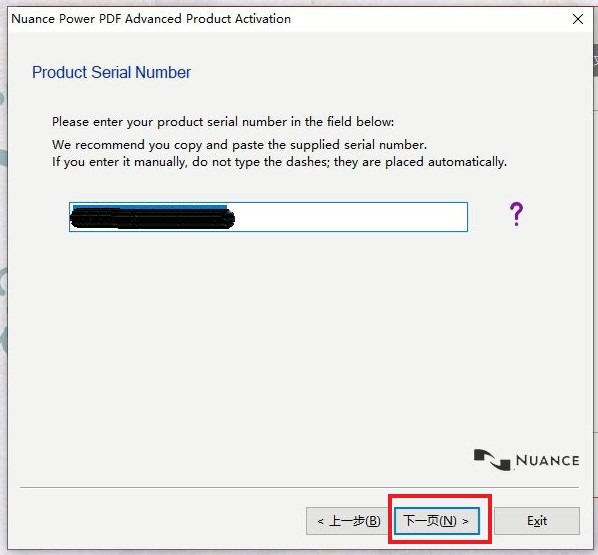
STEP 2 – Key in the Product Serial Number in the field then press [N] to proceed to next step. The Product Serial Number can be obtained in the CD installer for the Nuance Power PDF Advanced software.
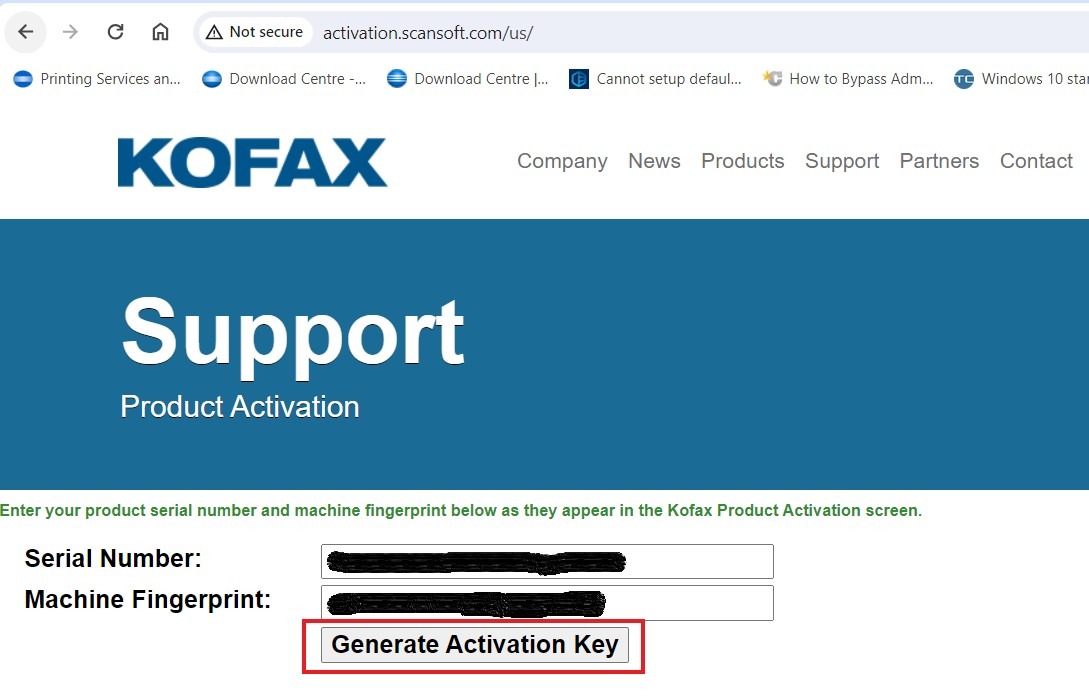
STEP 3 – Copy the [Serial Number] & [Machine Fingerprint] then proceed to this website here.
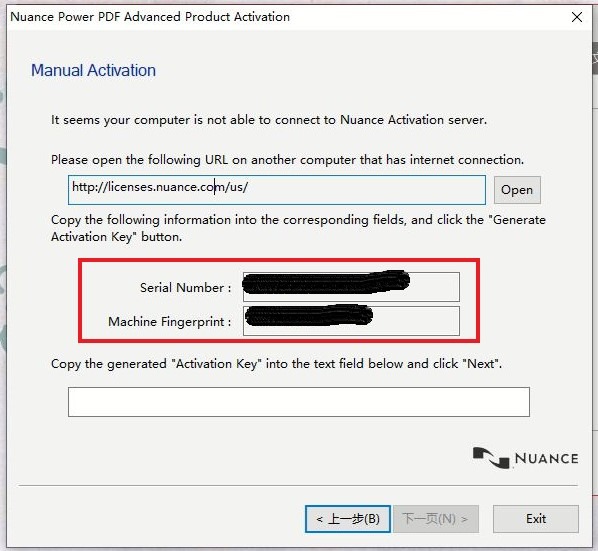
STEP 4 – Paste the Serial Number & Machine Fingerprint into the field and proceed to get [Generate Activation Key].
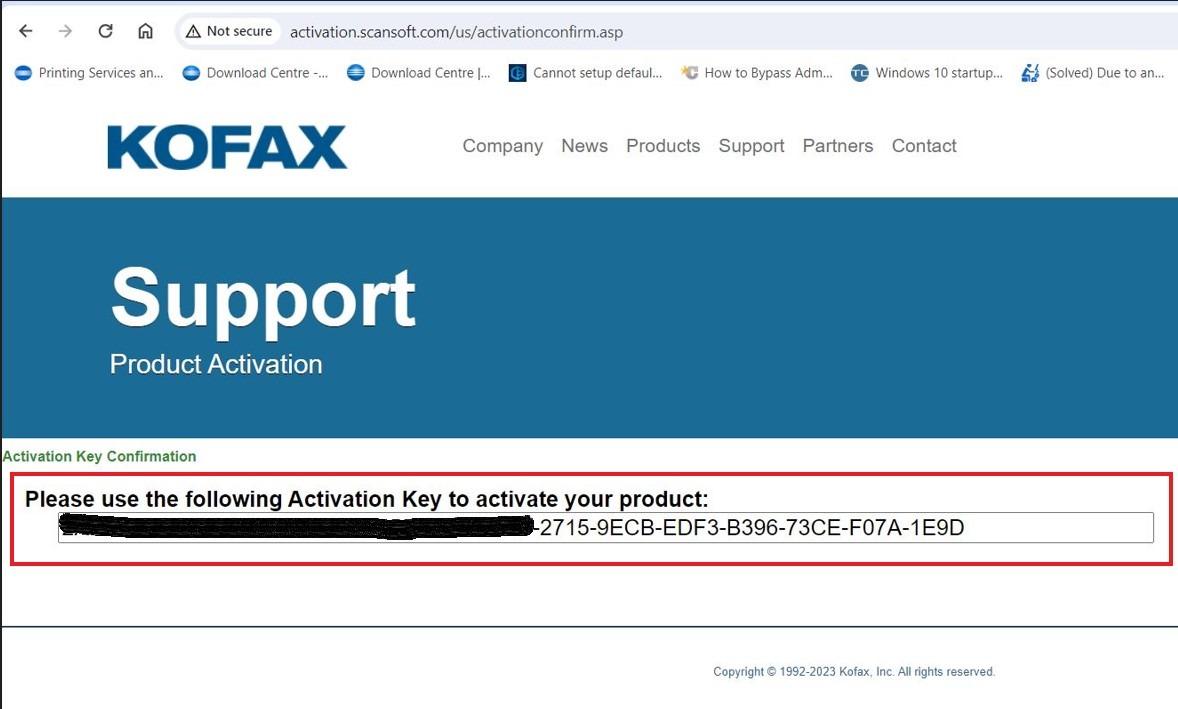
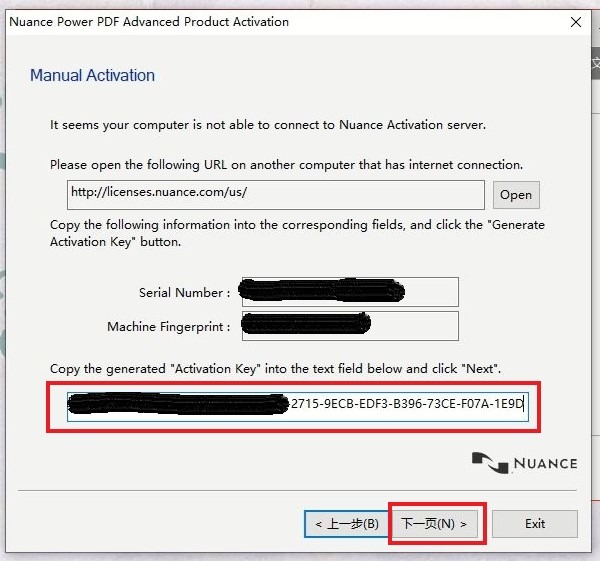
STEP 5 – Copy the [Activation Key] from the webpage and paste to Manual Activate Page on the Nuance Power PDF App. Click [N] to continue.
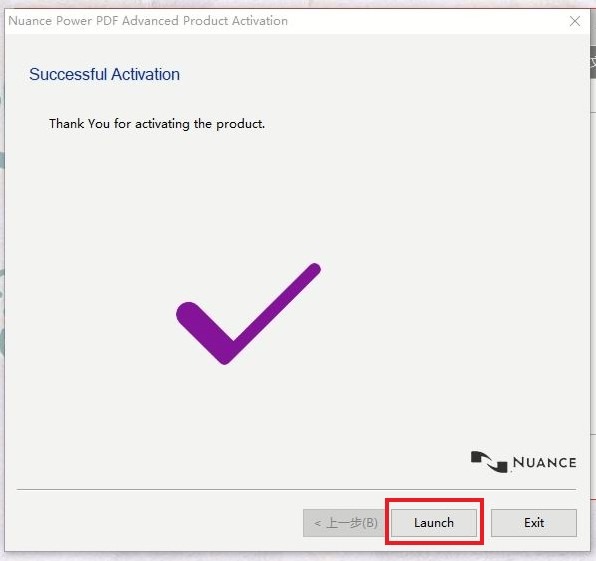
STEP 6 – Select [Launch] to finish activating license and continue using the Nuance Power PDF Advanced product.