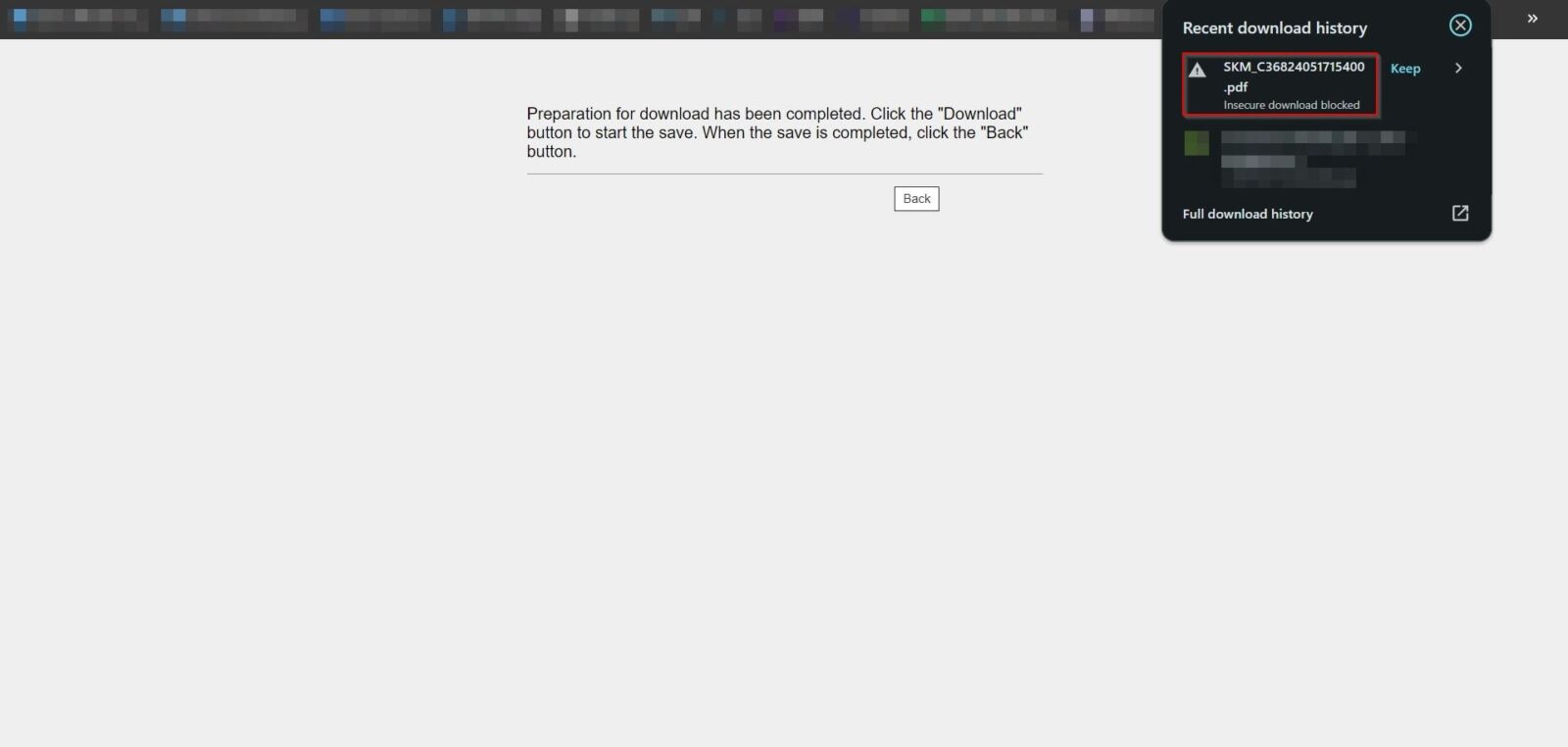
Guide on how to resolved the issue unable to download the pdf file due to error insecure download blocked on Google Chrome Browser only
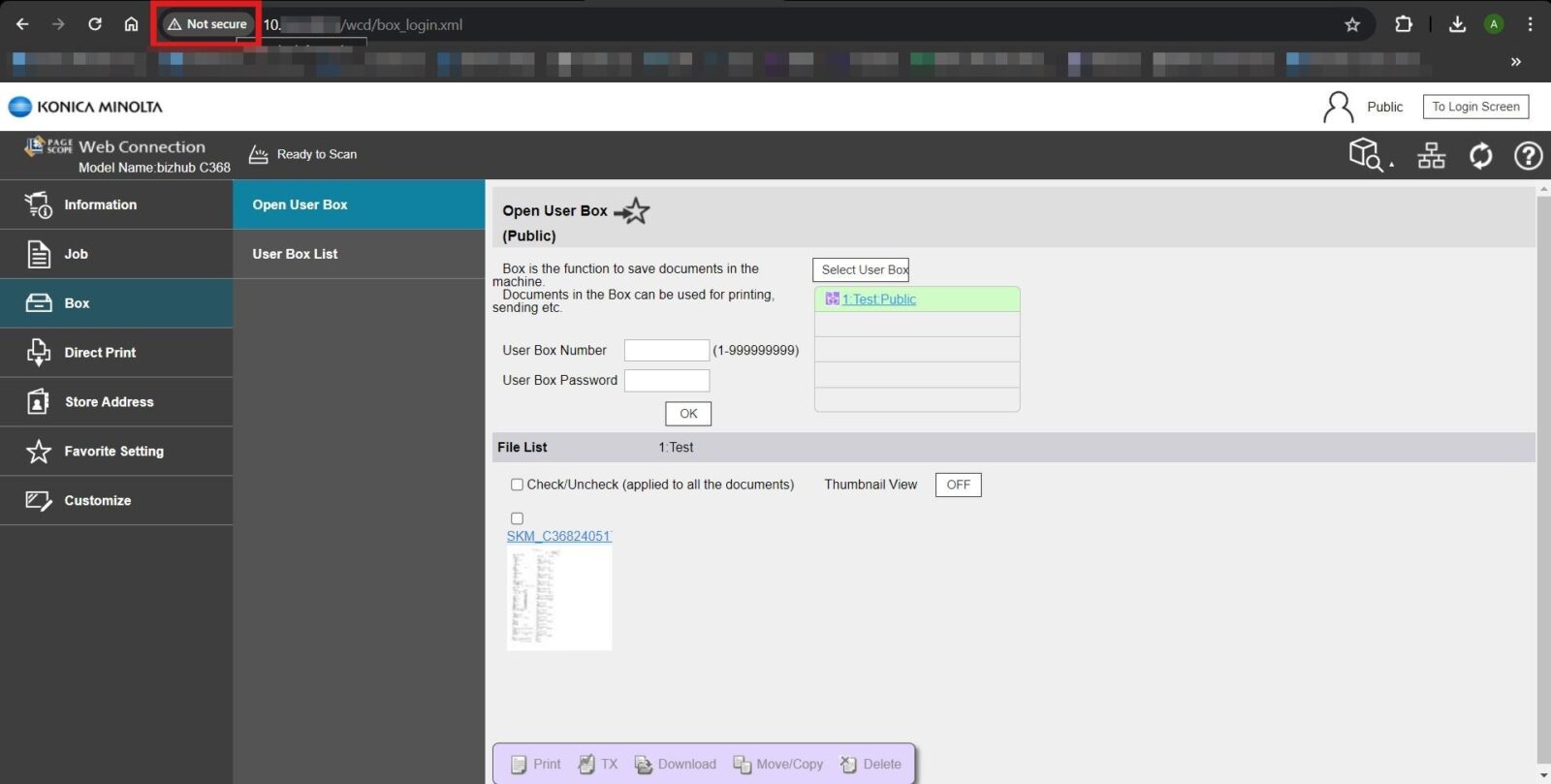
STEP 1 – Click on [Not Secure].
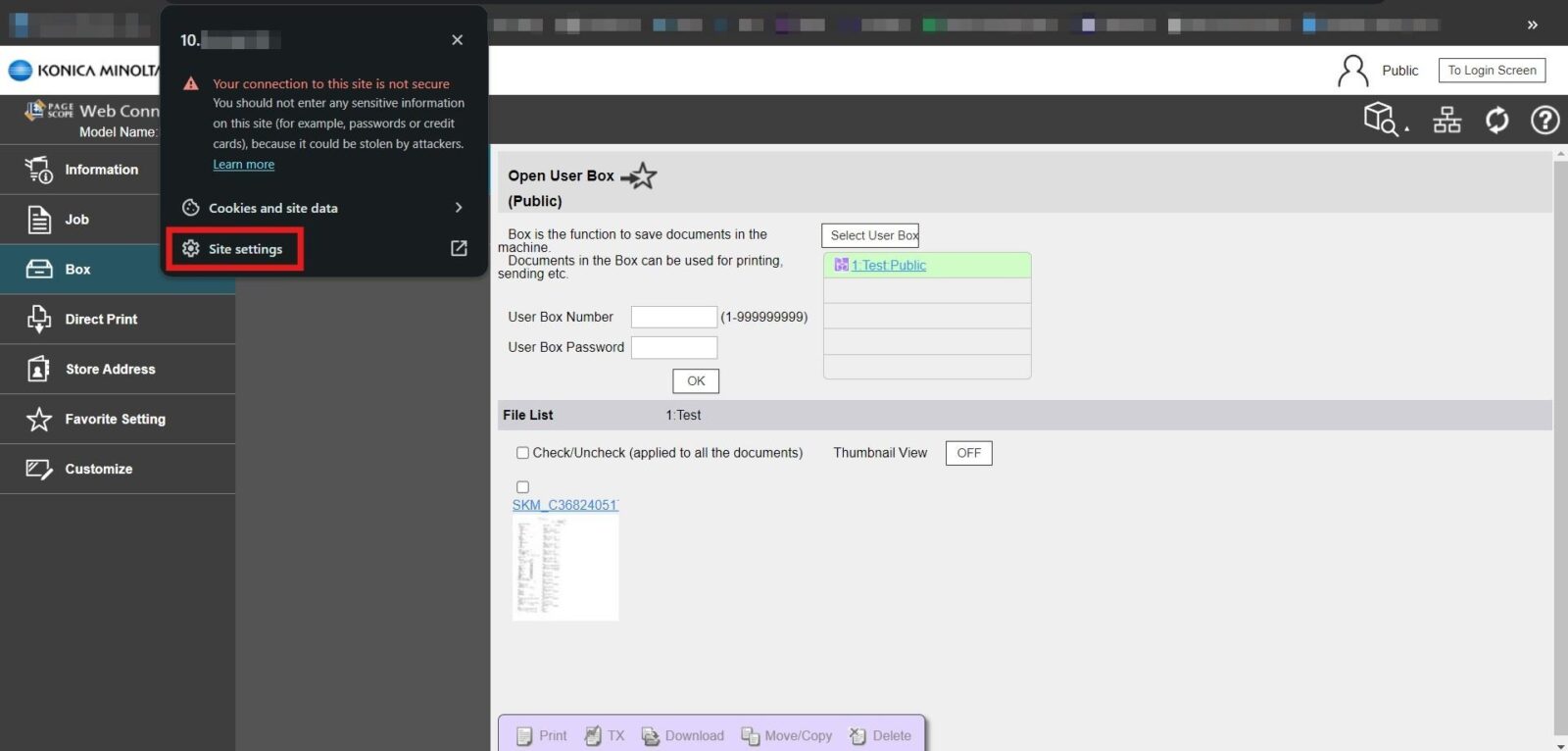
STEP 2 – Click on the [Site Settings].
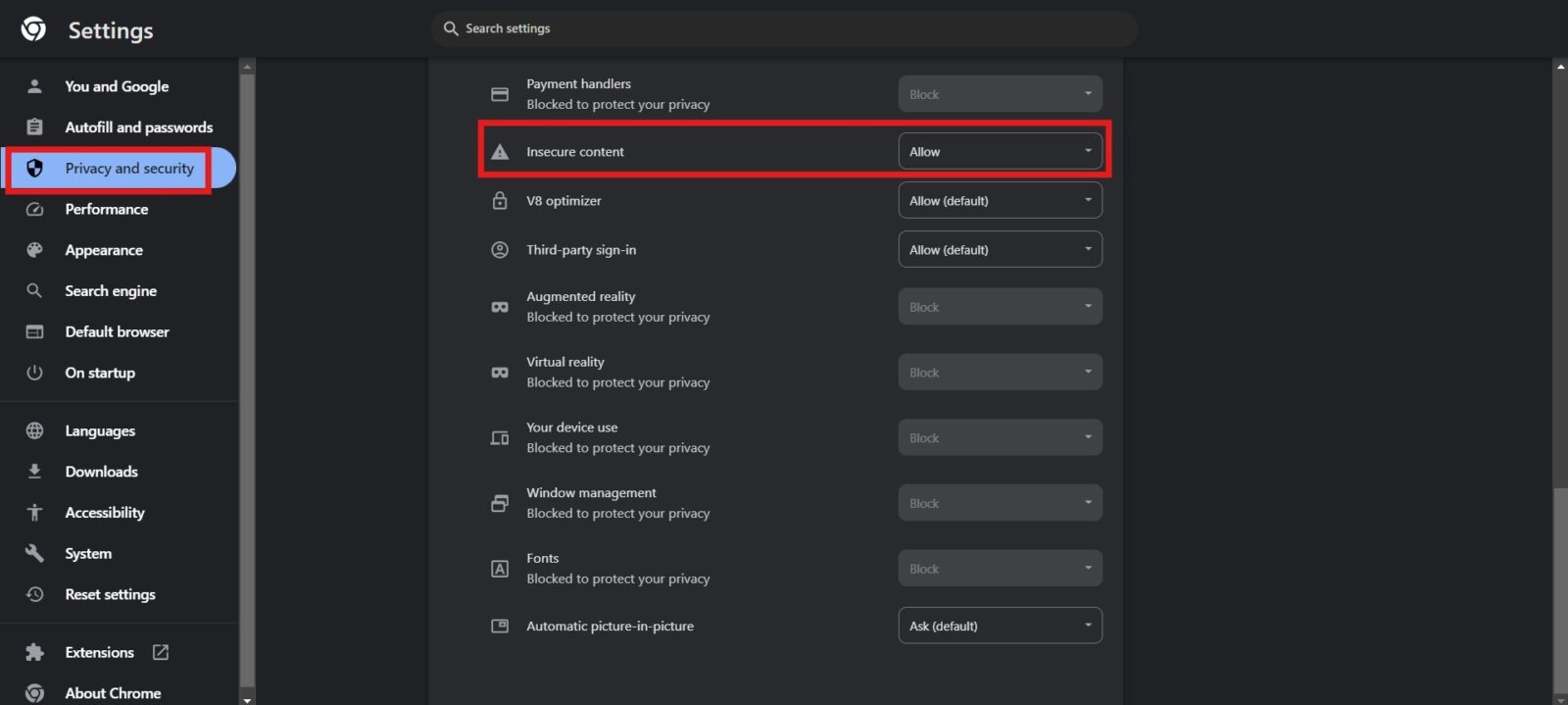
STEP 3 – Click on [Privacy and Security], Scroll down to the [Insecure Content] and change to [Allow]. It will be able to resolved the error insecure download blocked.