Guide on how to check toner level from Machine and Web Connection
For the Older Machine series / Non I-Series Machine (Only can check toner level on the Web Connection, the machine is not available)
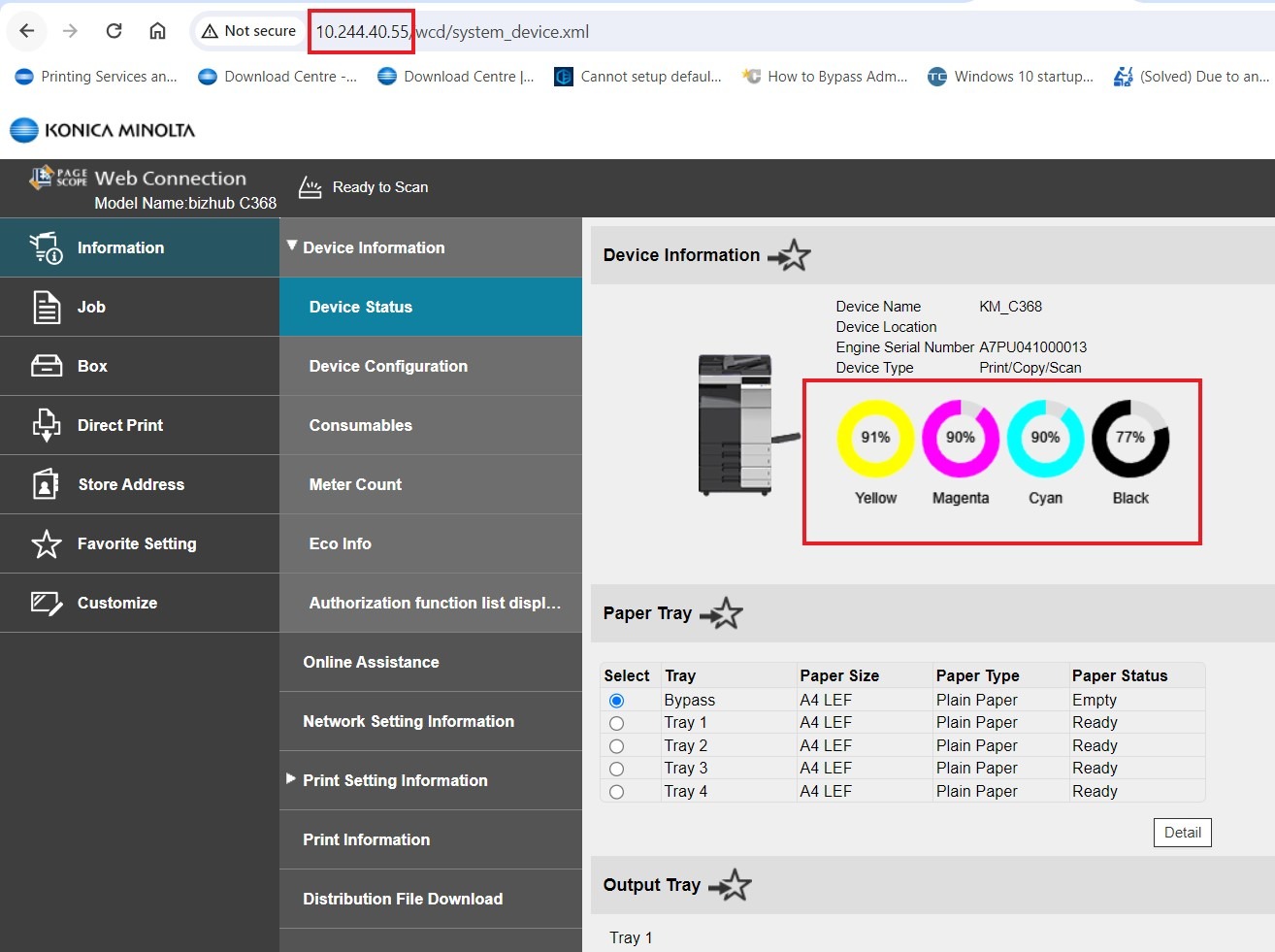
STEP 1 – At the web browser, enter the IP address of the Konica Minolta device. Click Here for the guide on how to get the machine IP Address.
STEP 2 – The Toner Level will be display at the right hand side besides the printer icon.
For The Newer Machine Series / I-Series Machine (Can perform on either the machine or the Web Connection)
On the Machine
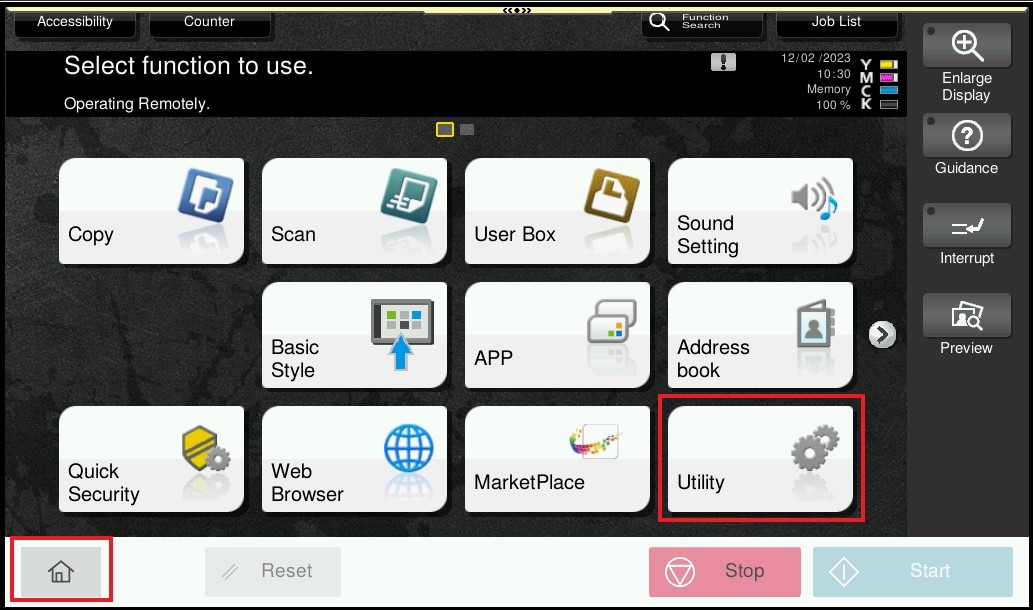
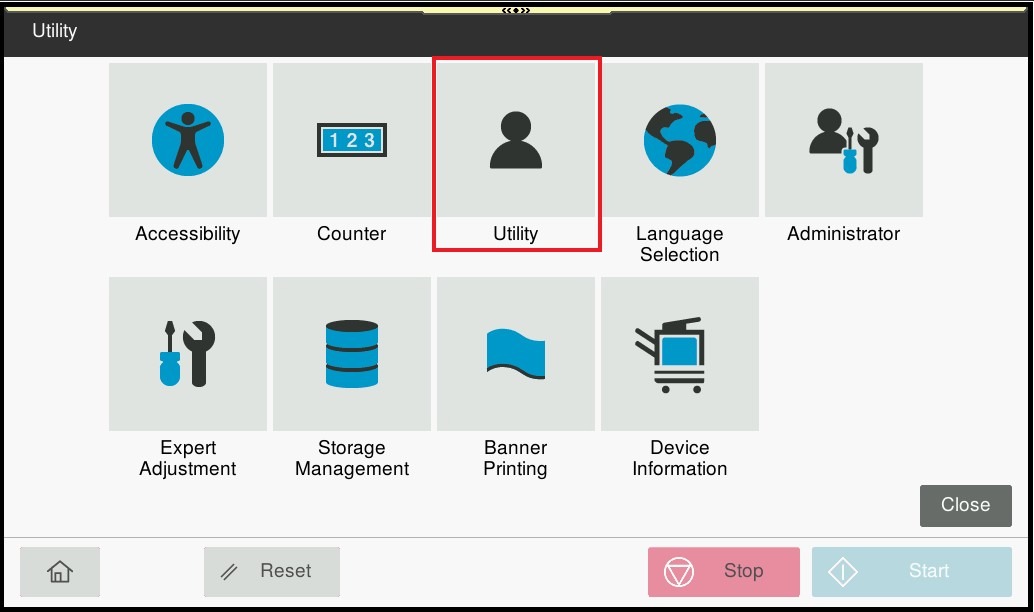
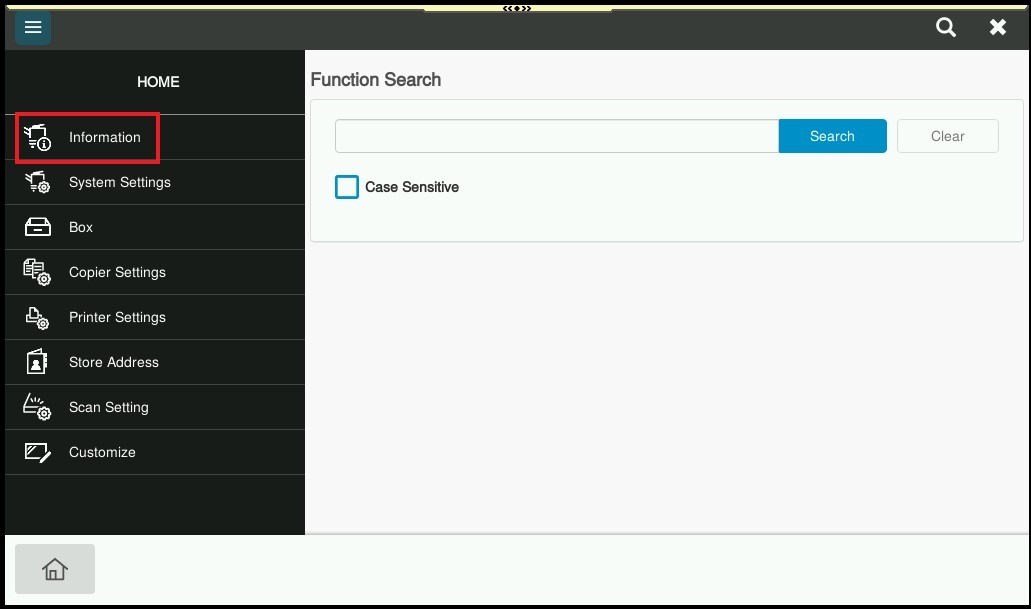
STEP 1 – On the Konica Minolta machine, click on [Home] – [Utility] – [Utility] – [Information] from Control Panel.
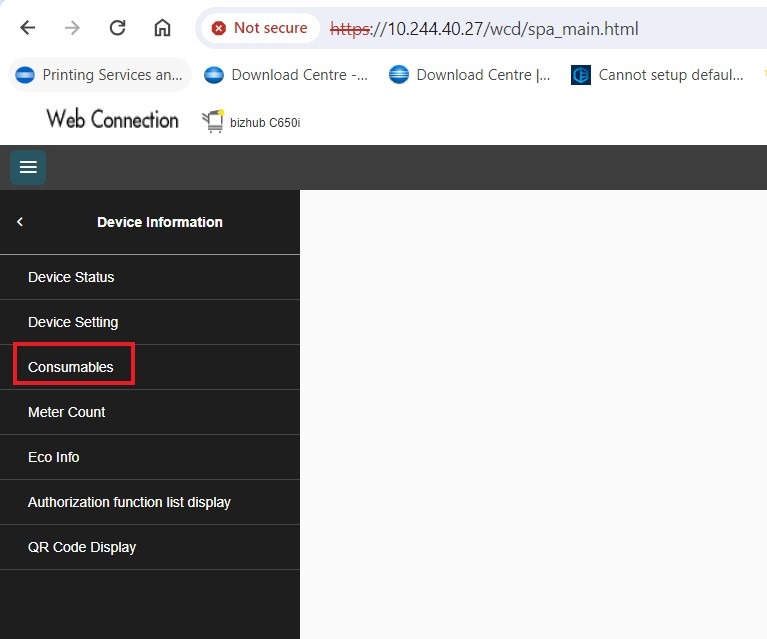
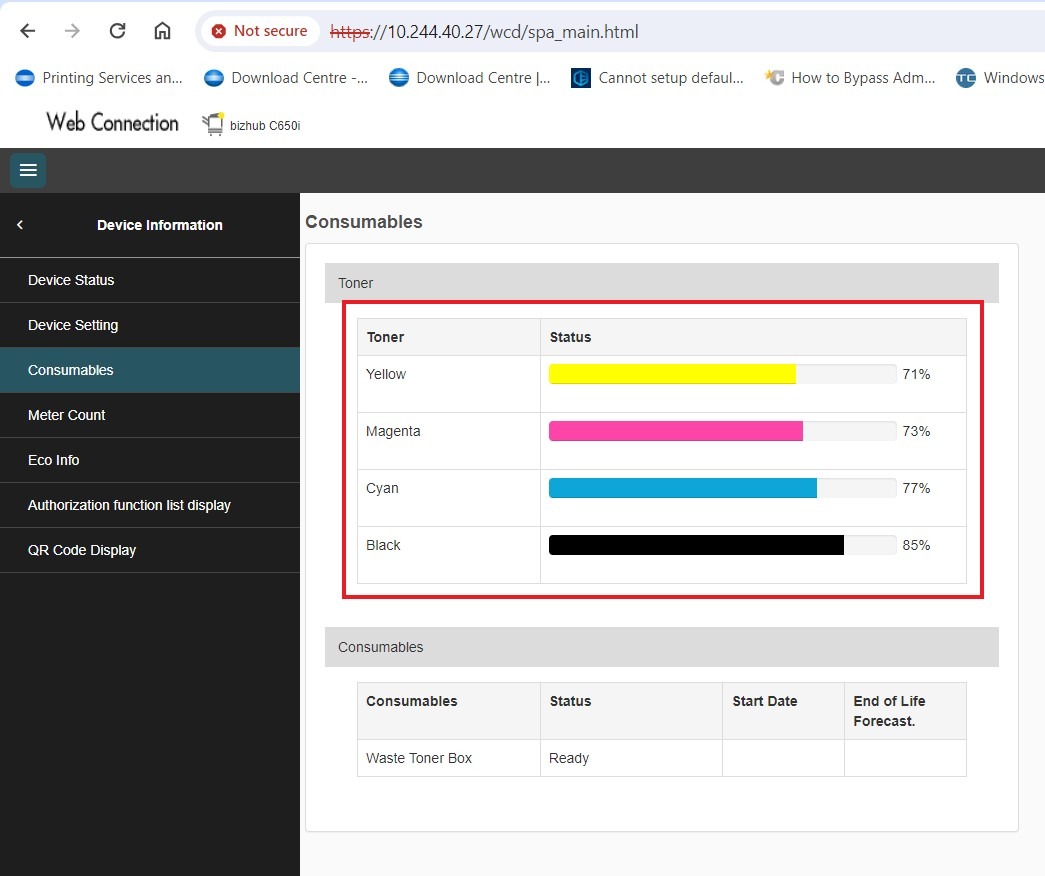
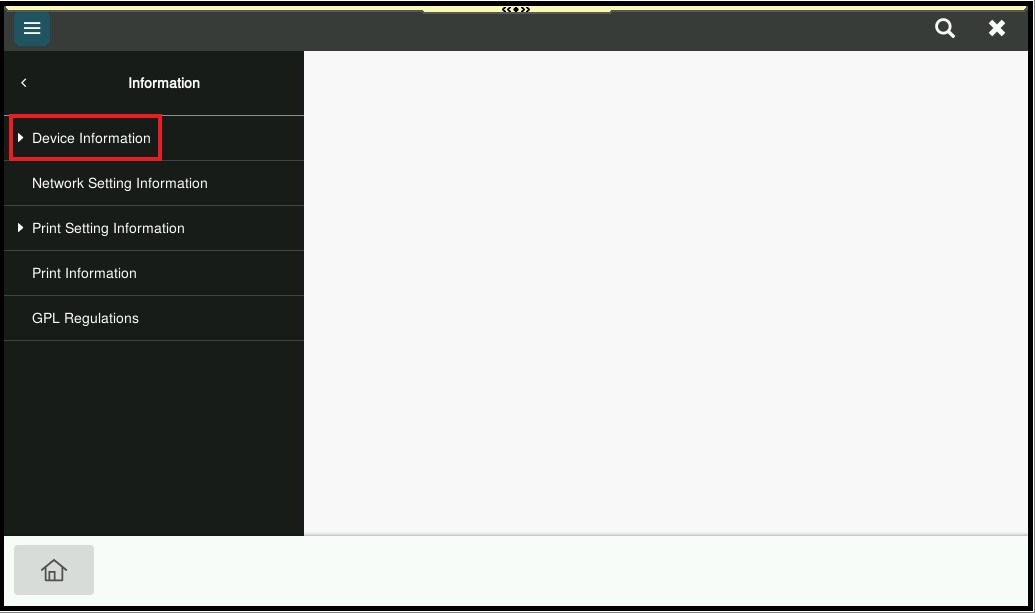
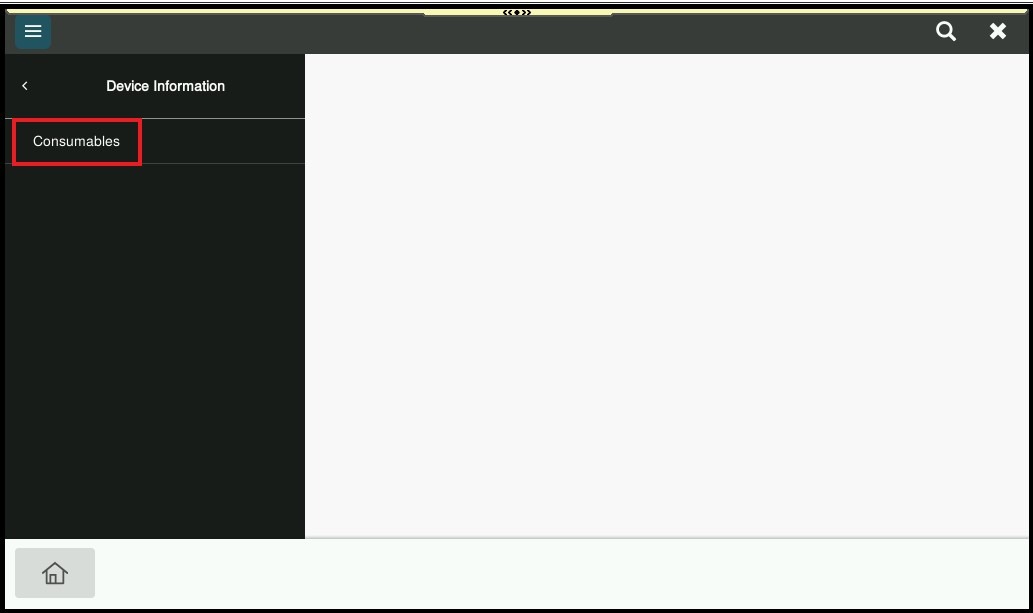
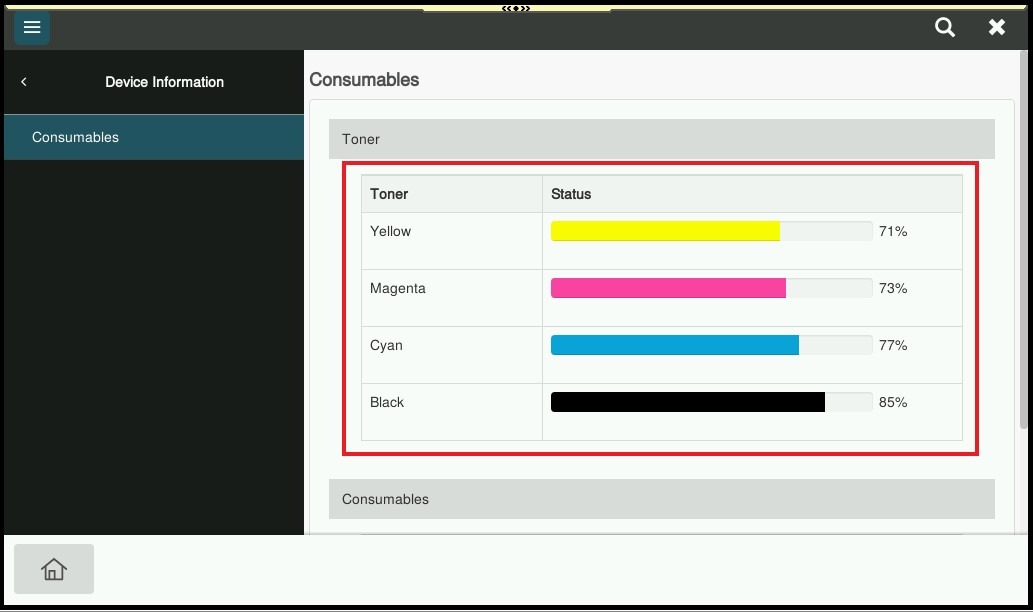
STEP 2 – Select [Device Information] – [Consumables] on either Machine and Web Connection as both method are same step, the toner level will be display accordingly.
On the Web Connection
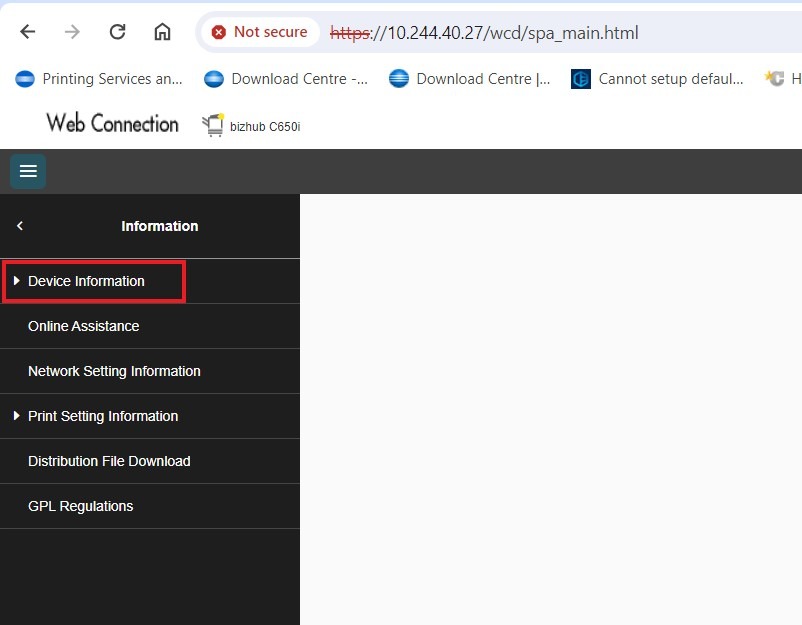
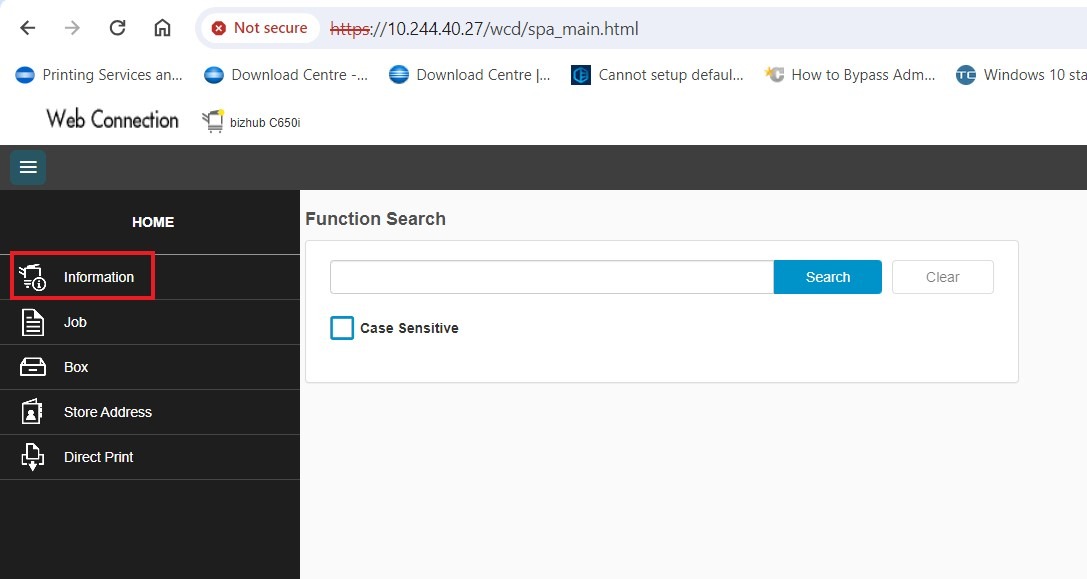
STEP 1 – At the web browser, enter the IP address of the Konica Minolta device. Click Here for the guide on how to get the machine IP Address. Once the web connection has been open, proceed to select [Information].
STEP 2 – Select [Device Information] – [Consumables] on either Machine and Web Connection as both method are same step, the toner level will be display accordingly.