

This is a guide on how to download the printer driver from the Download Centre website.
STEP 1 – Go to the Download Centre website by clicking here.
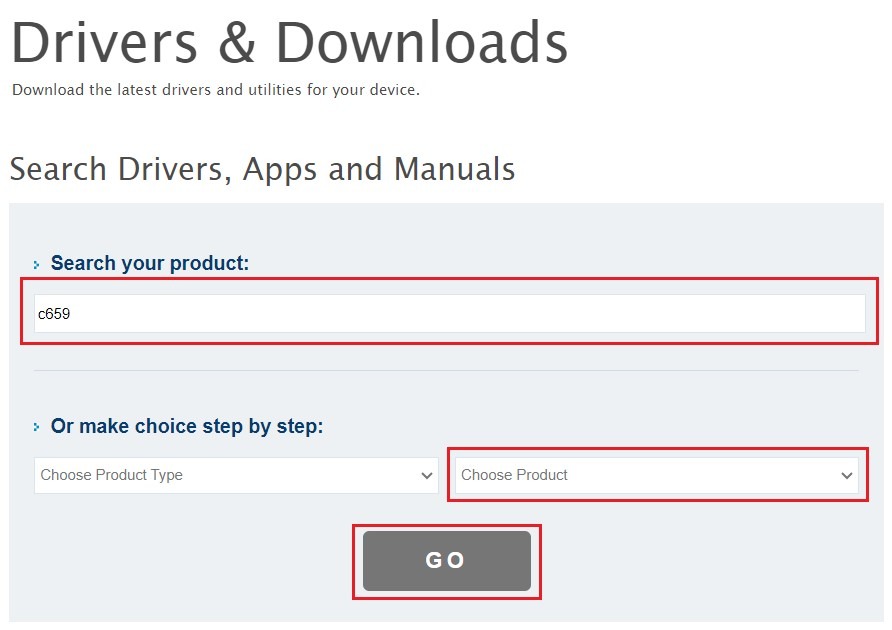
STEP 2 – Type in the model of your machine or select it form the drop down list under Choose Product then click Go
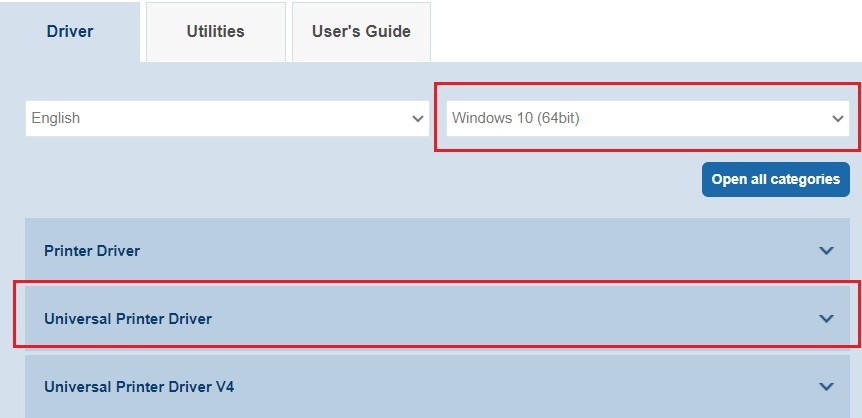
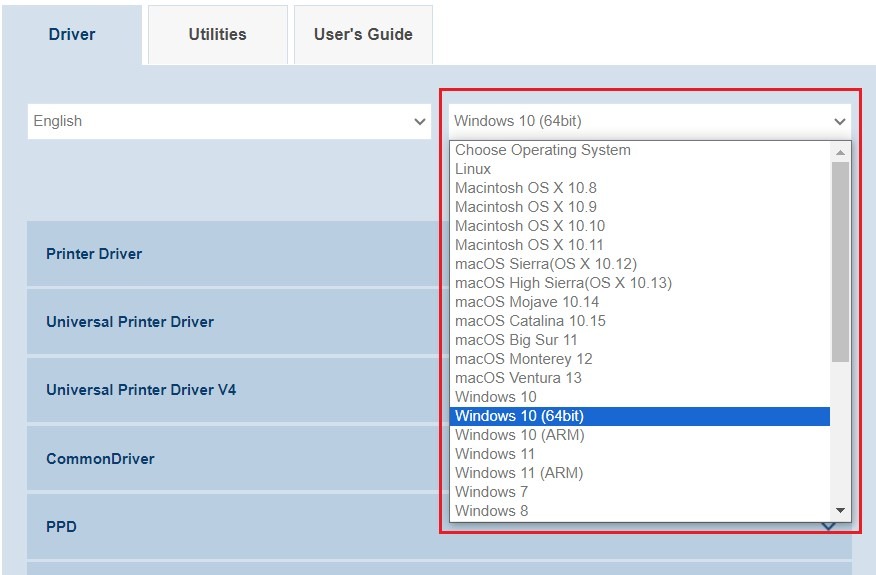
STEP 3 – The page will load the appropriate printer driver for the selected model, choose the Operating System that you’re using and click on Printer Driver drop down list to show the list of Printer Drivers
STEP 4 – Click the Download button for the printer driver that you want to use, tick the Accept License Agreement and click the ZIP file to download the printer driver the click Close.
Note: Windows PC can use either PCL (recommended) or PostScript(PS) driver and the download file is in ZIP. MAC OS is not available under Universal Printer Driver.
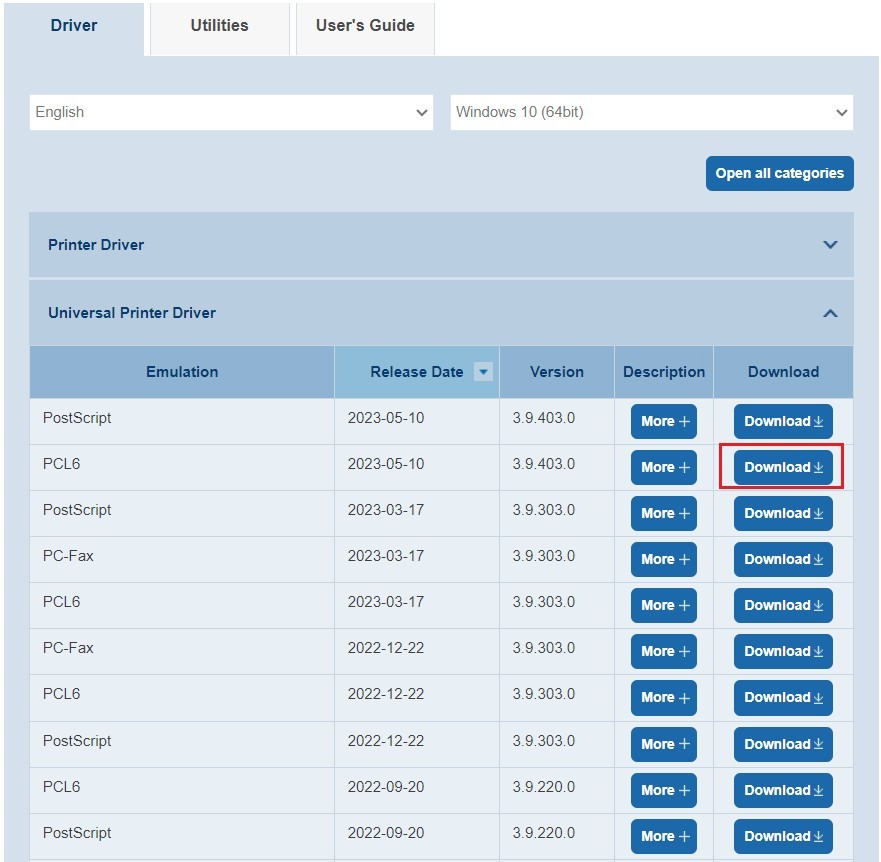
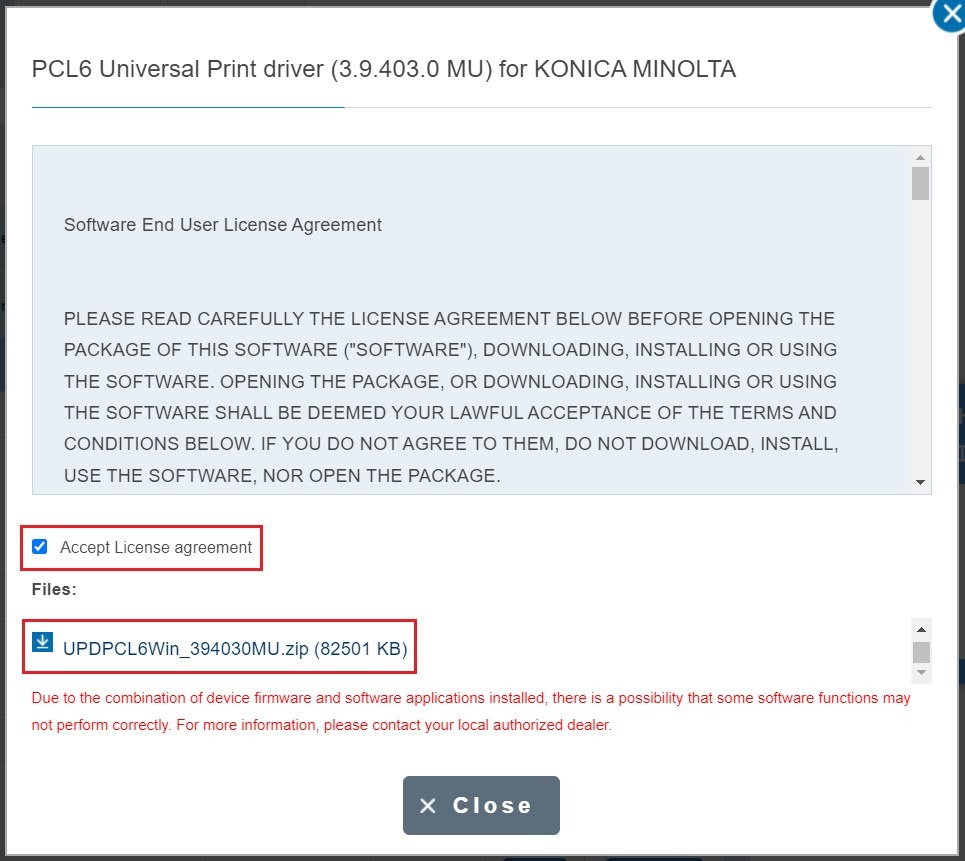
*Universal Printer driver via PCL Driver
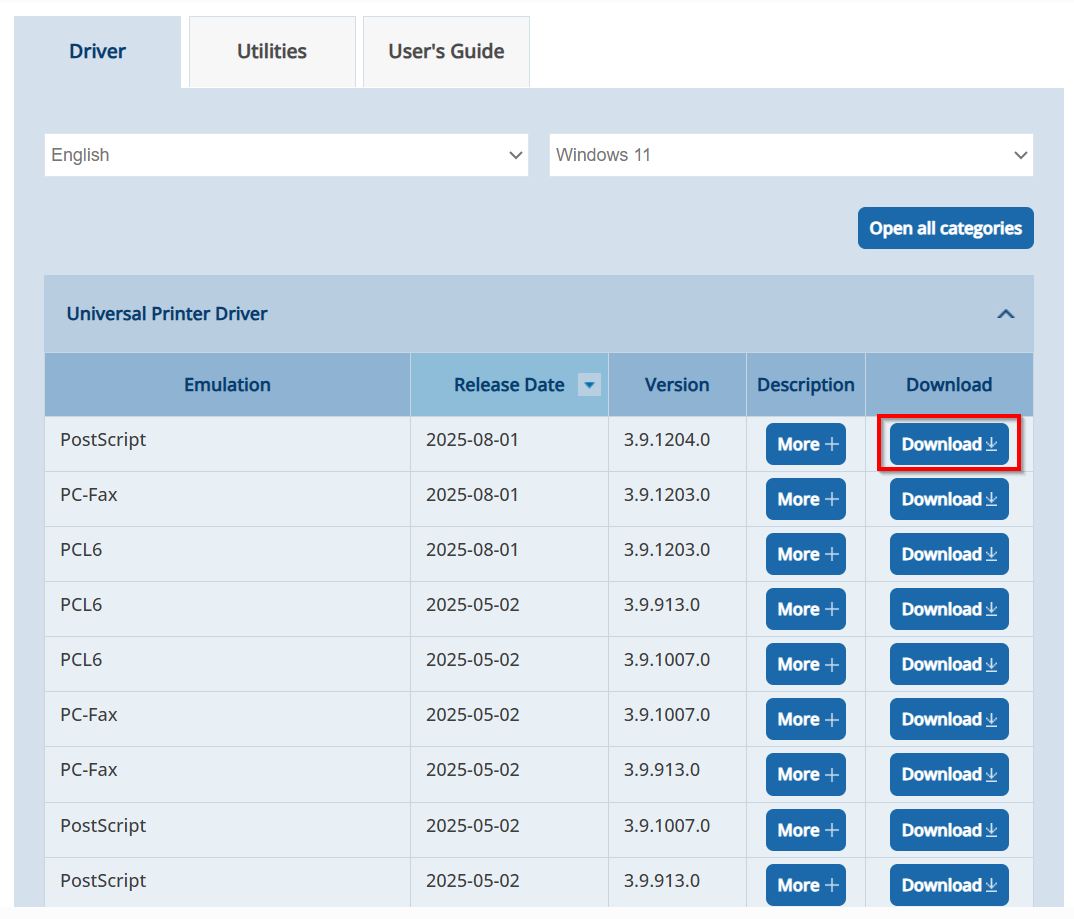
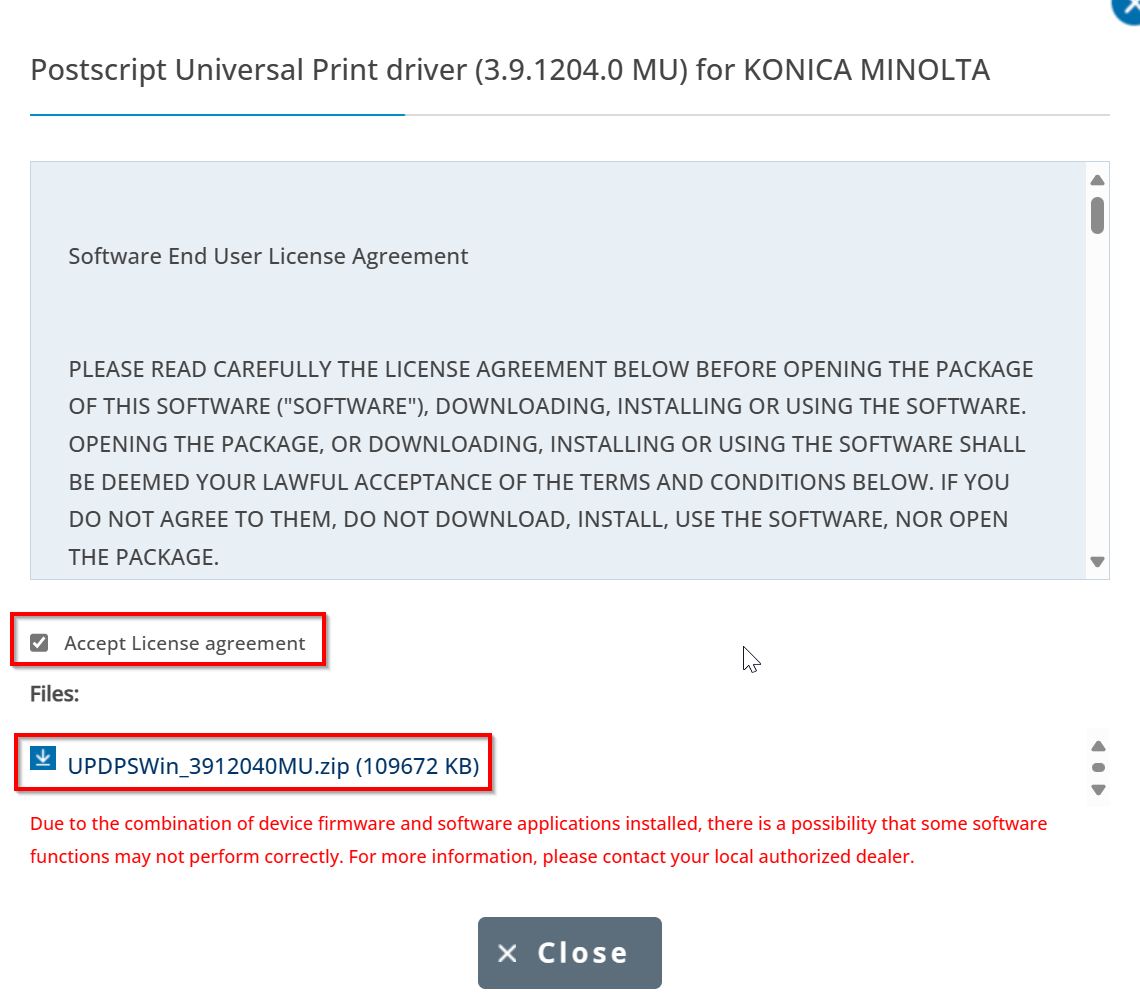
*Universal Printer driver via PS Driver
STEP 5 – Make sure to extract the file before installing the printer driver on the computer. You can check the following link below on how to install the universal printer driver for Windows, the universal printer driver is not available on MAC PC.