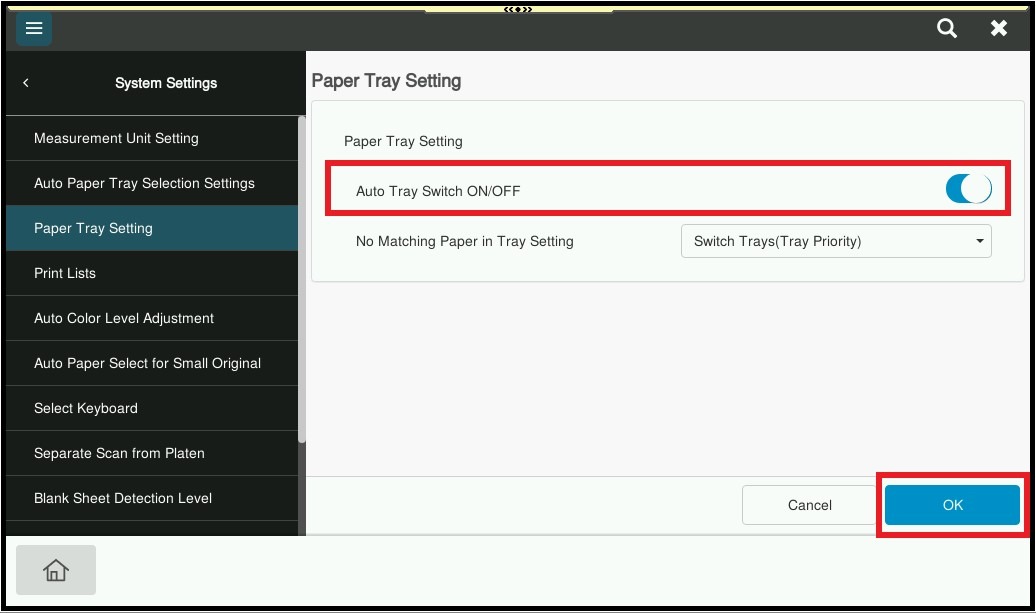
Guide on how to set the auto tray switch to ON or OFF. Auto tray switch is an option to automatically switch tray if the paper on the main tray runs out of paper.
For The Older Machine Series / Non I-Series Machine
STEP 1 – Select [Utility].
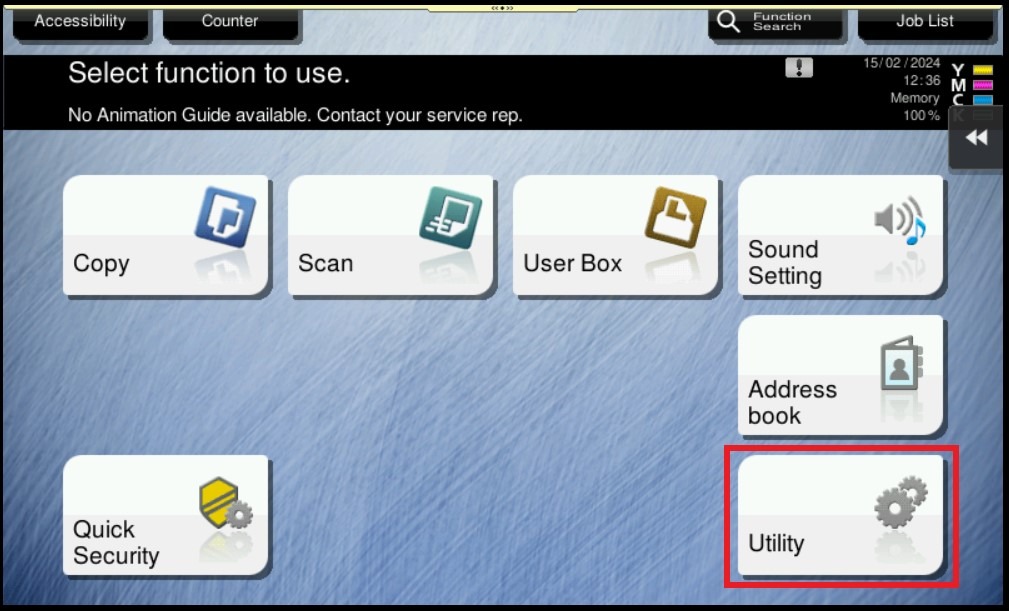
STEP 2 – Select [User Settings].
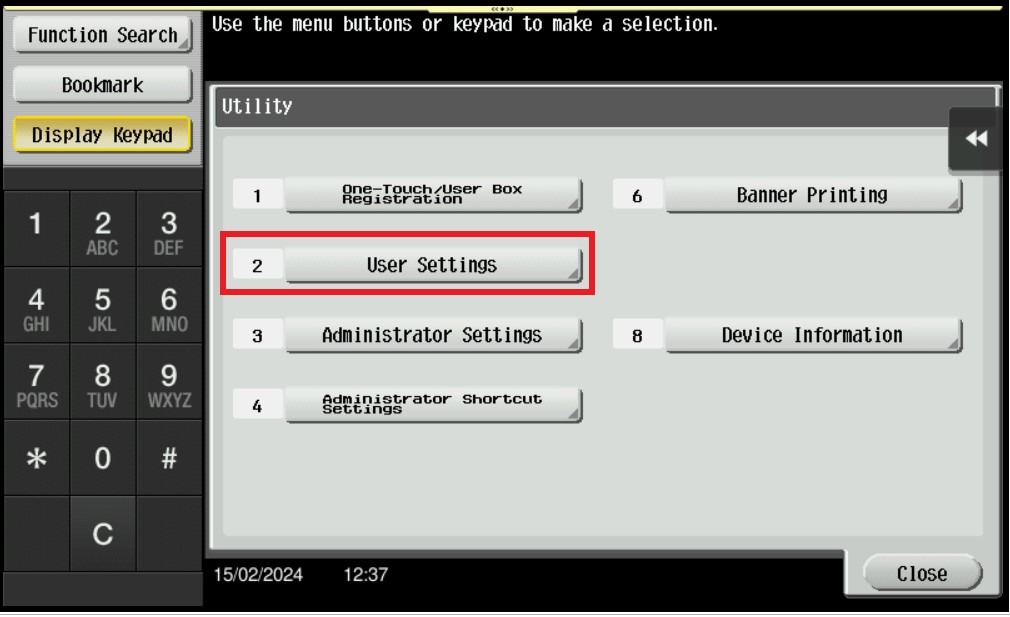
STEP 3 – Select [System Settings].
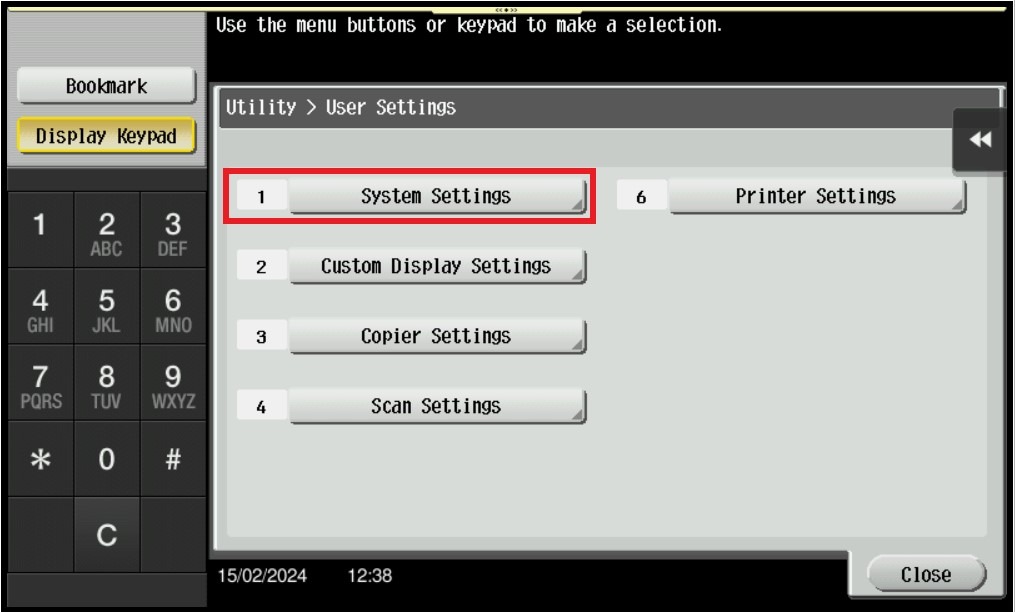
STEP 4 – Select [Paper Tray Settings].
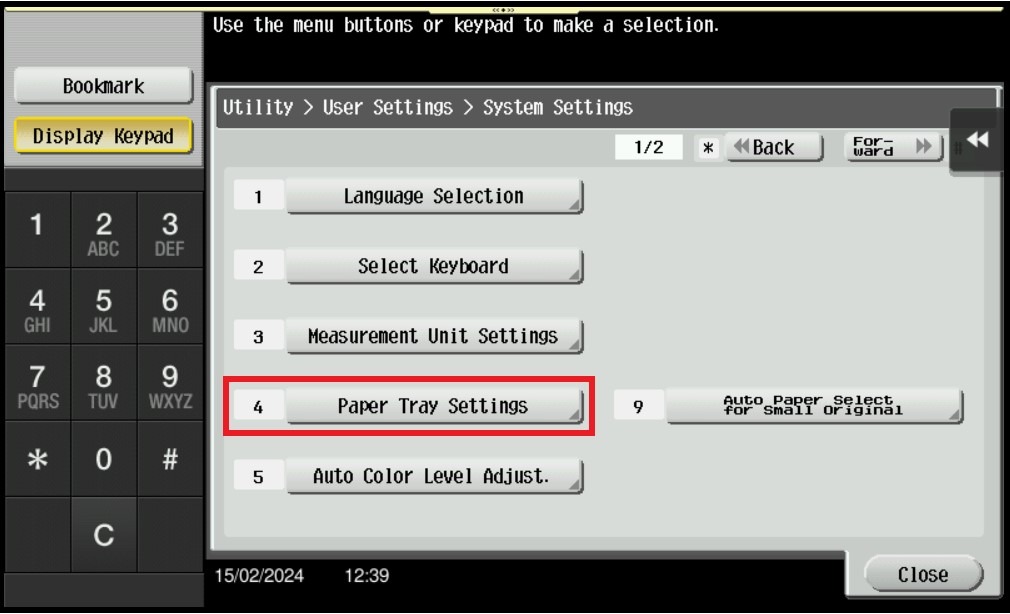
STEP 5 – Select [Auto Tray Switch ON/OFF].
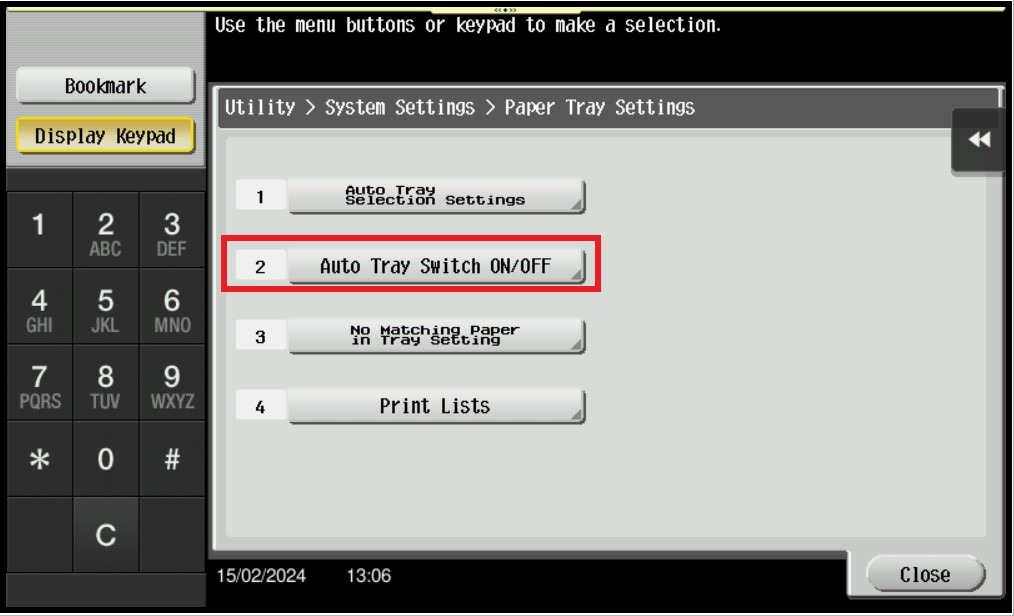
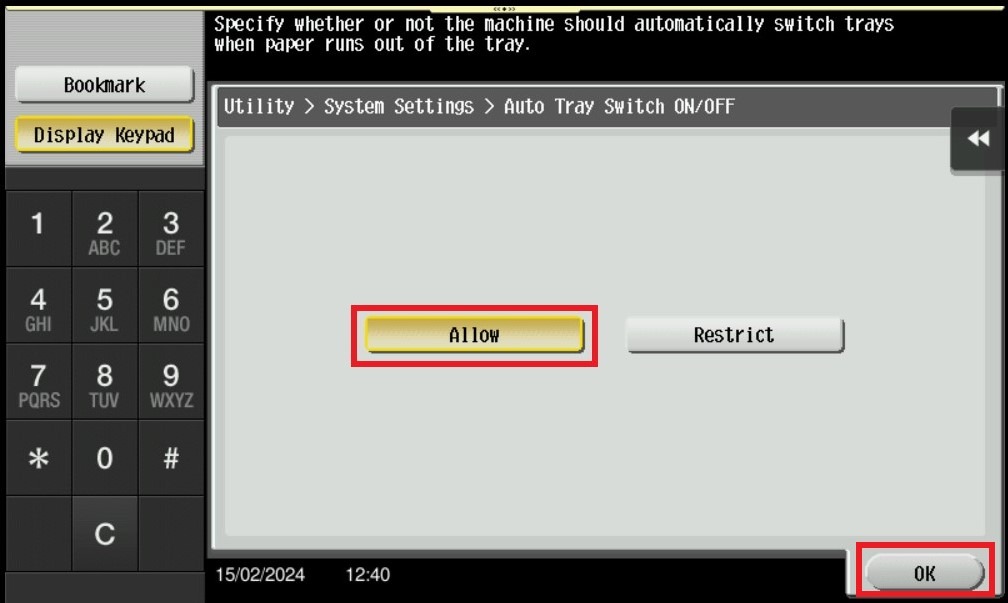
STEP 6 – Select [Allow], and click [OK] to save the setting.
For The Newer Machine Series / I-Series Machine
STEP 1 – On the Konica Minolta machine control panel, click on the [Home] button then select [Utility].
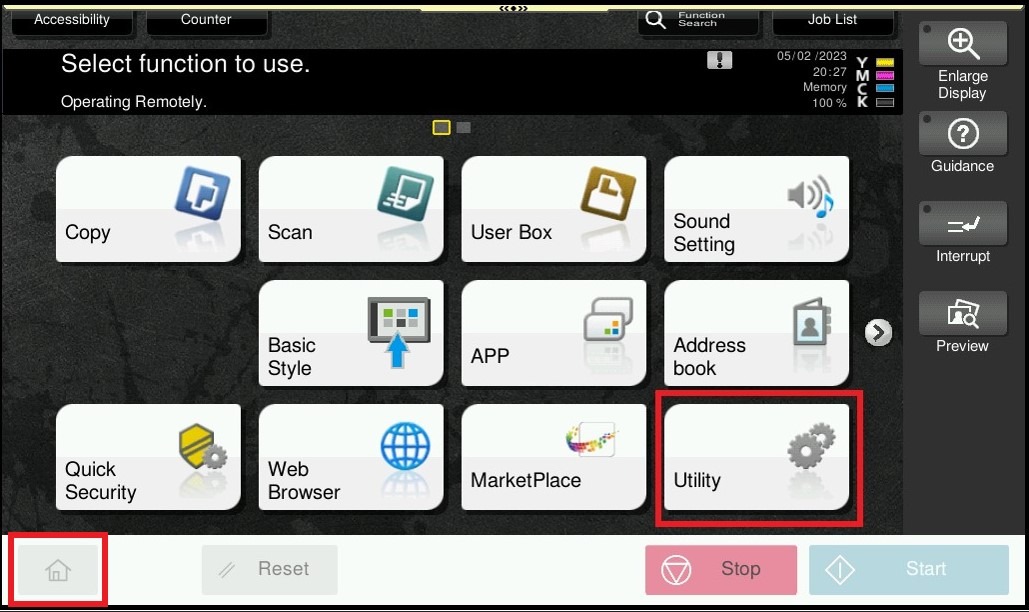
STEP 2 – Select [Utility] again.
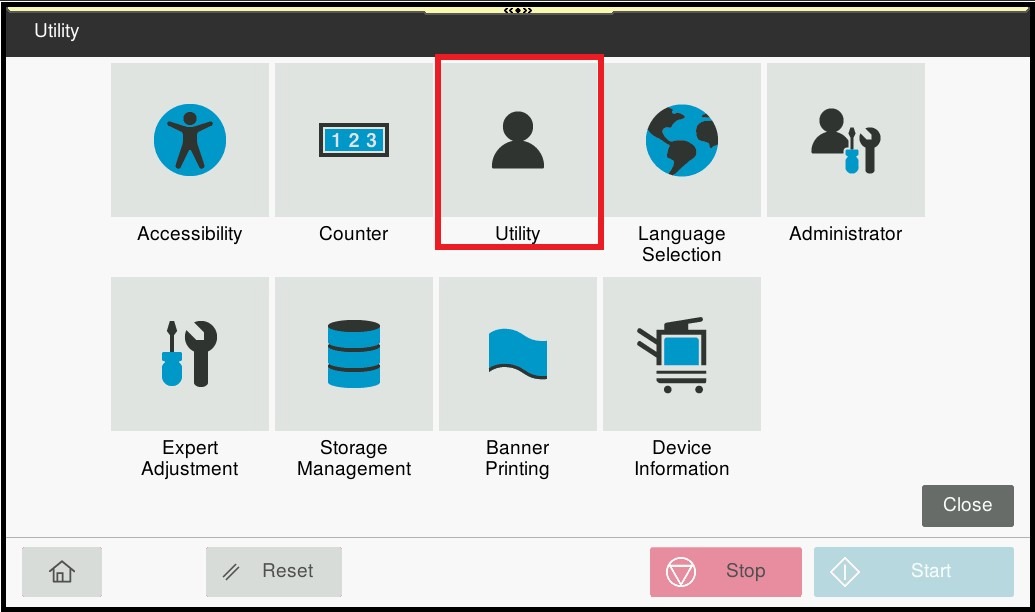
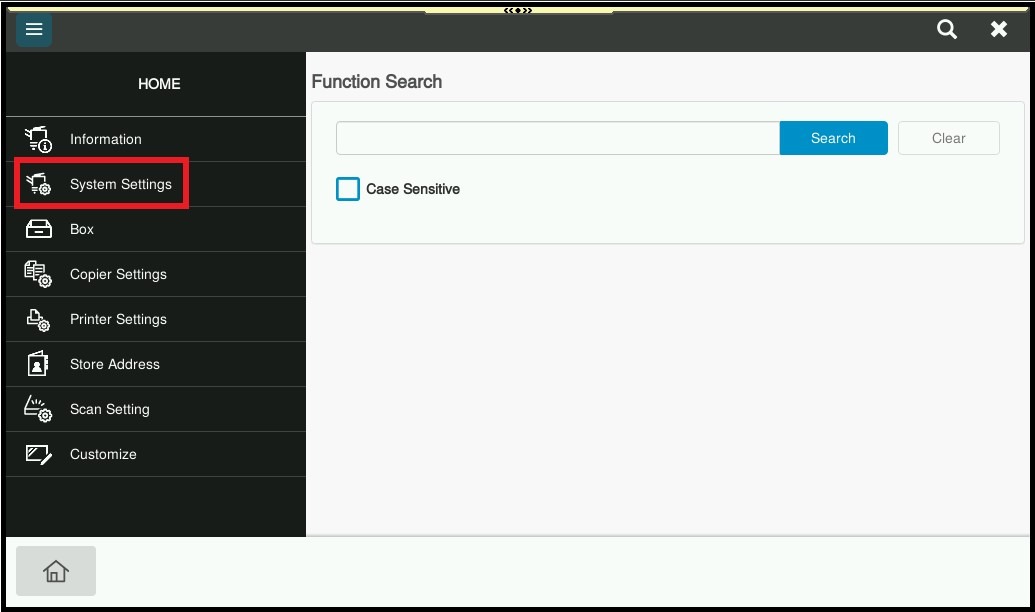
STEP 3 – Select [System Settings].
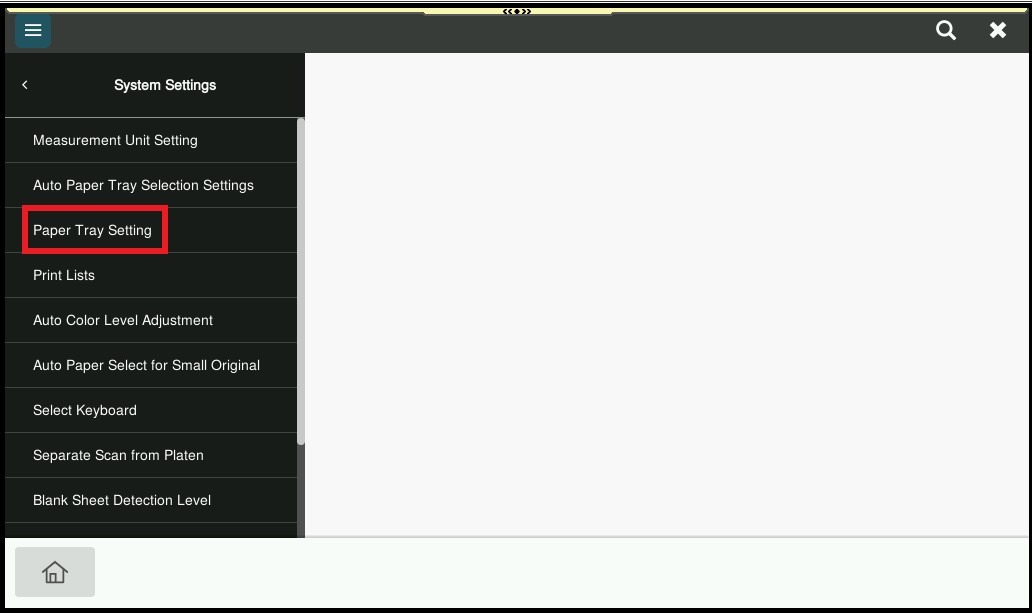
STEP 4 – Select [Paper Tray Setting].
STEP 5 – Enable [Auto Tray Switch ON/OFF], then click [OK] to save the setting.