Guide On How To Change Scan Resolution In Photocopier Machine For Scanning.
For The Older Machine Series / Non I-Series Machine
STEP 1 – On the Konica Minolta machine control panel, click on the [Menu] button then select [Scan].
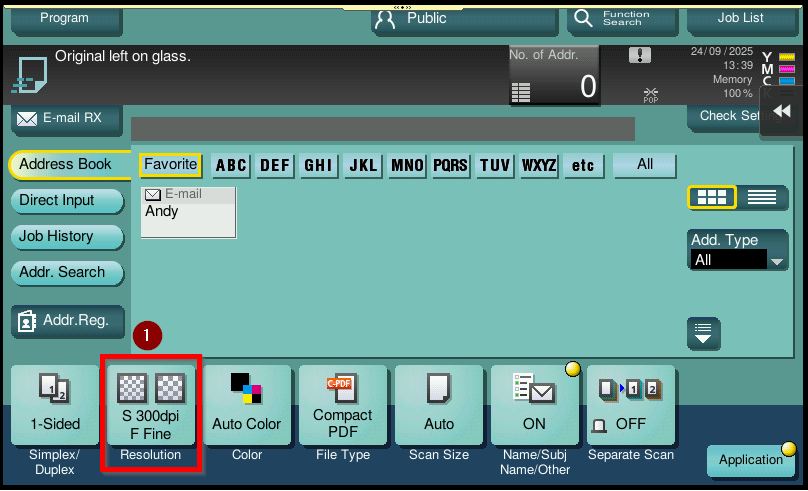
STEP 2 – Select [Resolution].
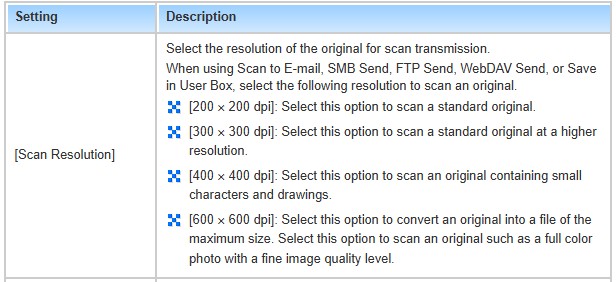
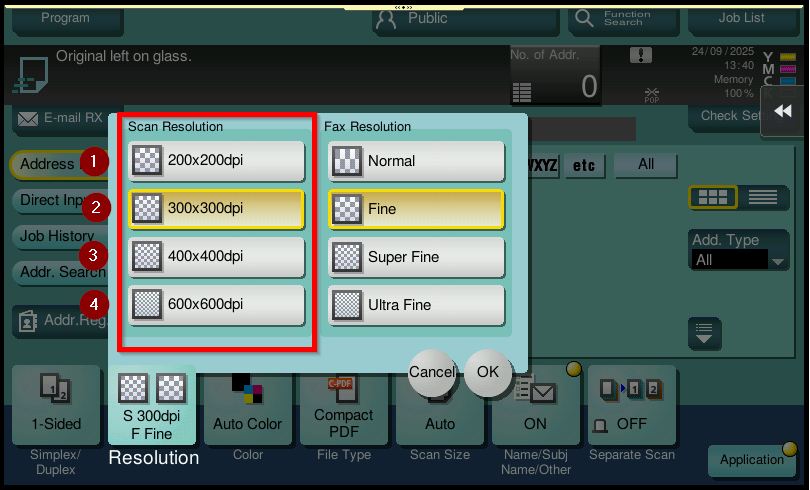
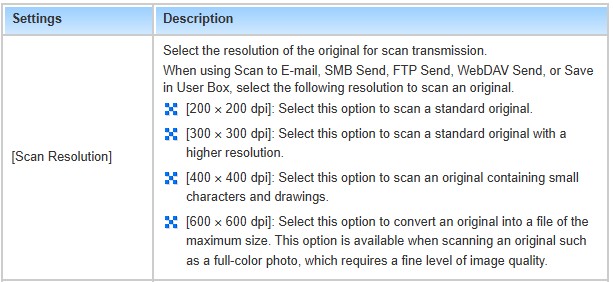
STEP 3 – Select [Scan Resolution] according to the required output. For larger sized documents, it is recommended to use [200 x 200 dpi] to reduce the file size. Kindly refer to the chart below for your reference.
For The Newer Machine Series / I-Series Machine
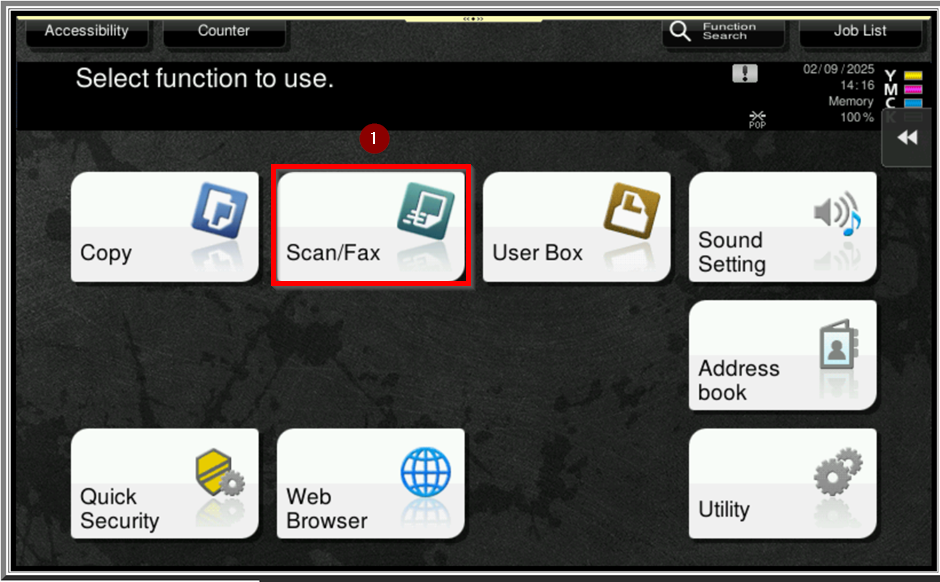
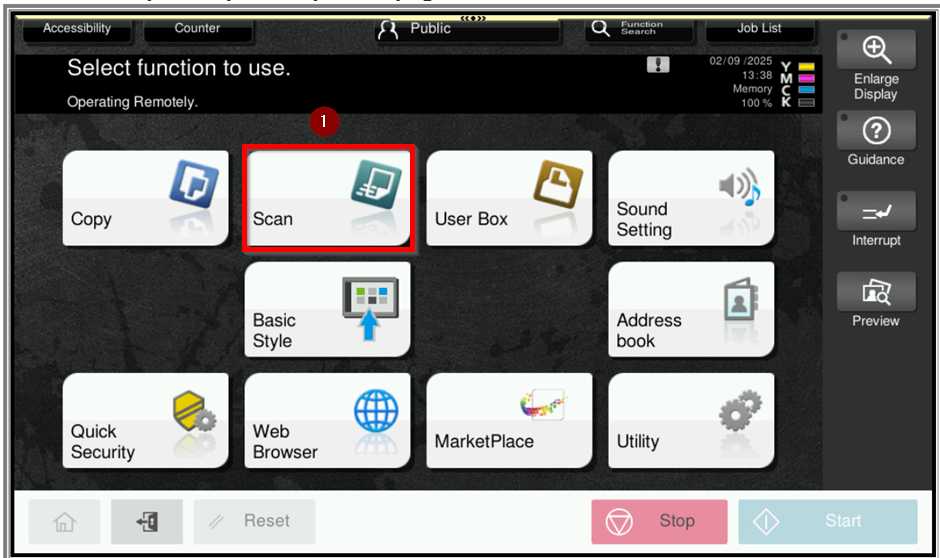
STEP 1 – On the Konica Minolta machine control panel, click on the [Home] button then select [Scan].
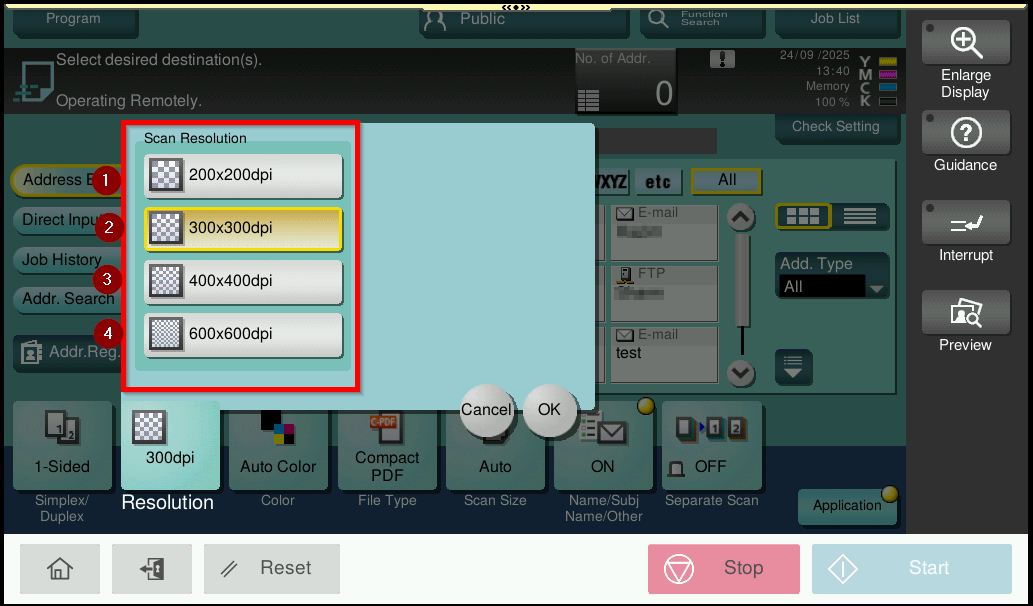
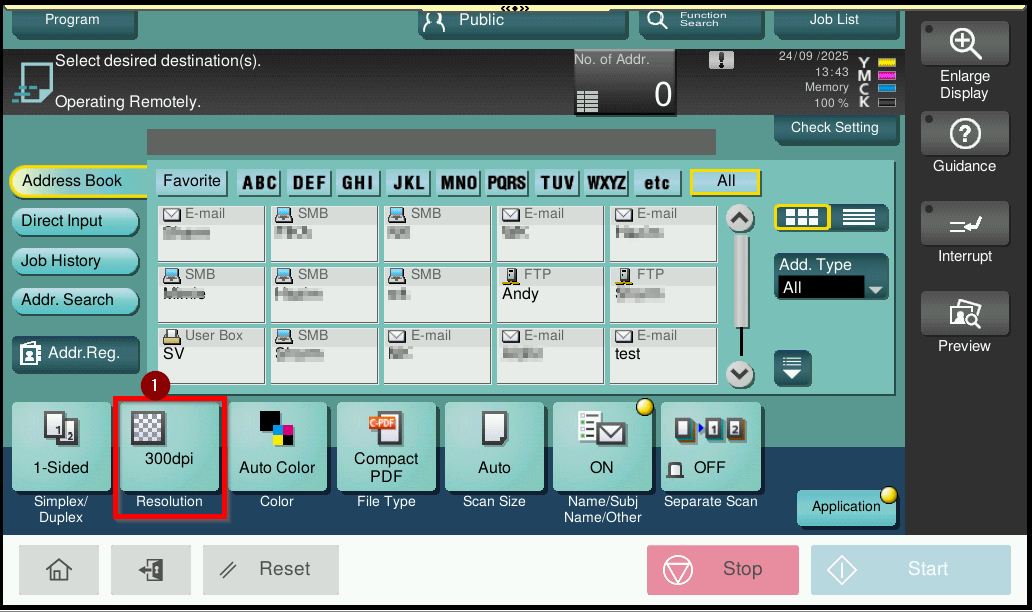
STEP 2 – Select [Resolution].
STEP 3 – Select [Scan Resolution] according to the required output. For larger sized documents, it is recommended to use [200 x 200 dpi] to reduce the file size. Kindly refer to the chart below for your reference.