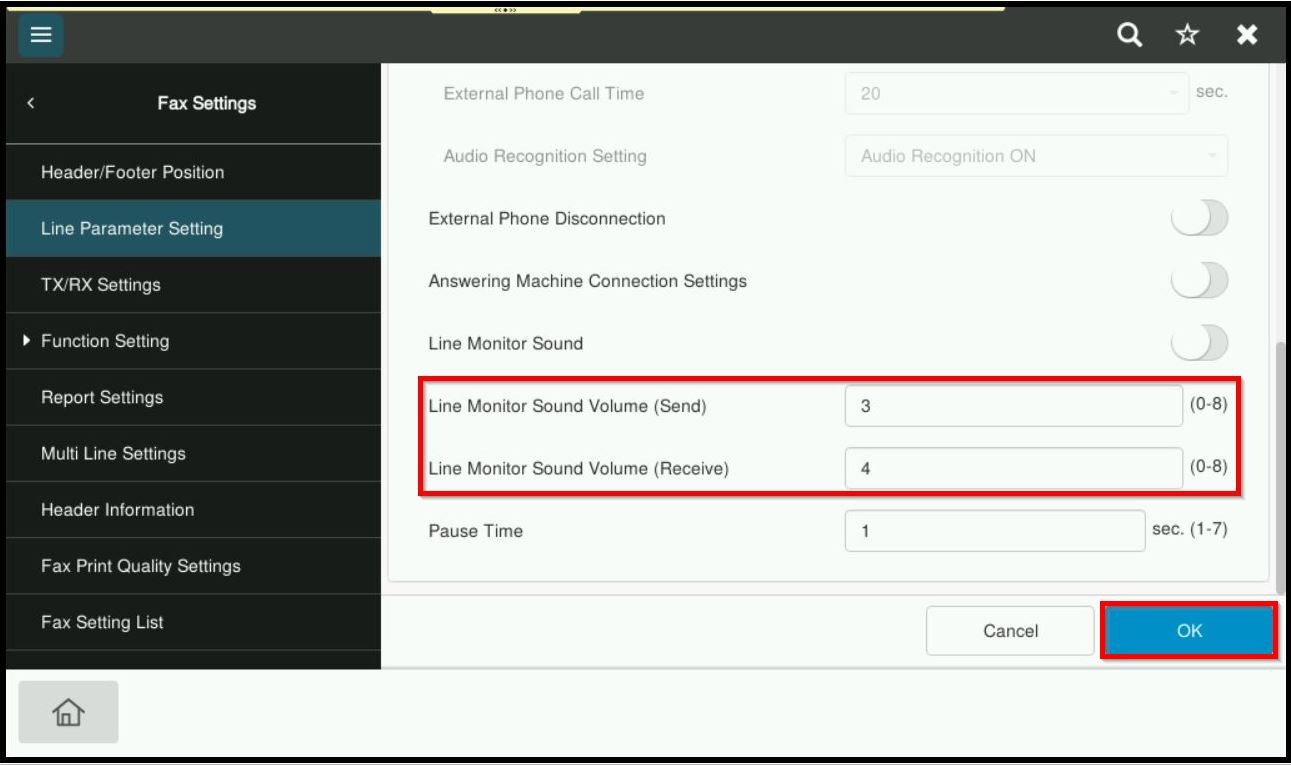
Guide On How To Adjust Fax Volume Speakers When Sending & Receiving Fax On The Photocopier Machine
For The Older Machine Series / Non I-Series Machine
STEP 1 – Select [Utility].
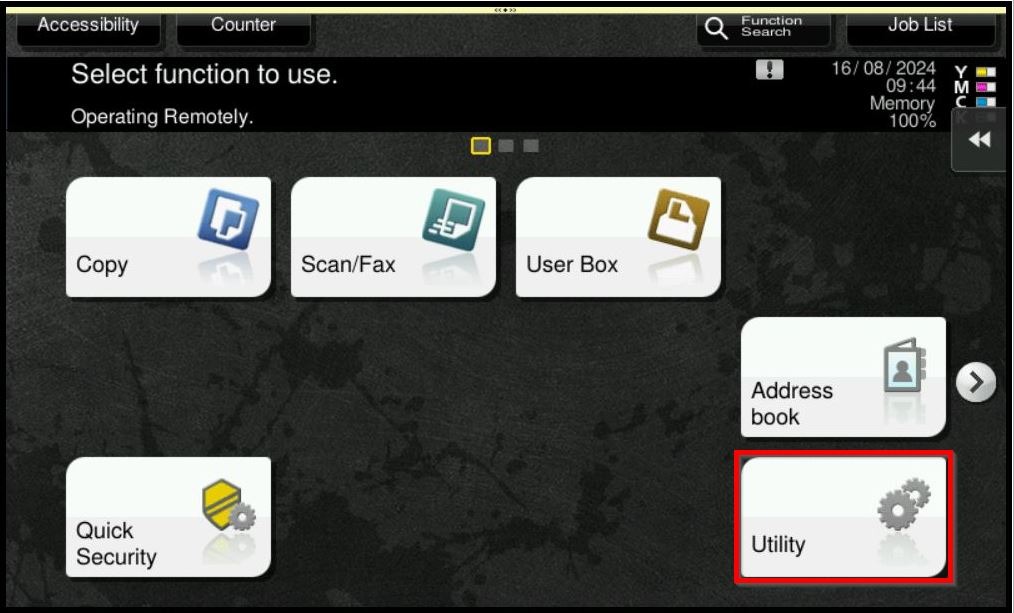
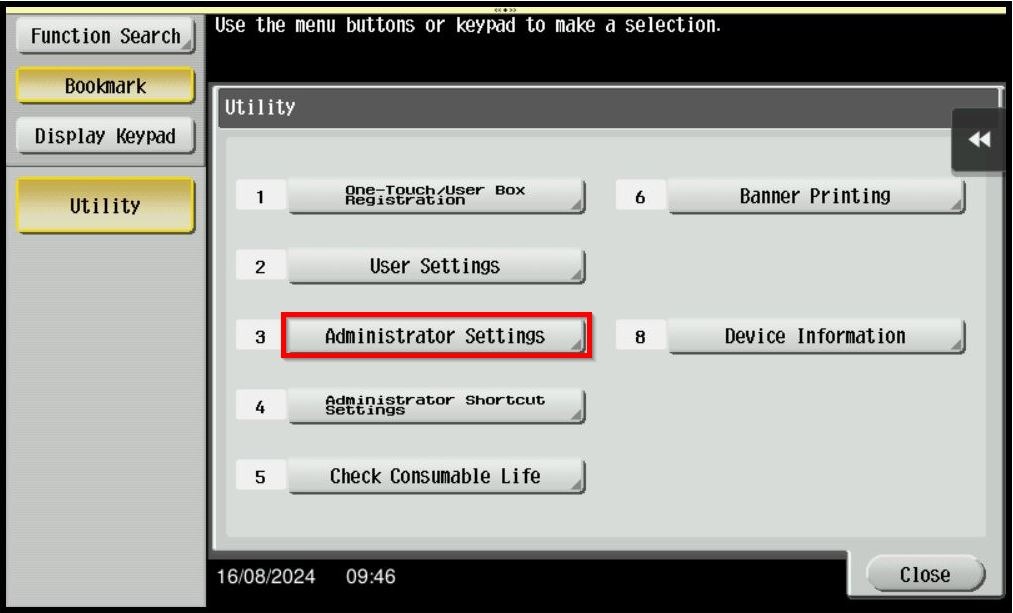
STEP 2 – Select [Administrator Settings].
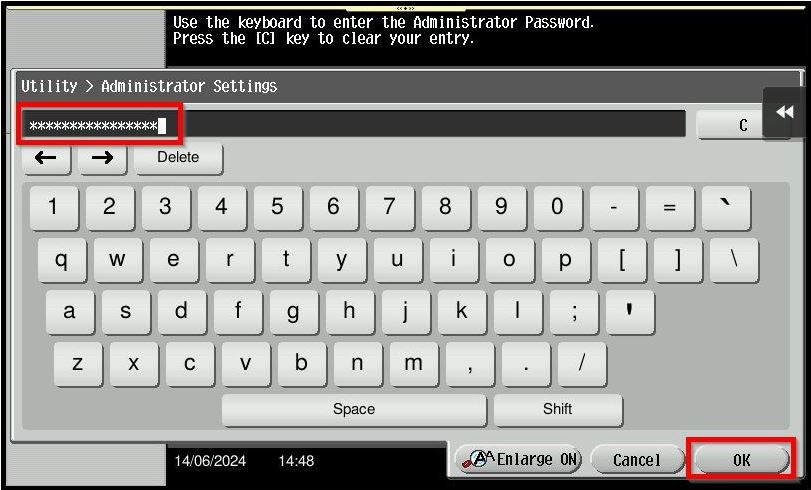
STEP 3 – Key in the default administrator password and click [OK] button.
Default administrator password:
[7801261178012611] or [1234567812345678] or [12345678] or [12341234].
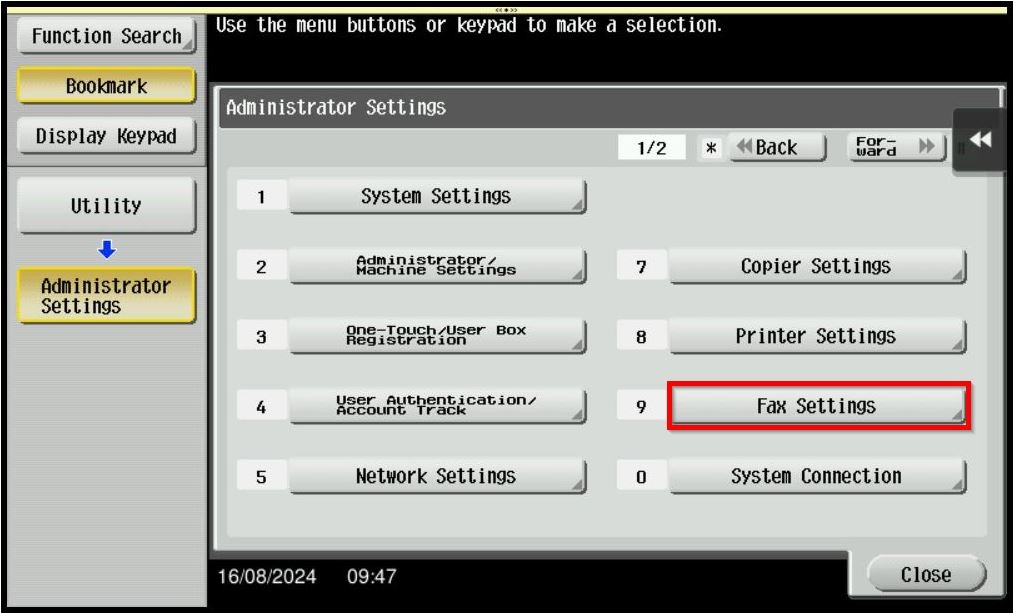
STEP 4 – Select [Fax Settings].
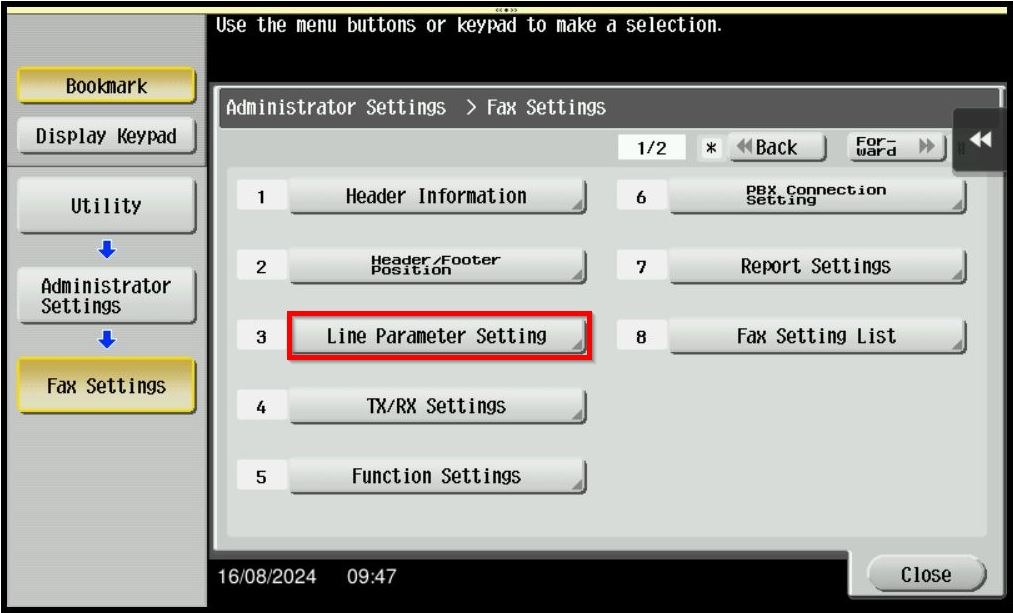
STEP 5 – Select [Line Parameter Setting].
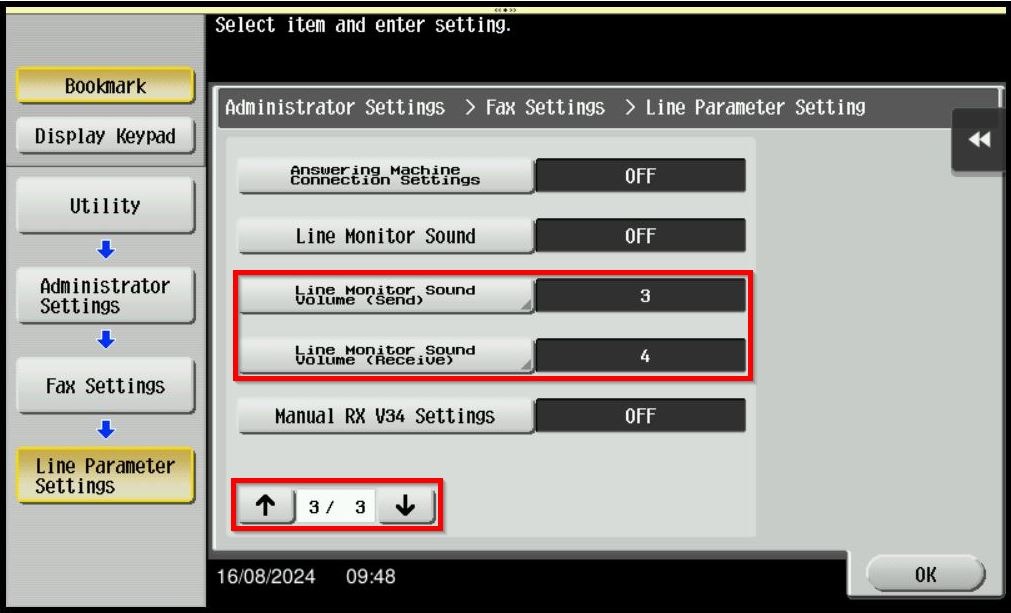
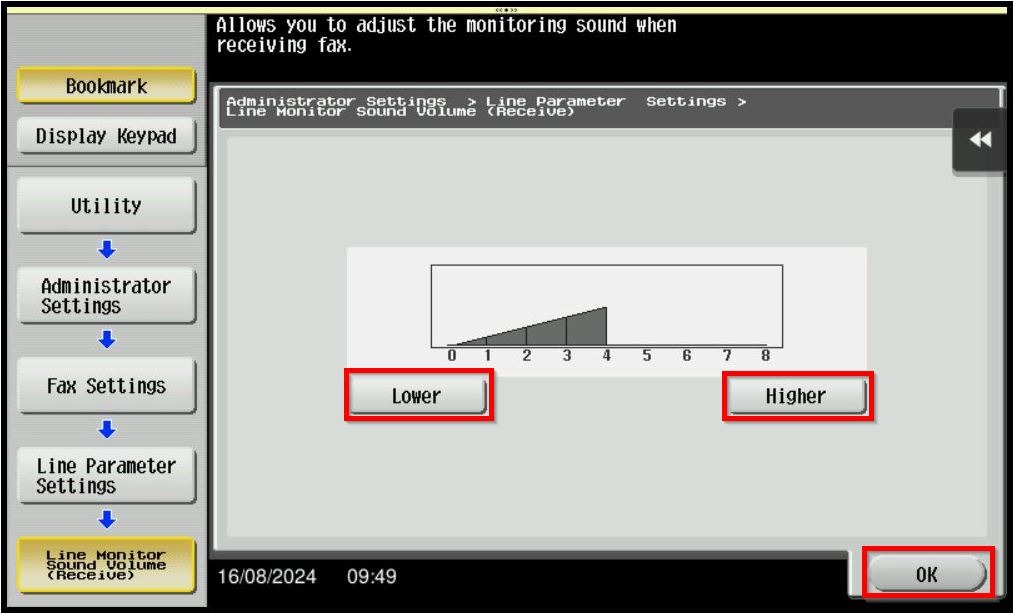
STEP 6 – Navigate to [3rd page], select [Line Monitor Sound Volume (Send)] and [Line Monitor Sound Volume (Receive)].
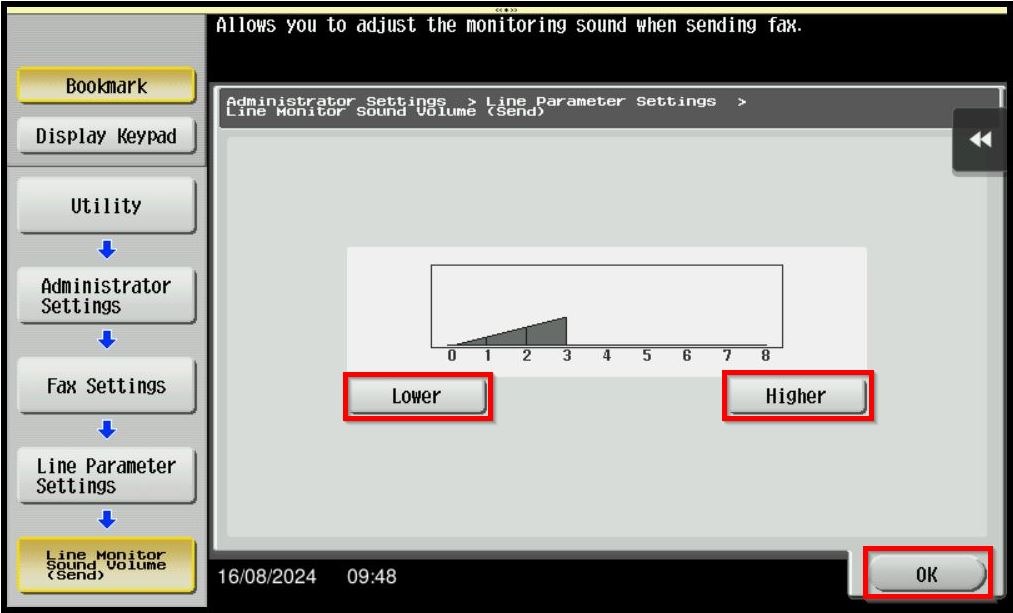
STEP 7 – Select [Lower] or [Higher] to adjust the fax volume. After that click [OK] to save.
For The Newer Machine Series / I-Series Machine
STEP 1 – Select [Utility].
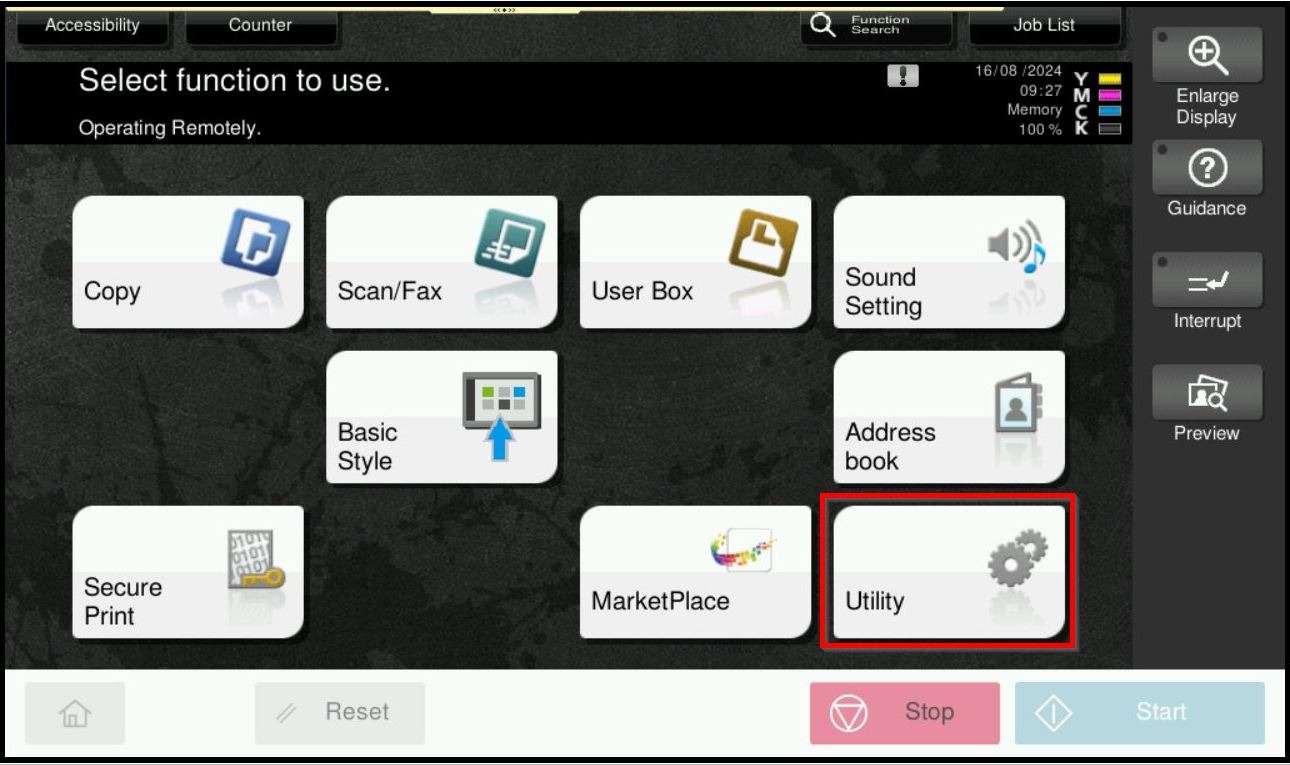
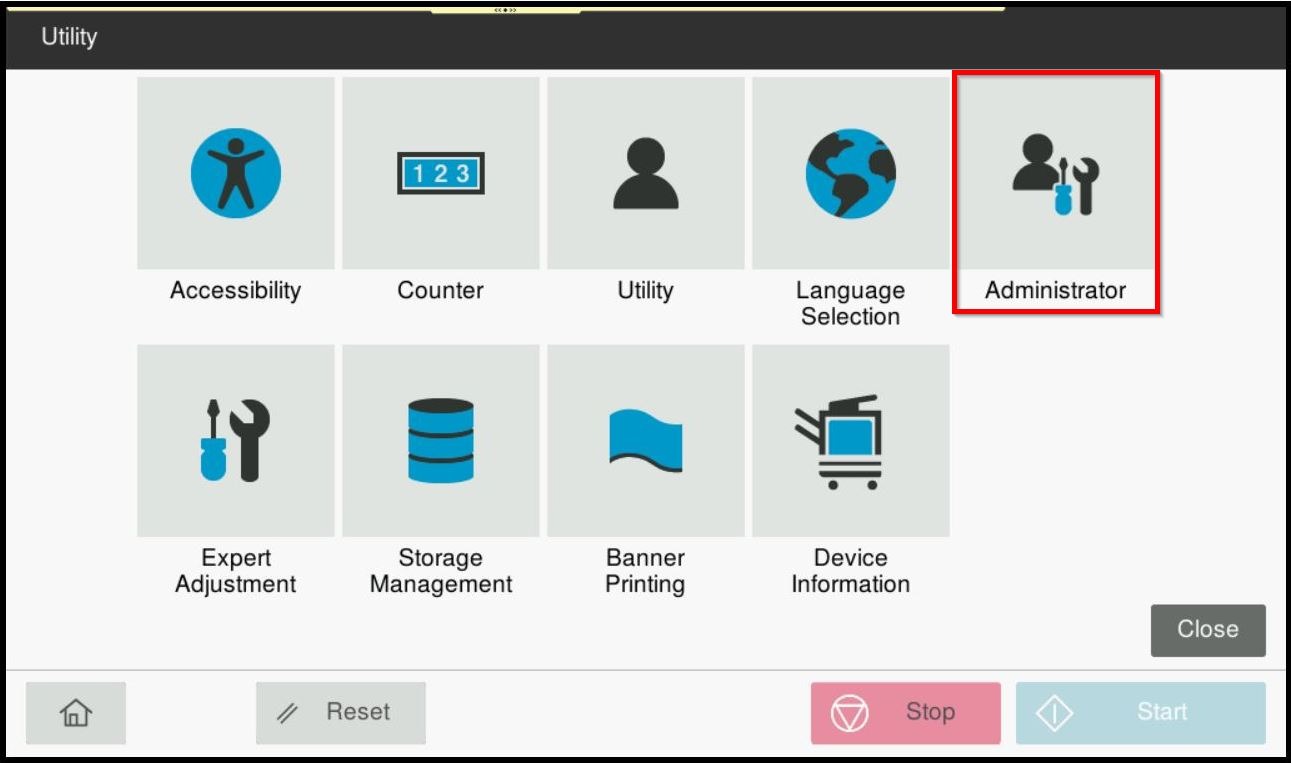
STEP 2 – Select [Administrator].
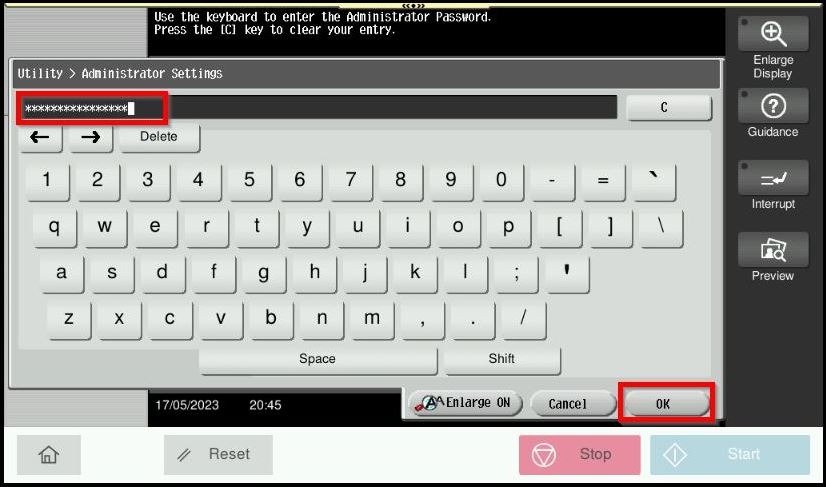
STEP 3 – Key in the default administrator password and click [OK] button.
Default administrator password:
[7801261178012611] or [1234567812345678] or [12345678] or [12341234].
STEP 4 – Select [Fax Settings].
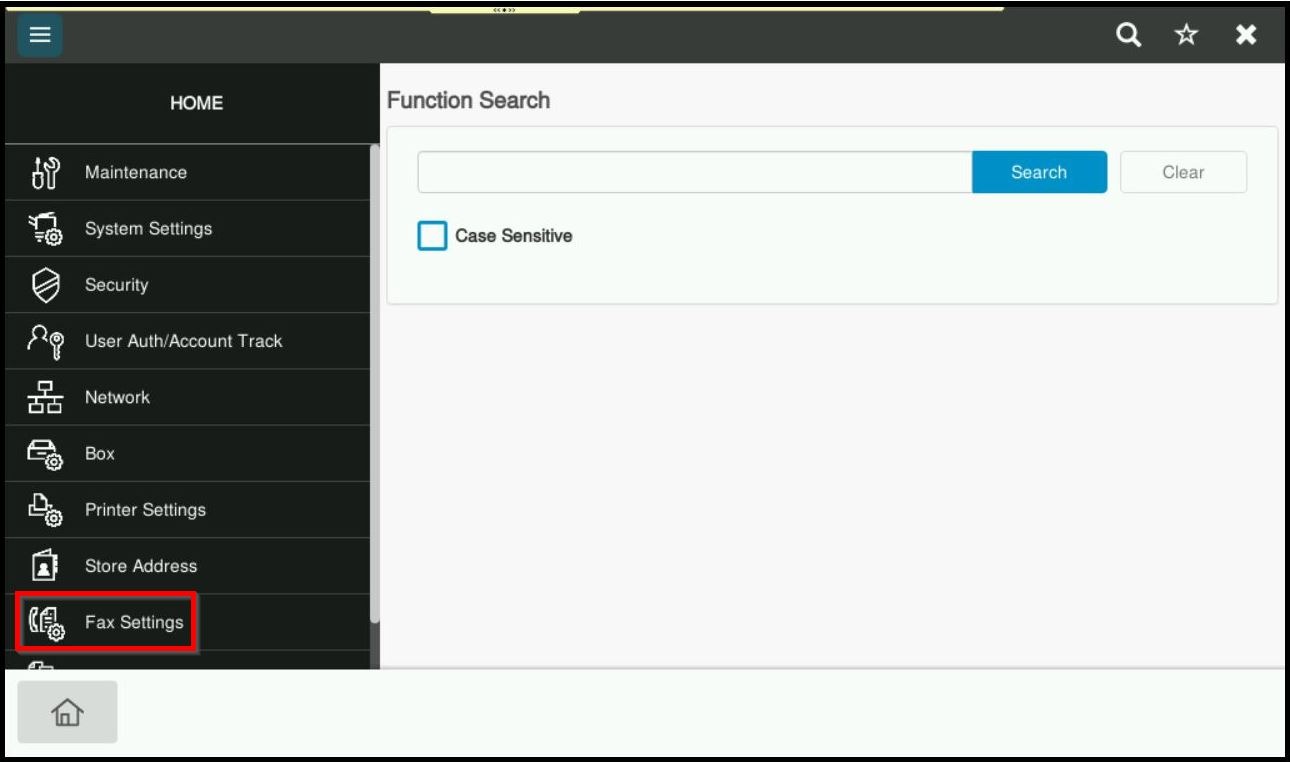
STEP 5 – Select [Line Parameter Setting].
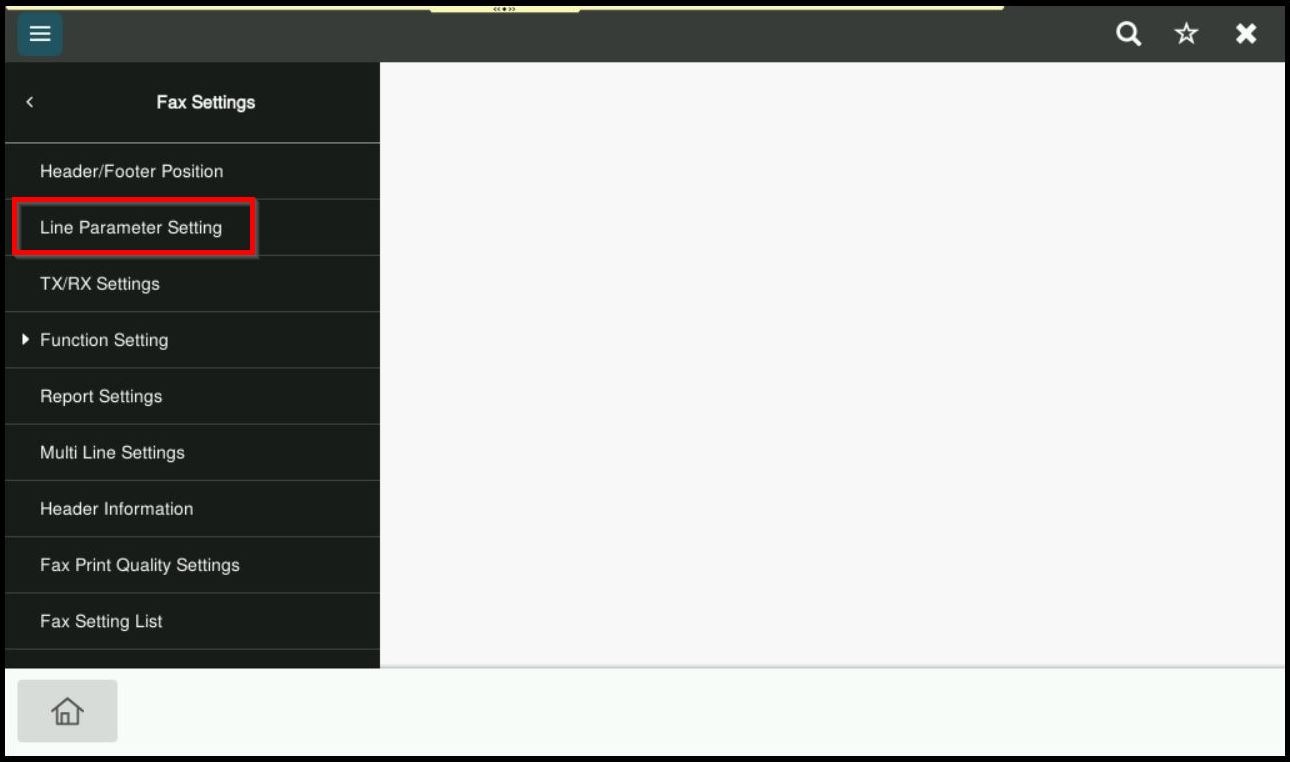
STEP 6 – Select [Line Monitor Sound Volume (Send)] and [Line Monitor Sound Volume (Receive)]. Key in the number in between (Lower 0 – 8 Higher) to adjust the fax volume. After that click [OK] to save.