

Guide on how to change language from Konica Minolta machine.
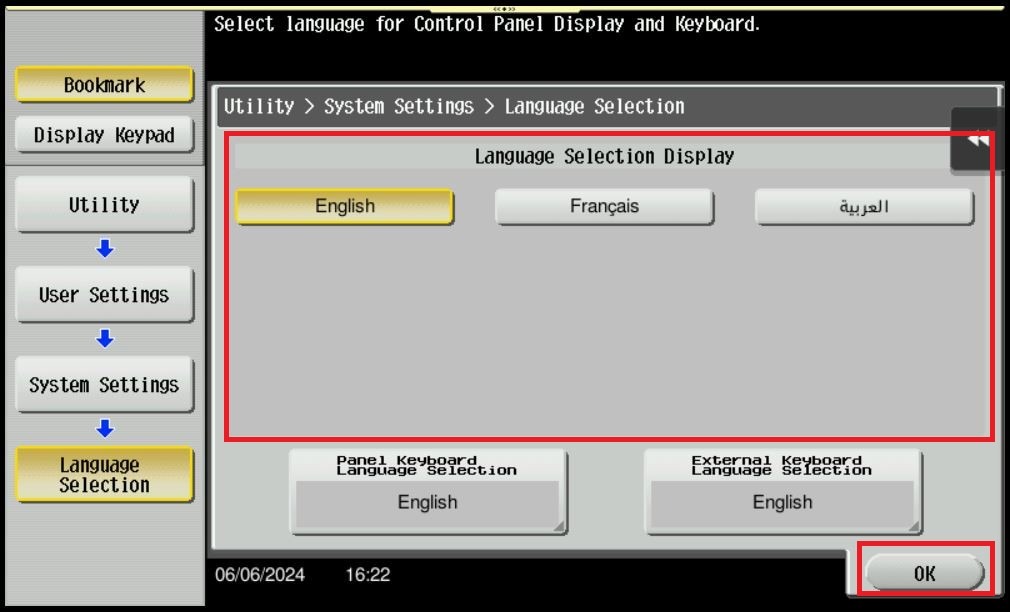
For The Older Machine Series / Non I-Series Machine
STEP 1 – On the Konica Minolta machine control panel, click on the [Menu] button then select [Utility].
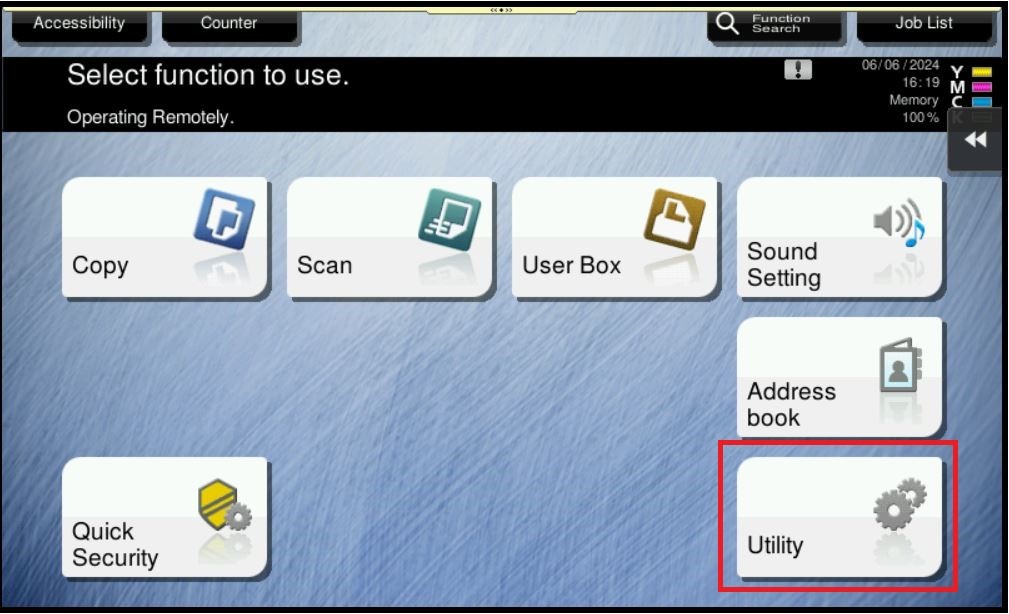
STEP 2 – Select [User Settings].
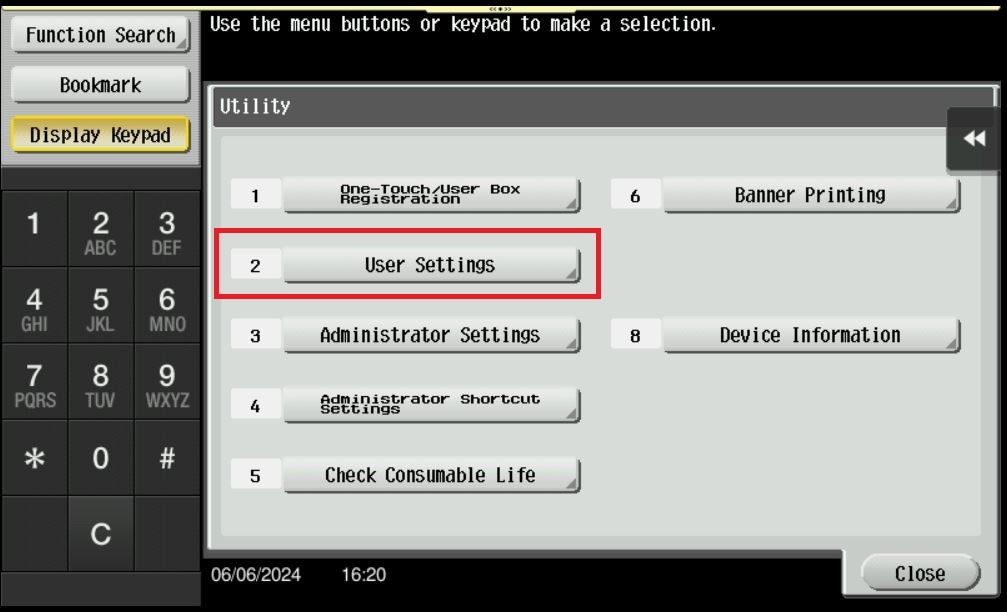
STEP 3 – Select [System Settings].
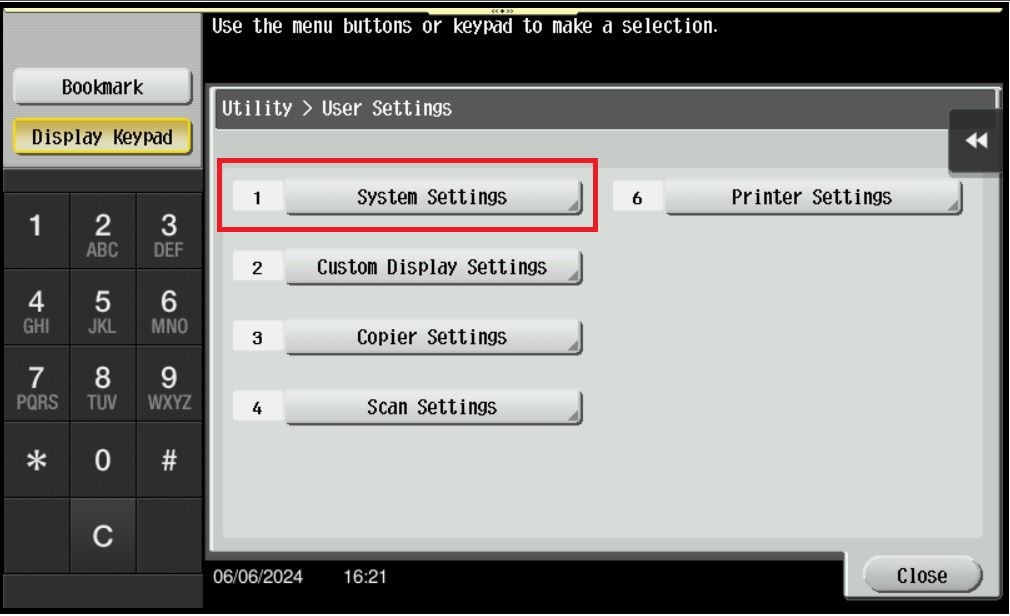
STEP 4 – Select [Language Selection].
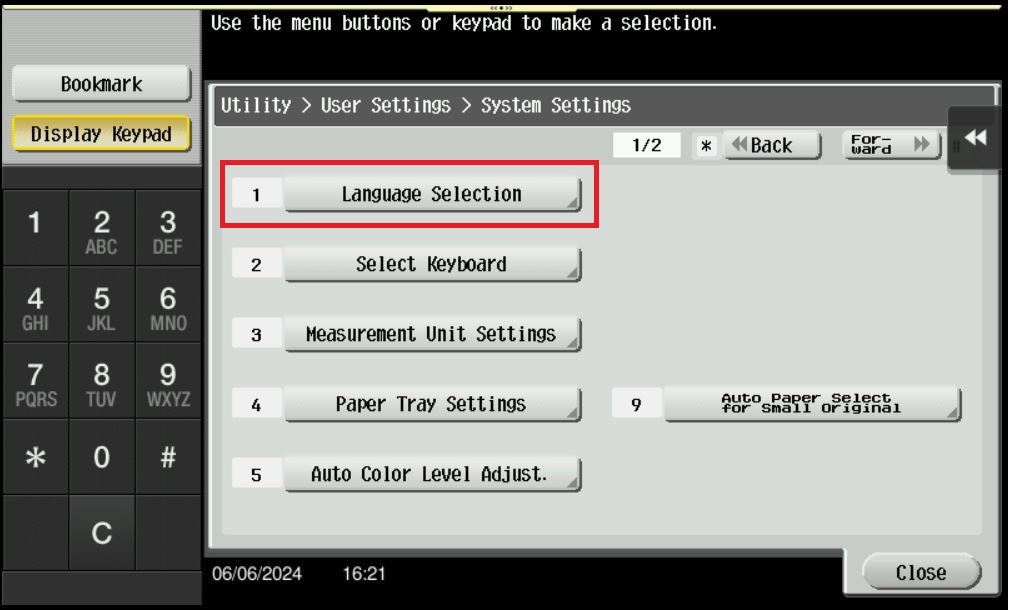
STEP 5 – Select the language that want to use, then click on [OK]. The language will be shown after the setting has been applied.
For The Newer Machine Series / I-Series Machine
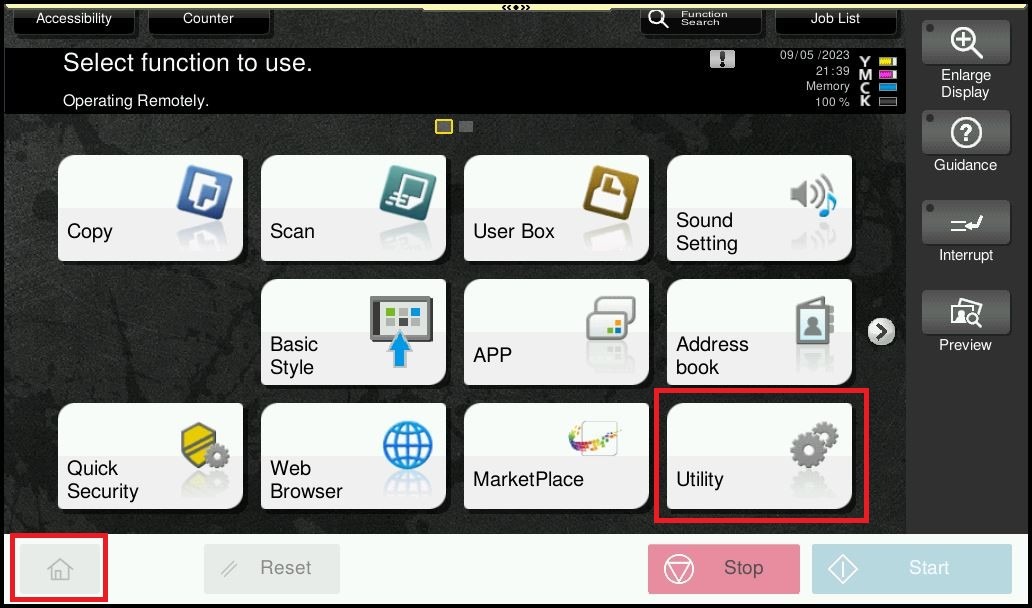
STEP 1 – On the Konica Minolta machine control panel, click on the [Home] button then select [Utility].
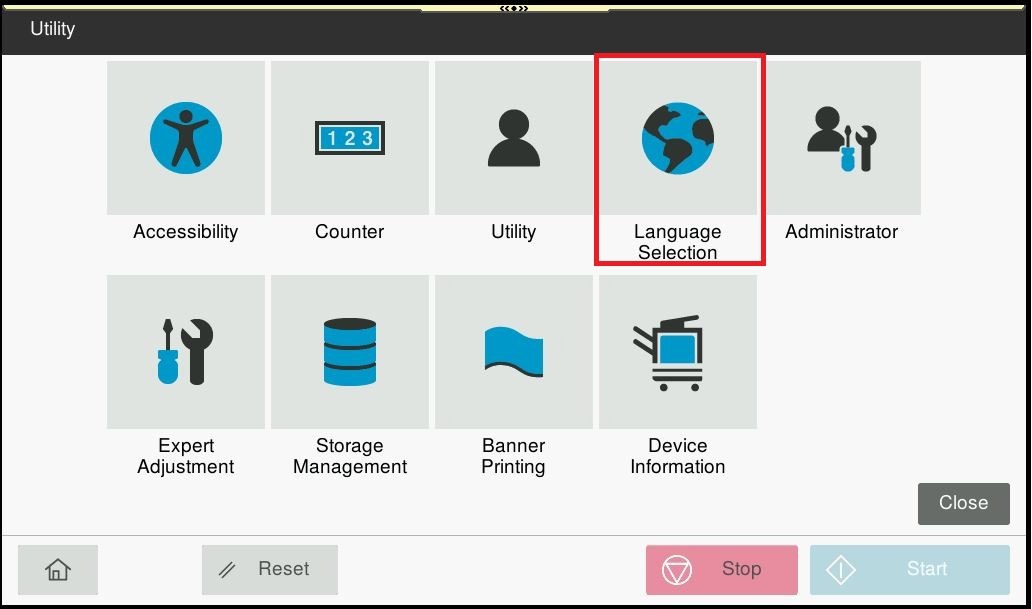
STEP 2 – Select [Language Selection].
STEP 3 – The [Language Selection Display] on the machine will be display as below, select the language that you want to use, then click [OK].
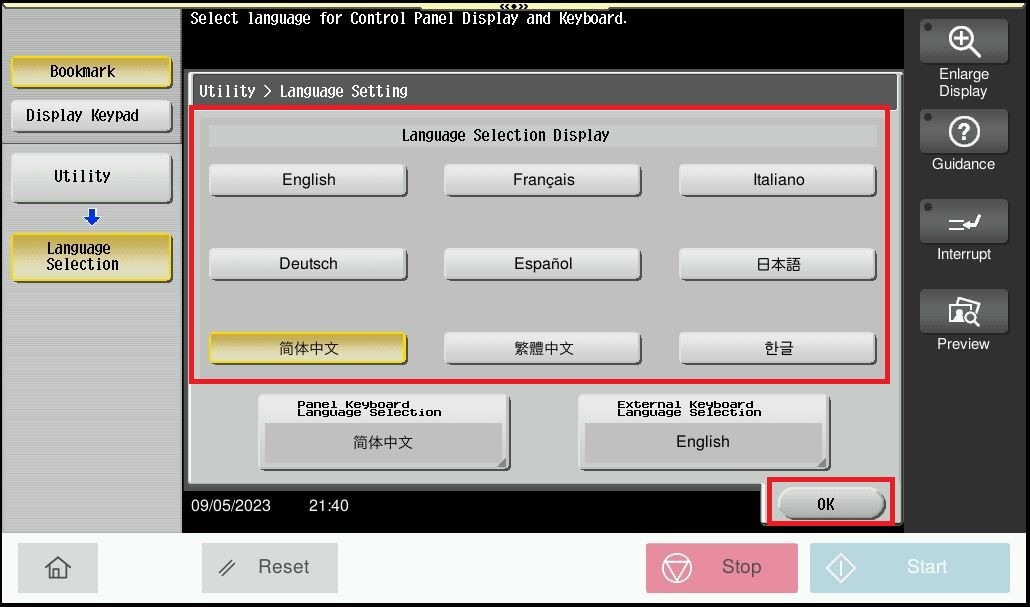
STEP 4 – The example of the picture showing new language that display on screen panel after setting has been applied.
