Guide on how to edit file name of the document before scanning.
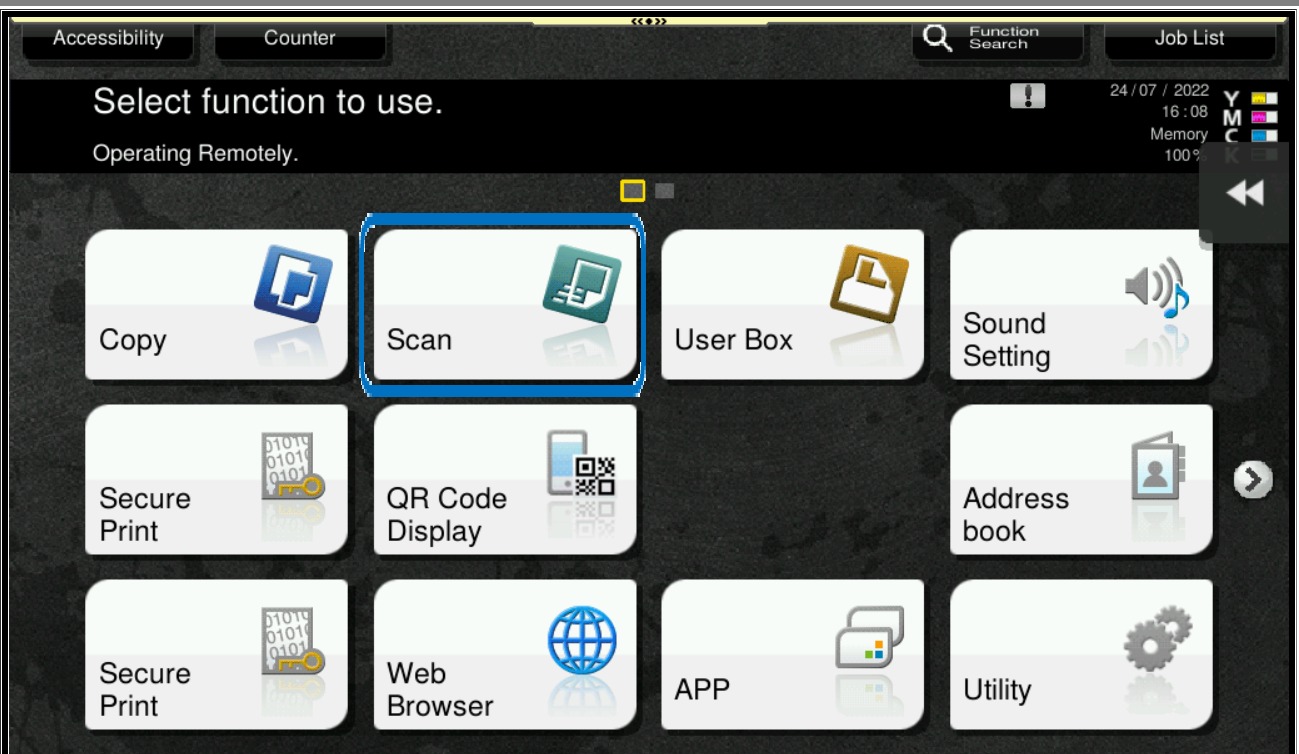
STEP 1 – On the Main Menu Screen, select [Scan].
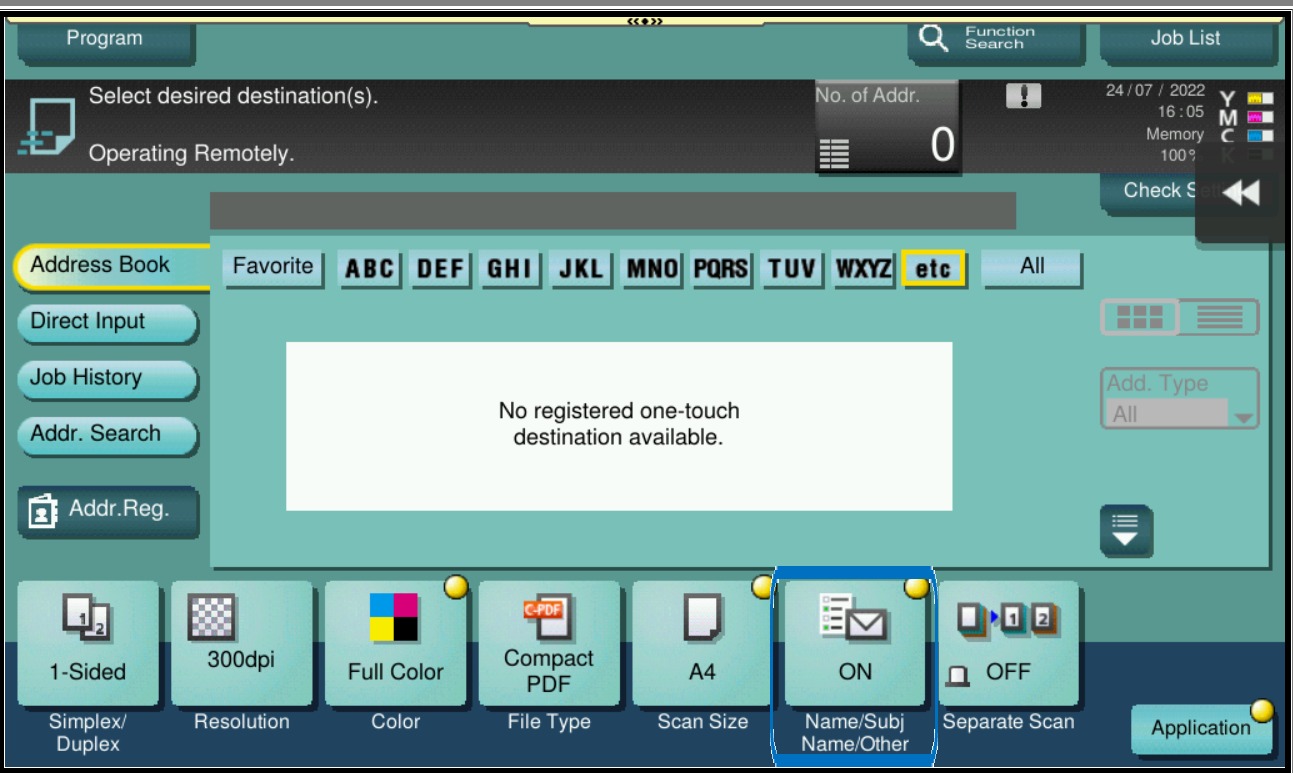
STEP 2 – Select [Name/Subj Name/Other].
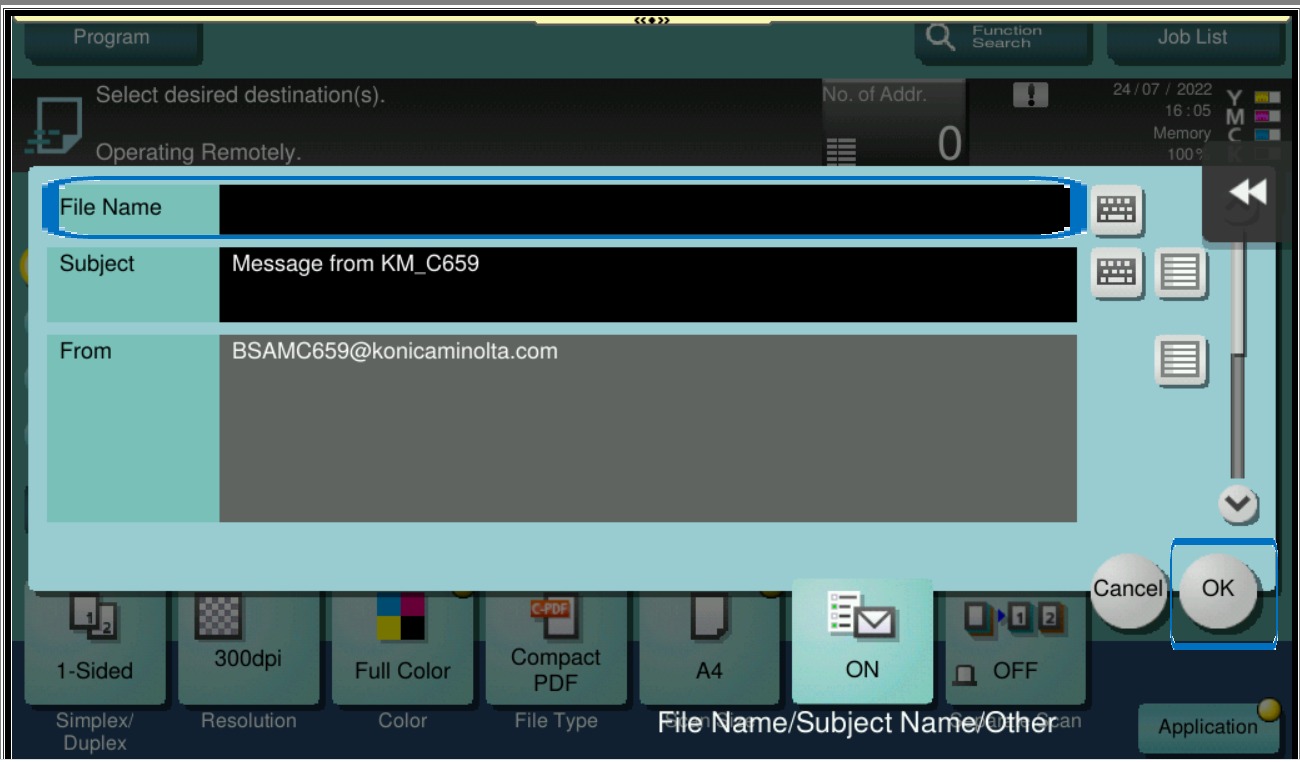
STEP 3 – Change the scan file name accordingly, then select [OK] and start scan.


Guide on how to edit file name of the document before scanning.
STEP 1 – On the Main Menu Screen, select [Scan].
STEP 2 – Select [Name/Subj Name/Other].
STEP 3 – Change the scan file name accordingly, then select [OK] and start scan.