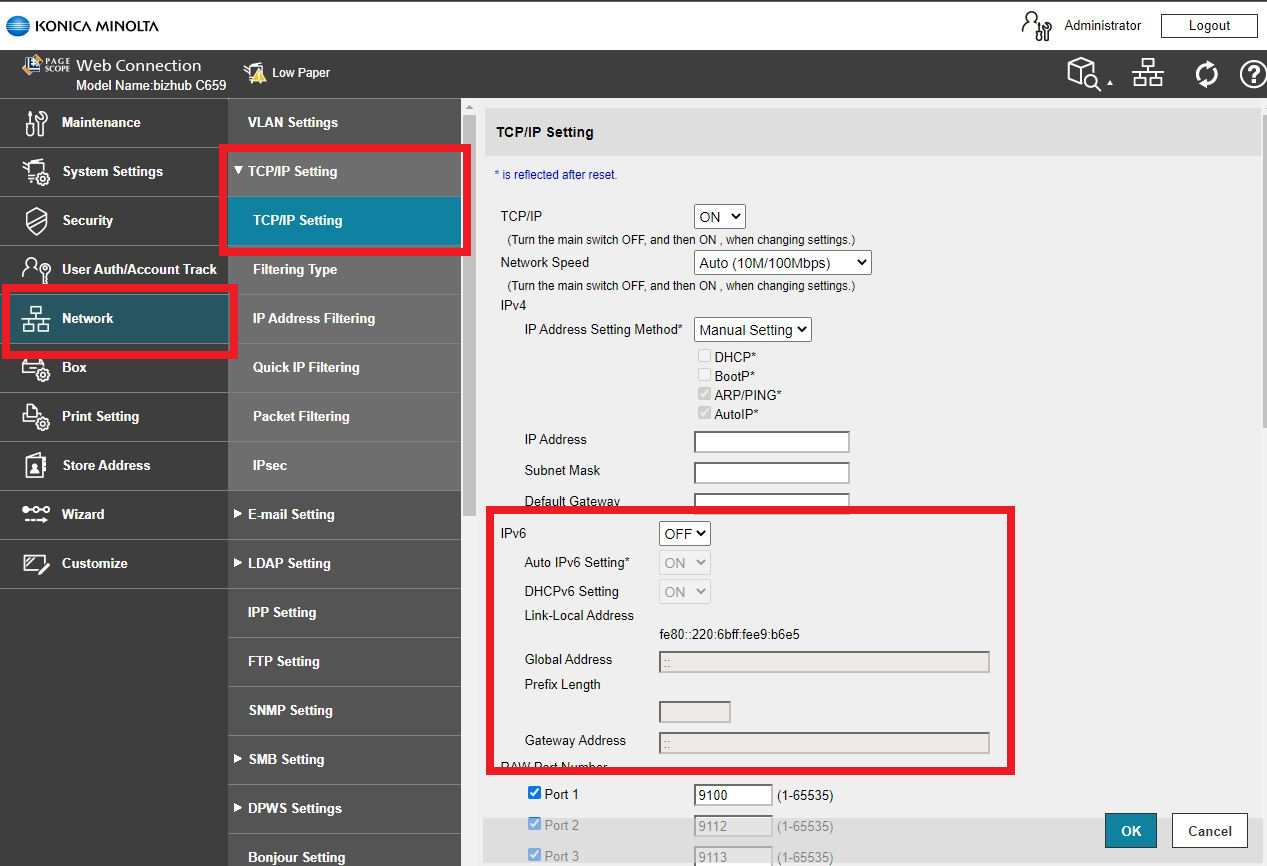
Guide on how to enable or disable the IPv6 Settings on the machine.
STEP 1 – Open the machine Web Connection. Please click here on guide on how to access the machine Web Connection.
STEP 2 – Login as Administrator and go to [Network] > [TCP/IP Setting] and select [TCP/IP Setting].
STEP 3 – Turn the IPv6 [ON] or [OFF], click [OK] to save and logout as Administrator.