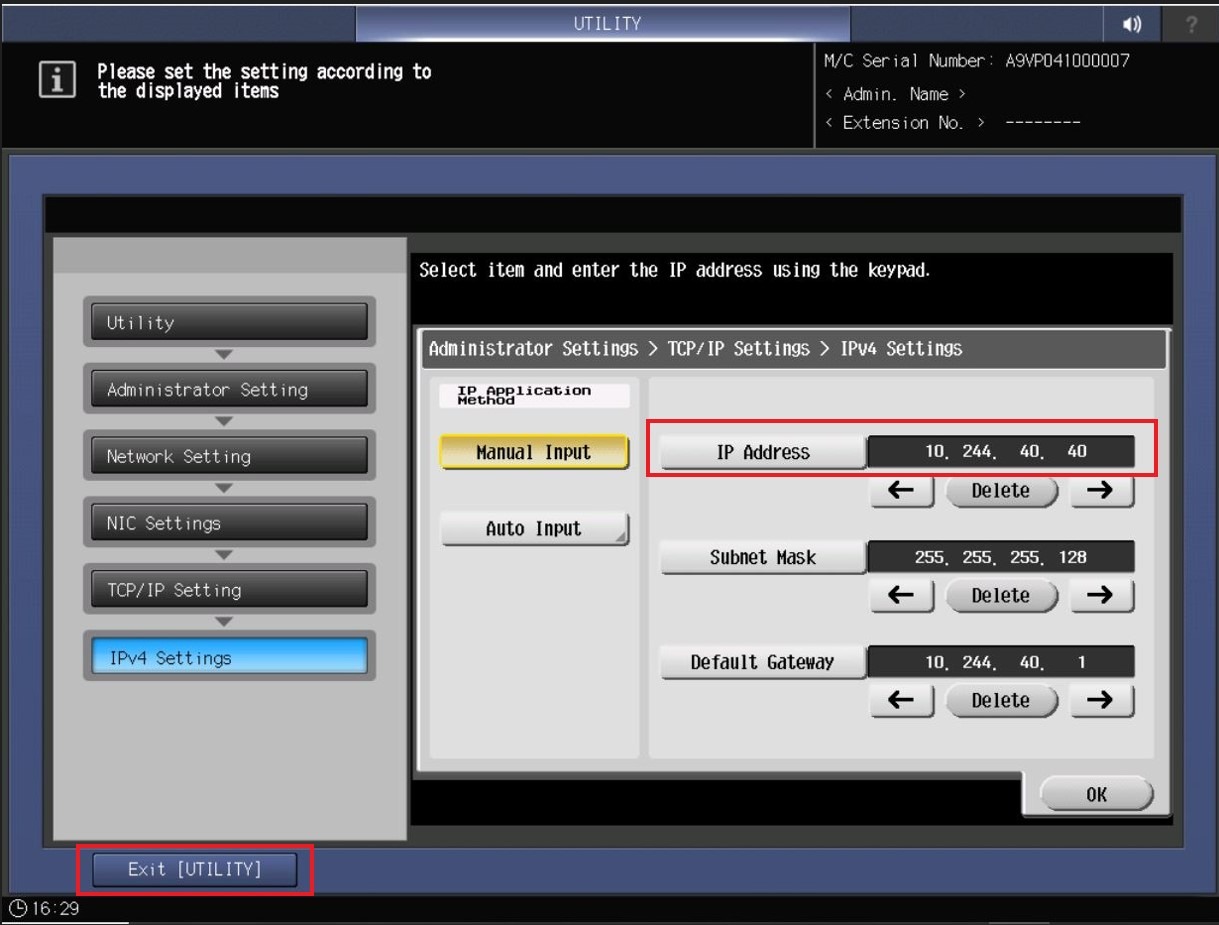
Guide On How To Get The IP Address From The Konica Minolta Printing Production Machine.
STEP 1 – On the Konica Minolta Printing Production machine control panel, click on the [Utility/Counter] button.
STEP 2 – Select [Administrator Setting], key in password 12345678 or proceed to next step if there is no password prompt need to be key in.
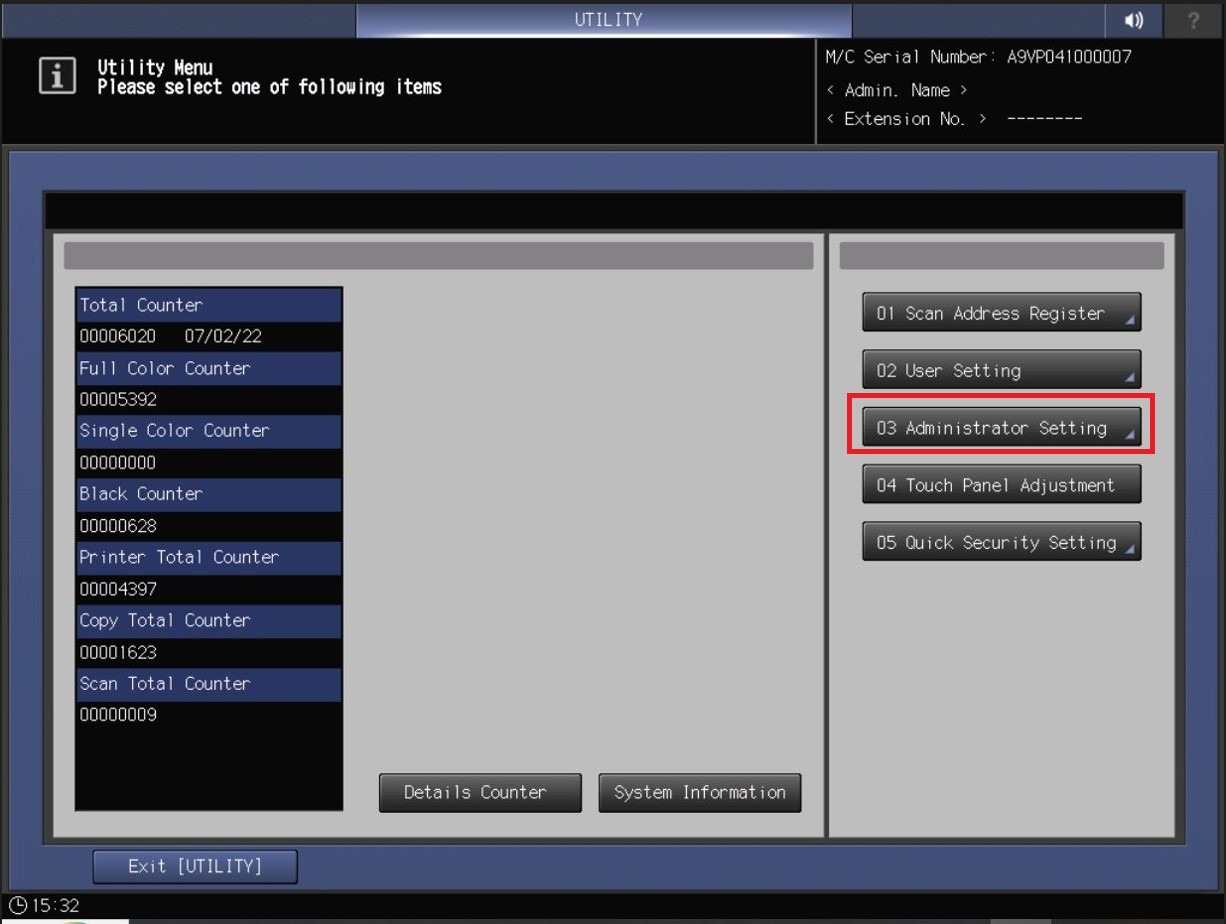
STEP 3 – Click on [Network Setting].
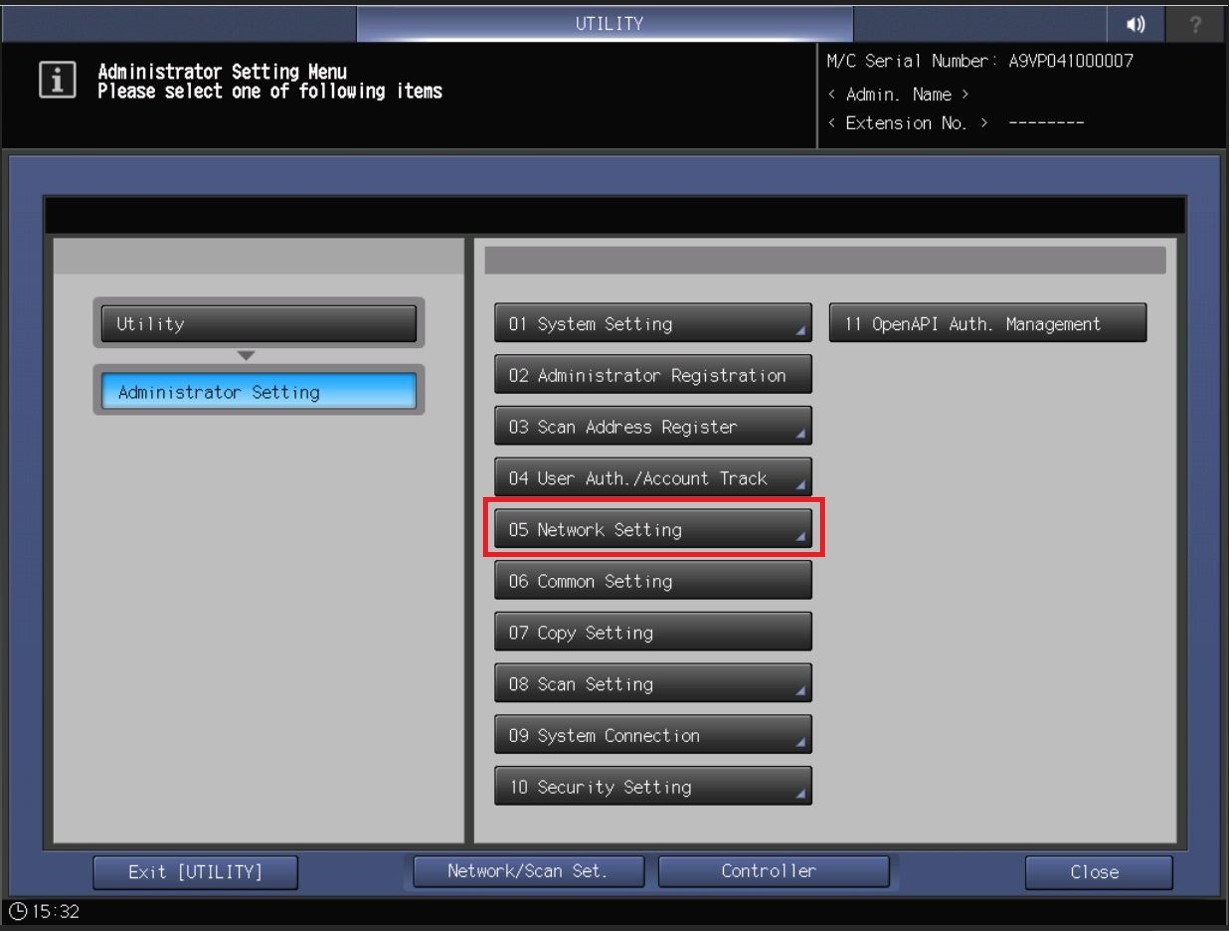
STEP 4 – Proceed to [NIC Settings] – [TCP/IP Settings].
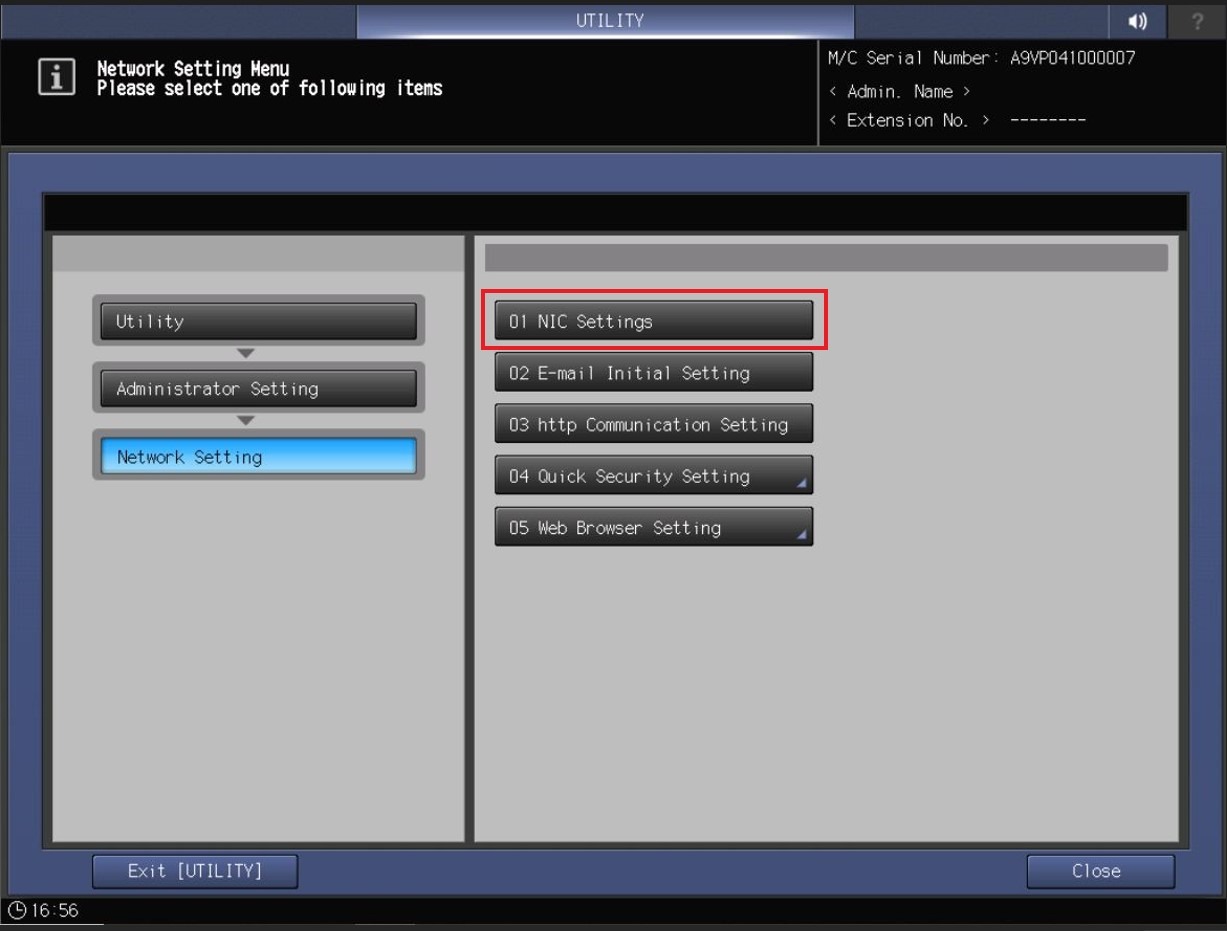
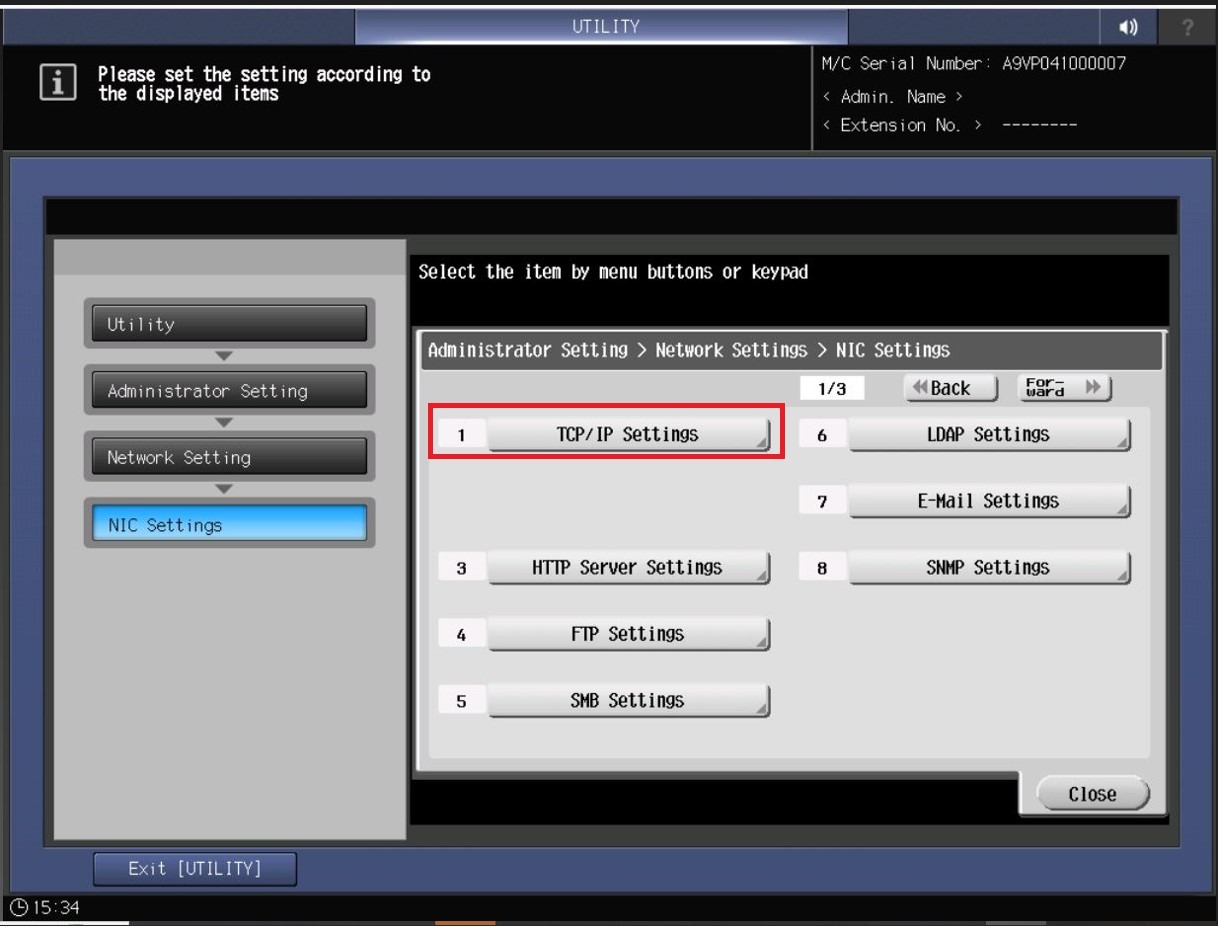
STEP 5 – Select [IPv4 Settings].
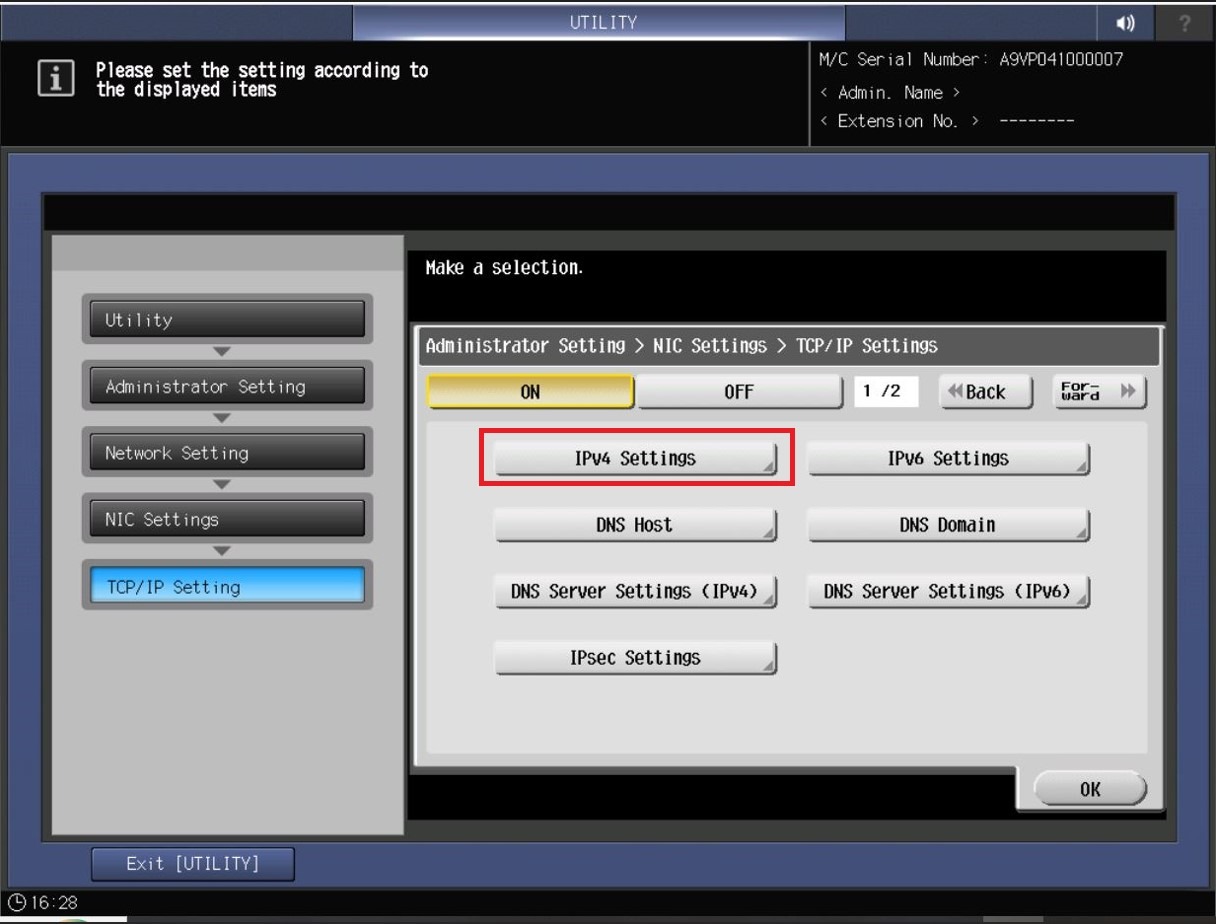
STEP 6 – The machine IP Address will shown under [IP Address] column, noted down the IP Address and click on Exit [Utility] to back to home screen.