Guide on how to clear the memory or delete the Job History on the machine.
For The Older Machine Series / Non I-Series Machine
STEP 1 – On the Konica Minolta machine control panel, click on the [Menu] button then select [Utility].
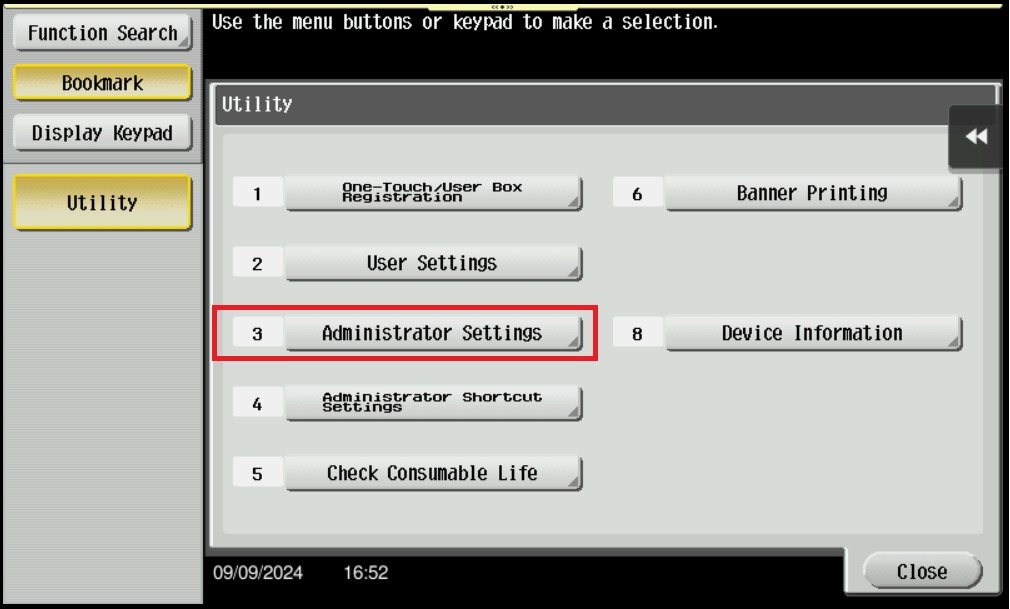
STEP 2 – Select [Administrator Settings], and enter the admin password accordingly.
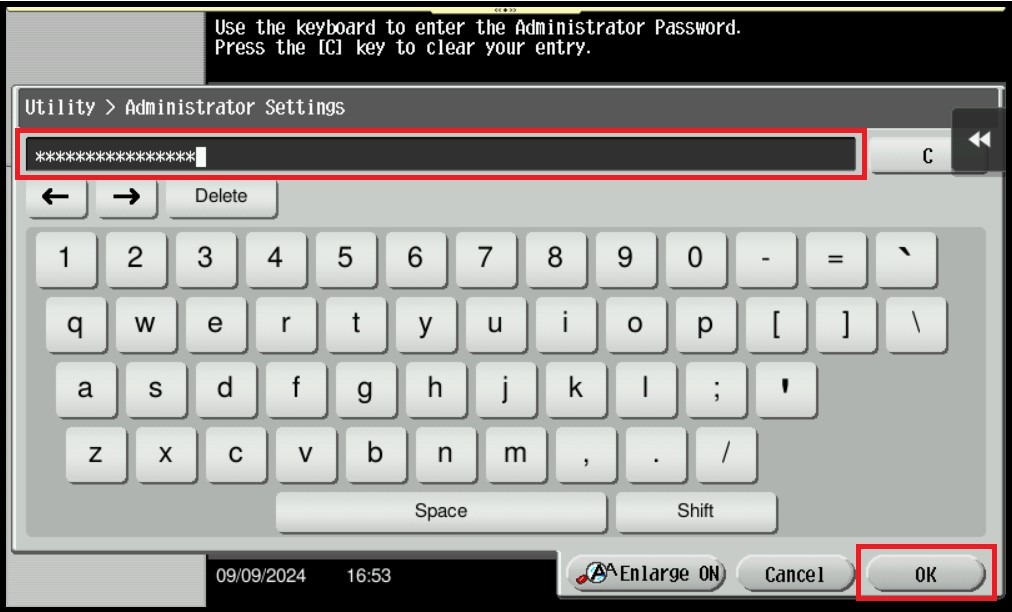
STEP 3 – Key in the default administrator password and click [OK] button.
Default administrator password:
[7801261178012611] or [1234567812345678] or [12345678] or [12341234]
STEP 4 – Click on [Forward] button to page 2.
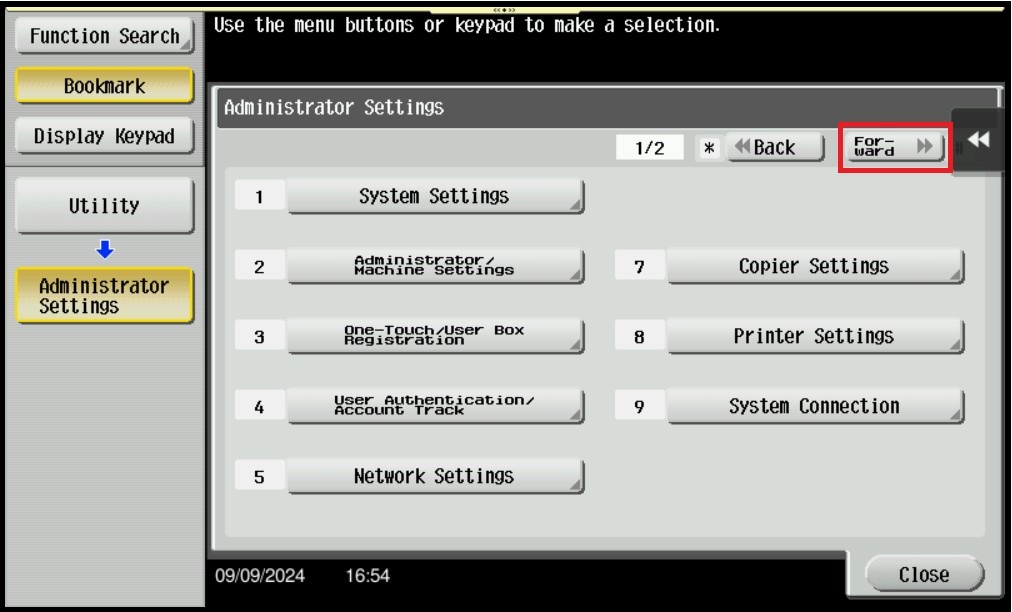
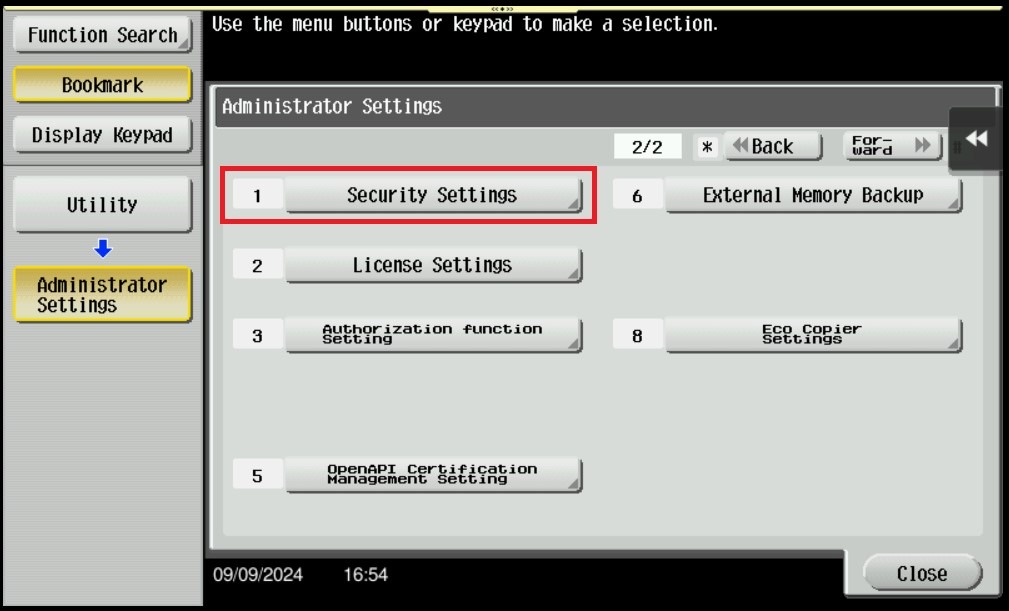
STEP 5 – Select [Security Settings].
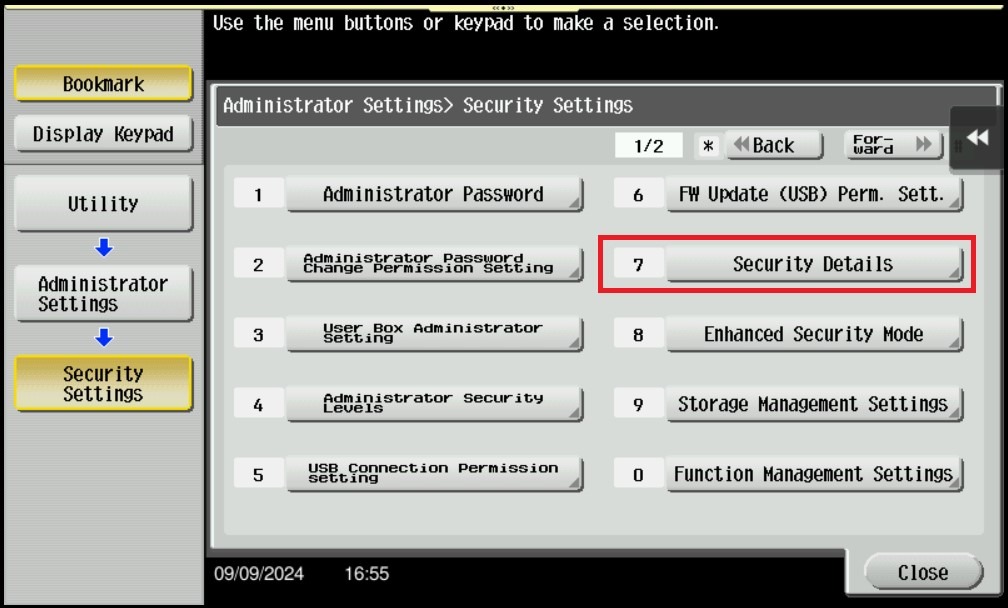
STEP 6 – Select [Security Details].
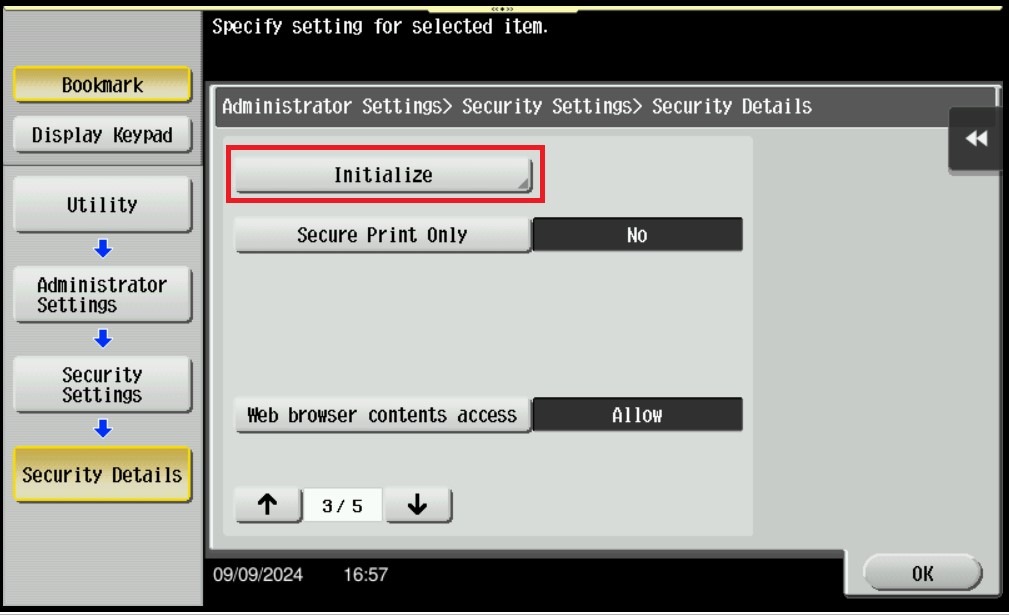
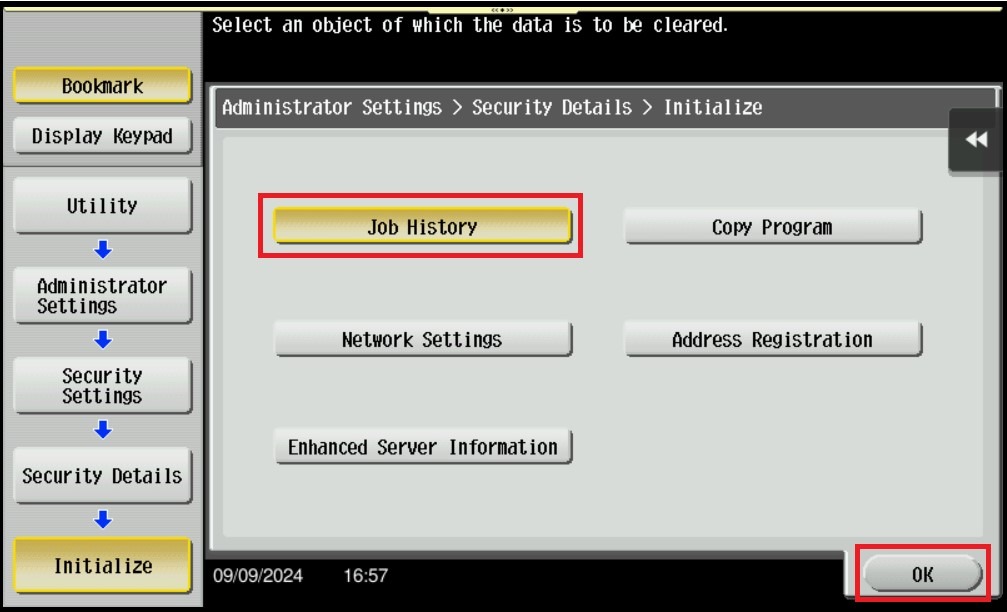
STEP 7 – Click the down arrow to page 3, and select [Initialize].
STEP 8 – Select [Job History] only, and click [OK].
**Important Note: Only select the option that needs to be initialize as it will reset the configuration for the selected option.
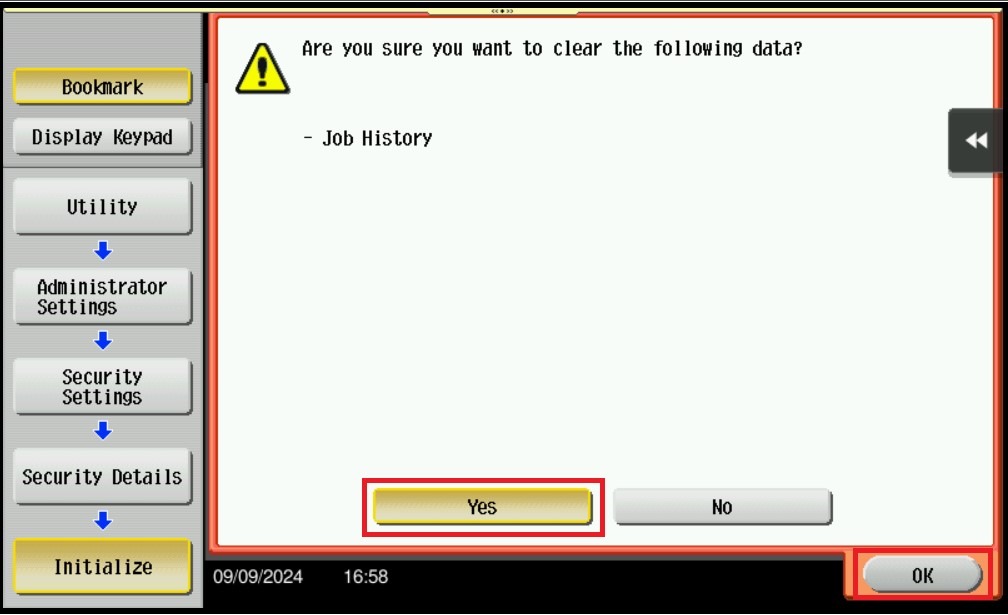
STEP 9 – Select [Yes], and click [OK] to initialize Job History. A message will prompt to restart the machine, please make sure to turn OFF the main power and wait for 20 seconds to turn it back ON.
For The Newer Machine Series / I-Series Machine
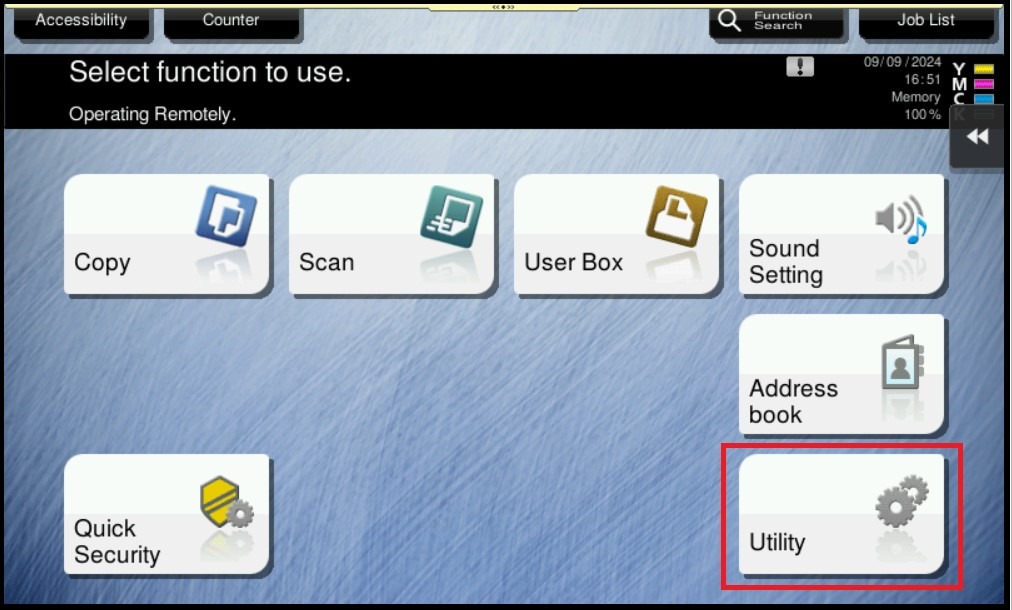
STEP 1 – On the Konica Minolta machine control panel, click on the [Home] button then select [Utility].
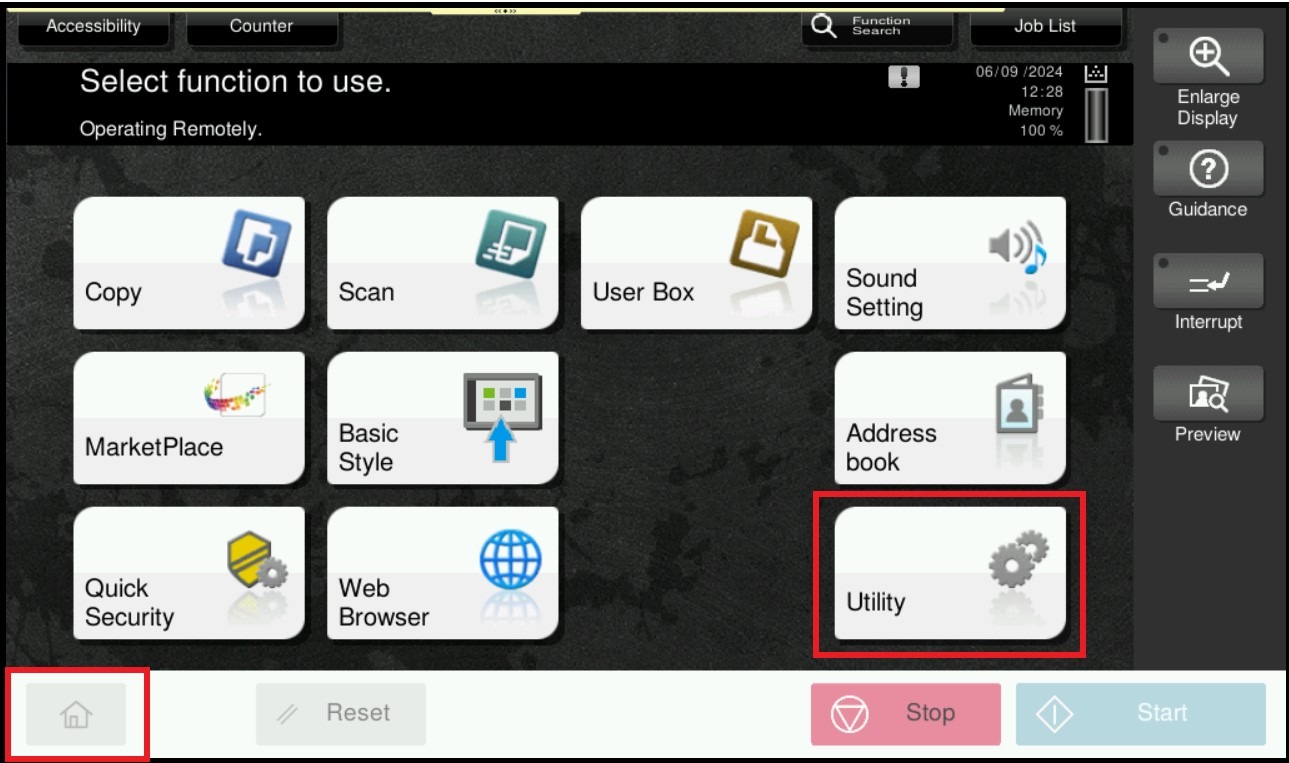
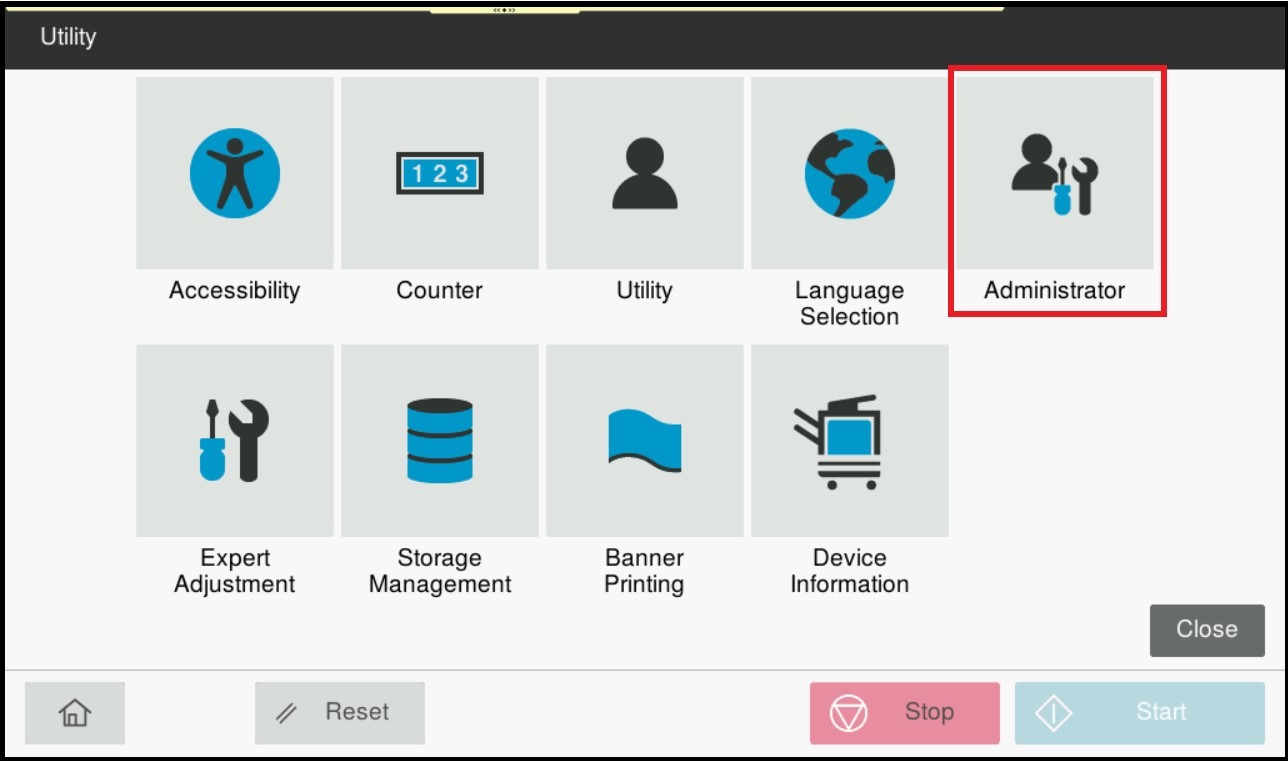
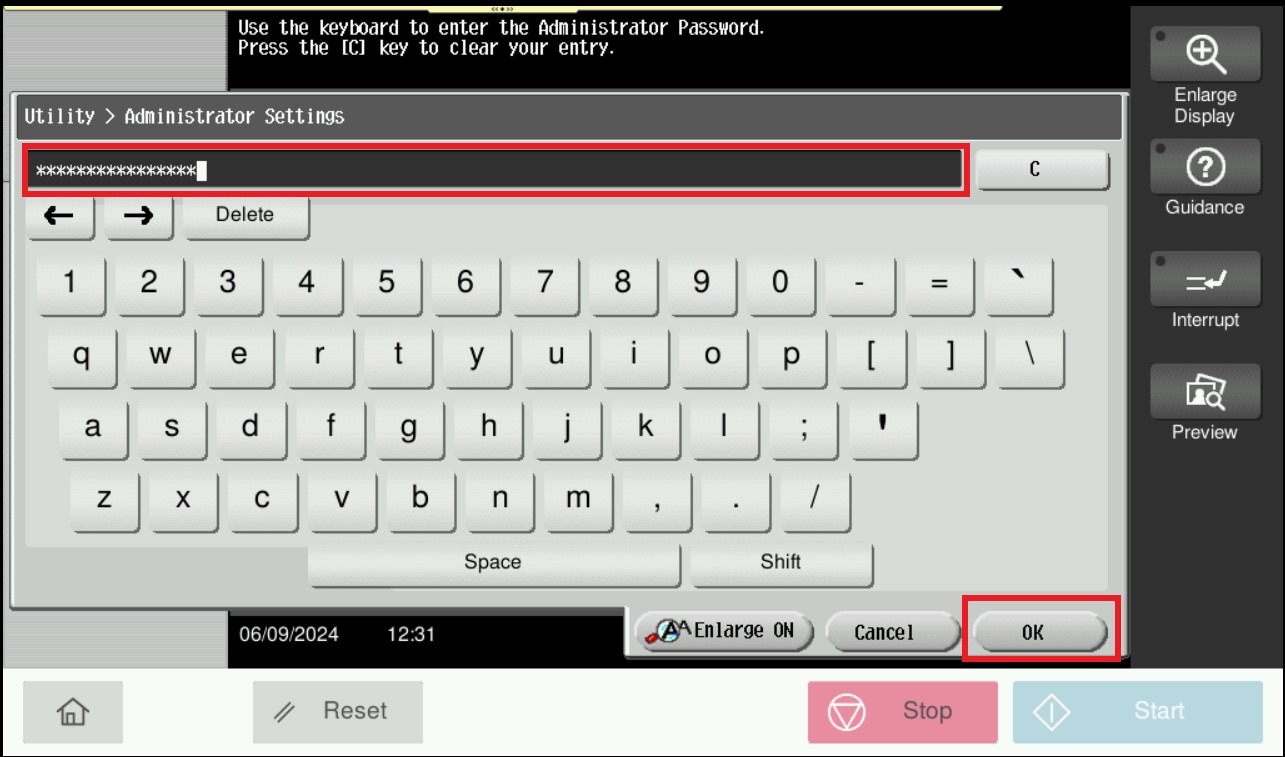
STEP 2 – Select [Administrator], and enter the admin password accordingly.
STEP 3 – Key in the default administrator password and click [OK] button.
Default administrator password:
[7801261178012611] or [1234567812345678] or [12345678] or [12341234].
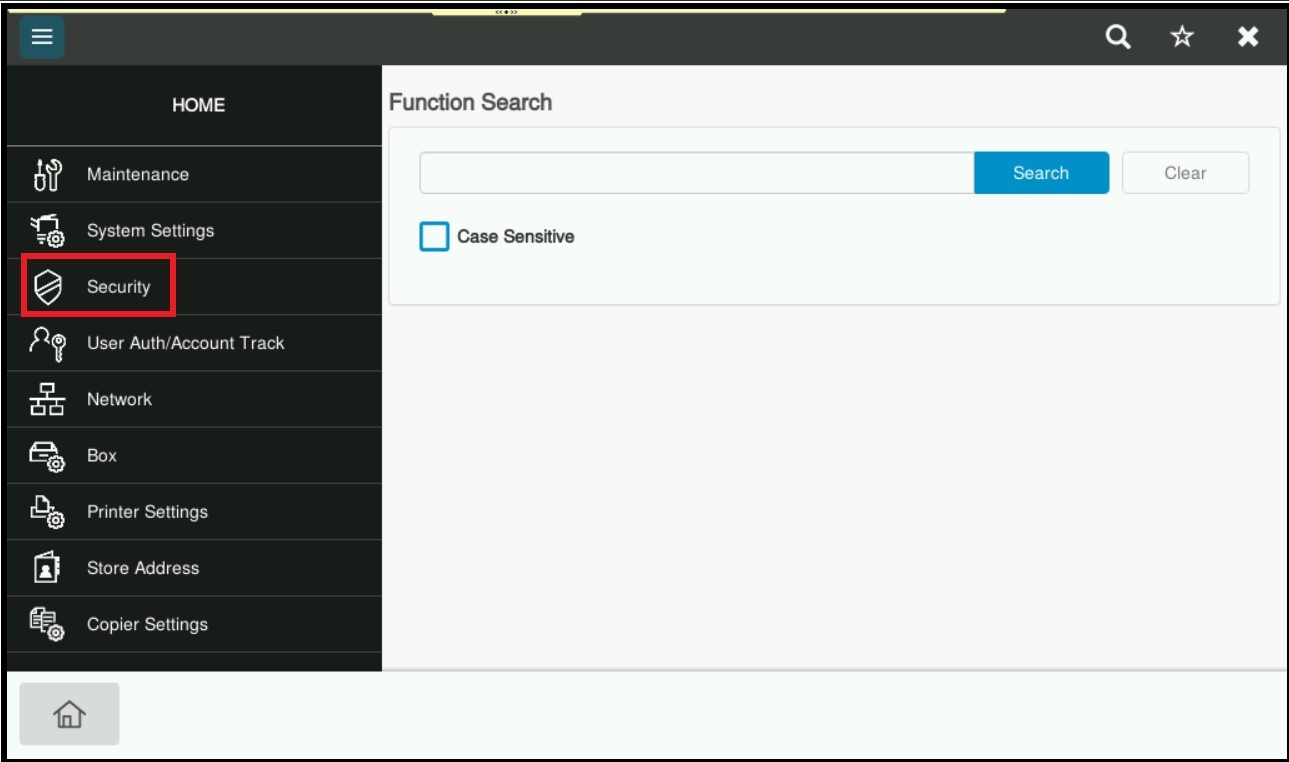
STEP 4 – Select [Security].
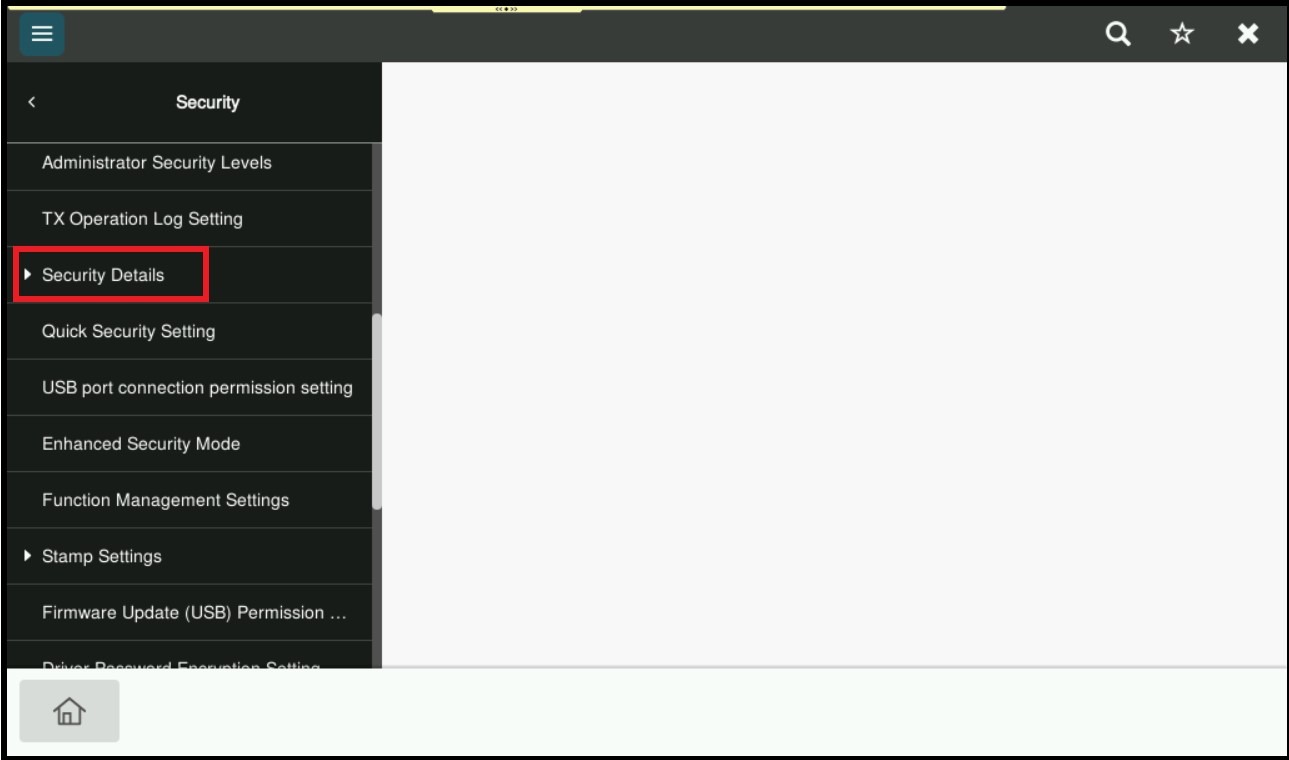
STEP 5 – Scroll down and select [Security Details].
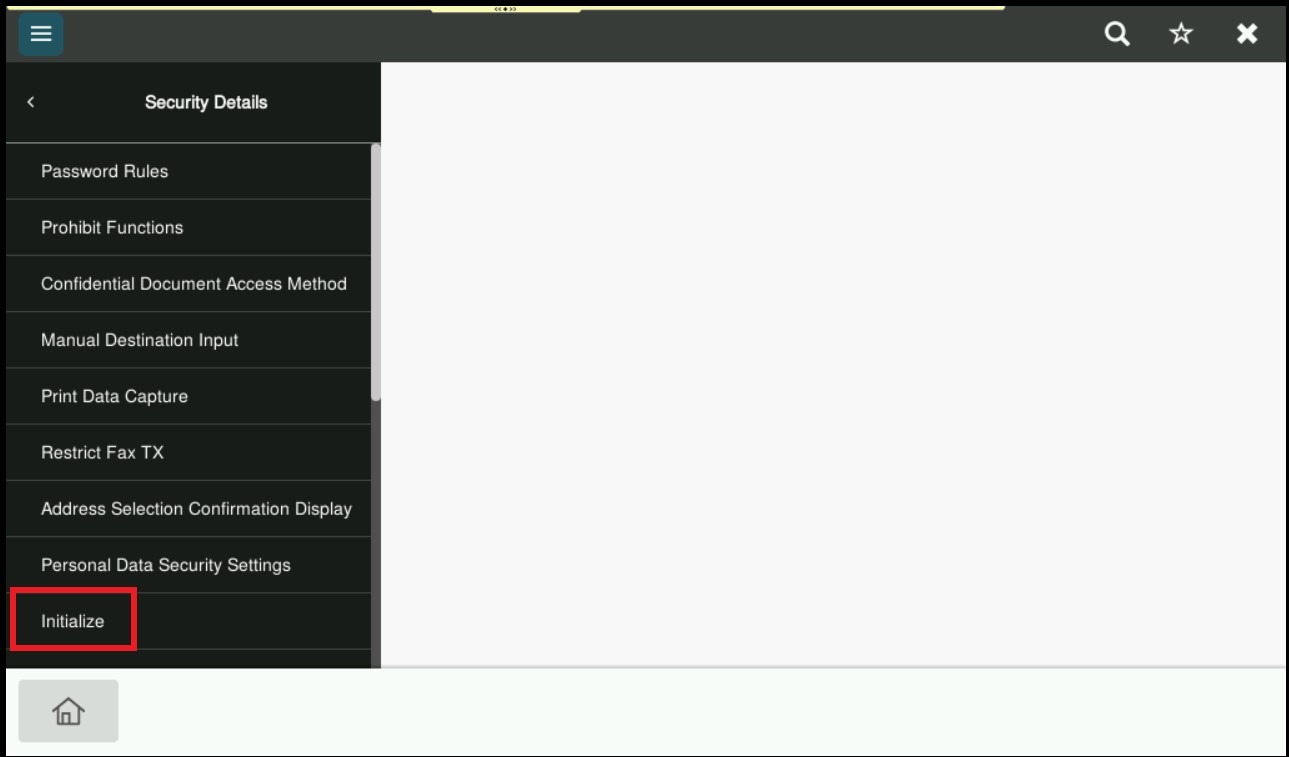
STEP 6 – Select [Initialize].
STEP 7 – Select [Job History] only, and click [OK].
**Important Note: Only select the option that needs to be initialize as it will reset the configuration for the selected option.
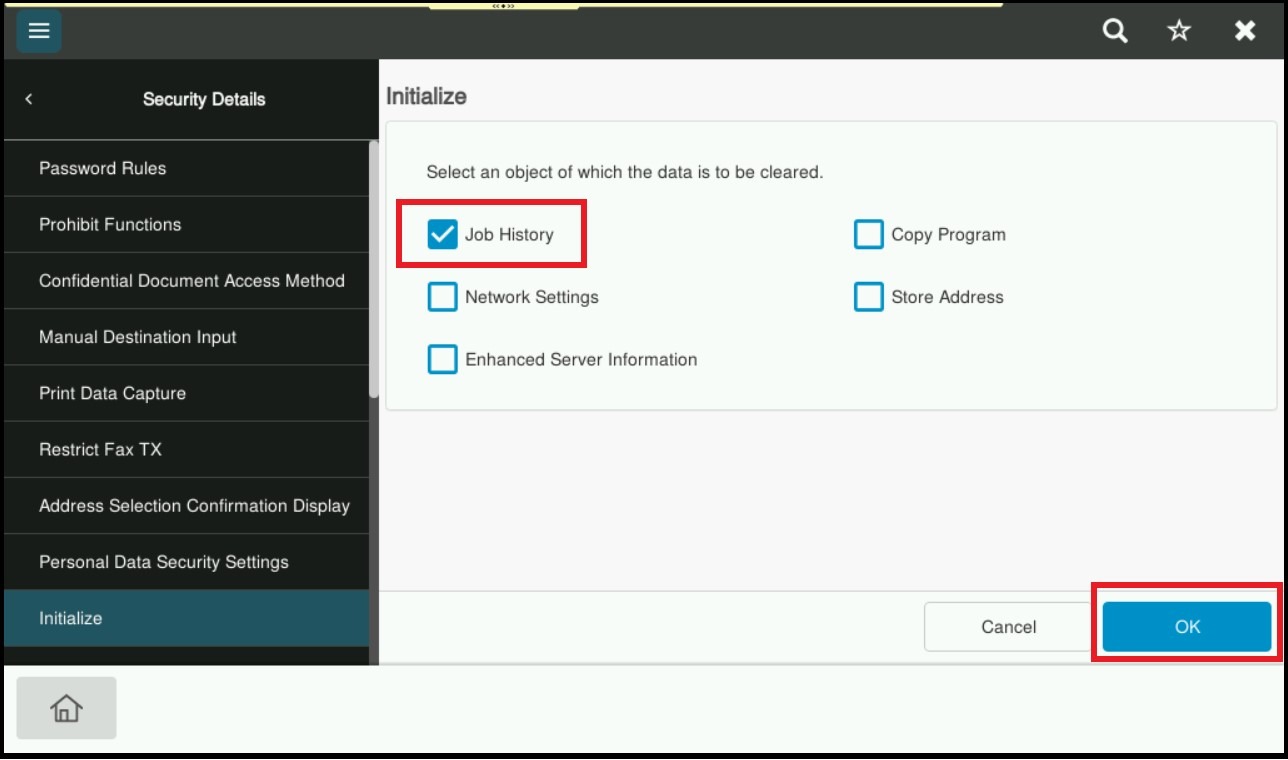
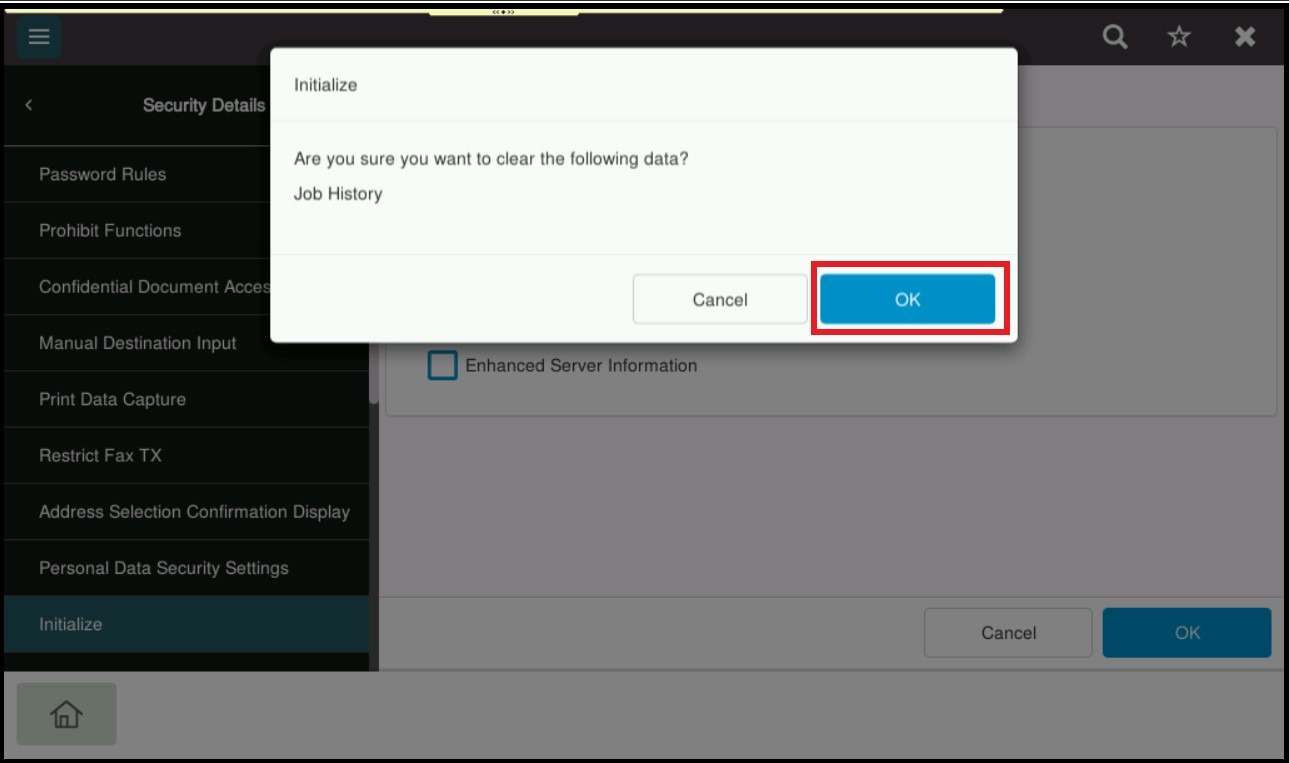
STEP 8 – Click [OK] to initialize Job History. A message will prompt to restart the machine, please make sure to turn OFF the main power and wait for 20 seconds to turn it back ON.