Guide on how to Print Out TX Report for Fax
For The Older Machine Series / Non I-Series Machine
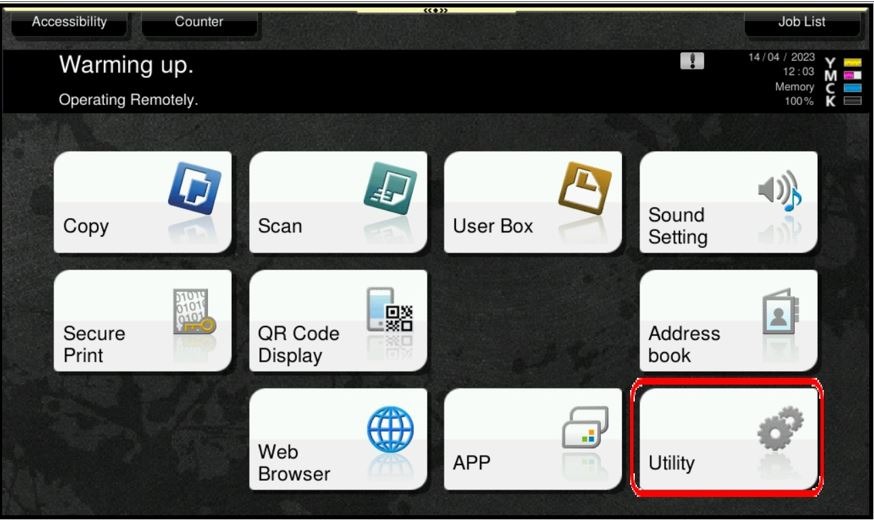
STEP 1 – On the Main Menu, select [Utility].
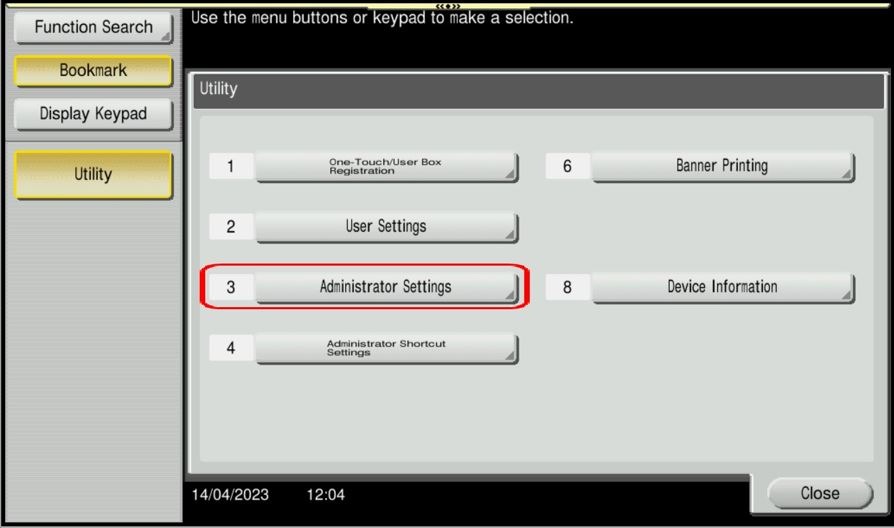
STEP 2 – Select [Administrator Settings].
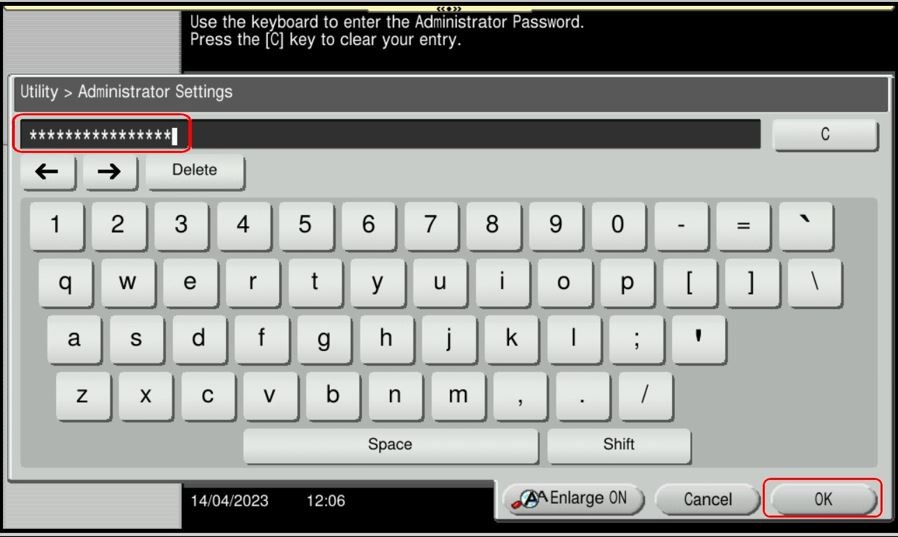
STEP 3 – Key in Admin Password and select [OK] to login.
STEP 4 – Select [Fax Settings].
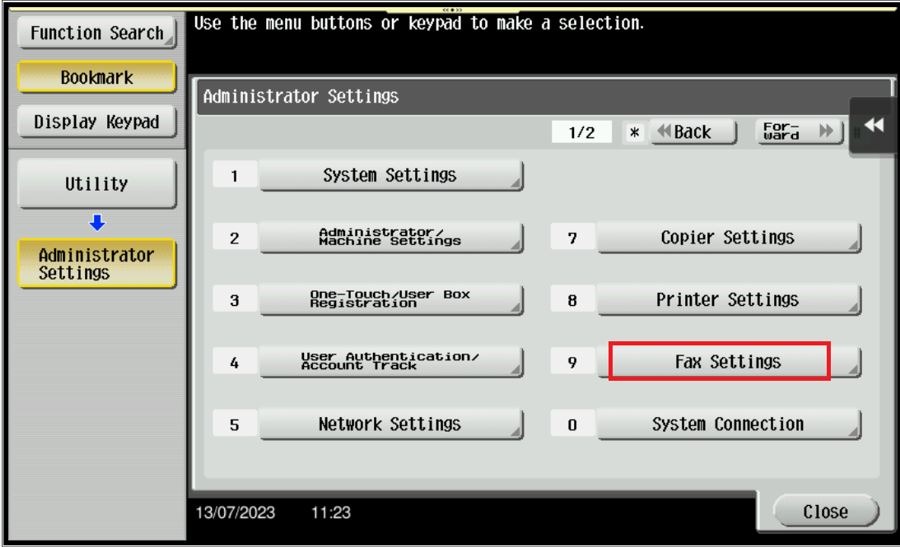
STEP 5 – Select [Report Settings]
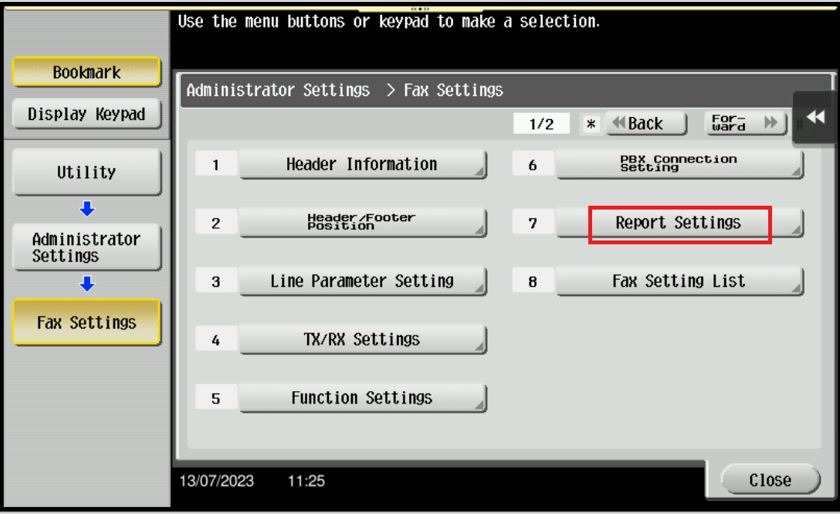
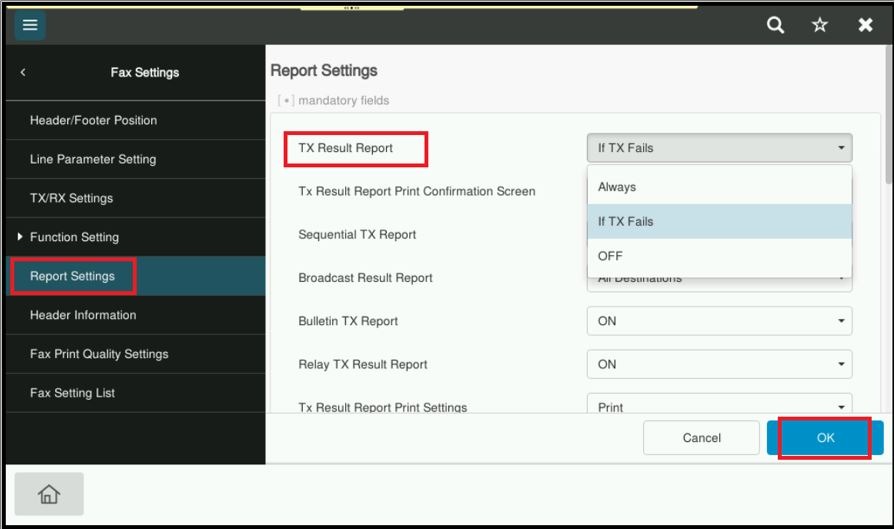
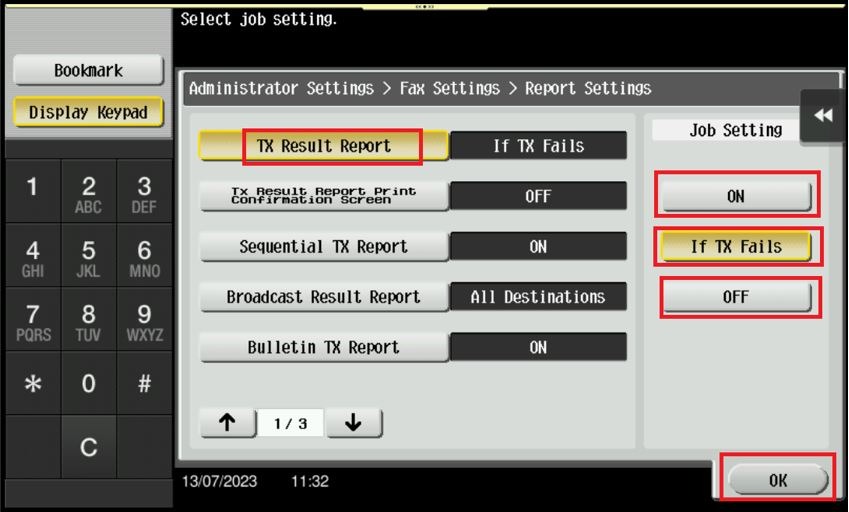
STEP 6 – Press [TX Result Report] and specify when to print a report containing the result of fax transmission. [If TX Fails] is specified by default, which mean the report is automatically printed when a transmission failure occurs. Click [OK] to save the setting once the selection of when to print a report has been made.

For The Newer Machine Series / I-Series Machine
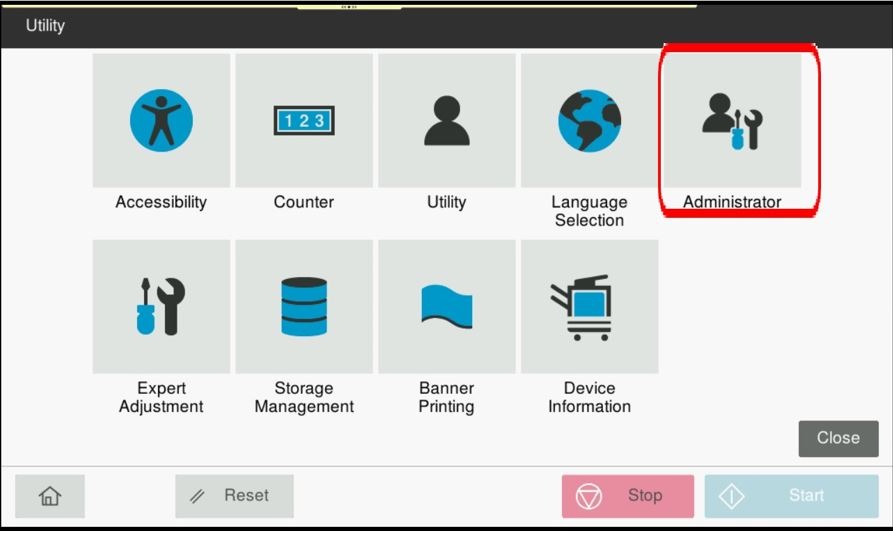
STEP 1 – On the Main Menu, select [Utility].
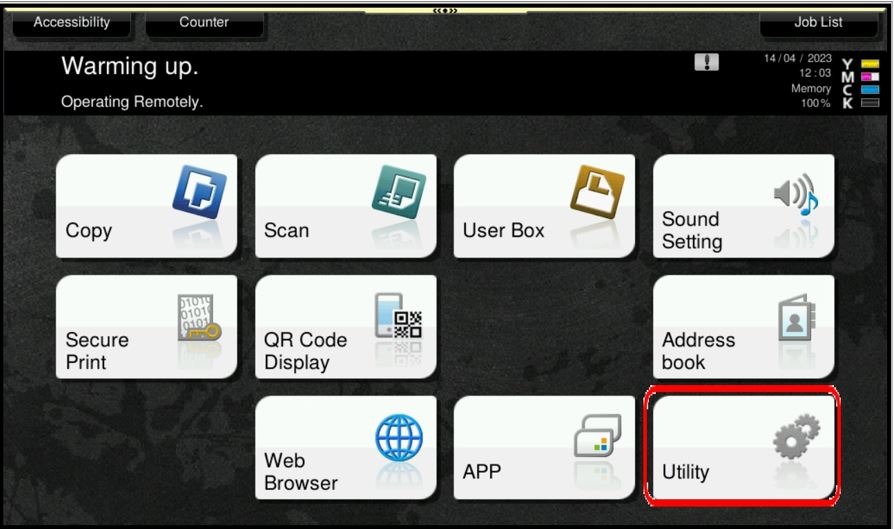
STEP 2 – Select [Administrator].
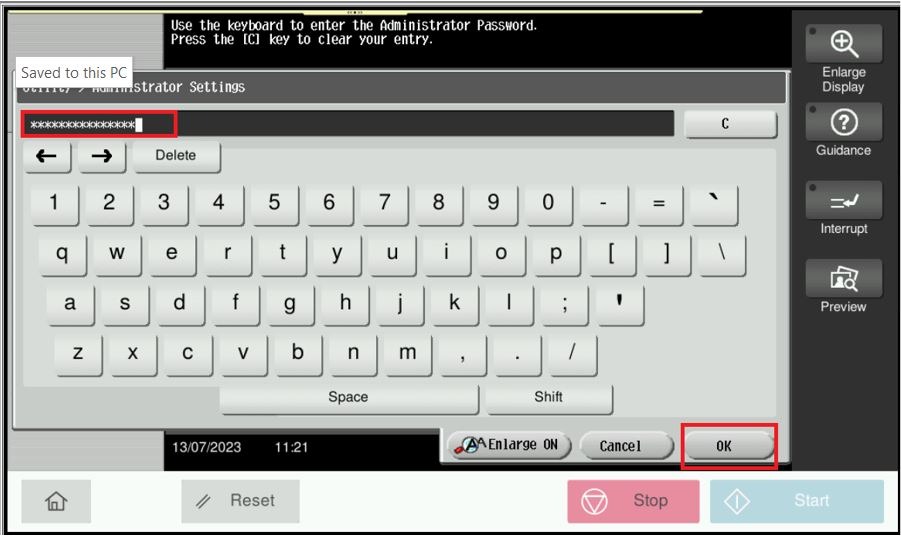
STEP 3 – Key in Admin Password and select [OK] to login.
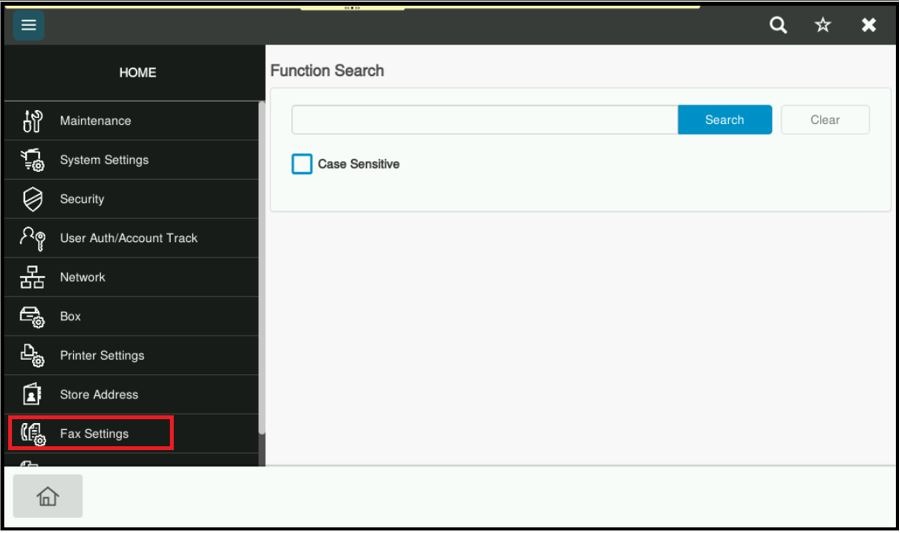
STEP 4 – Select [Fax Settings].
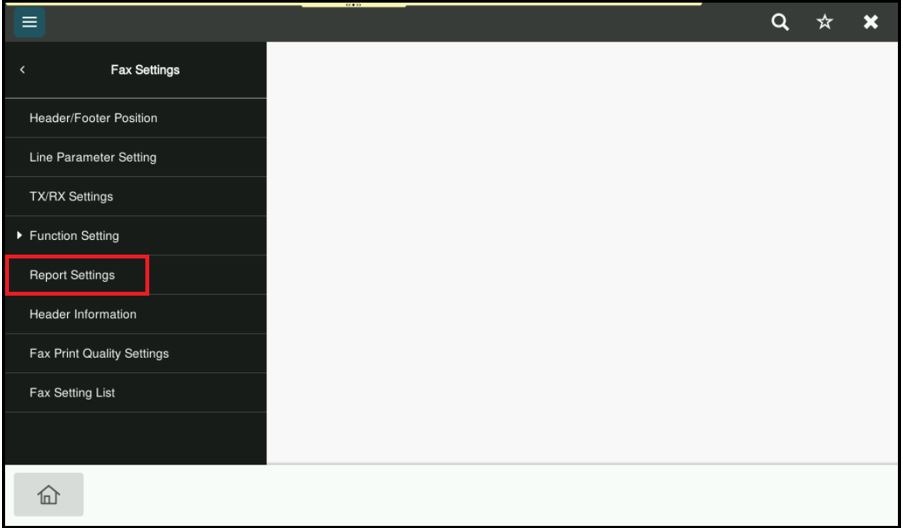
STEP 5 – Select [Report Settings]
STEP 6 – Press [TX Result Report] and specify when to print a report containing the result of fax transmission. [If TX Fails] is specified by default, which mean the report is automatically printed when a transmission failure occurs. Click [OK] to save the setting once the selection of when to print a report has been made.