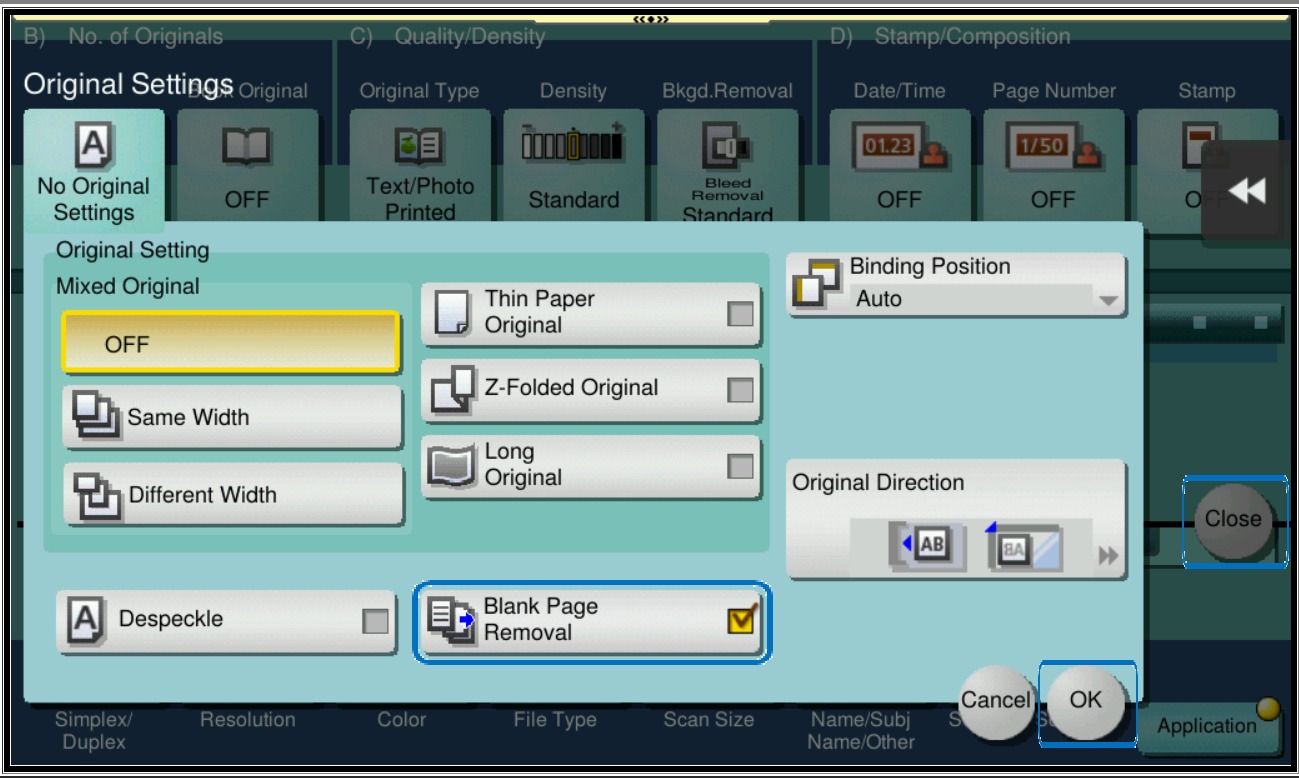
Guide on how to remove a blank page(s) on the scanned document output.
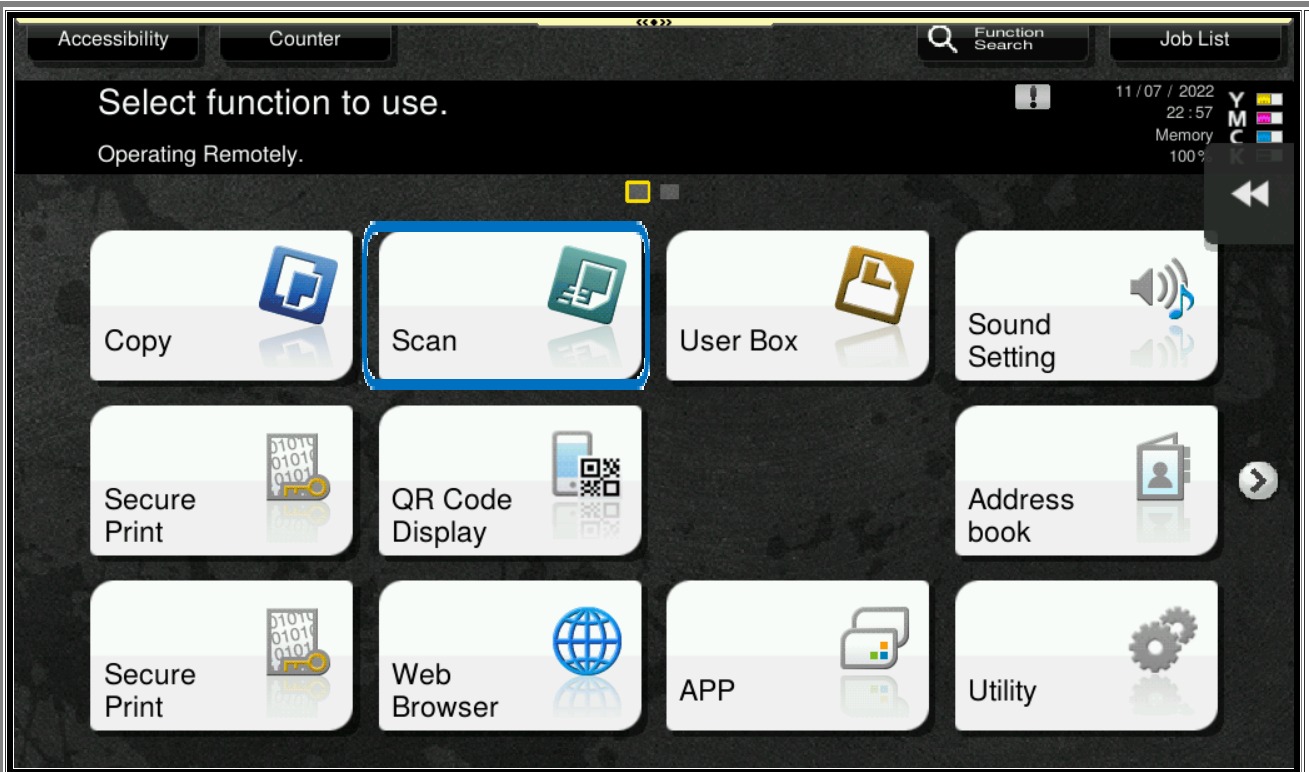
STEP 1 – On the Konica Minolta machine, click on Menu button, Select [Scan] from Control Panel.
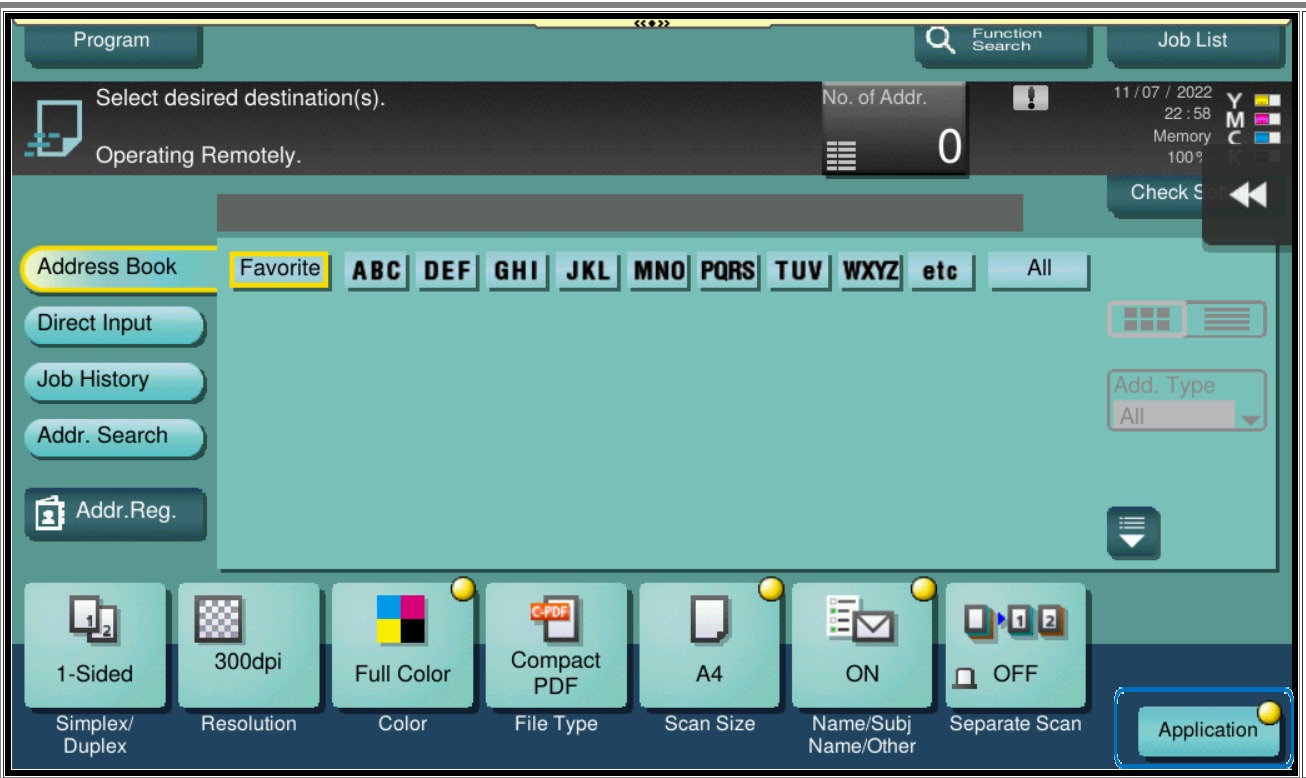
STEP 2 – Select [Applications].
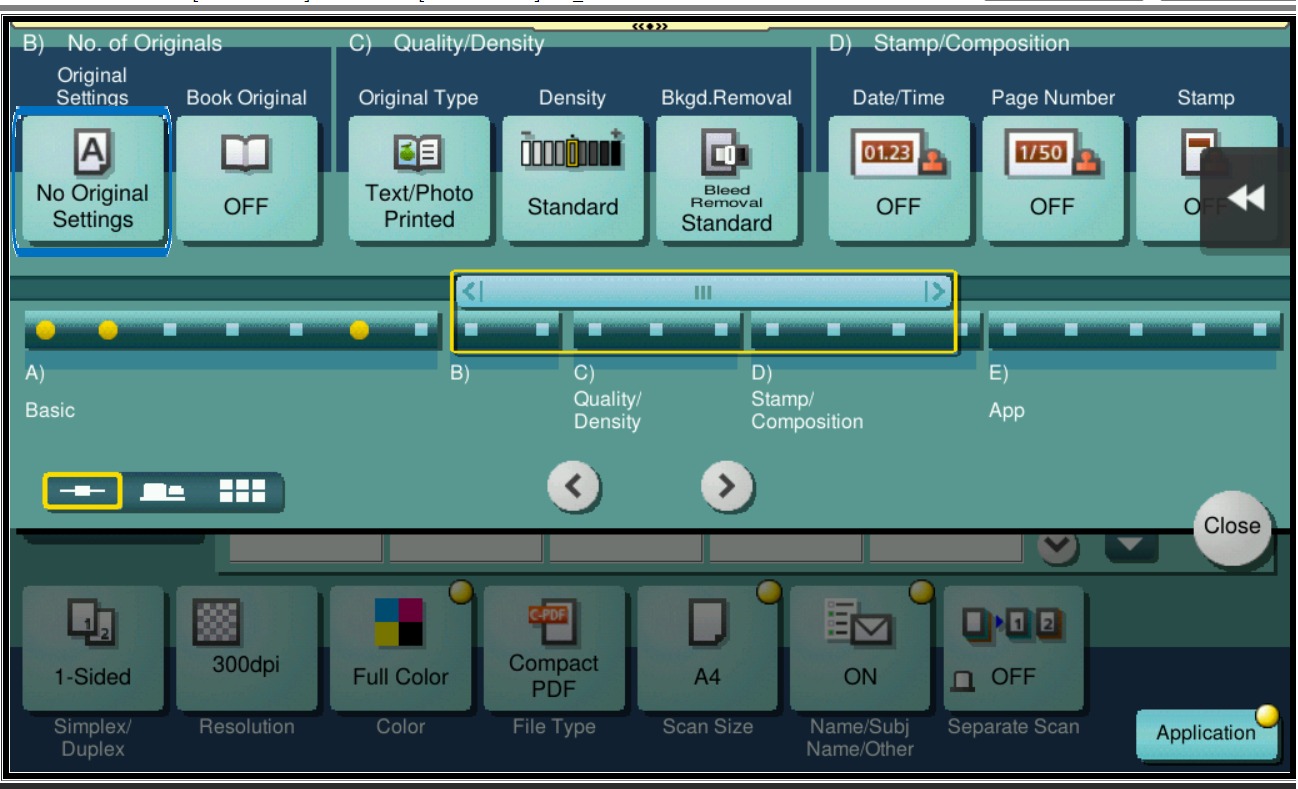
STEP 3 – Select [No of Original].
STEP 4 – Tick [Blank Page Removal], click [OK] then [Close] and press on Start to scan.