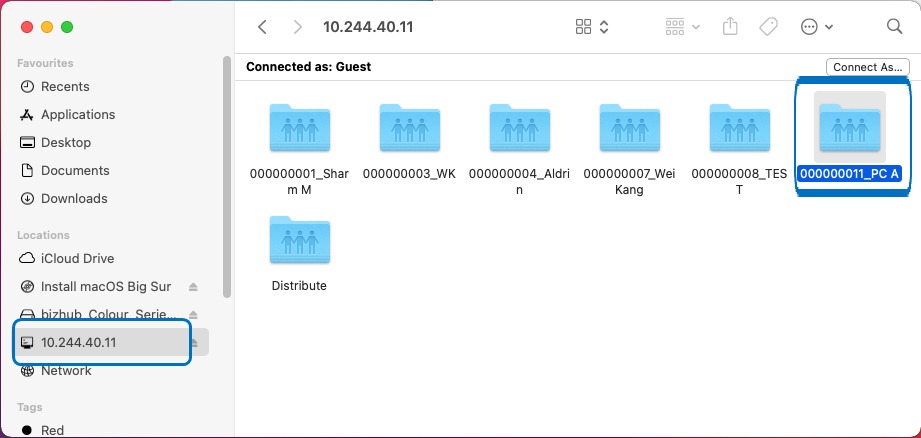
Guide on how to Set the User Box Shared Folder on MAC PC.
STEP 1: Create a User Box on the Printer. Click this link to check on how to create a User Box on Web Connection.
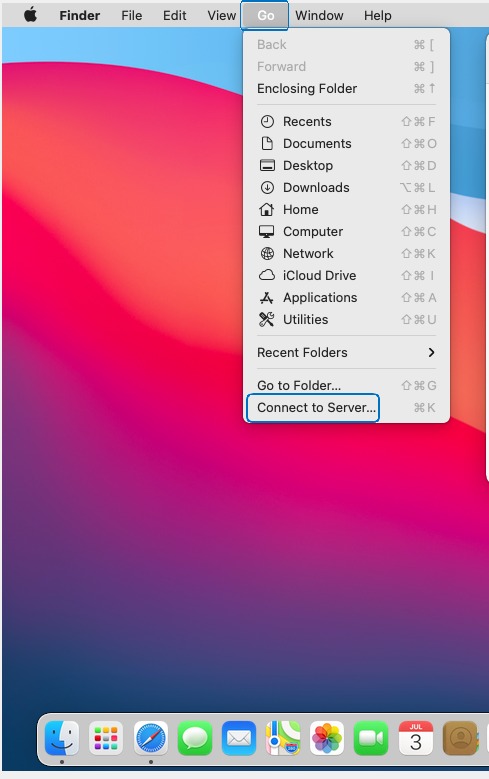
STEP 2: Create a new shortcut on the Home Folder by click on the Go and select Connect to Server.
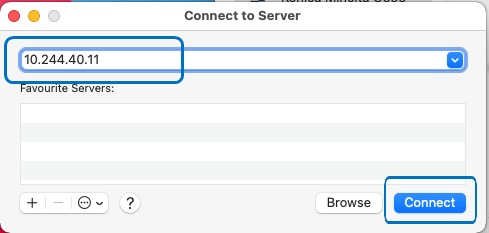
STEP 3: Type the Printer IP Address and click connect.
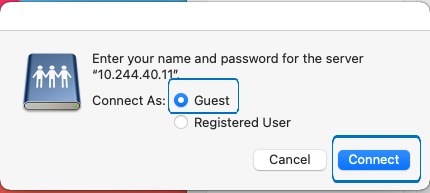
STEP 4: Select Connect as Guest.
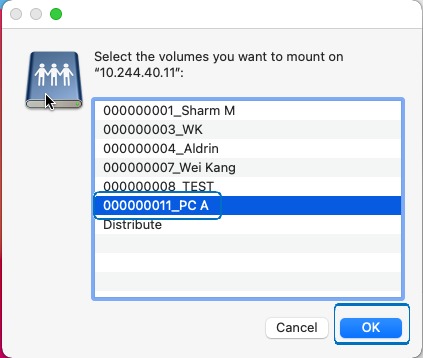
STEP 5: Select the User Box to access and click OK to open the User Box Folder.
STEP 6: The User Box will be on the Home Folder, the Folder that shows the machine IP Address, click on the specific User Box to access to view the scanned document.