

How to setup Print Without Authentication on the machine
Guide on how to setup the Print Without Authentication if authentication is enabled on the machine.
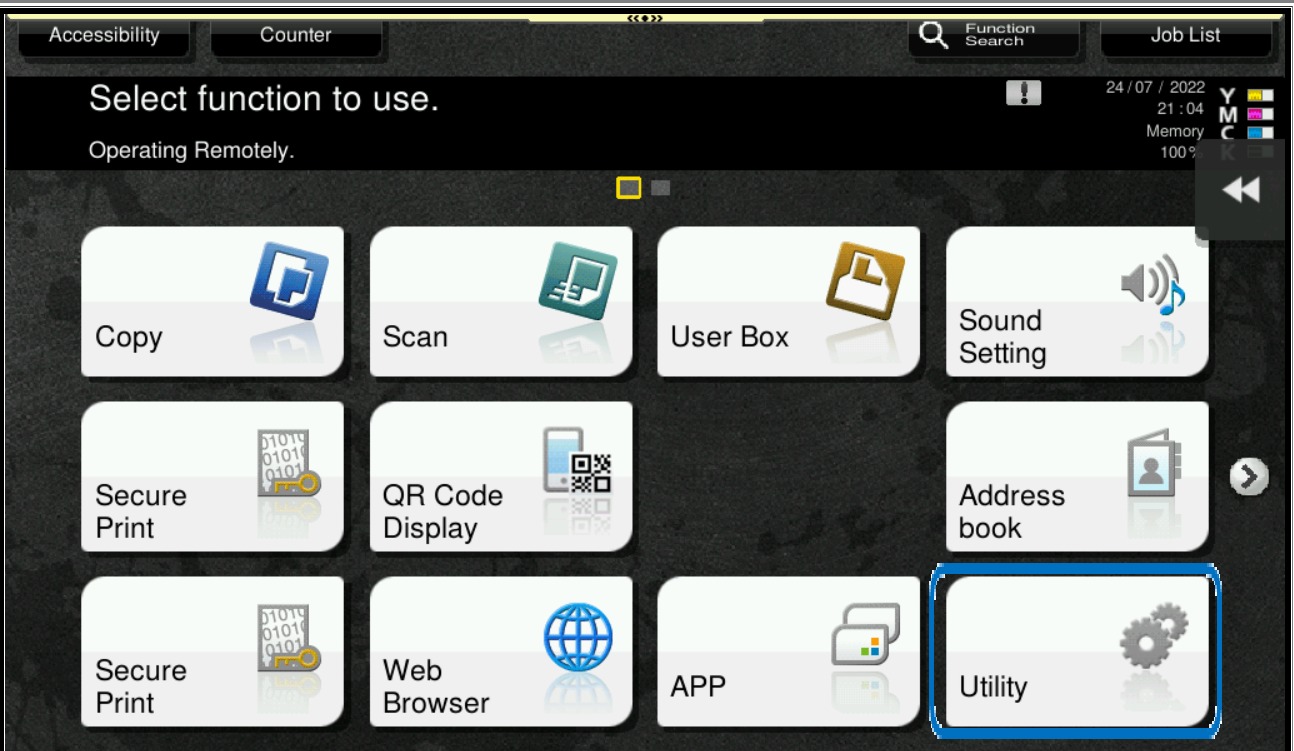
STEP 1 – Select [Utility].
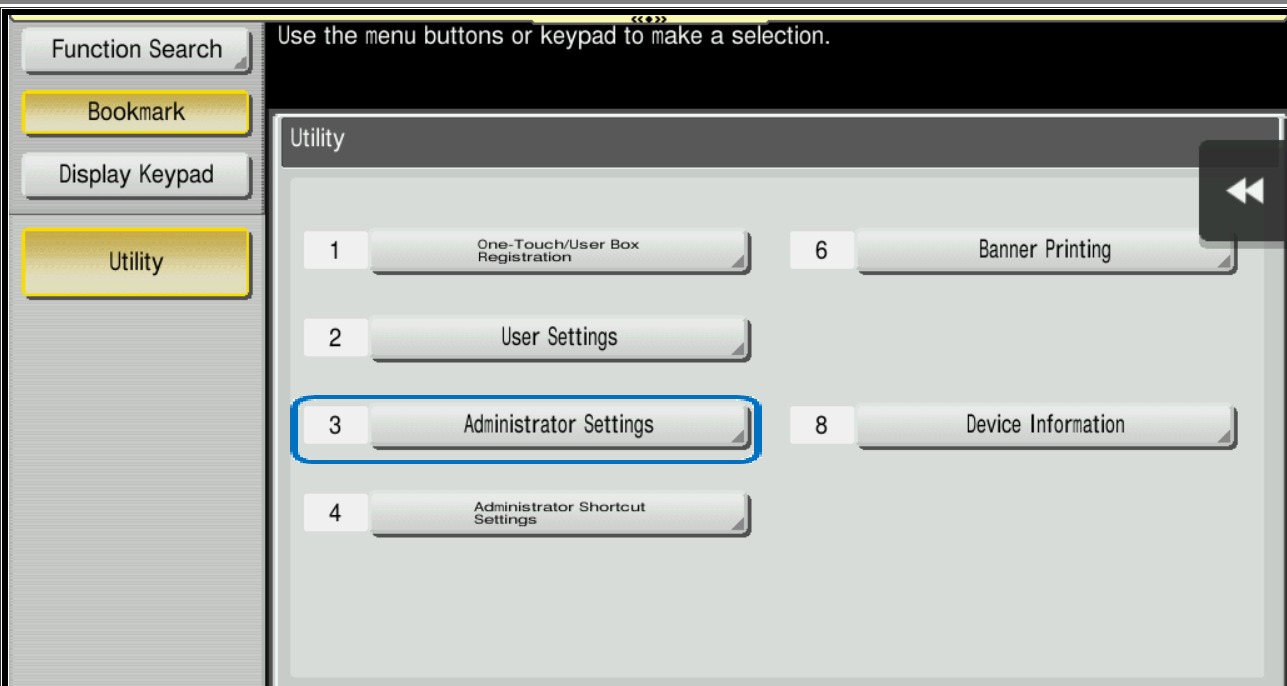
STEP 2 – Select [Administrator Settings], then type administrator password.
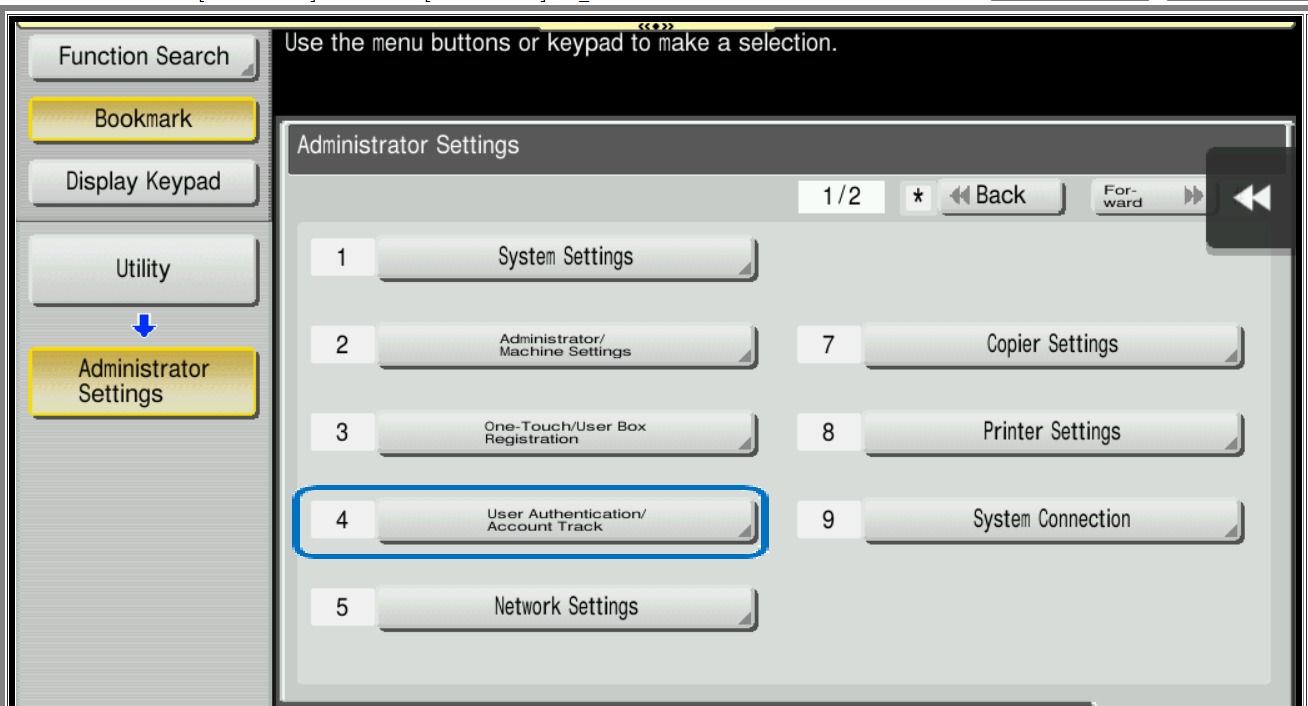
STEP 3 – Select [User Authentication/Account Track].
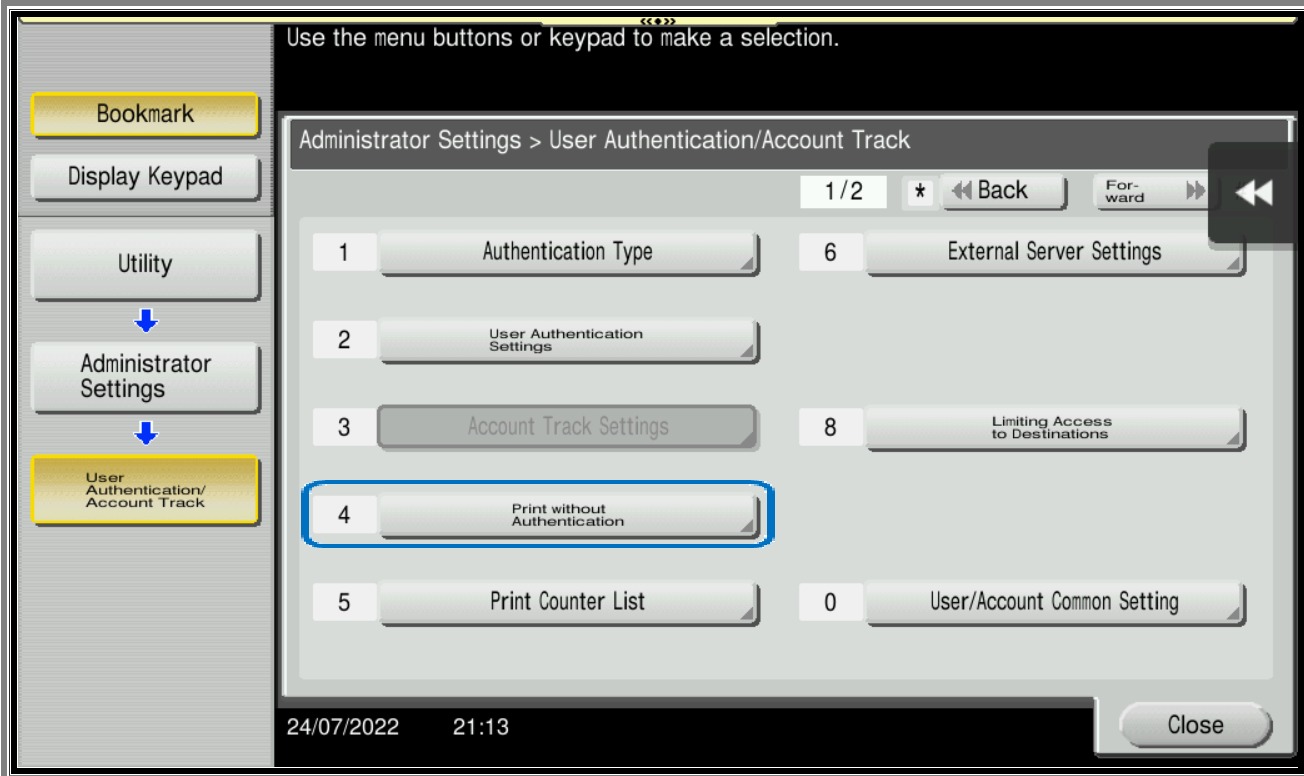
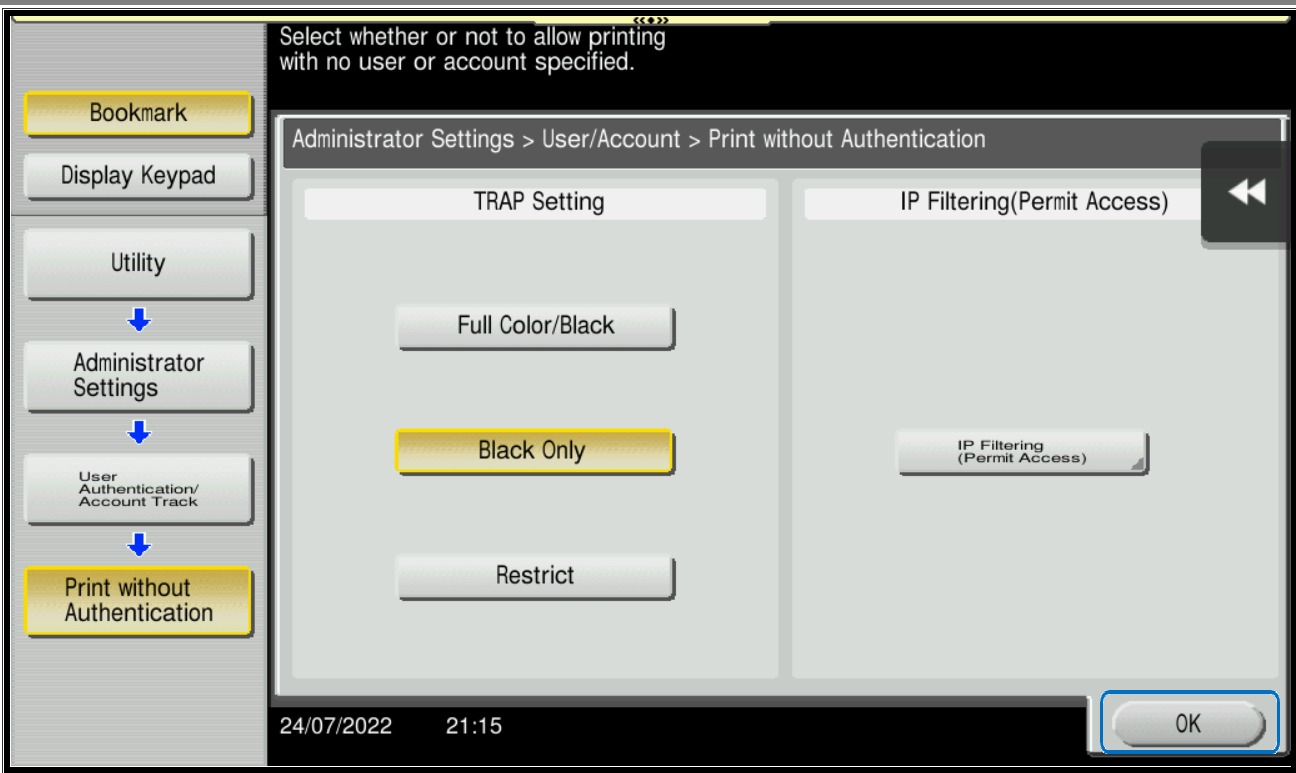
STEP 4 – Select [Print without Authentication].
STEP 5 – Select either [Black only] / [.Full Color/Black] or [Restrict] to allow printing with no use or account specified.
Important Note: Once this option is enabled, users will be able to print without a need of the username and password even though authentication is enabled on the machine.