Guide on how to copy 1 image to 8 in A4 Paper
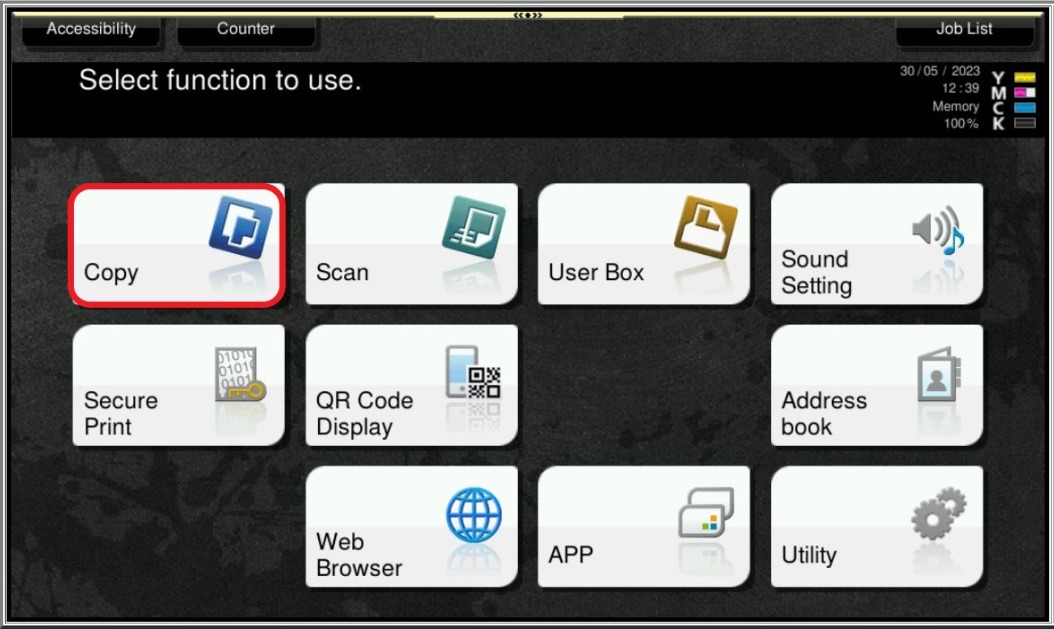
STEP 1 – On the Konica Minolta machine, click on Menu button, Select [Copy] from Control Panel.
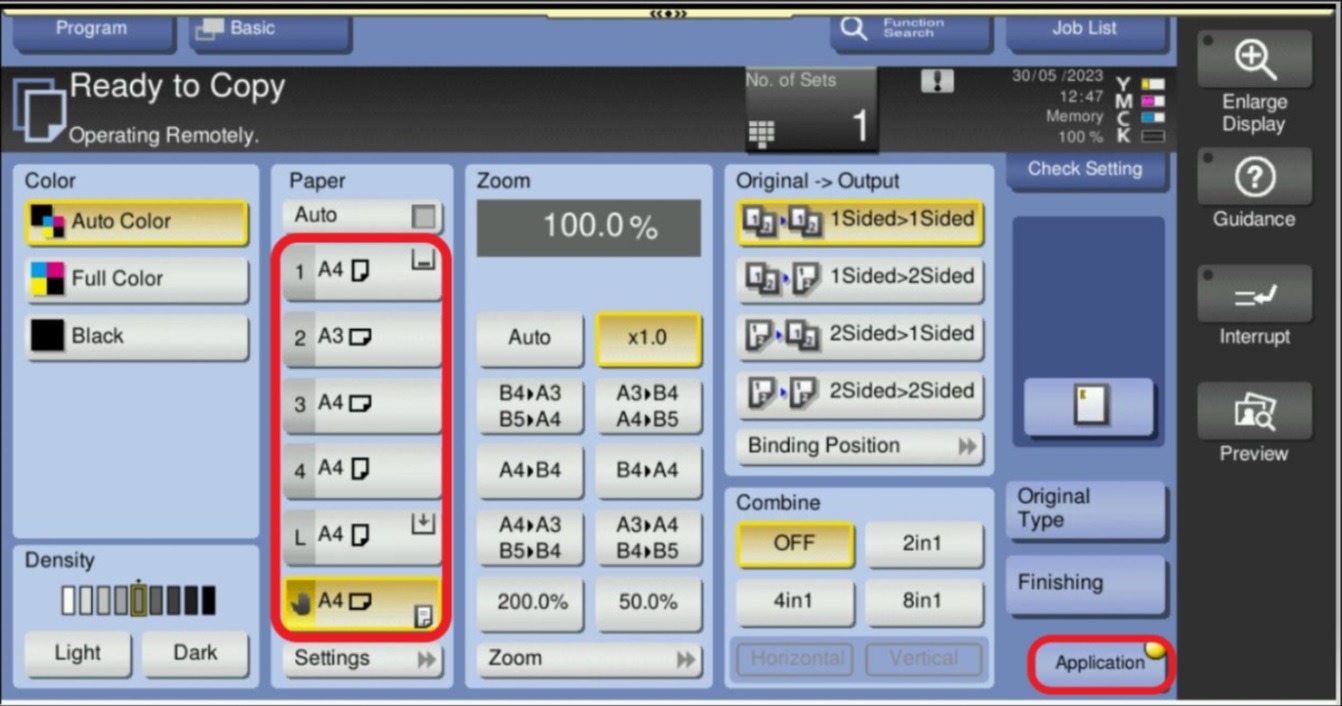
STEP 2 – Untick Auto, and select preferred paper tray to be used for output, then select [Applications].
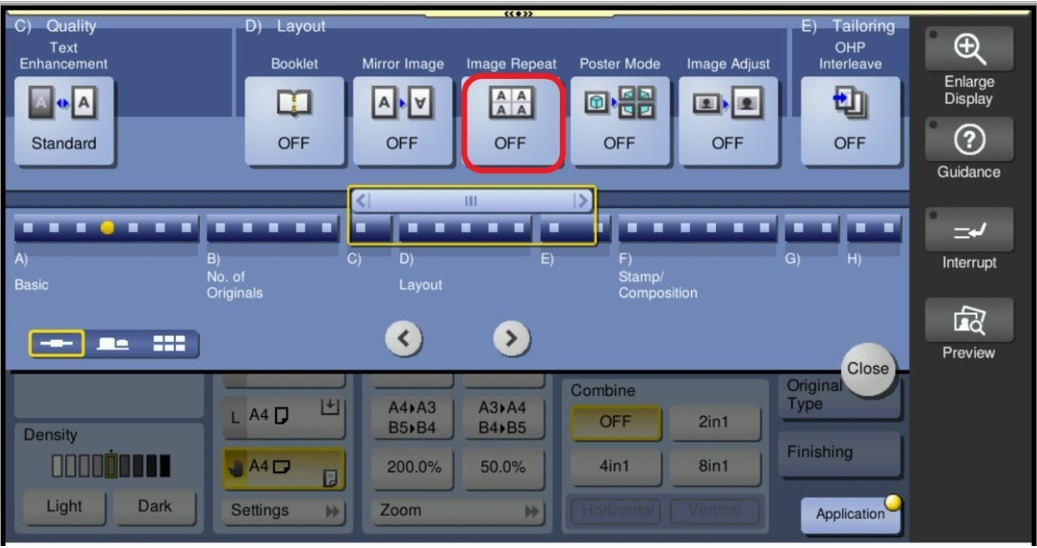
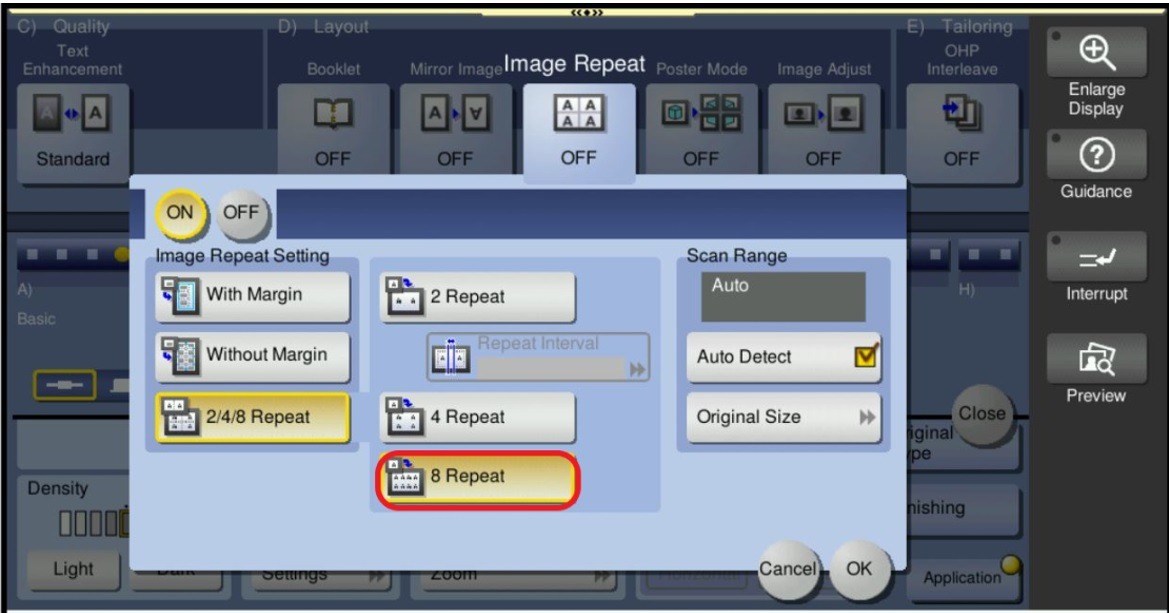
STEP 3 – Select [Image Repeat], and configure the following setting on either 2 repeat, 4 repeat and 8 repeat, then select OK.
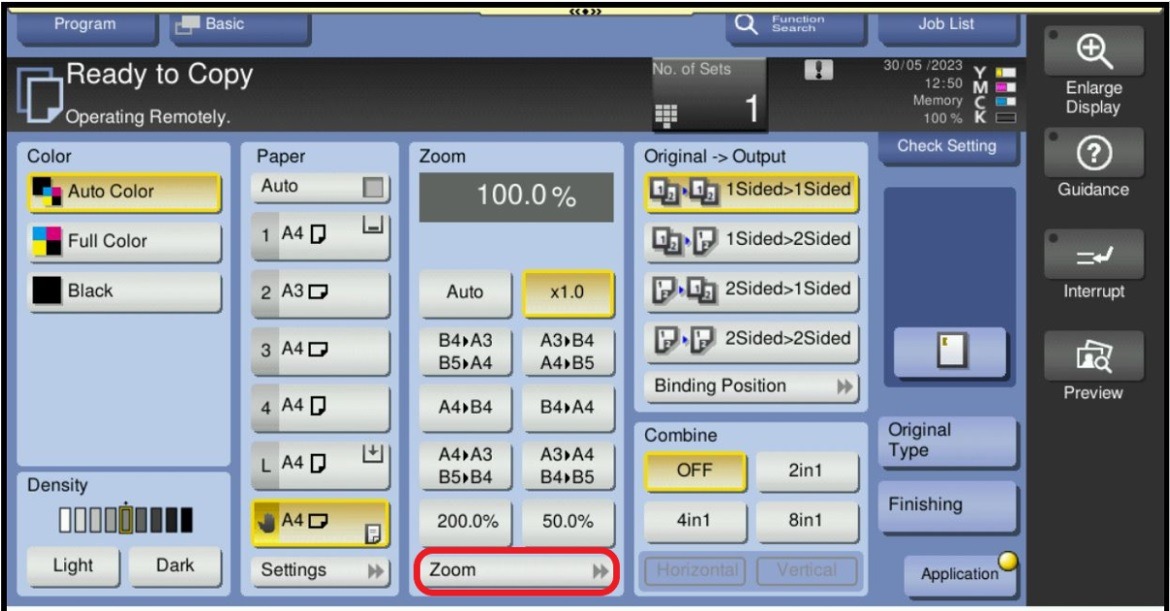
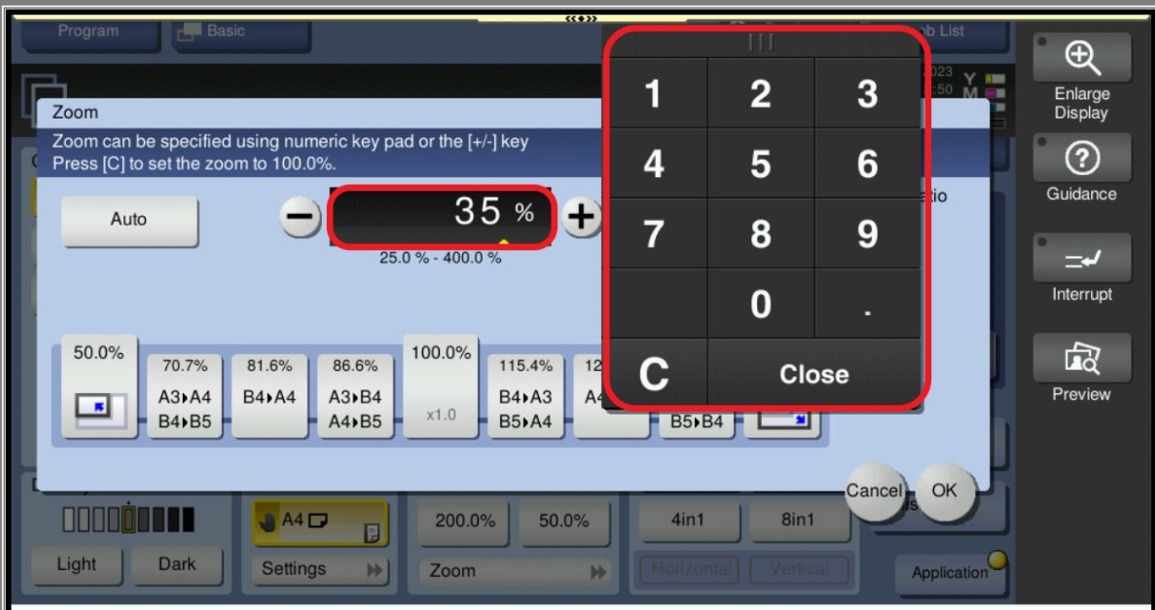
STEP 4 – Select “Zoom”, click on the “Percentage Column” and key-in preferred zoom percentage based on the original copy image. the larger the copy image coverage, the smaller the zoom percentage.