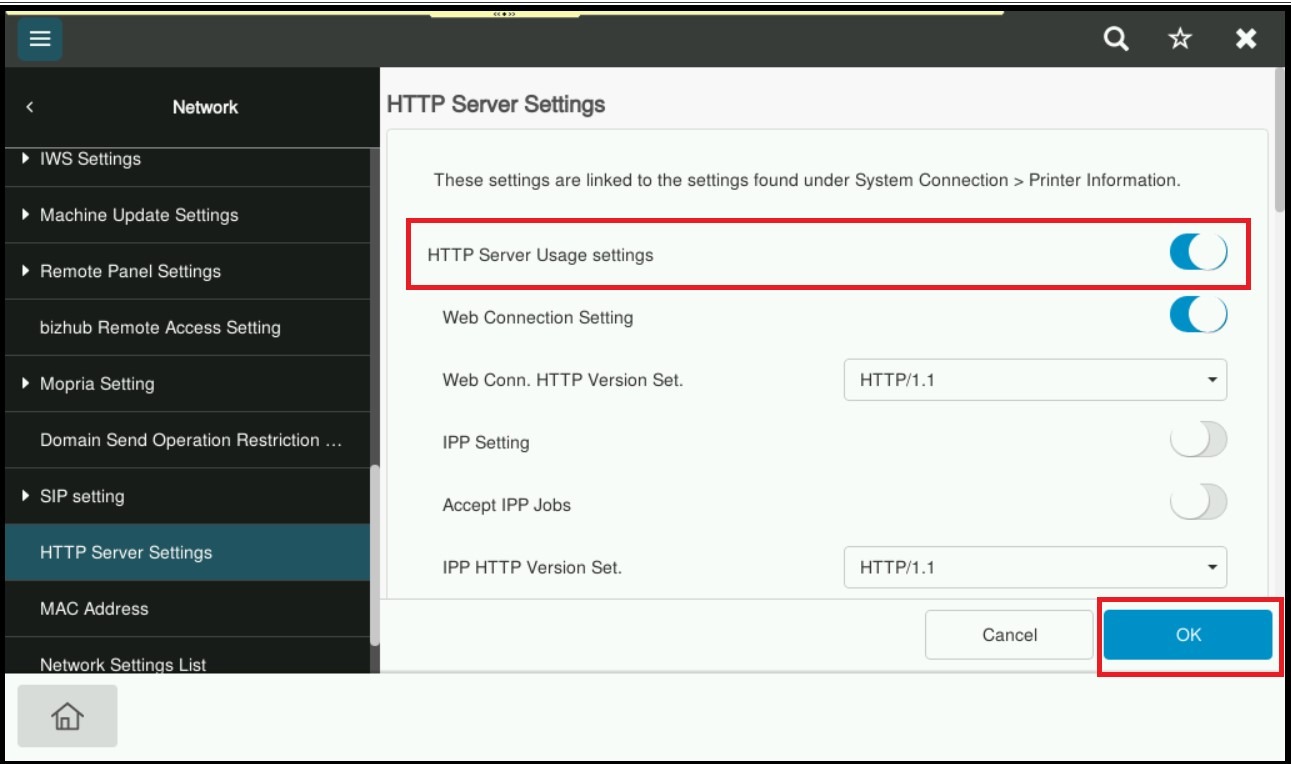
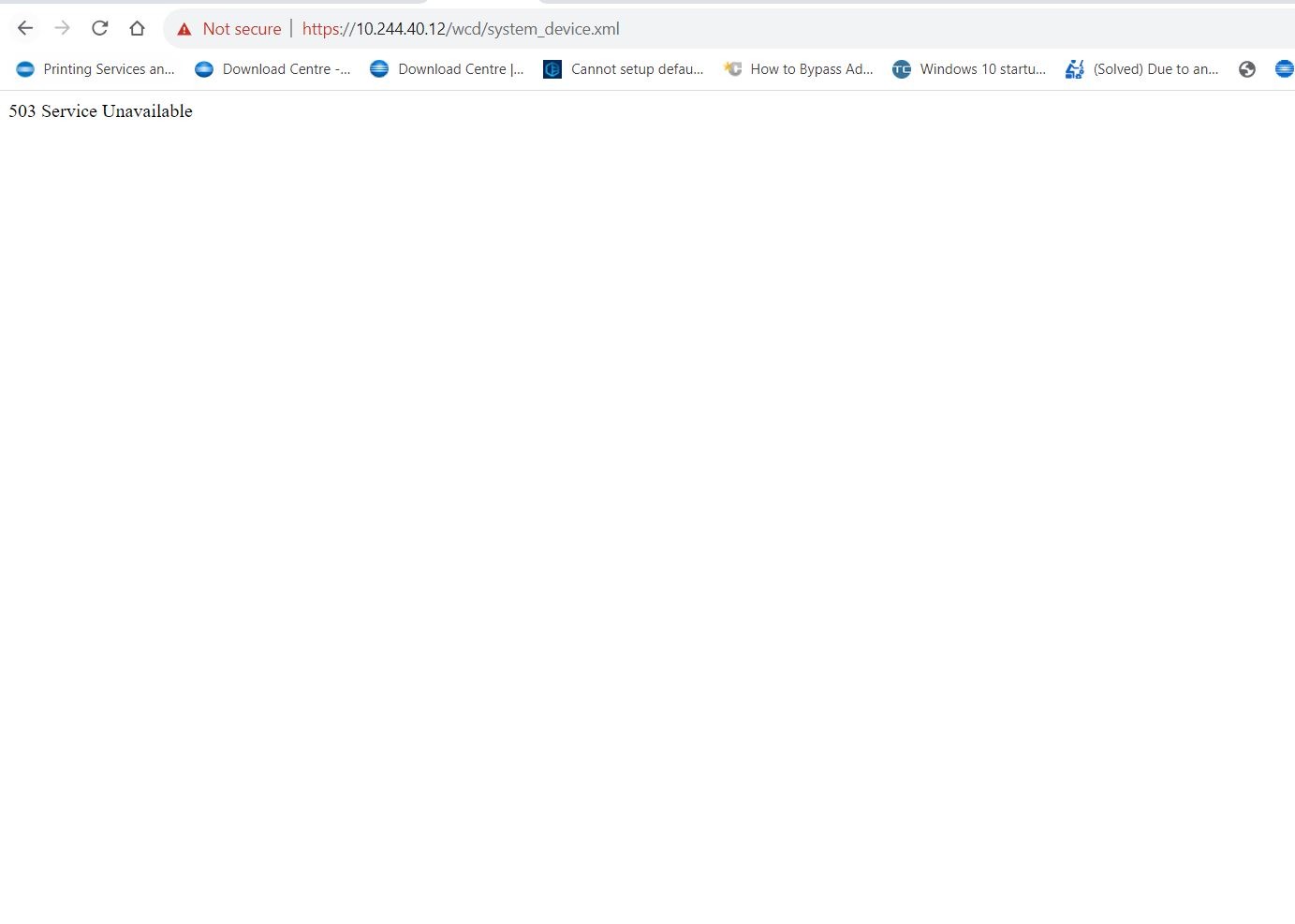
Guide on how to resolved the issue unable to access the Web Connection due to error 503 service unavailable.
For The Older Machine Series / Non I-Series Machine
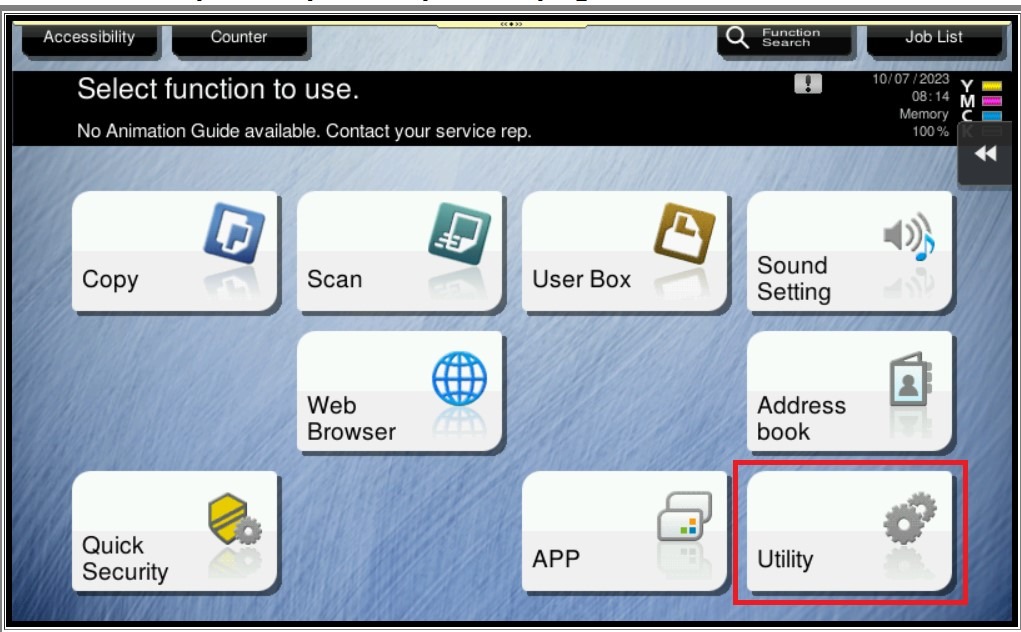
STEP 1 – In order to resolved the issue, kindly follow below step to enable the HTTP Server Settings on machine. On the Konica Minolta machine, click on [Menu] button, Select [Utility] from Control Panel.
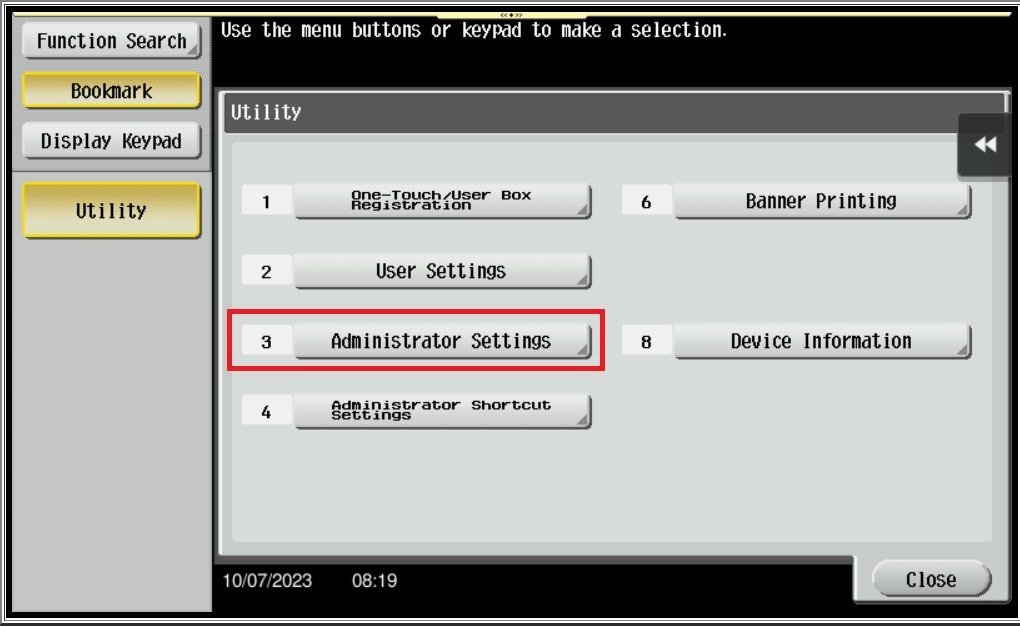
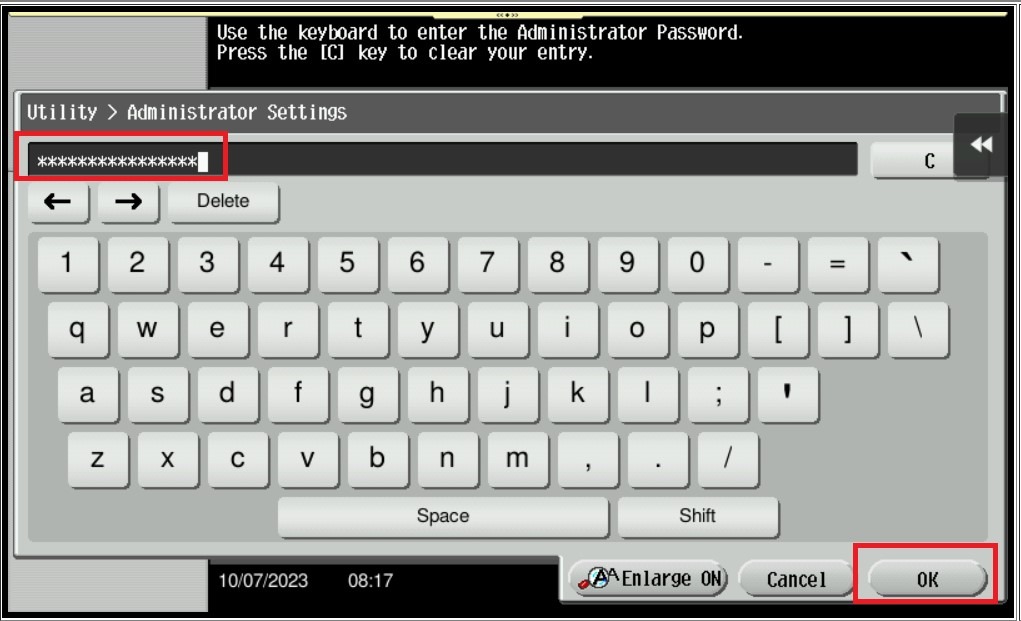
STEP 2 – Select [Administrator Settings], and key in the Administrator password accordingly.
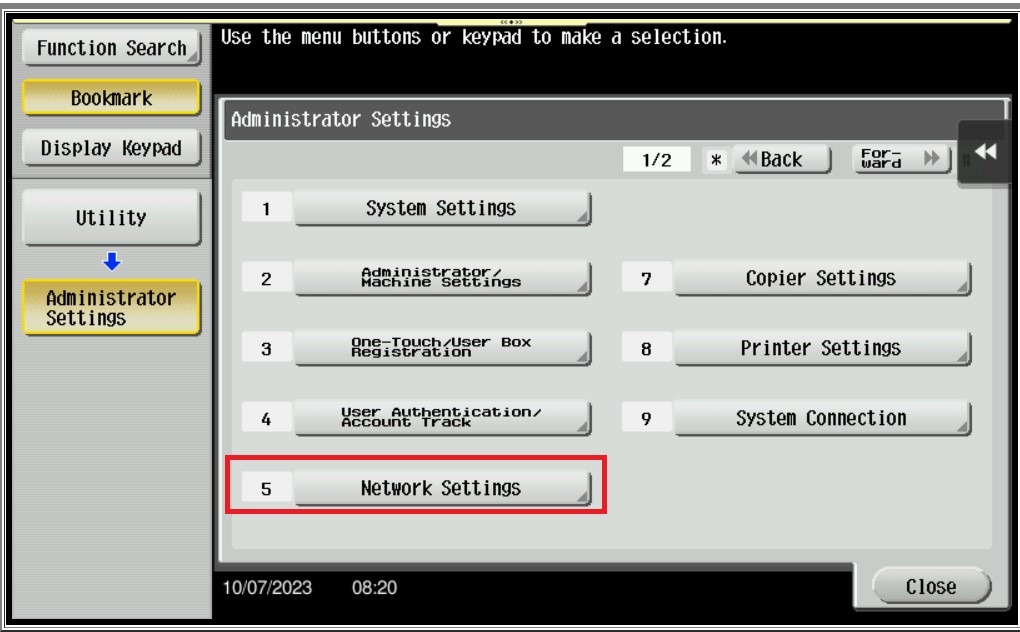
STEP 3 – Go to [Network Setting].
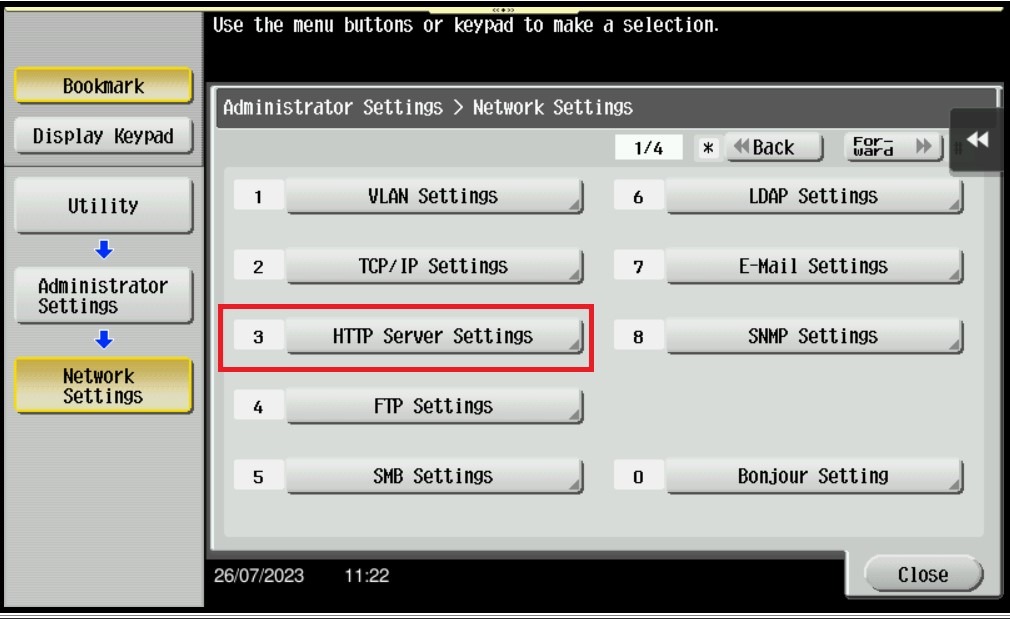
STEP 4 – Select [HTTP Server Settings].
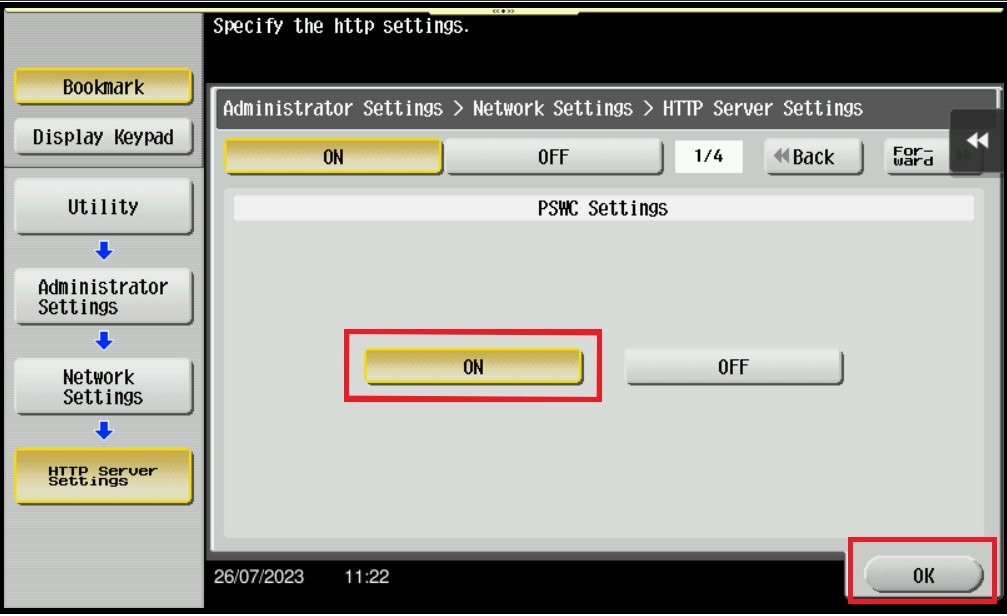
STEP 5 – Select [ON] Under HTTP Server Setting and select [ON] again under PSWC Settings, Click [OK] to save the setting and exit from admin mode, it will able to resolved the issue web connection unable to access.
For The Newer Machine Series / I-Series Machine
STEP 1 – In order to resolved the issue, kindly follow below step to enable the HTTP Server Settings on machine. On the Konica Minolta machine, click on [Home] icon, Select [Utility] from Control Panel.
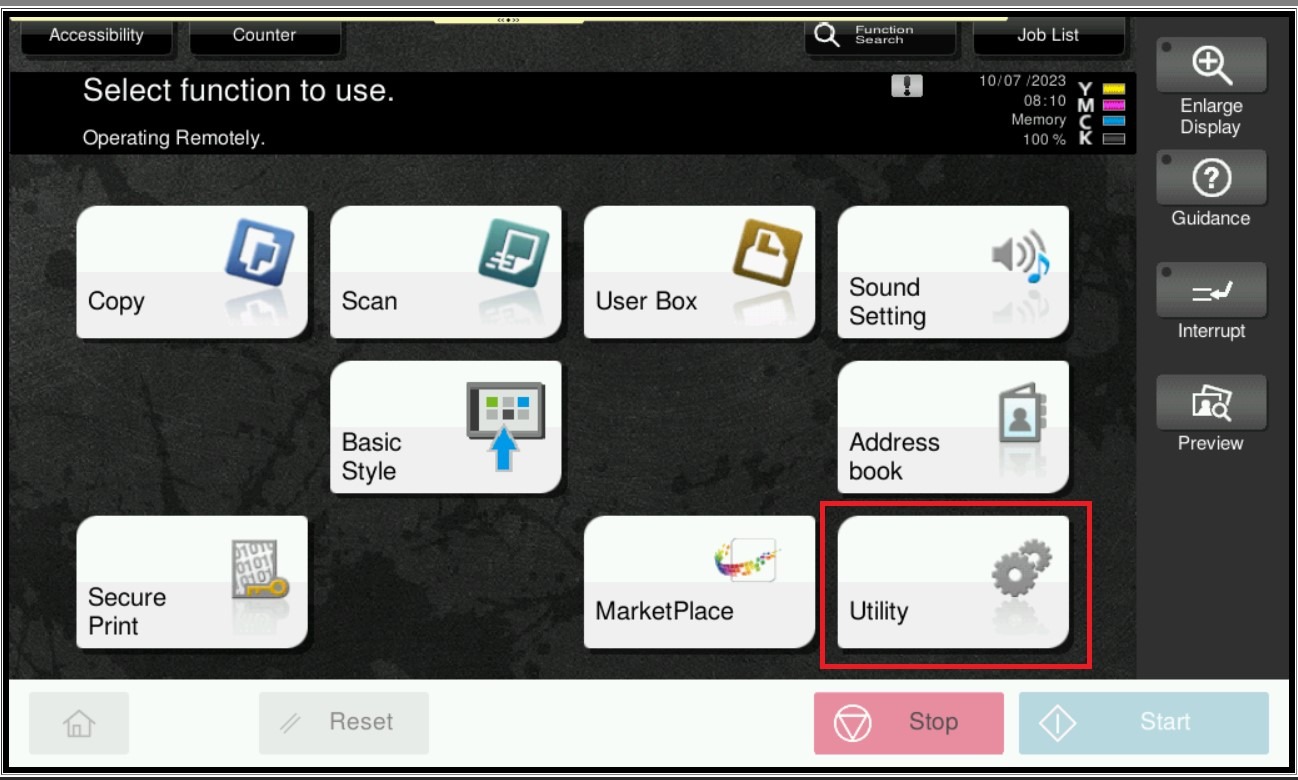
STEP 2 – Select [Administrator Settings], and key in the Administrator password accordingly.
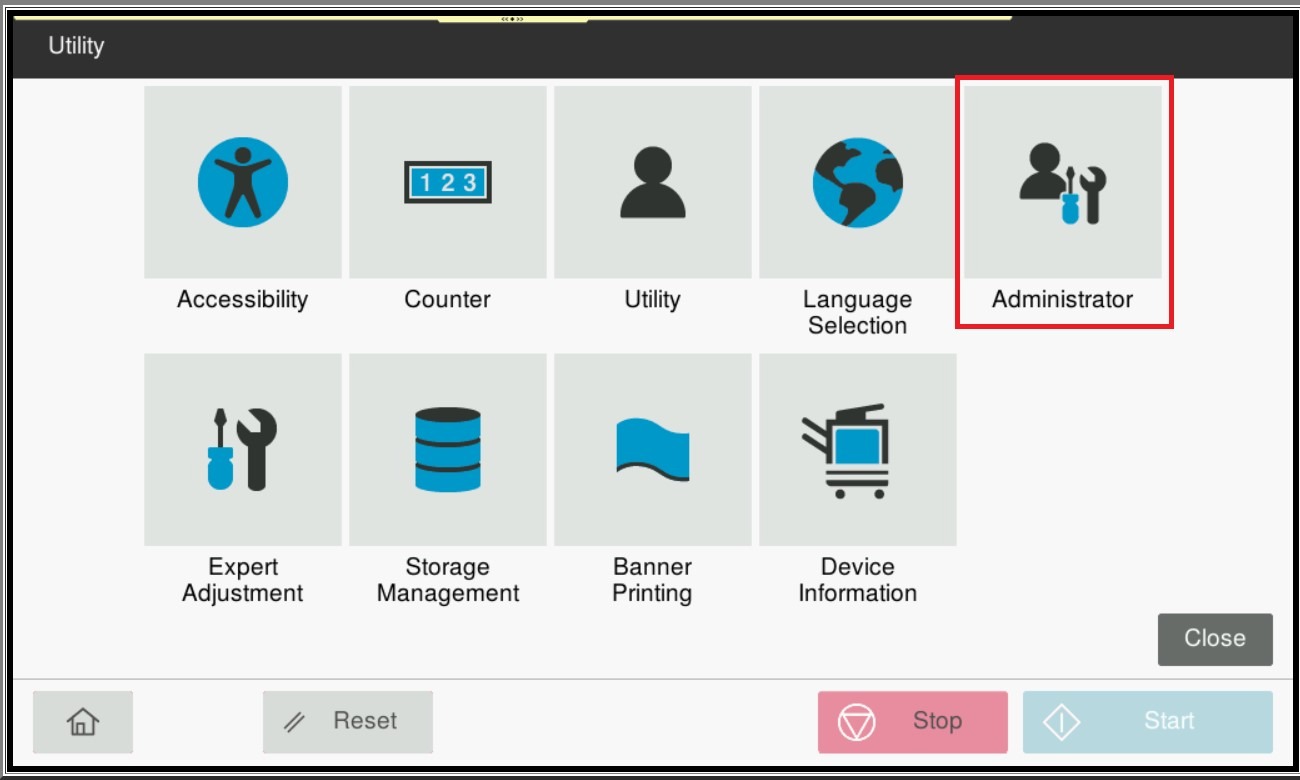
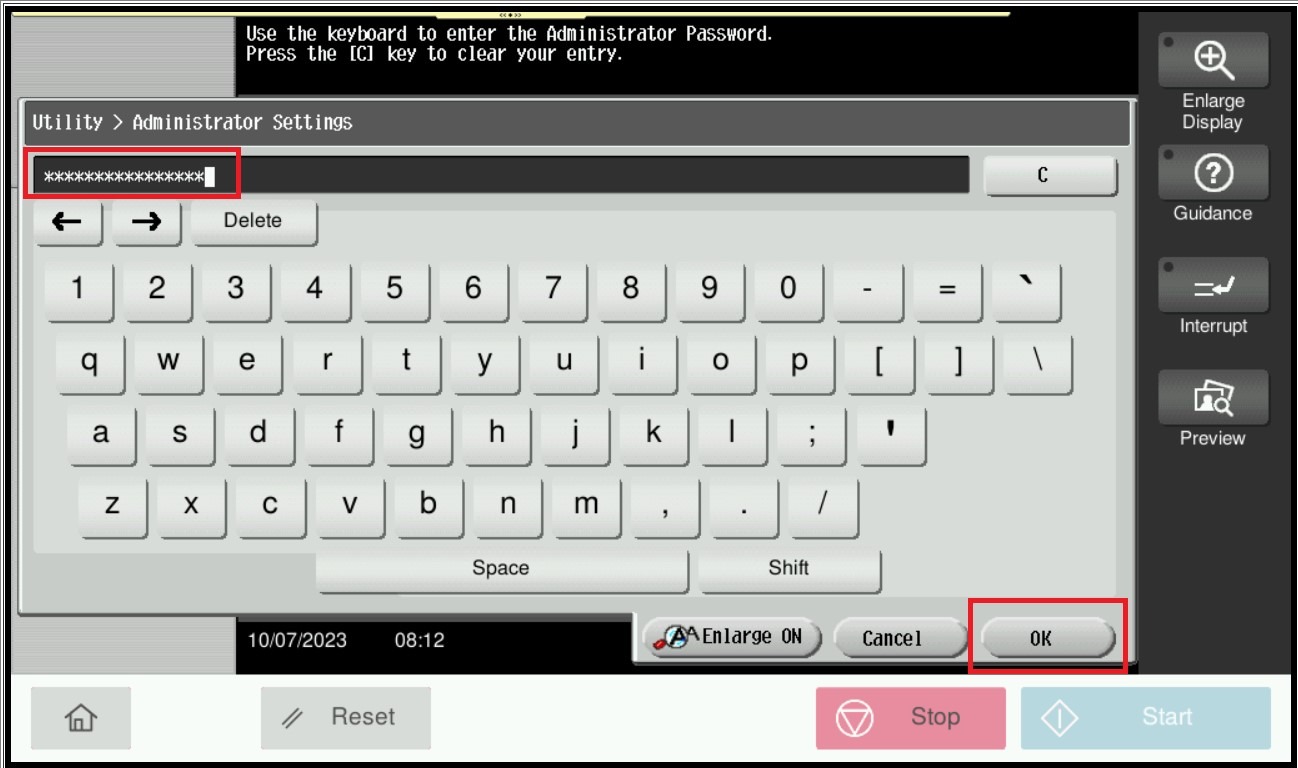
STEP 3 – Go to [Network].
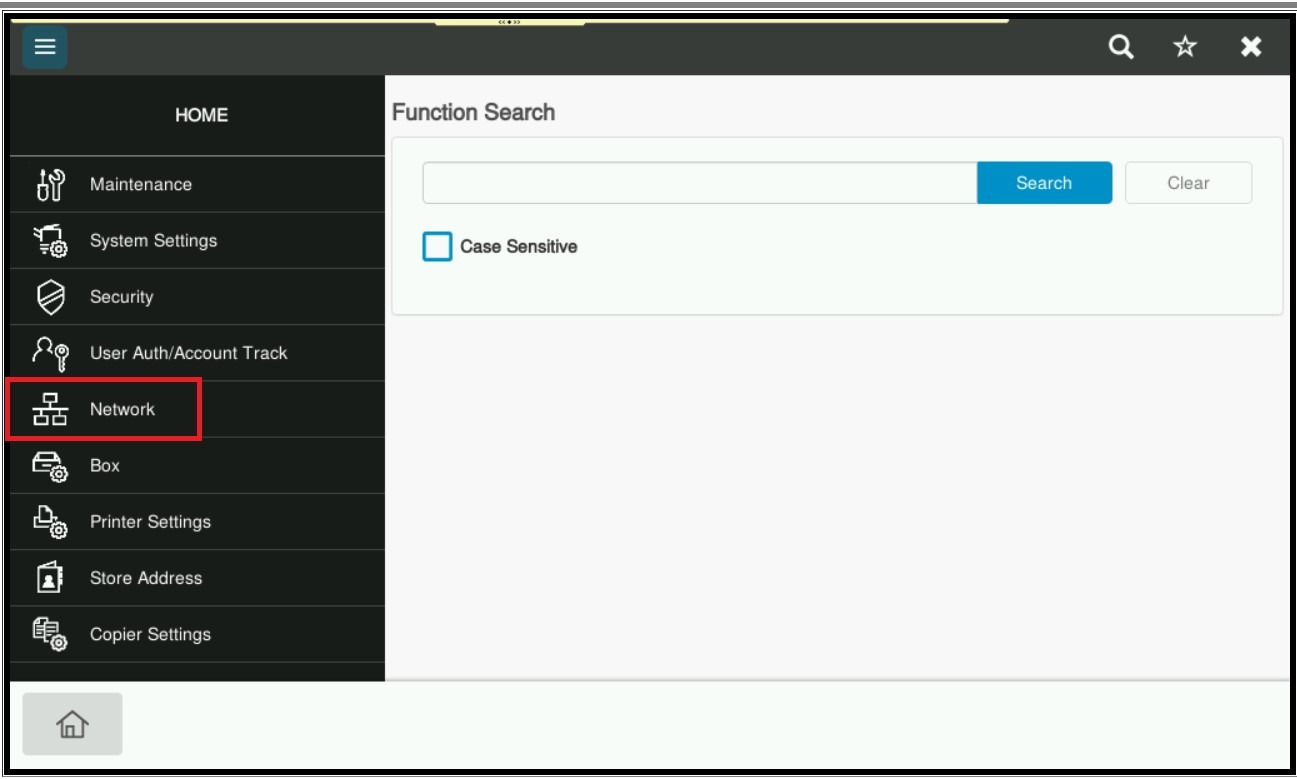
STEP 4 – Scroll down and select [HTTP Server Settings].
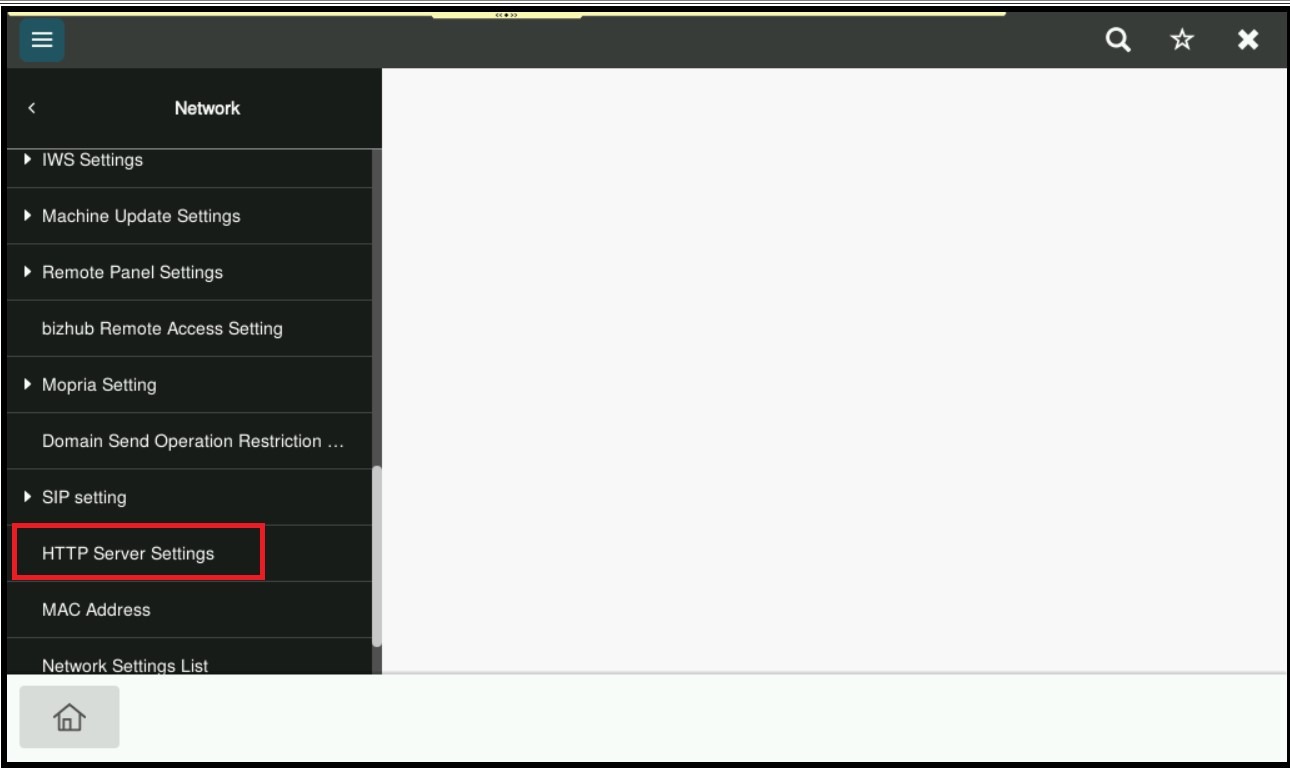
STEP 5 – Enable the function [HTTP Server Usage Settings], click [OK] to save the setting and exit from admin mode, it will able to resolved the issue web connection unable to access.