

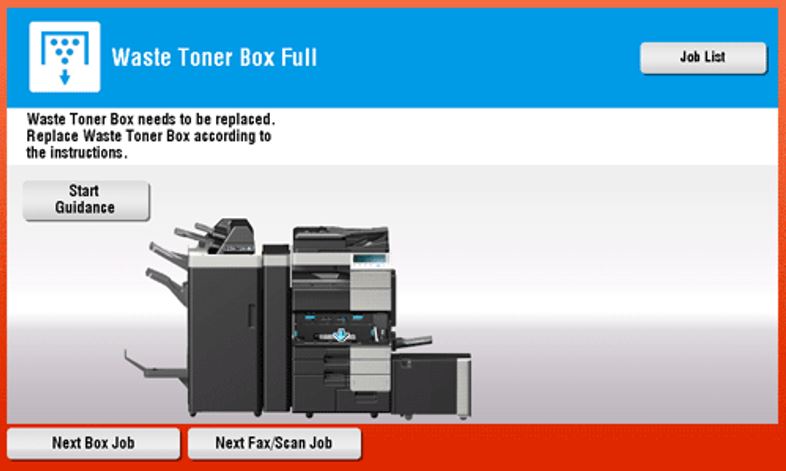
If the Waste Toner Bottle becomes full, this machine stops printing, and restarts printing after the Waste Toner Bottle is replaced. the following message appears (at replacement by the user). Tap [Start Guidance], then follow the displayed guidance to take action.
For Bizhub C360i/C300i/C250i
Click on the link below to check on how to troubleshoot the machine when replacing Waste Toner Box error occurred on the following:
For Bizhub C650i/C550i/C450i
Click on the link below to check on how to troubleshoot the machine when replacing Waste Toner Box error occurred on the following:
For Bizhub C554e/C454e/C364e/C284e/C224e
Click on the link below to check on how to troubleshoot the machine when replacing Waste Toner Box error occurred on the following:
- Replacing Waste Toner Box: For Bizhub C554e/C454e
- Replacing Waste Toner Box: For Bizhub C364e/C284e/C224e
For Bizhub C287/C227
Click on the link below to check on how to troubleshoot the machine when replacing Waste Toner Box error occurred on the following:
For Bizhub C658/C558/C458/C368/C308/C258
Click on the link below to check on how to troubleshoot the machine when replacing Waste Toner Box error occurred on the following:
- Replacing Waste Toner Box: For Bizhub C658/C558/C458
- Replacing Waste Toner Box: For Bizhub C368/C308/C258
For Bizhub C759/C659
Click on the link below to check on how to troubleshoot the machine when replacing Waste Toner Box error occurred on the following: